# How to compute contours in parallel?
**URL:** https://discourse.paraview.org/t/how-to-compute-contours-in-parallel/7046
**Category:** ParaView Support
**Created:** [April 22, 2021, 5:22pm UTC](https://discourse.paraview.org/t/how-to-compute-contours-in-parallel/7046 "2021-04-22T17:22:01Z")
**Posts on this page:** 3
**Page:** 1
### Author:  [@robertsawko](https://discourse.paraview.org/u/robertsawko)
#### Post date: [April 22, 2021, 5:22pm UTC](https://discourse.paraview.org/t/how-to-compute-contours-in-parallel/7046/1 "2021-04-22T17:22:01Z")
I have been working on porting [OpenFOAM to Catalyst V2](https://discourse.paraview.org/t/catalyst-v2-for-openfoam/6903/5) and I am building up my Catalyst pipeline script. I want to visualise drop break-up from an injection point. Please see the renderings below. I have since then reproduced the issue with client-server mode and reading distributed data from files.
I have a scalar field representing a volume fraction and would like to compute iso-surfaces across processor boundaries. Currently I am doing the following combinations of classes from `paraview.simple`:
1. `CellDatatoPointData`,
2. `Contour`,
3. `MergeBlocks`,
4. `Connectivity`.
The calculation of contours occurs independently on each rank and creates holes in the surfaces. Is there a way to coordinate this calculation somehow without significant change to the Python scripting?
My intention is to do it on hundreds or even thousands of similar objects so I want to make sure I have a good grasp of what’s happening. Thanks.
### Visualisation in serial

### Visualisation in parallel (4 ranks)
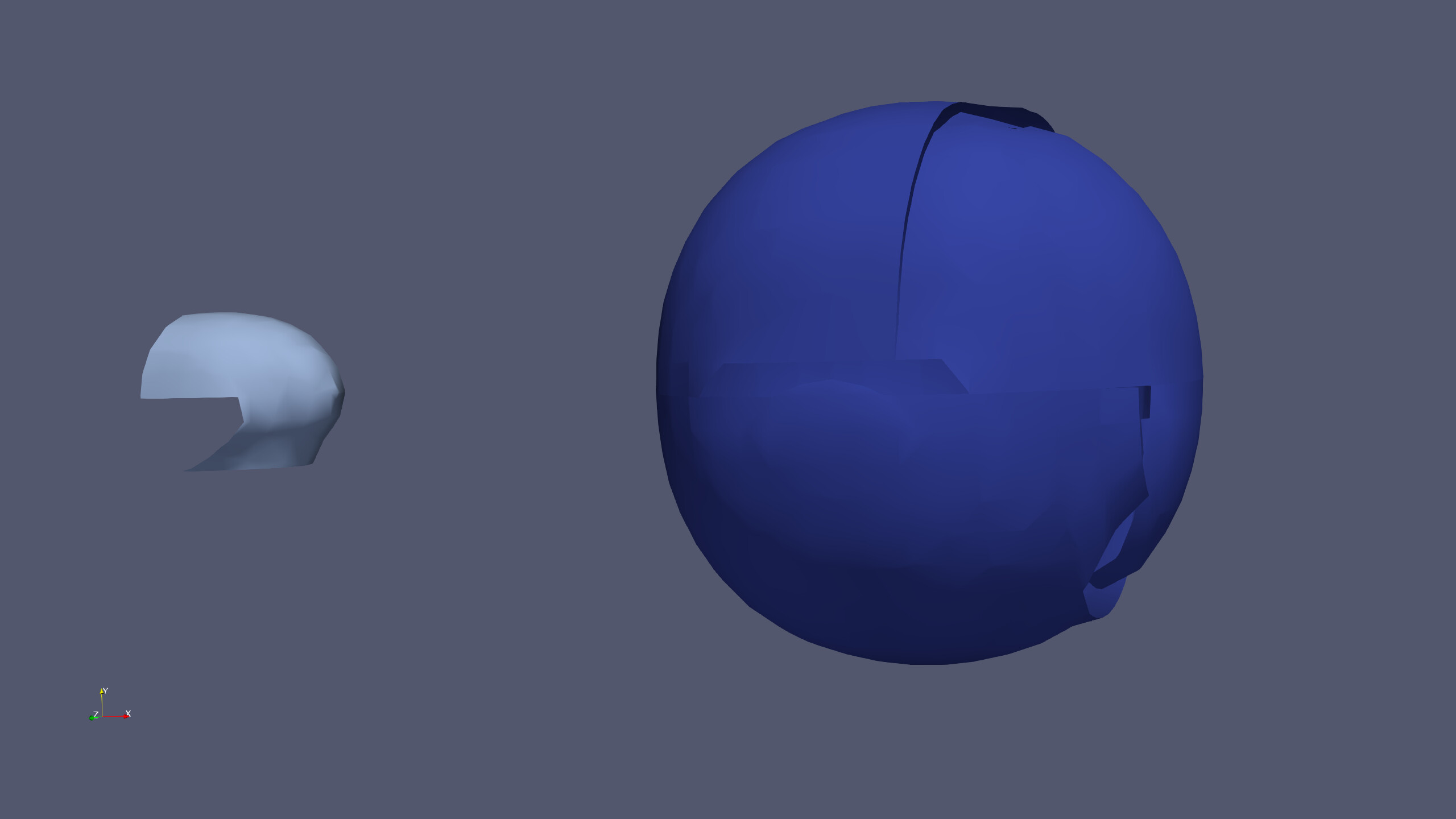
EDIT: I have renamed and moved it to ParaView Support as I am reproducing the same issue with `paraview`-`pvserver` (no Catalyst).
---
### Author:  [@robertsawko](https://discourse.paraview.org/u/robertsawko)
#### Post date: [April 23, 2021, 11:41am UTC](https://discourse.paraview.org/t/how-to-compute-contours-in-parallel/7046/2 "2021-04-23T11:41:55Z")
Ok. I may have made some progress, but if you could advise, I would appreciate.
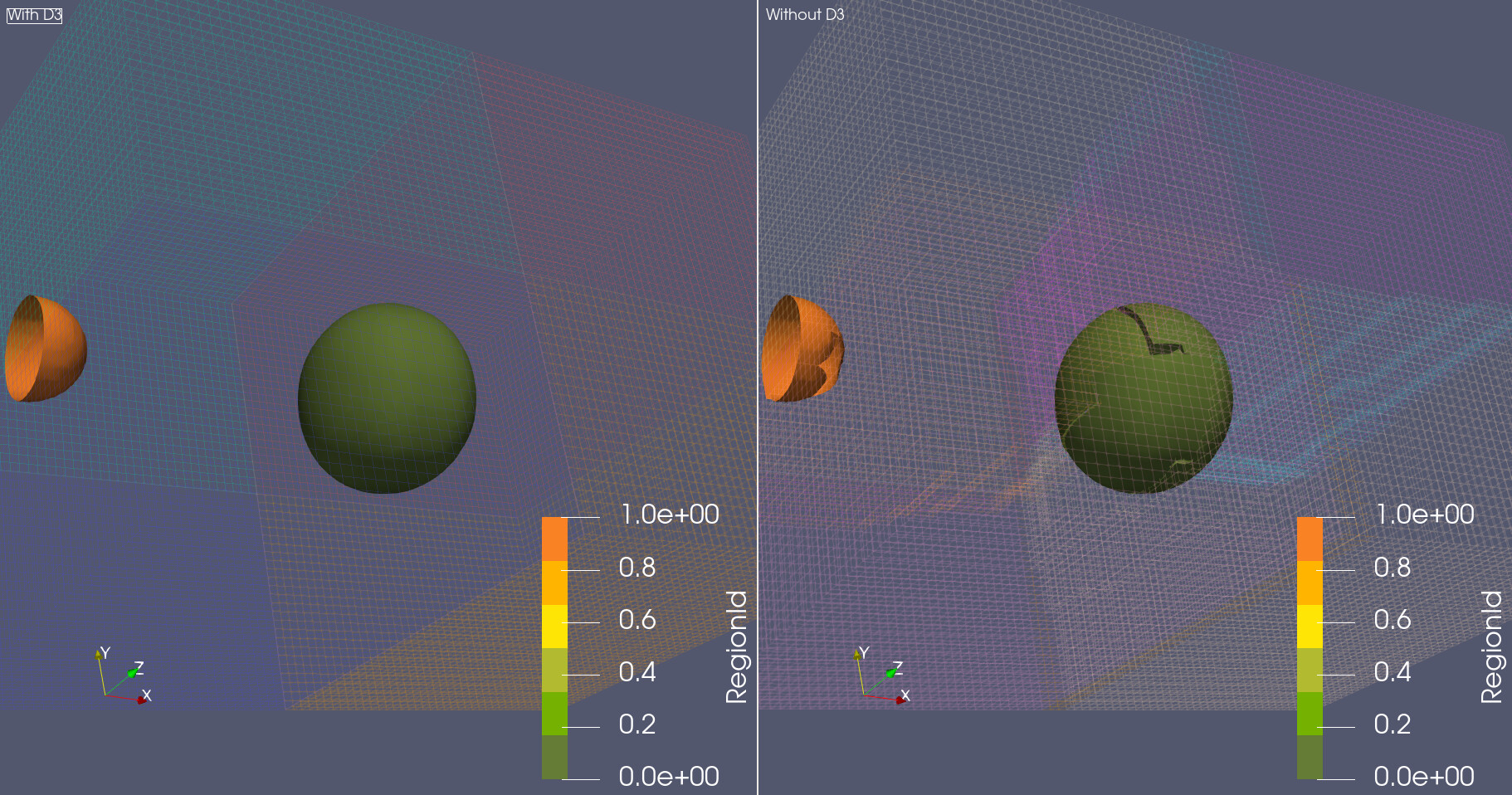
I believe my problem is related to working with unstructured grids and the lack automatic ghost cell regions. Reading the docs I have been reminded of [D3 filter](https://docs.paraview.org/en/v5.8/ReferenceManual/parallelDataVisualization.html?highlight=parallel#d3-filter). Plugging it to my data source forces a re-partition and I get a fairly satisfactory decomposition.
I would like to avoid re-partitioning though. The docs mention [ghost cell generator](https://docs.paraview.org/en/v5.8/ReferenceManual/parallelDataVisualization.html?highlight=parallel#ghost-cells-generator) which looks like what I am looking for, but it remains inactive when my data source is selected.
I am surprised that the amount of ghost levels doesn’t seem to affect the results. Even 0 produces watertight(?) surfaces. Another surprising behaviour is that even when surfaces are not watertight connectivity filter seems to work. The surface looks like a Star Wars Death Star about to explode, but it is still marked as a single region.
### D3 vs no D3 comparison
---
### Author:  [@robertsawko](https://discourse.paraview.org/u/robertsawko)
#### Post date: [April 23, 2021, 11:54am UTC](https://discourse.paraview.org/t/how-to-compute-contours-in-parallel/7046/3 "2021-04-23T11:54:44Z")
Apologies, this is now looking like a mind dump, but writing the previous post I had an epiphany and changed the order of my filters. The reason why ghost cell generator filter wasn’t active was due to multi-block data structure of my data source. Now my filter order is:
1. `MergeBlocks`
2. `GhostCellGenerator`
3. `CellDatatoPointData` (with _Piece Invariant_ checked)
4. `Contour`
5. `Connectivity`
And it produces good looking surfaces.
Please advise if you think this is still somehow inefficient or may cause issues with accuracy when a number of objects increases substantially. Otherwise, I hope someone may find these notes helpful.