# How to continuousize discrete contour?
**URL:** https://discourse.paraview.org/t/how-to-continuousize-discrete-contour/14628
**Category:** ParaView Support
**Tags:** vtk
**Created:** [May 14, 2024, 9:58am UTC](https://discourse.paraview.org/t/how-to-continuousize-discrete-contour/14628 "2024-05-14T09:58:20Z")
**Posts on this page:** 4
**Page:** 1
### Author:  [@coconutLatte](https://discourse.paraview.org/u/coconutLatte)
#### Post date: [May 14, 2024, 9:58am UTC](https://discourse.paraview.org/t/how-to-continuousize-discrete-contour/14628/1 "2024-05-14T09:58:20Z")
Hi,
I’ve got a vtk file with a result array name “Mises”.
[result\_with\_mises.vtk](https://discourse.paraview.org/uploads/short-url/eb4gjN1gNAdTRud546Qk4rWqnDM.vtk) (1.3 MB)
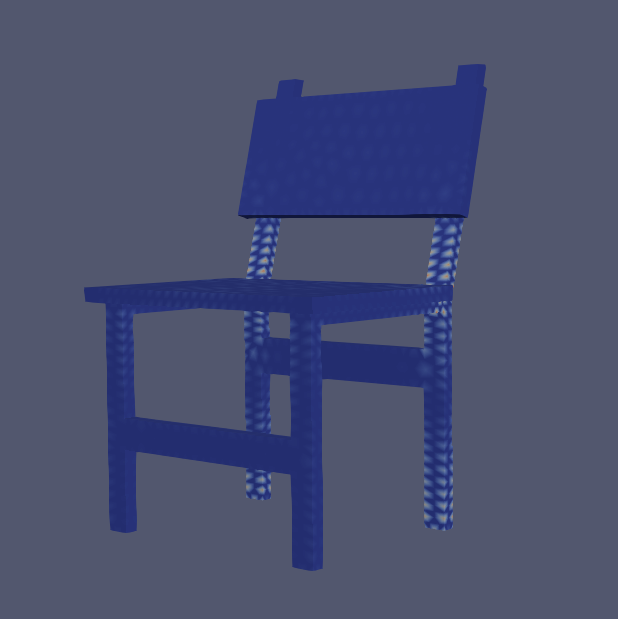
Now the contour are like below which color is blocky and discrete.
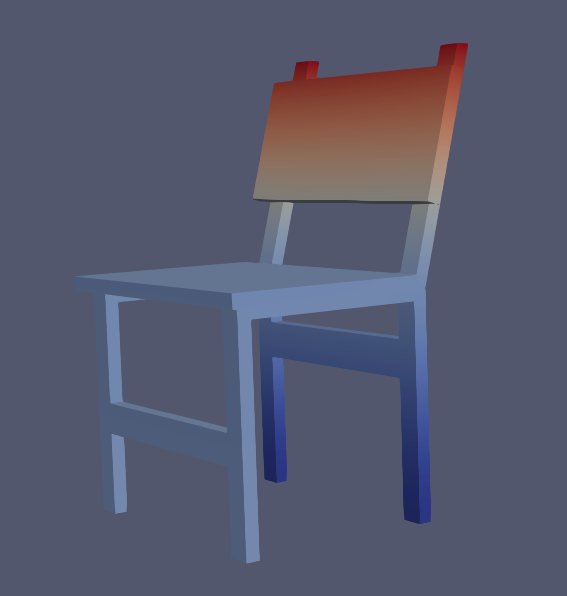
What I want is below which color is continuous.
Is there any `Filter` in paraview can work on it?
---
### Author:  [@mwestphal](https://discourse.paraview.org/u/mwestphal)
#### Post date: [May 14, 2024, 11:45am UTC](https://discourse.paraview.org/t/how-to-continuousize-discrete-contour/14628/2 "2024-05-14T11:45:18Z")
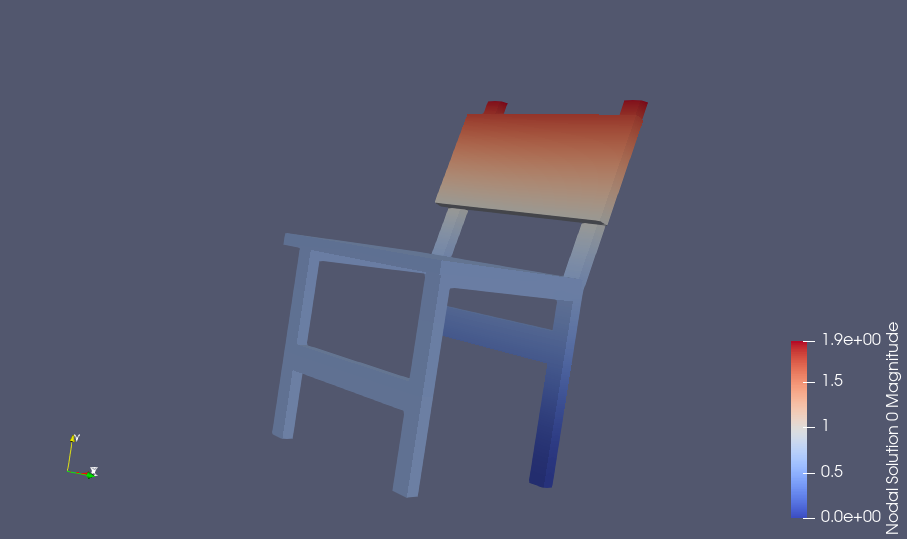
Change the coloring array to “Nodal Solution 0” ?
---
### Author:  [@Kenneth\_Moreland](https://discourse.paraview.org/u/Kenneth_Moreland)
#### Post date: [May 14, 2024, 12:46pm UTC](https://discourse.paraview.org/t/how-to-continuousize-discrete-contour/14628/3 "2024-05-14T12:46:08Z")
It looks like you are running into the same problem as in this post: [Stresses from ANSYS .rst are displayed as NaN](https://discourse.paraview.org/t/stresses-from-ansys-rst-are-displayed-as-nan/13836)
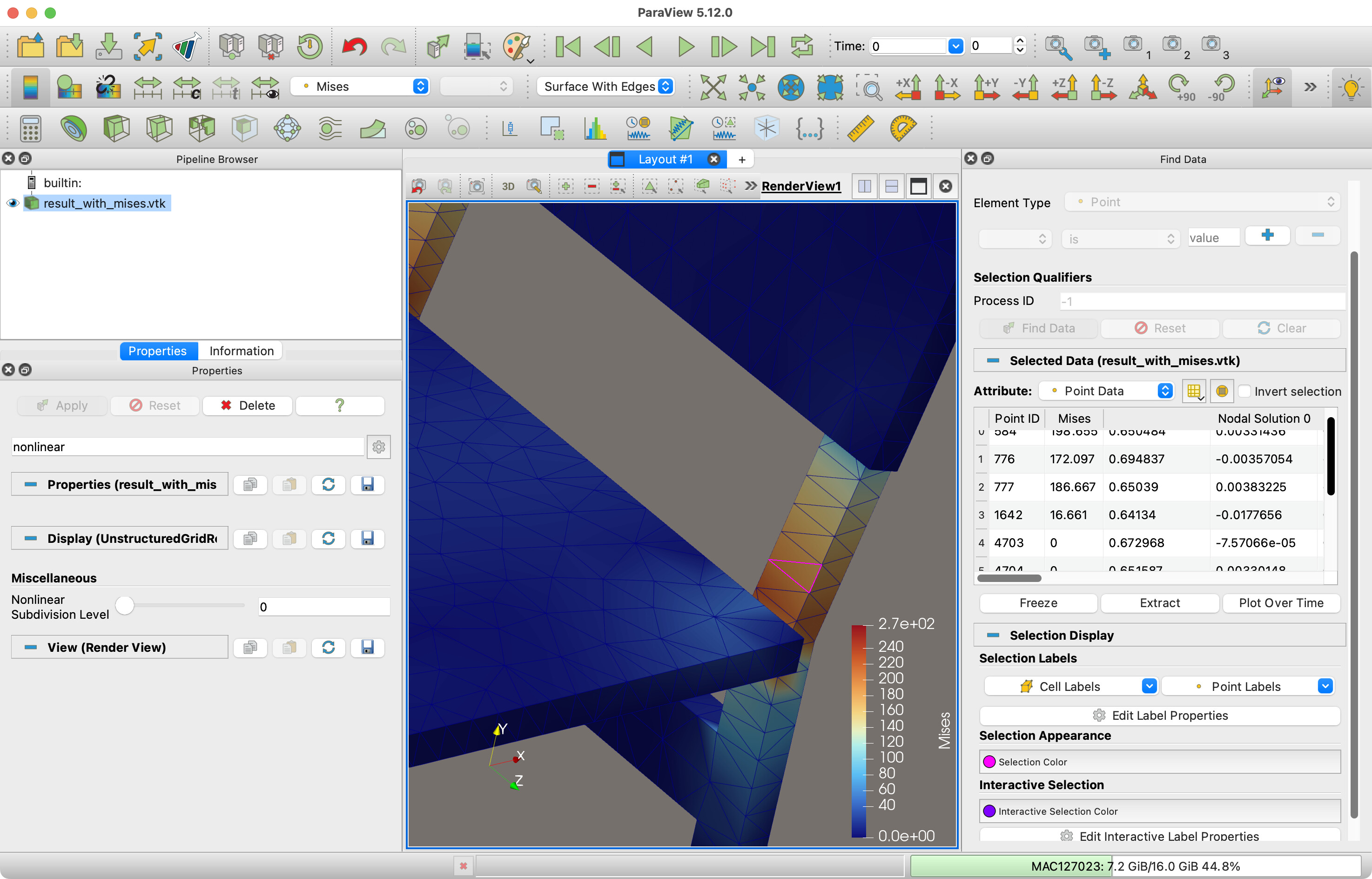
A quick summary: your data has quadratic elements. The tetrahedra have 10 values: 4 for each vertex and 6 for each edge. Some of your fields (e.g., `Nodal Solution 0`) have values for all 10 control points. However, other fields (e.g., `Mises`) only have values for the 4 vertices. The values for the edges are set to 0, which messes up the quadratic interpolation in the cell. The easiest solution is to set the `Nonlinear Subdivision Level` display parameter to 0.
---
### Author:  [@coconutLatte](https://discourse.paraview.org/u/coconutLatte)
#### Post date: [May 15, 2024, 2:29am UTC](https://discourse.paraview.org/t/how-to-continuousize-discrete-contour/14628/4 "2024-05-15T02:29:51Z")
Hi @Kenneth_Moreland
Thanks too much for solution abount set the `Nonlinear Subdivision Level` display paramter to 0. It worked on my paraview5.12 windows as well. 👍 👍 👍
Is there any way that could save the option about `Nonlinear Subdivision Level` to 0 and save it to vtk file? So that when I open the new vtk file, the `Mises` default option abount `Nonlinear Subdivision Level` is 0. It would be better if this function could be implemented using pvpython script。