# How to create surface vectors from components in 2 different .vtk files
**URL:** https://discourse.paraview.org/t/how-to-create-surface-vectors-from-components-in-2-different-vtk-files/11435
**Category:** ParaView Support
**Tags:** vtk
**Created:** [February 18, 2023, 3:45pm UTC](https://discourse.paraview.org/t/how-to-create-surface-vectors-from-components-in-2-different-vtk-files/11435 "2023-02-18T15:45:42Z")
**Posts on this page:** 4
**Page:** 1
### Author:  [@jones123](https://discourse.paraview.org/u/jones123)
#### Post date: [February 18, 2023, 3:45pm UTC](https://discourse.paraview.org/t/how-to-create-surface-vectors-from-components-in-2-different-vtk-files/11435/1 "2023-02-18T15:45:42Z")
Hi all,
I am rather new to Paraview and have been reading a bit about vector plotting techniques to indicate flow direction and velocity magnitudes. I am quite stuck, however, with my 2 files.
These are both .vtk files of the magnitude of the x and y components of a velocity field of a glacier. What I would like in the end is just a field of arrows which point in the direction of the flow and whose size correlates to the velocity magnitude. I have read about stream tracer but it stays greyed out for me. I wonder if anybody can help me or at least give me some guidance about how this can be done. Thanks!
x component: [veloc\_x.vtk - Google Drive](https://drive.google.com/file/d/1VpFKe_my_Ep0rt80CIcw4B8xNi3AwiSE/view?usp=sharing)
y component: [veloc\_y.vtk - Google Drive](https://drive.google.com/file/d/1eP4FgSZMO-bEZQJzKSbLuTl90zxbxlsh/view?usp=sharing)
(what I did to plot these:
1. filter → threshold → lower threshold 0.1
2. Representation: points with points size 25)
---
### Author:  [@nicolas.vuaille](https://discourse.paraview.org/u/nicolas.vuaille)
#### Post date: [February 20, 2023, 8:21am UTC](https://discourse.paraview.org/t/how-to-create-surface-vectors-from-components-in-2-different-vtk-files/11435/2 "2023-02-20T08:21:55Z")
Answered on [SO](https://stackoverflow.com/questions/75501535/how-to-create-2d-vector-flow-field-from-components-in-2-different-vtk-files-in).
- ` Append Attributes`
- `Merge Vector Components`
- `Glyph` representation
---
### Author:  [@jones123](https://discourse.paraview.org/u/jones123)
#### Post date: [February 21, 2023, 3:29pm UTC](https://discourse.paraview.org/t/how-to-create-surface-vectors-from-components-in-2-different-vtk-files/11435/3 "2023-02-21T15:29:54Z")
Hi
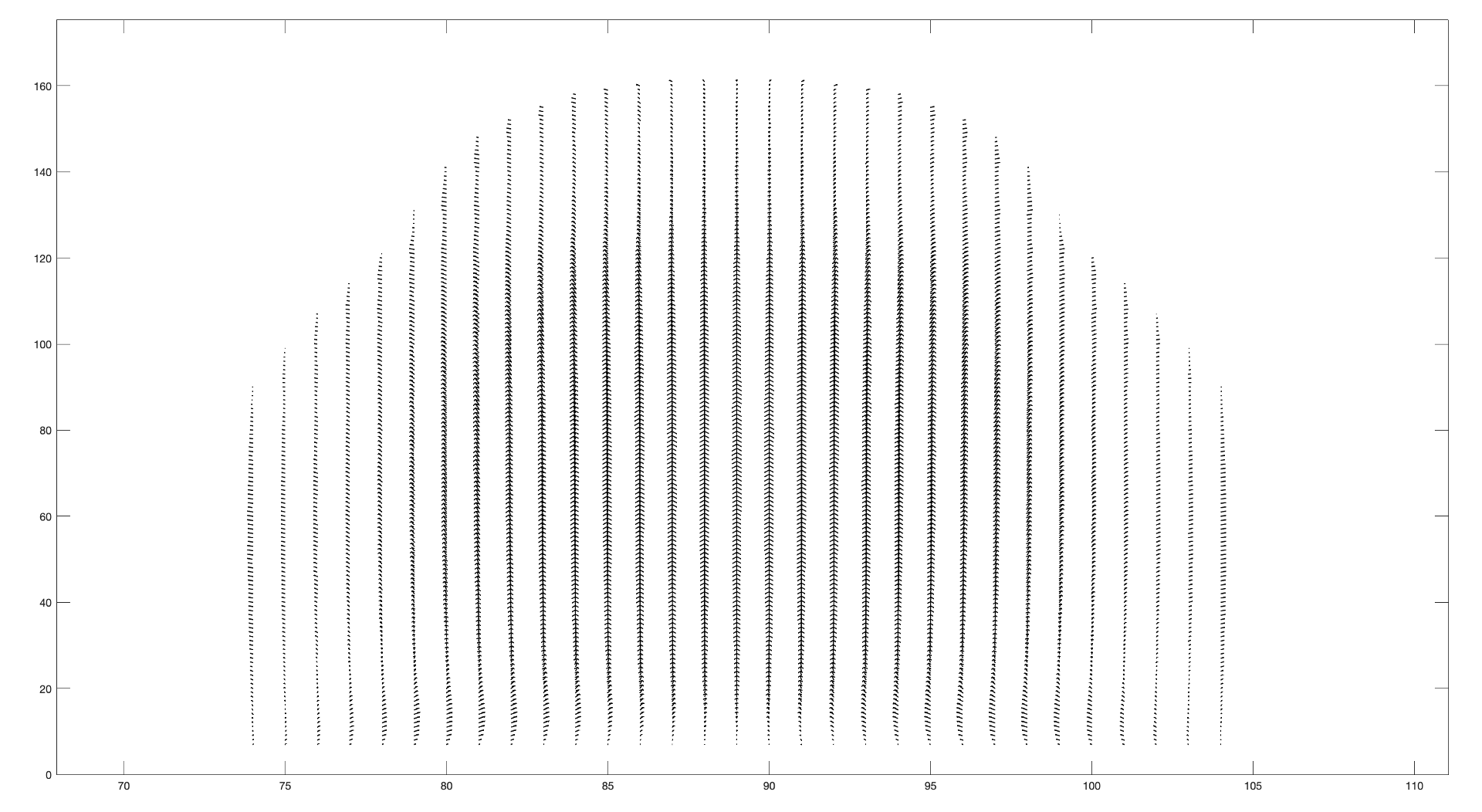
Thanks for the answer! I tried your steps but I got the following result. Can you help me to improve this?
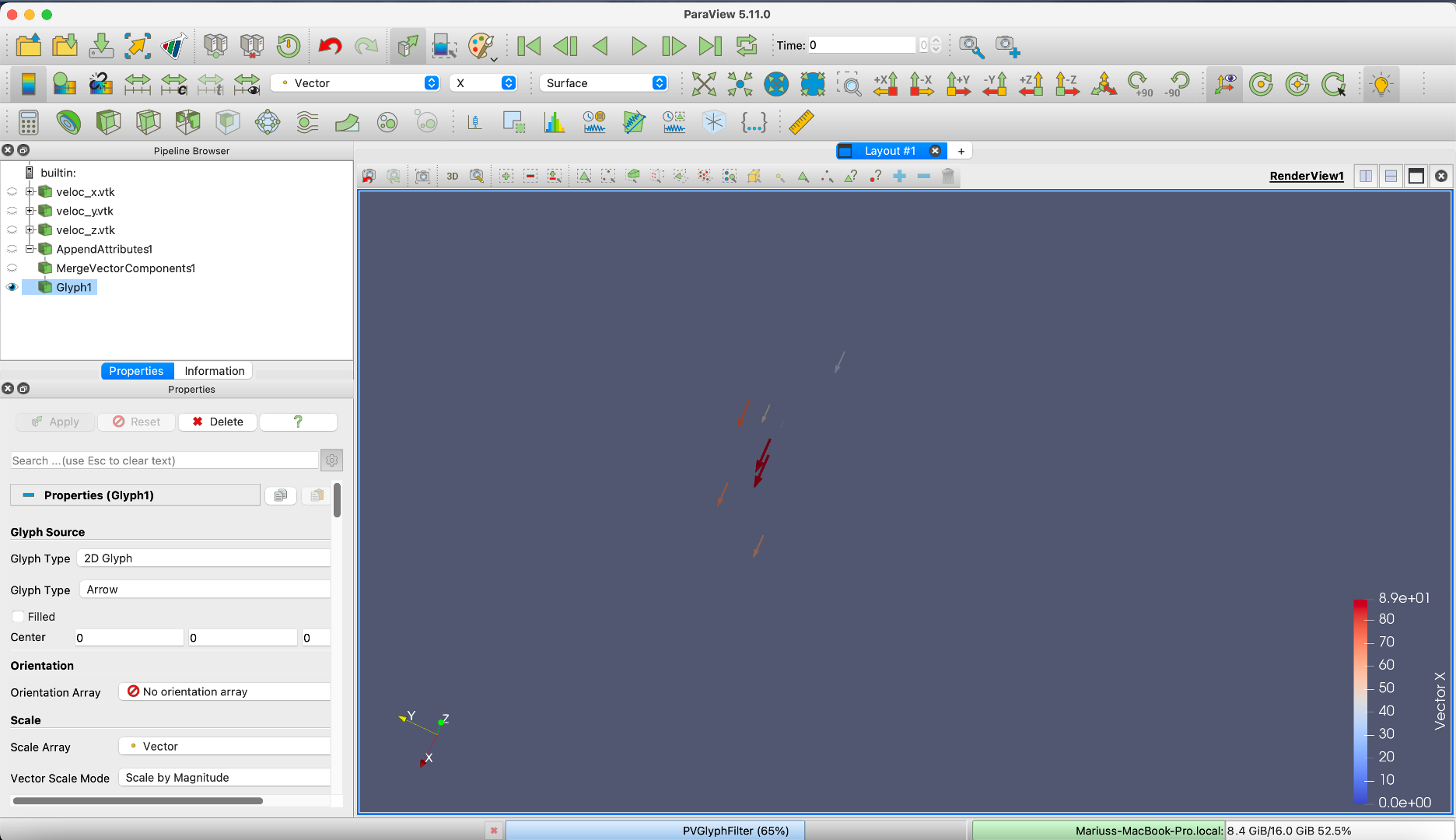
According to Matlab, it should look like this:
---
### Author:  [@nicolas.vuaille](https://discourse.paraview.org/u/nicolas.vuaille)
#### Post date: [February 22, 2023, 8:41am UTC](https://discourse.paraview.org/t/how-to-create-surface-vectors-from-components-in-2-different-vtk-files/11435/4 "2023-02-22T08:41:21Z")
So, you have 2 ways to go:
- in your `Glyph` filter, look for **Glyph mode** and choose `All points`
- instead of the `Glyph` filter, display the output of the`MergeComponents` and select `Glyph` as the **Representation** in the `Display Properties` section (see some doc [here](https://docs.paraview.org/en/latest/UsersGuide/displayingData.html#id3))