# How to cull backface triangles
**URL:** https://discourse.paraview.org/t/how-to-cull-backface-triangles/16297
**Category:** ParaView Support
**Created:** [March 11, 2025, 2:02pm UTC](https://discourse.paraview.org/t/how-to-cull-backface-triangles/16297 "2025-03-11T14:02:19Z")
**Posts on this page:** 3
**Page:** 1
### Author:  [@Michael\_Jackson](https://discourse.paraview.org/u/Michael_Jackson)
#### Post date: [March 11, 2025, 2:02pm UTC](https://discourse.paraview.org/t/how-to-cull-backface-triangles/16297/1 "2025-03-11T14:02:20Z")
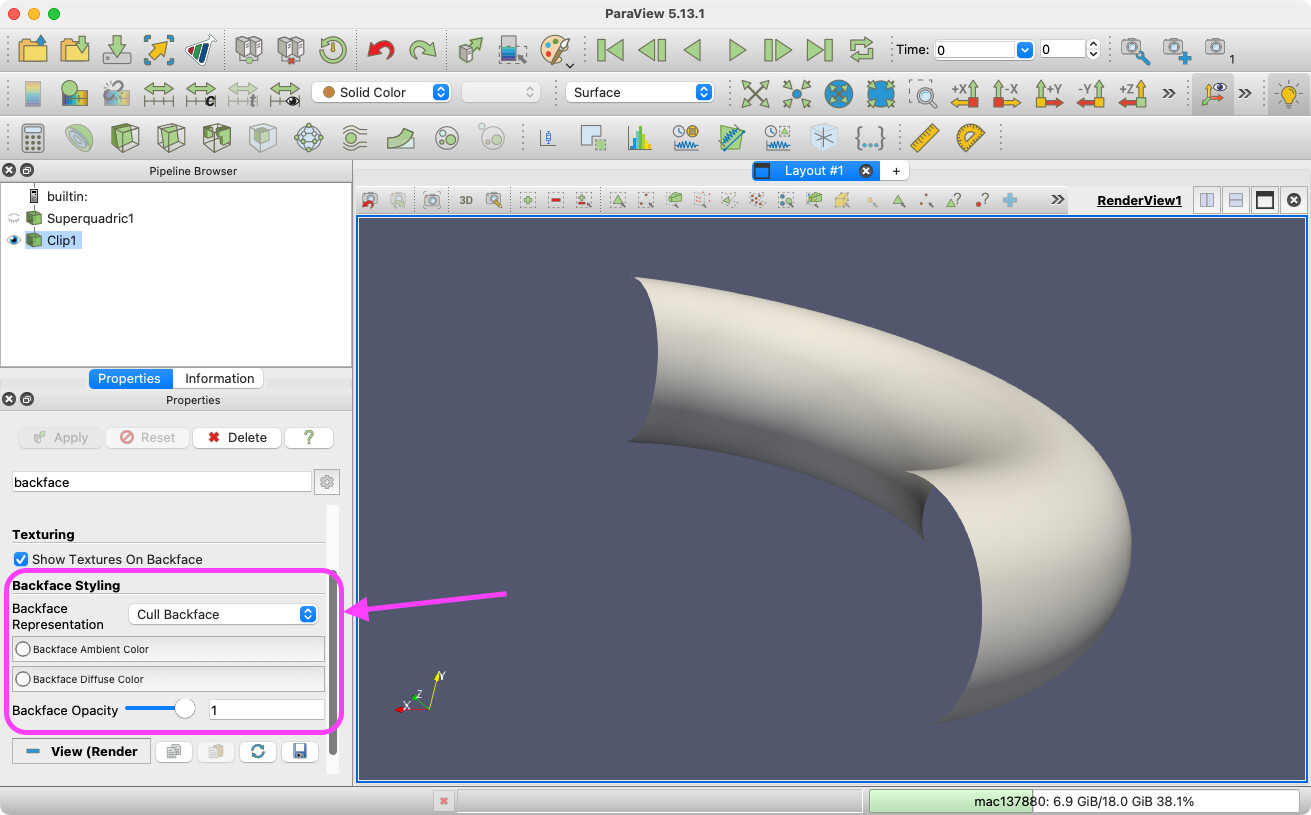
I have an STL File that I know has inconsistent triangle windings. How do I entice ParaView to NOT show those triangles? It’s been a while but isn’t it something about backface culling or something like that?
---
### Author:  [@mwestphal](https://discourse.paraview.org/u/mwestphal)
#### Post date: [March 11, 2025, 2:12pm UTC](https://discourse.paraview.org/t/how-to-cull-backface-triangles/16297/2 "2025-03-11T14:12:21Z")
Indeed, backface culling: [how to hide front face/surface of a mesh](https://discourse.paraview.org/t/how-to-hide-front-face-surface-of-a-mesh/6299)
---
### Author:  [@Kenneth\_Moreland](https://discourse.paraview.org/u/Kenneth_Moreland)
#### Post date: [March 11, 2025, 2:29pm UTC](https://discourse.paraview.org/t/how-to-cull-backface-triangles/16297/3 "2025-03-11T14:29:30Z")
I don’t know if it was described very well in the previous posts. The location of the backface controls is in the display part of the properties panel here:
BTW, if you are trying to find backface triangles instead of remove them, you can instead change the coloring of backfaces to make them easy to identify.
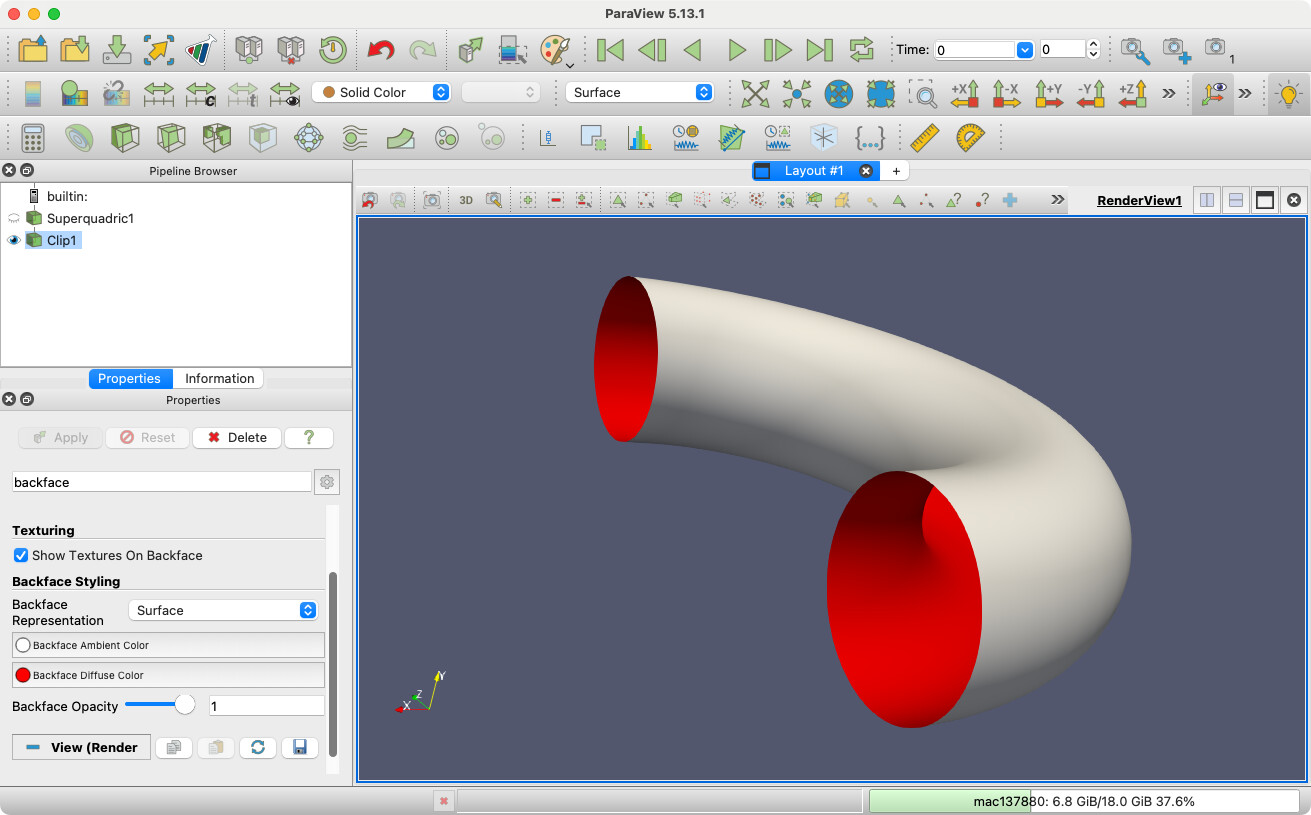
I found a little bit of instruction in one of ParaView’s tutorials: [11. Advanced: Tips & Tricks — ParaView Documentation 5.12.0 documentation](https://docs.paraview.org/en/latest/Tutorials/ClassroomTutorials/advancedTipsAndTricks.html#backface-styling)