# How to devote series of data to corresponding timesteps in ParaView using programmable filter
**URL:** https://discourse.paraview.org/t/how-to-devote-series-of-data-to-corresponding-timesteps-in-paraview-using-programmable-filter/8328
**Category:** ParaView Support
**Tags:** vtk, python
**Created:** [November 4, 2021, 6:17pm UTC](https://discourse.paraview.org/t/how-to-devote-series-of-data-to-corresponding-timesteps-in-paraview-using-programmable-filter/8328 "2021-11-04T18:17:15Z")
**Posts on this page:** 5
**Page:** 1
### Author:  [@Ali\_Sheikholeslam](https://discourse.paraview.org/u/Ali_Sheikholeslam)
#### Post date: [November 4, 2021, 6:17pm UTC](https://discourse.paraview.org/t/how-to-devote-series-of-data-to-corresponding-timesteps-in-paraview-using-programmable-filter/8328/1 "2021-11-04T18:17:15Z")
I have about 10000 timesteps in my OpenFOAM case folder. I tried to add some grains to each time step to see them in the postprocessing animations. The grain specs are in .txt formats for each timestep. I have imported **one** of my data to ParaView by using related [code in the docs](https://docs.paraview.org/en/latest/ReferenceManual/pythonProgrammableFilter.html#reading-a-csv-file), correctly.
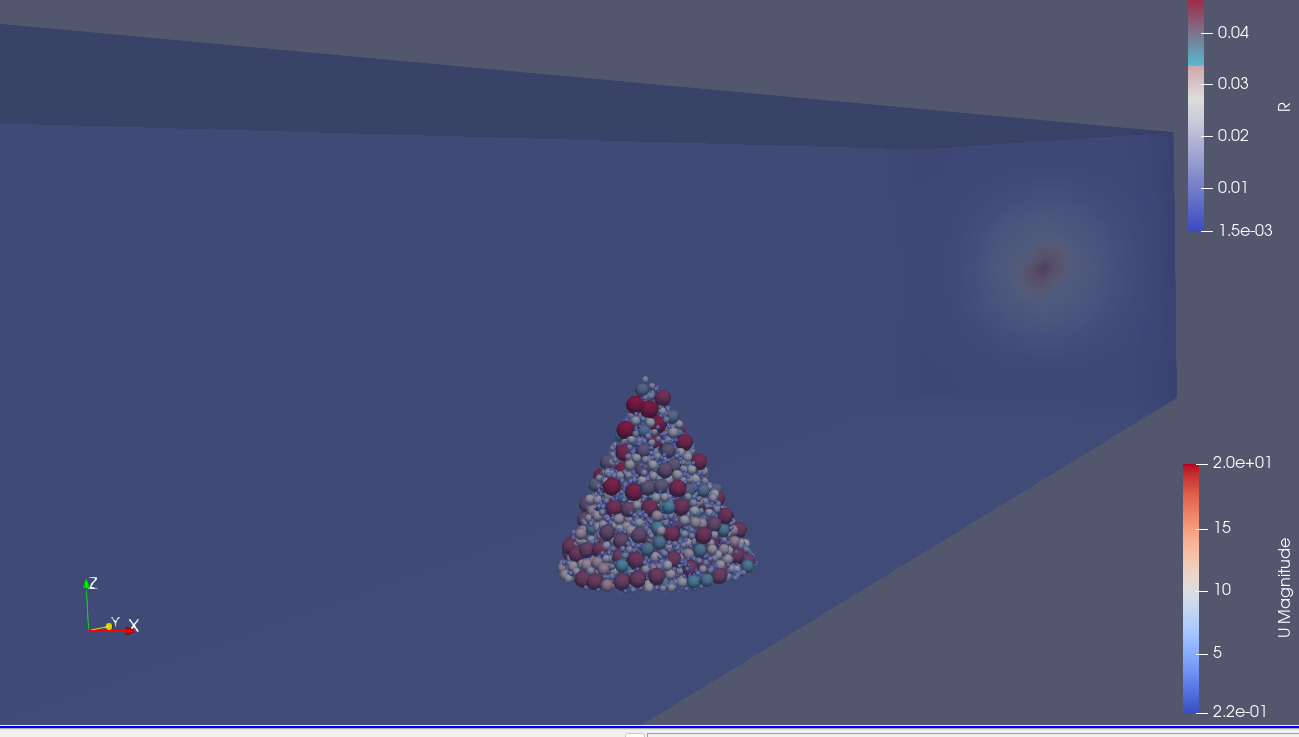
I don’t know how to import and devote all data files to each corresponding timesteps. The number of data files are equal to the number OpenFOAM timesteps. I think this can be achieved using [the docs’ another code](https://docs.paraview.org/en/latest/ReferenceManual/pythonProgrammableFilter.html#reading-a-csv-file-series), but I coud not find out how it works and how each data is read and devoted to each specified timestep (in my case, each data → each timestep). I would like to use _programmable filter_ to do so programmatically with python. I am new to ParaView coding and would be appreciated if any one would show me how to doing so.
---
### Author:  [@mwestphal](https://discourse.paraview.org/u/mwestphal)
#### Post date: [November 5, 2021, 9:30am UTC](https://discourse.paraview.org/t/how-to-devote-series-of-data-to-corresponding-timesteps-in-paraview-using-programmable-filter/8328/2 "2021-11-05T09:30:05Z")
I would just read all the .csv file as a time series using the strandard CSV reader of ParaView.
---
### Author:  [@Ali\_Sheikholeslam](https://discourse.paraview.org/u/Ali_Sheikholeslam)
#### Post date: [November 6, 2021, 4:09pm UTC](https://discourse.paraview.org/t/how-to-devote-series-of-data-to-corresponding-timesteps-in-paraview-using-programmable-filter/8328/3 "2021-11-06T16:09:49Z")
Thank you for you response. I have tried to do so by [**CSV time series**](https://www.paraview.org/Wiki/ParaView/Data_formats#Reading_a_time_varying_Raw_file_into_Paraview). When I open timesteps in ParaView, each of them place in integer _time_; e.g. if the OF case folder have result folders for each 0.1 seconds as _0.1, 0.2, 0.3, 0.4, 0.5, 0.6, 0.7, 0.8, 0.9, 1_ then the imported data as _txt_ or _csv_ will be placed in time as integers as _0, 1, 2, 3, 4, 5, 6, 7, 8, 9_. So, only in time = 1, in this case, the imported data will match to the original case results and the time will be as _0, 0.1, 0.2, 0.3, 0.4, 0.5, 0.6, 0.7, 0.8, 0.9, 1, 2, 3, 4, 5, 6, 7, 8, 9_. it is shown in the following picture:
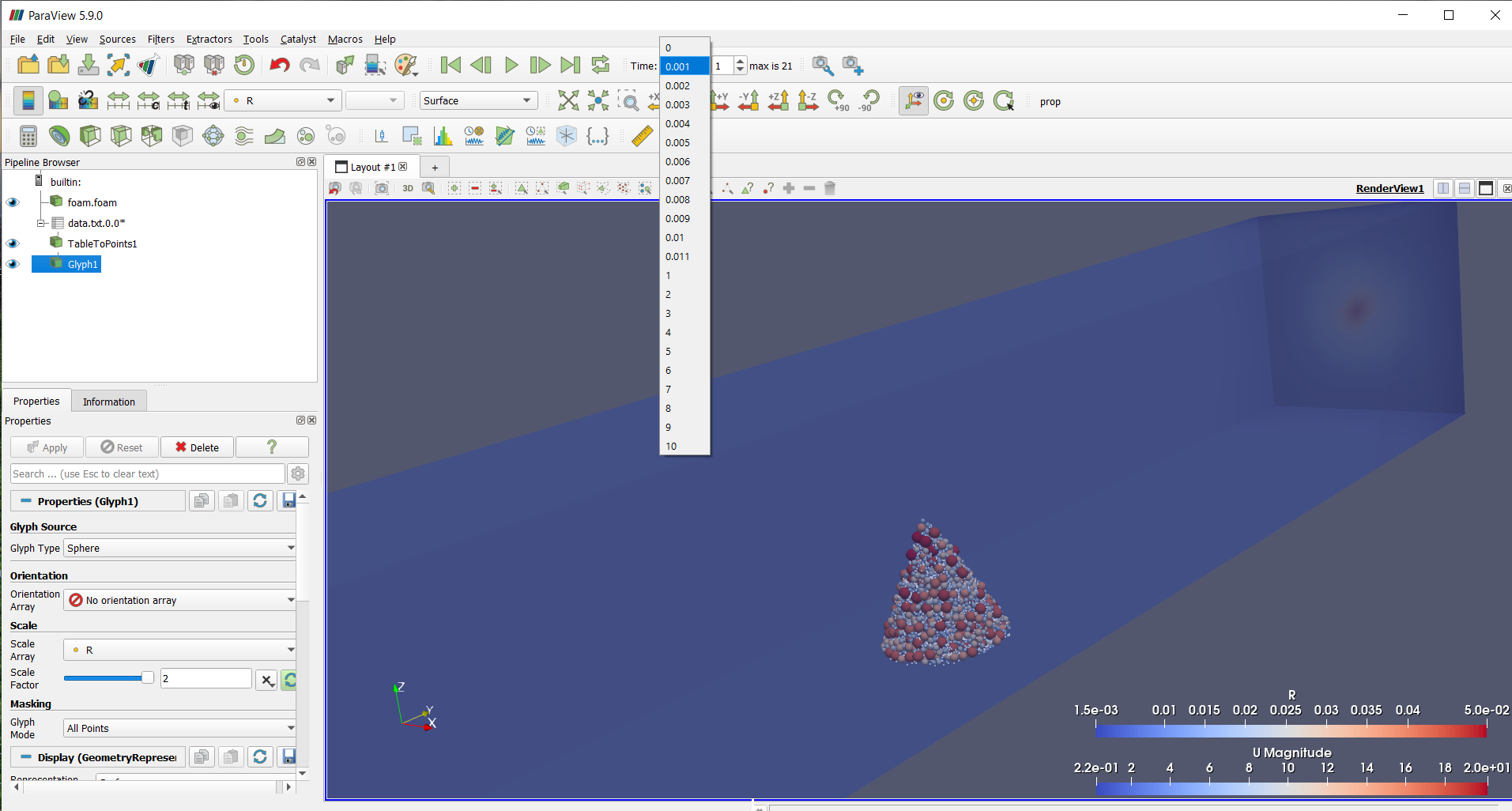
For the case with results in 1 seconds where results folder is as _1, 2, 3, 4, 5, 6, 7, 8, 9_, if we import the timesteps’ data as above, the results will be matched for each time, except 0. So the time will be as _0, 1, 2, 3, 4, 5, 6, 7, 8, 9_.
How could I solve this problem for when timesteps’ data are for each OF case corresponding result folders where steps are each 0.001 s like.
The small sample code with steps is:
[test.rar](https://discourse.paraview.org/uploads/short-url/5mUF2Ay7JkLvhRJA1rfQC3UTQ5L.rar) (3.4 MB)
---
### Author:  [@Ali\_Sheikholeslam](https://discourse.paraview.org/u/Ali_Sheikholeslam)
#### Post date: [November 6, 2021, 6:45pm UTC](https://discourse.paraview.org/t/how-to-devote-series-of-data-to-corresponding-timesteps-in-paraview-using-programmable-filter/8328/4 "2021-11-06T18:45:18Z")
If you would suggest to use .vtk, .vtu, .vtt or .pvd extensions, how could I do so?
My particles’ coordinates and their radii are exported as .txt from another software using NumPy. Which steps must I do to prepare ParaView readable such formats from that software. Could I export such readable formats directly from that software using python libraries or it needs additional works to convert and … the.txt files?
Now, I am trying to import .txt data files and export data as .pvd from ParaView, and then changing their timesteps in .pvd created file by using python. But, it seems not a good way.
---
### Author:  [@mwestphal](https://discourse.paraview.org/u/mwestphal)
#### Post date: [November 8, 2021, 8:51am UTC](https://discourse.paraview.org/t/how-to-devote-series-of-data-to-corresponding-timesteps-in-paraview-using-programmable-filter/8328/5 "2021-11-08T08:51:47Z")
> [@Ali\_Sheikholeslam](#):
>
> How could I solve this problem for when timesteps’ data are for each OF case corresponding result folders where steps are each 0.001 s like.
Use a .series file :
[https://blog.kitware.com/paraview-5-5-0-release-notes/](https://blog.kitware.com/paraview-5-5-0-release-notes/)