# How to display velocity of spheres with high resolution
**URL:** https://discourse.paraview.org/t/how-to-display-velocity-of-spheres-with-high-resolution/12835
**Category:** ParaView Support
**Created:** [September 8, 2023, 3:10pm UTC](https://discourse.paraview.org/t/how-to-display-velocity-of-spheres-with-high-resolution/12835 "2023-09-08T15:10:19Z")
**Posts on this page:** 6
**Page:** 1
### Author:  [@MuWeihao](https://discourse.paraview.org/u/MuWeihao)
#### Post date: [September 8, 2023, 3:10pm UTC](https://discourse.paraview.org/t/how-to-display-velocity-of-spheres-with-high-resolution/12835/1 "2023-09-08T15:10:19Z")
Hi!
I am a new user of Paraview. I want to represent the velocity of spheres(ie. Sphvel) inParaView. However, I have meetings with several problems:
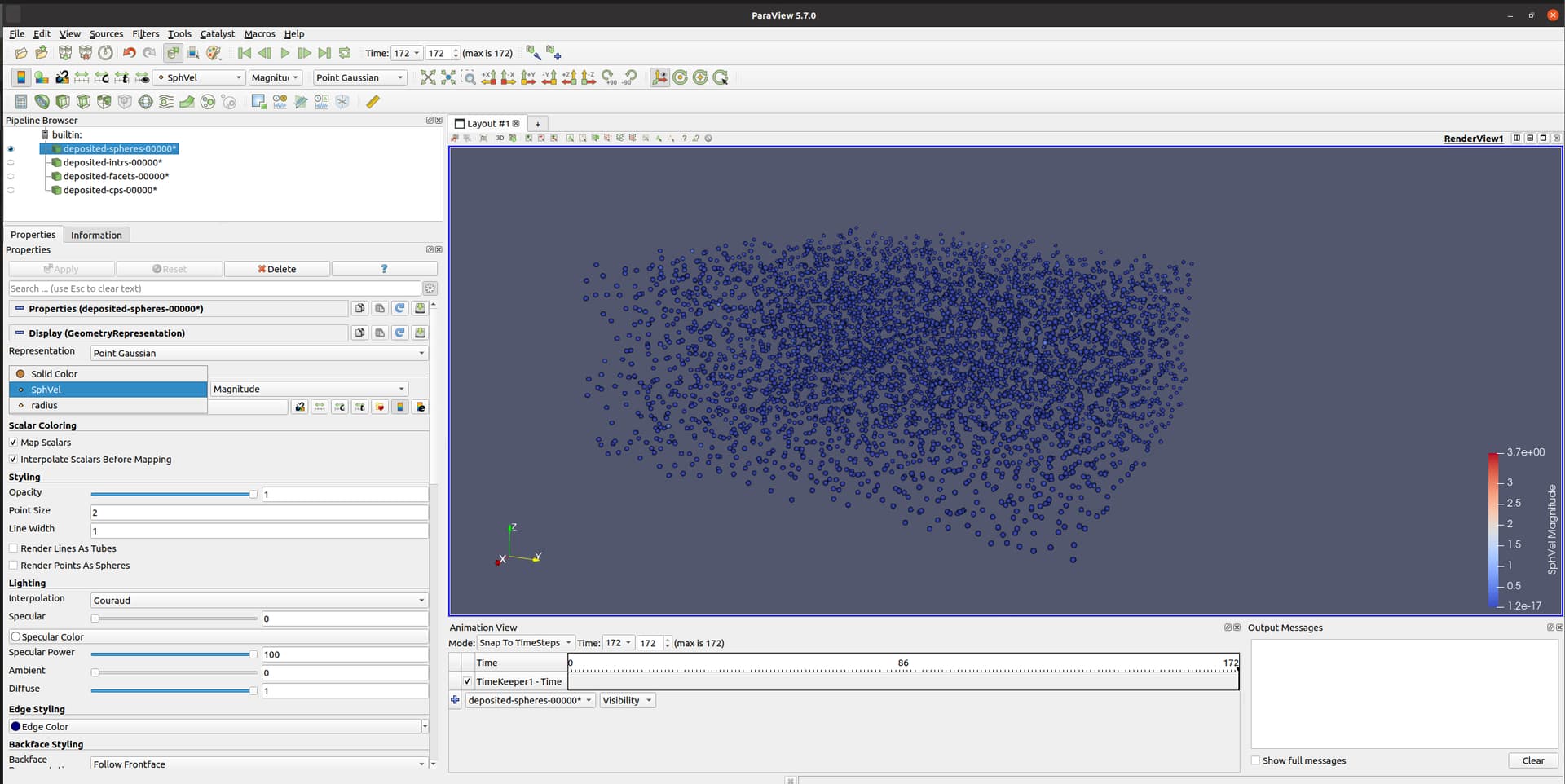
1. In ParaView 5.7.0, The velocity option can be chosen in coloring, but the radius distribution of spheres was not accurately indicated. Note that the spheres are only displayed on screen when the representation type is Gaussian Point.
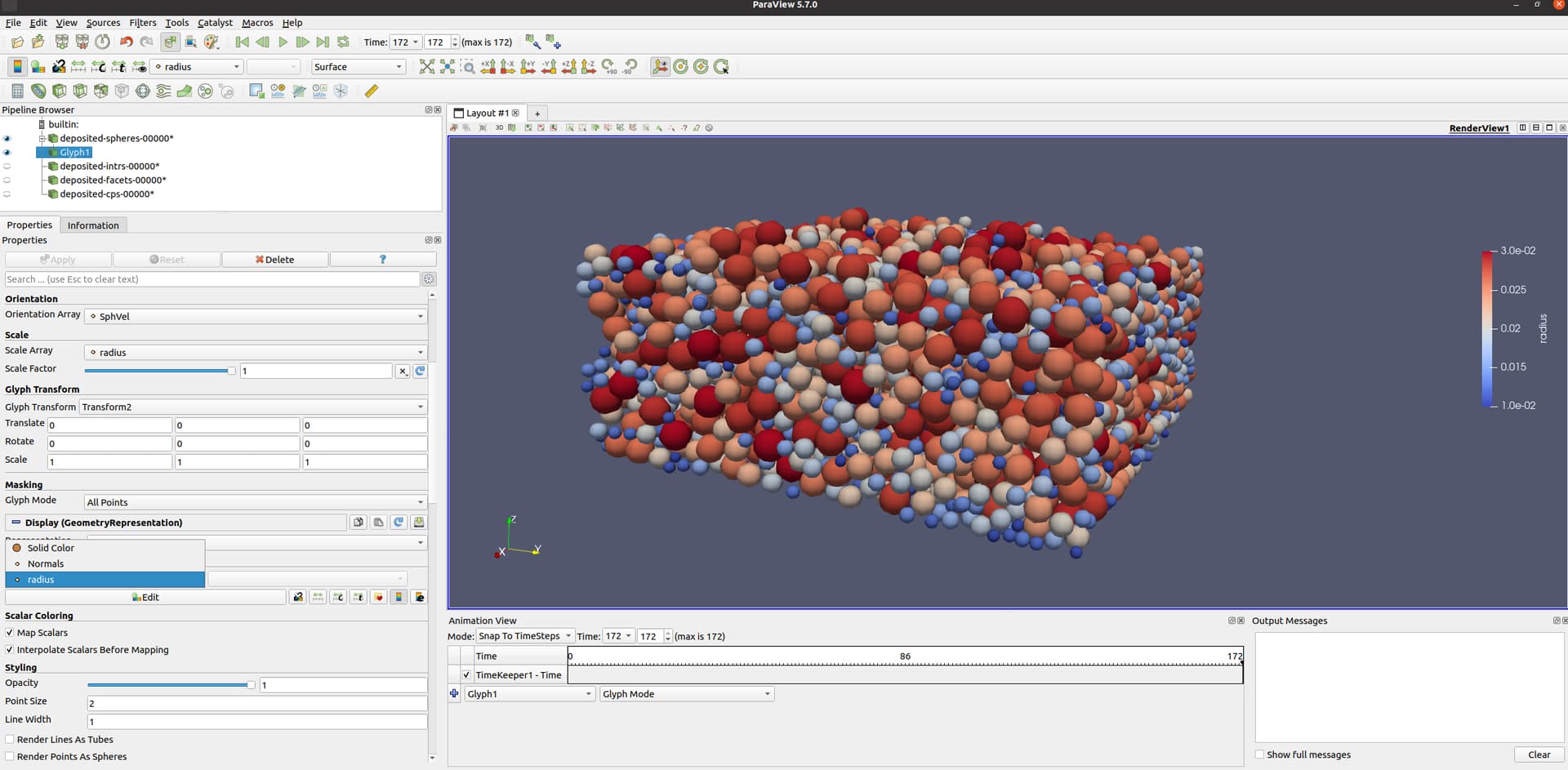
2. In ParaView 5.7.0, When I used the Glyph to represent spheres, the radius distribution of spheres was accurately indicated, but the velocity option can not be chosen in coloring regardless of any representation type.
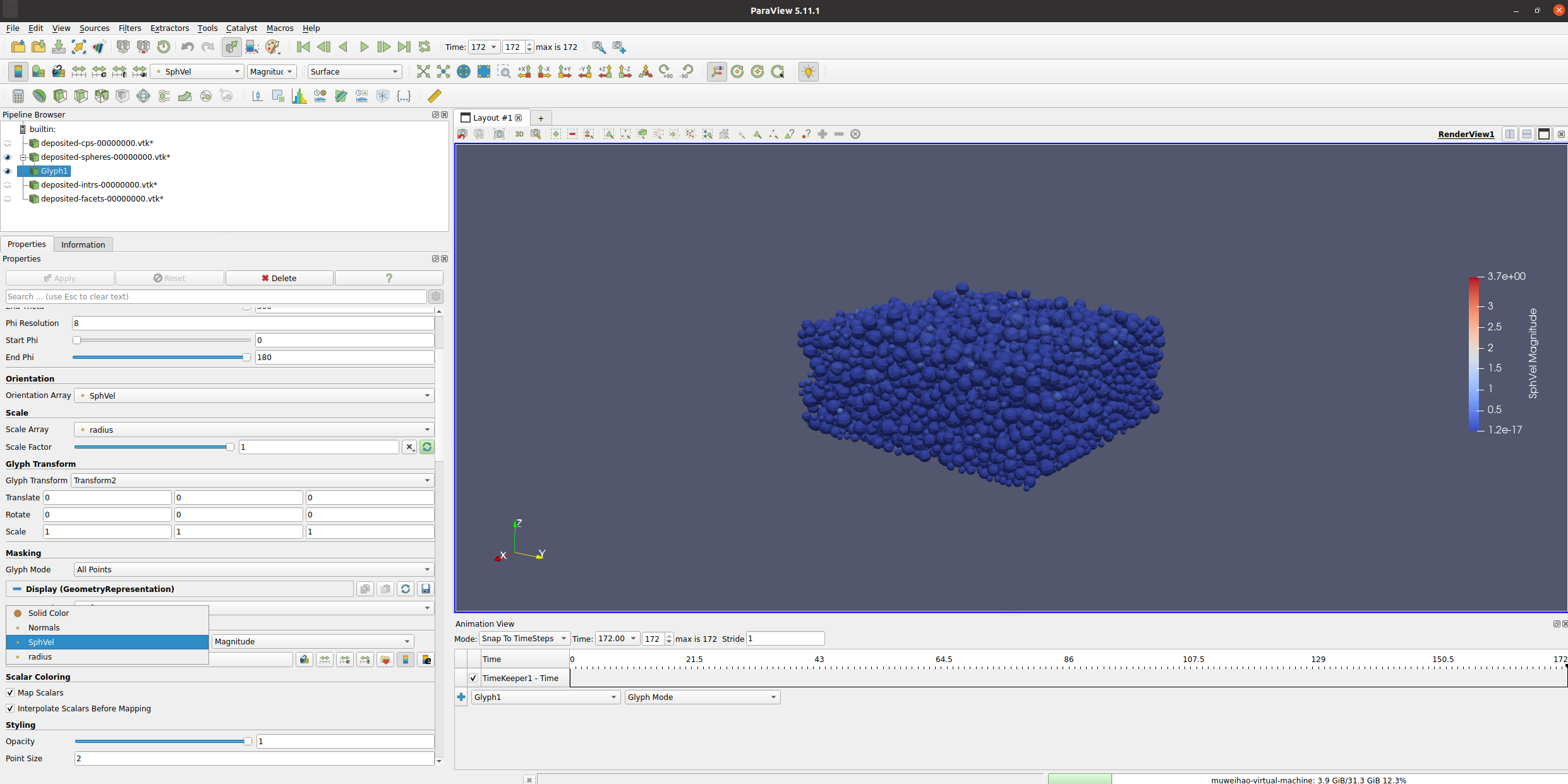
3. In ParaView5.11.1, When I used the Glyph to represent spheres, the radius distribution of spheres was accurately indicated, and the velocity option can be chosen in coloring. However, the sphere looks like it’s made up of multiple faces, how to make the spheres appear to be smoother?
Regards,
Weihao Mu
---
### Author:  [@mwestphal](https://discourse.paraview.org/u/mwestphal)
#### Post date: [September 8, 2023, 3:12pm UTC](https://discourse.paraview.org/t/how-to-display-velocity-of-spheres-with-high-resolution/12835/2 "2023-09-08T15:12:36Z")
> [@MuWeihao](#):
>
> how to make the spheres appear to be smoother?
Increase the sphere resolution
---
### Author:  [@MuWeihao](https://discourse.paraview.org/u/MuWeihao)
#### Post date: [September 8, 2023, 3:32pm UTC](https://discourse.paraview.org/t/how-to-display-velocity-of-spheres-with-high-resolution/12835/3 "2023-09-08T15:32:45Z")
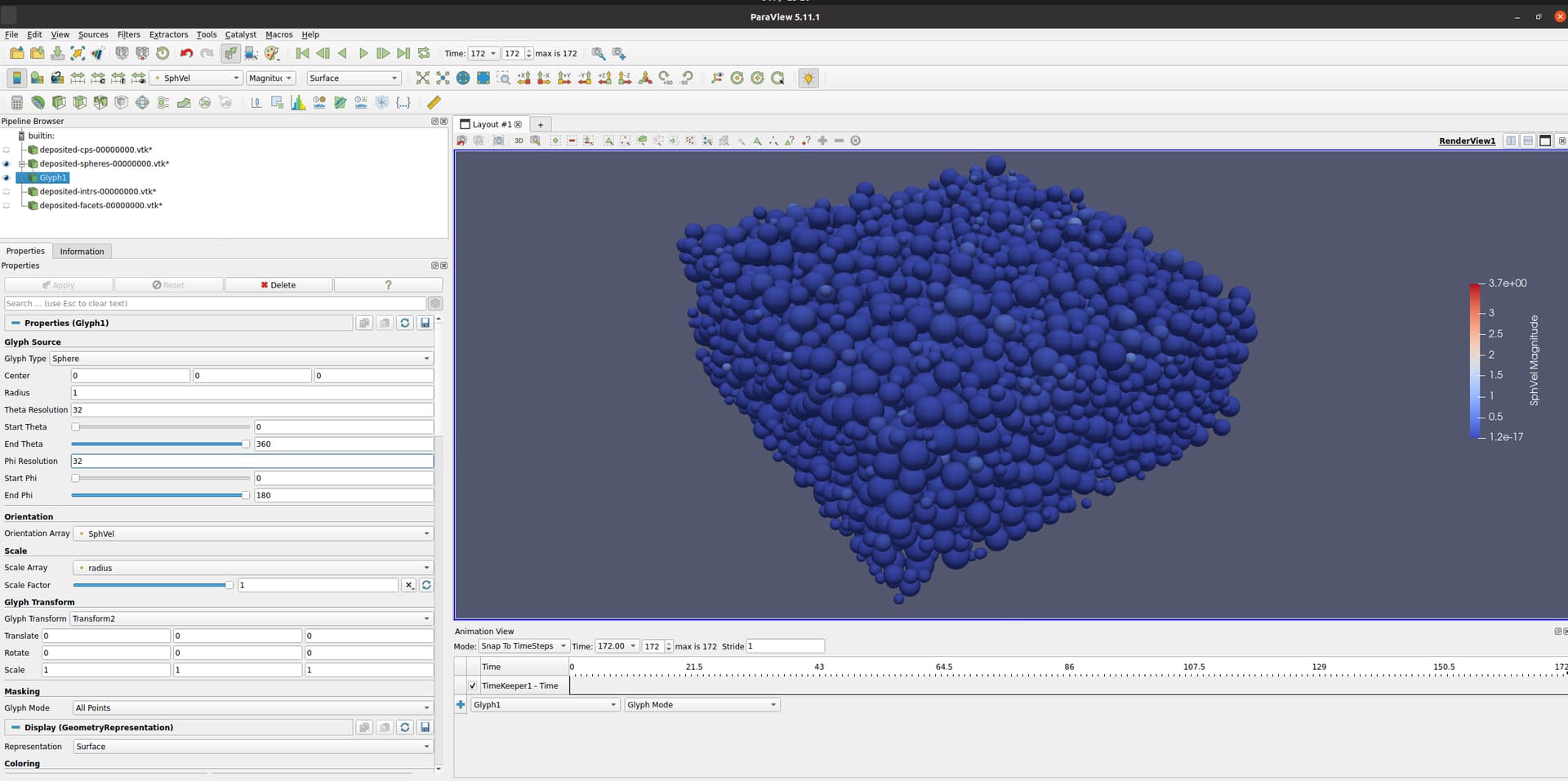
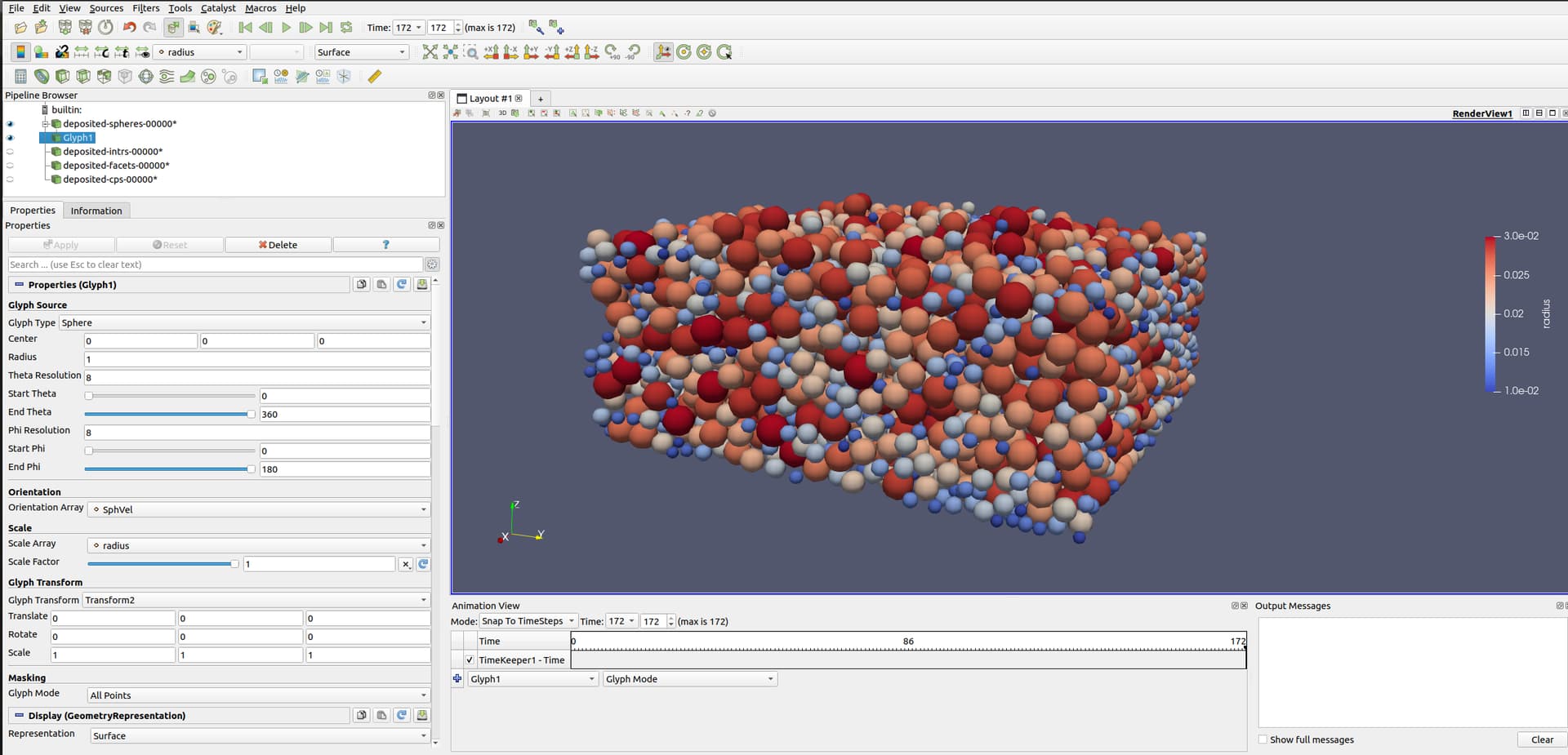
Thank you for your reply. The sphere seems smoother after adjusting the Theta resolution and phi resolution to 32 in ParaView5.11.1. However, the spheres with Theta resolution and phi resolution to 8 in ParaView5.7.0 seem smoother than that in 5.11.1. Is this situation occurs due to versions of Paraview?

---
### Author:  [@mwestphal](https://discourse.paraview.org/u/mwestphal)
#### Post date: [September 8, 2023, 3:57pm UTC](https://discourse.paraview.org/t/how-to-display-velocity-of-spheres-with-high-resolution/12835/4 "2023-09-08T15:57:29Z")
It looks like you are missing the normals on the glyphs for some reasons, but I can’t reproduce here.
Can you colors the glyphs by Normals ?
---
### Author:  [@MuWeihao](https://discourse.paraview.org/u/MuWeihao)
#### Post date: [September 9, 2023, 3:38am UTC](https://discourse.paraview.org/t/how-to-display-velocity-of-spheres-with-high-resolution/12835/5 "2023-09-09T03:38:27Z")
Thank you for your reply, Choose Normals in the Normals array and the Tangent array can increase the resolution of spheres with resolution value is 8.
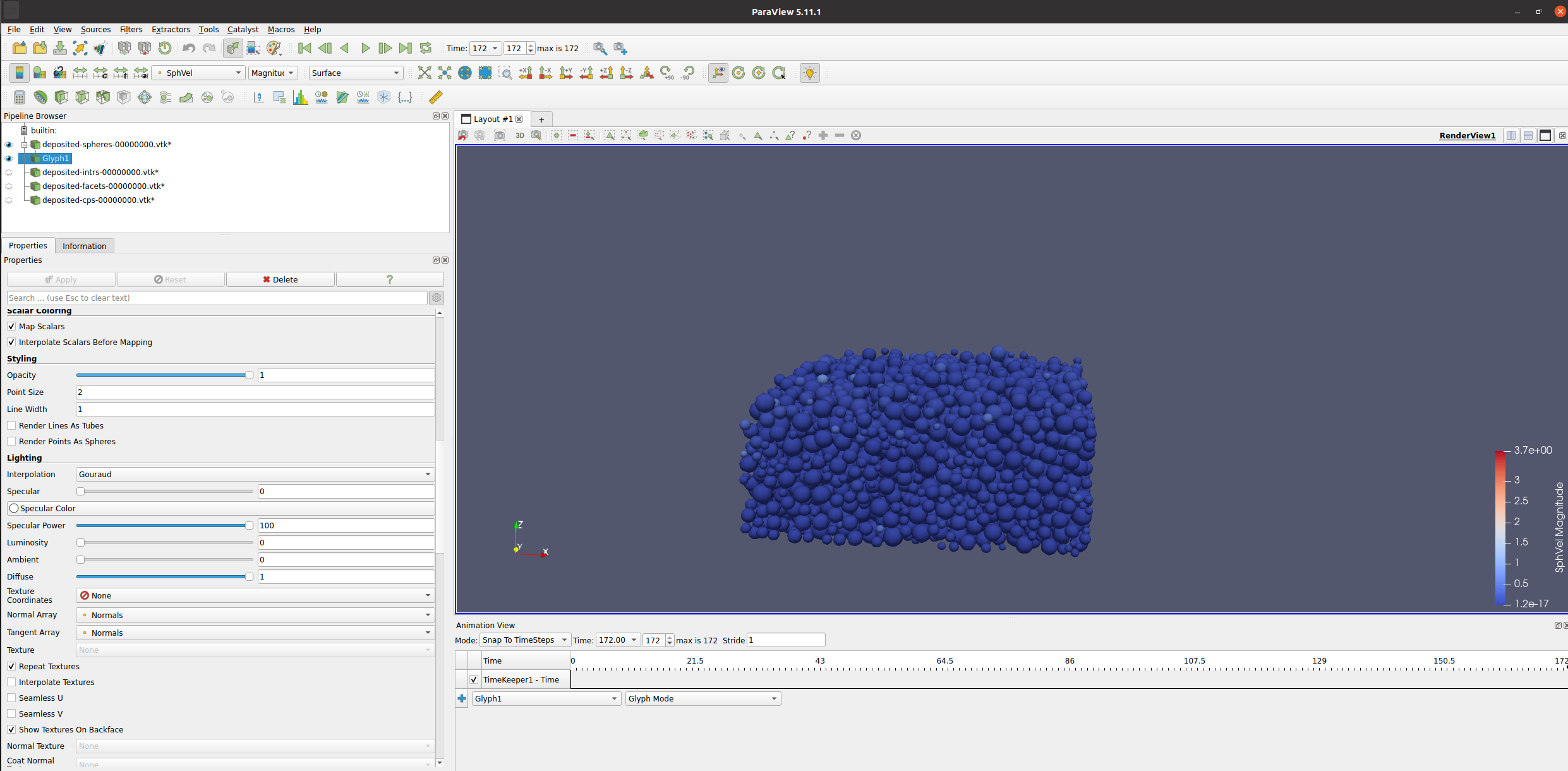
In ParaView 5.7.0. When I used the Glyph to represent spheres, the velocity option cannot be chosen in coloring. However, In ParaView 5.11.1, the velocity option can be chosen in coloring. Does this situation also occur due to different versions of Paraview?


---
### Author:  [@mwestphal](https://discourse.paraview.org/u/mwestphal)
#### Post date: [September 11, 2023, 7:00am UTC](https://discourse.paraview.org/t/how-to-display-velocity-of-spheres-with-high-resolution/12835/6 "2023-09-11T07:00:30Z")
Please share your data.