# How to draw x, y, Z, vector point data in paraview
**URL:** https://discourse.paraview.org/t/how-to-draw-x-y-z-vector-point-data-in-paraview/5962
**Category:** ParaView Support
**Created:** [December 3, 2020, 8:49am UTC](https://discourse.paraview.org/t/how-to-draw-x-y-z-vector-point-data-in-paraview/5962 "2020-12-03T08:49:29Z")
**Posts on this page:** 9
**Page:** 1
### Author:  [@Wendel1995l0829](https://discourse.paraview.org/u/Wendel1995l0829)
#### Post date: [December 3, 2020, 8:49am UTC](https://discourse.paraview.org/t/how-to-draw-x-y-z-vector-point-data-in-paraview/5962/1 "2020-12-03T08:49:29Z")
Hello, engineer
I have some important questions to ask you!
After importing the data by using the CSV file, there is a problem in the calculation of tabletopoints1 module, and the next calculation cannot be carried out.
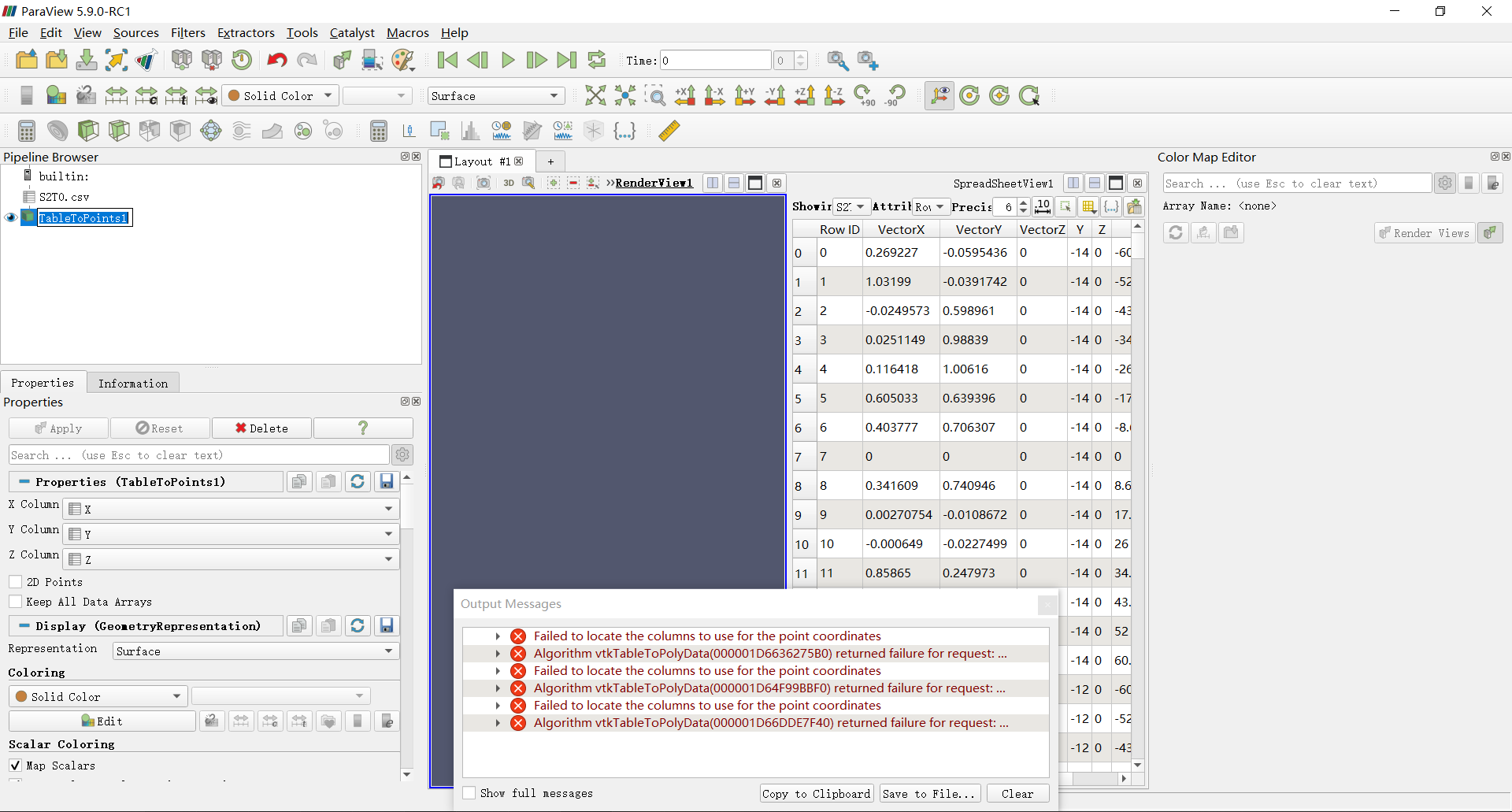
Attached is my CSV file[S2T0.csv](https://discourse.paraview.org/uploads/short-url/AuFFlkej42dxTle9ecXhvwnxZ1A.csv) (17.6 KB)
After using the calculator1 module for data processing, there is no result, and then the results cannot be used for coloring and subsequent processing.
For the same operation, the subsequent processing can be carried out with other data. Therefore, whether there are certain requirements for data using this module.
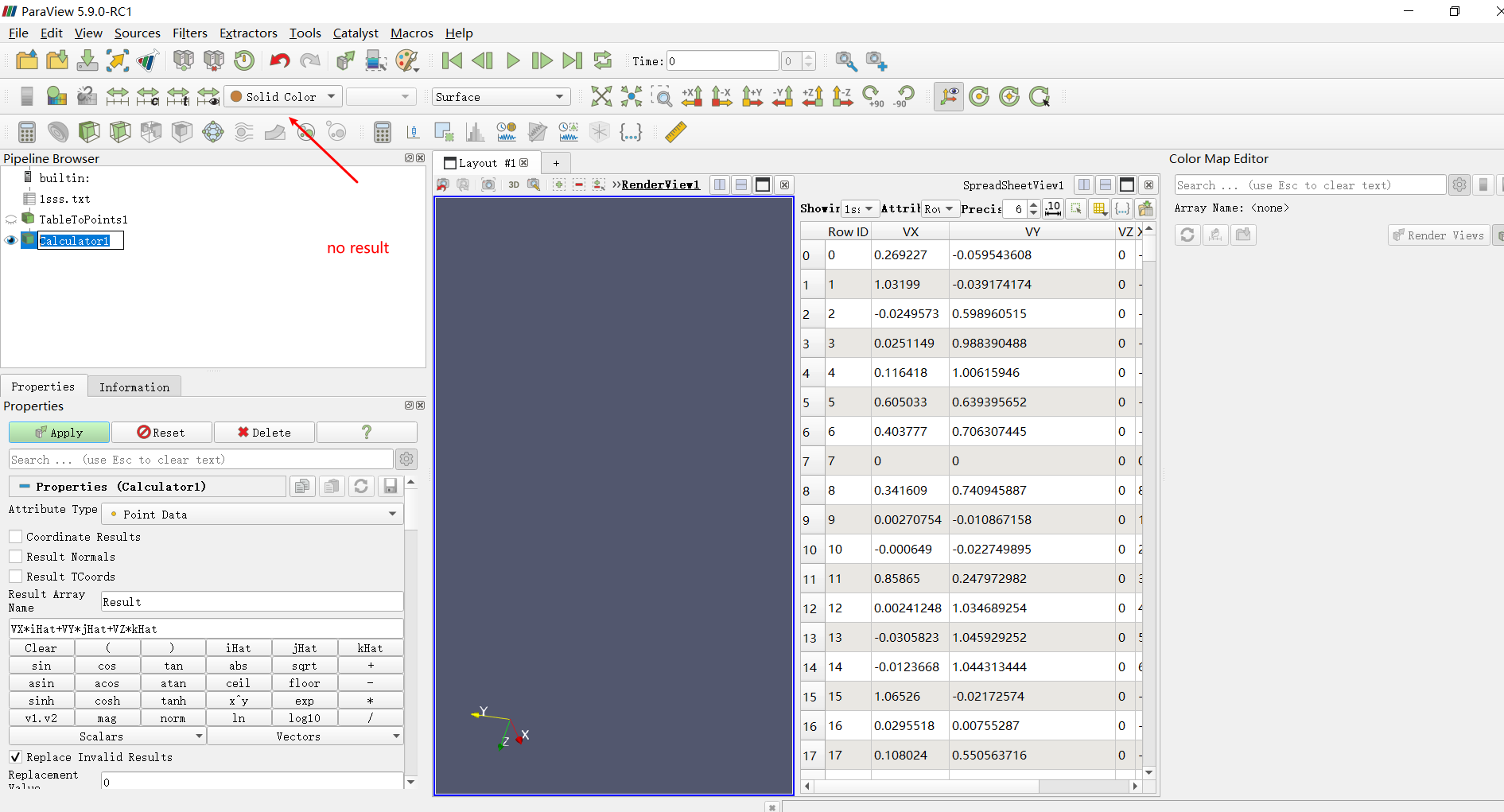
I look forward to your reply!
---
### Author:  [@mwestphal](https://discourse.paraview.org/u/mwestphal)
#### Post date: [December 3, 2020, 9:17am UTC](https://discourse.paraview.org/t/how-to-draw-x-y-z-vector-point-data-in-paraview/5962/2 "2020-12-03T09:17:29Z")
There is definitely an issue with your dataset. This will need to be investigated.
---
### Author:  [@Wendel1995l0829](https://discourse.paraview.org/u/Wendel1995l0829)
#### Post date: [December 3, 2020, 9:29am UTC](https://discourse.paraview.org/t/how-to-draw-x-y-z-vector-point-data-in-paraview/5962/3 "2020-12-03T09:29:01Z")
Thank you for your reply!But,these datasets are derived from COMSOL (a finite element software). The original data is this[s2t=0.txt|attachment](https://discourse.paraview.org/uploads/short-url/zHPTAq6YmMsBJx5NmQ9M9uDKamK.txt) (21.2 KB) .
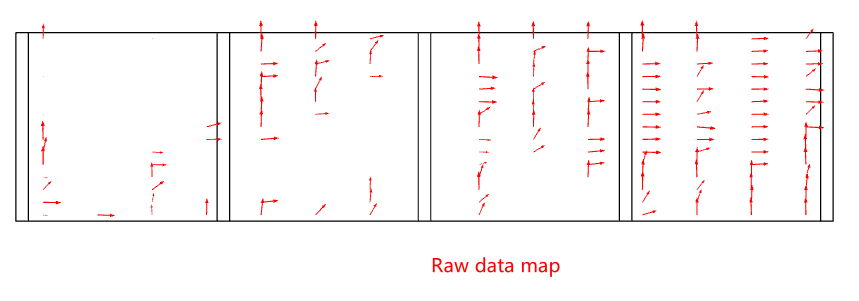
In order to achieve three-dimensional effect, the z-axis data is added manually. I want to know how to investigate the dataset in order to solve this problem.
---
### Author:  [@Kenichiro-Yoshimi](https://discourse.paraview.org/u/Kenichiro-Yoshimi)
#### Post date: [December 3, 2020, 11:50am UTC](https://discourse.paraview.org/t/how-to-draw-x-y-z-vector-point-data-in-paraview/5962/4 "2020-12-03T11:50:36Z")
Hello,
The CSV file “S2T0.csv” is encoded in UTF-8 with BOM. In order to load this file into ParaView, BOM seems to need to be removed.
---
### Author:  [@Wendel1995l0829](https://discourse.paraview.org/u/Wendel1995l0829)
#### Post date: [December 3, 2020, 2:33pm UTC](https://discourse.paraview.org/t/how-to-draw-x-y-z-vector-point-data-in-paraview/5962/5 "2020-12-03T14:33:39Z")
Thank you very much for your reply!
I’m sorry to disturb you again. I would like to ask, is my CSV file data expression problem, or is my data itself a problem? I don’t know how to delete the BOM you mentioned, but if I convert the CSV file into a TXT file and import it in, I will encounter similar results that cannot be calculated. Is this also because there are BOM in the txt file?
---
### Author:  [@Kenneth\_Moreland](https://discourse.paraview.org/u/Kenneth_Moreland)
#### Post date: [December 3, 2020, 3:50pm UTC](https://discourse.paraview.org/t/how-to-draw-x-y-z-vector-point-data-in-paraview/5962/6 "2020-12-03T15:50:42Z")
As @Kenichiro-Yoshimi correctly said, the issue is that your CSV file has a UTF-8 byte order mark (BOM). That is common for CSV files (Excel creates them this way), but ParaView mishandles them. This is a known bug and is reported with issue [#20243](https://gitlab.kitware.com/paraview/paraview/-/issues/20243).
Their are a couple ways to modify your CSV file to work with ParaView:
- Remove the BOM. The easiest way I know to do that is to run it through the `dos2unix` program if you have it.
- Edit the CSV in a text editor and put all the labels of the header row in quotes.
Here is a copy of your file that I ran through `dos2unix` that works: [S2T0-BOM-stripped.csv](https://discourse.paraview.org/uploads/short-url/lBGdhiwcEWzwDUt0tlFTbEi0pEK.csv) (17.2 KB)
And here is another copy that still has the BOM but has the header quoted, which also works: [S2T0-quoted-labels.csv](https://discourse.paraview.org/uploads/short-url/9vh5XwlSKo6JFUokbq7BDVKxdZa.csv) (17.6 KB)
---
### Author:  [@Wendel1995l0829](https://discourse.paraview.org/u/Wendel1995l0829)
#### Post date: [December 4, 2020, 1:20am UTC](https://discourse.paraview.org/t/how-to-draw-x-y-z-vector-point-data-in-paraview/5962/7 "2020-12-04T01:20:00Z")
According to your suggestion, I solved this problem. Thank you very much!
---
### Author:  [@Wendel1995l0829](https://discourse.paraview.org/u/Wendel1995l0829)
#### Post date: [December 4, 2020, 3:39am UTC](https://discourse.paraview.org/t/how-to-draw-x-y-z-vector-point-data-in-paraview/5962/8 "2020-12-04T03:39:09Z")
I’m sorry to disturb you again. Now I have a new problem. After I draw a cloud map, how to make the local color have a protuberant effect, which is to make the local color more stereoscopic.
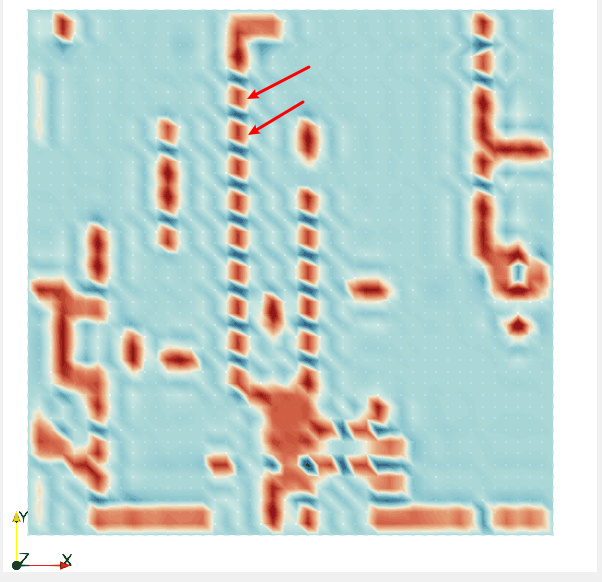 It’s like this one. 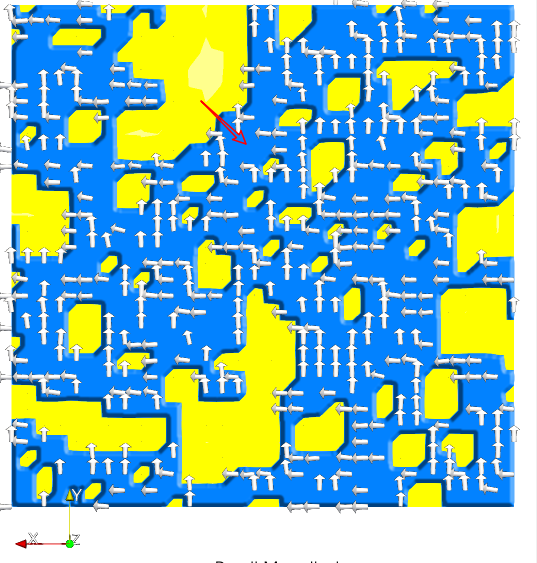
---
### Author:  [@Kenneth\_Moreland](https://discourse.paraview.org/u/Kenneth_Moreland)
#### Post date: [December 4, 2020, 4:04am UTC](https://discourse.paraview.org/t/how-to-draw-x-y-z-vector-point-data-in-paraview/5962/9 "2020-12-04T04:04:27Z")
I’m not totally sure how you got from the cloud of points to the connected mesh, but you should be able to make your surface bumpy by using the `Warp By Scalar` filter. That can move the points based on a point field.
Alternately, you can try the [Embossing Representations plugin](https://blog.kitware.com/a-new-embossing-representations-plugin-for-paraview/).