# How to export animation where last frame needs to be "held" for certain amount of time
**URL:** https://discourse.paraview.org/t/how-to-export-animation-where-last-frame-needs-to-be-held-for-certain-amount-of-time/13874
**Category:** ParaView Support
**Created:** [February 5, 2024, 7:36pm UTC](https://discourse.paraview.org/t/how-to-export-animation-where-last-frame-needs-to-be-held-for-certain-amount-of-time/13874 "2024-02-05T19:36:57Z")
**Posts on this page:** 4
**Page:** 1
### Author:  [@GregVernon](https://discourse.paraview.org/u/GregVernon)
#### Post date: [February 5, 2024, 7:36pm UTC](https://discourse.paraview.org/t/how-to-export-animation-where-last-frame-needs-to-be-held-for-certain-amount-of-time/13874/1 "2024-02-05T19:36:57Z")
I’ve got a nonlinear statics simulation that runs from `time = [0.0, 1.0]` using adaptive step sizes (though the adaptivity doesn’t matter). Because these steps are large, nearly 10% of the deformation is captured in the final step – see `Time Manager`:
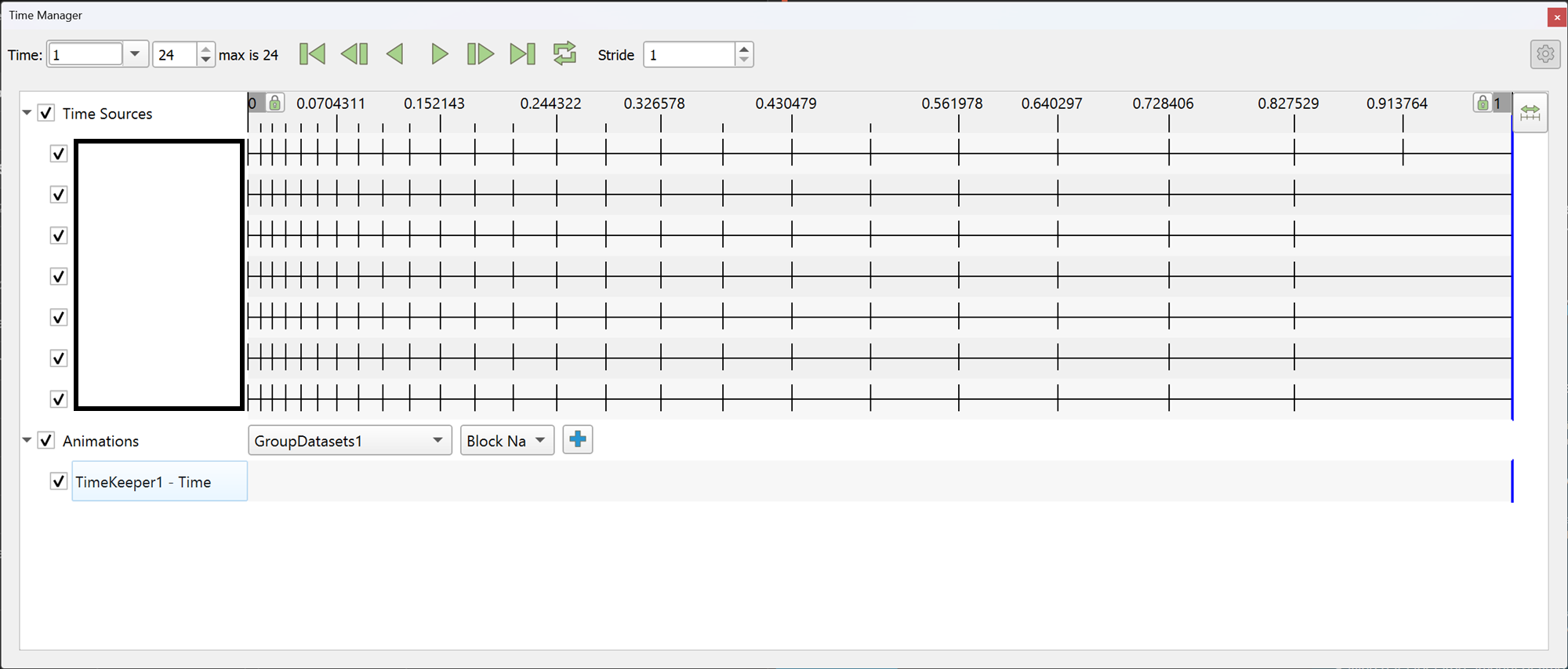
I’ve exported the video (5.12 RC-2) at 1 FPS to exaggerate the effect that, as soon as the final time value / step is rendered the video ends, meaning that the final state is effectively not included in the video (see below) _if played in a tool like VLC_.
What’s the best way to specify that I want the final frame “held” for X amount of time (e.g., 1 second)?
* * *
_Edit_: the embedded browser video doesn’t share the behavior I’m seeing in VLC – download the MP4 and try playing it in VLC.
---
### Author:  [@GregVernon](https://discourse.paraview.org/u/GregVernon)
#### Post date: [February 5, 2024, 7:47pm UTC](https://discourse.paraview.org/t/how-to-export-animation-where-last-frame-needs-to-be-held-for-certain-amount-of-time/13874/2 "2024-02-05T19:47:42Z")
Here’s a screen-capture of playing back in VLC that demonstrates the behavior I’m seeing… perhaps this is a setting in VLC, but all the same it would still be nice to have an option in ParaView to hold the final frame for a while.
* * *
_Edit_: even using the “Play and Pause” setting in VLC doesn’t really work since it will pause on the second-to-last timestep:
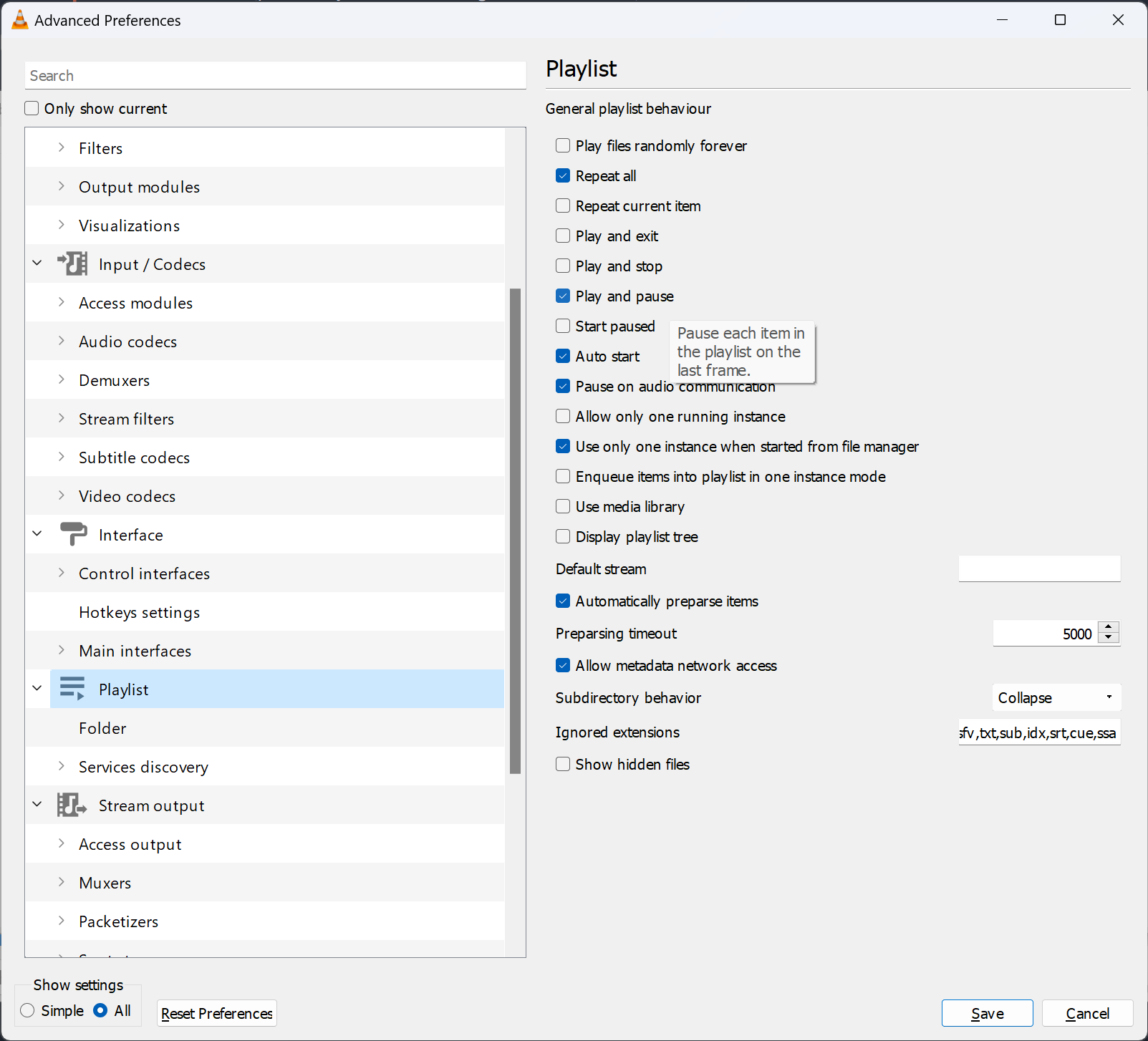
Again, speaking to the rubber duck here, probably should bring this up on a VLC bug page but might still be nice to have an option in ParaView 🤷
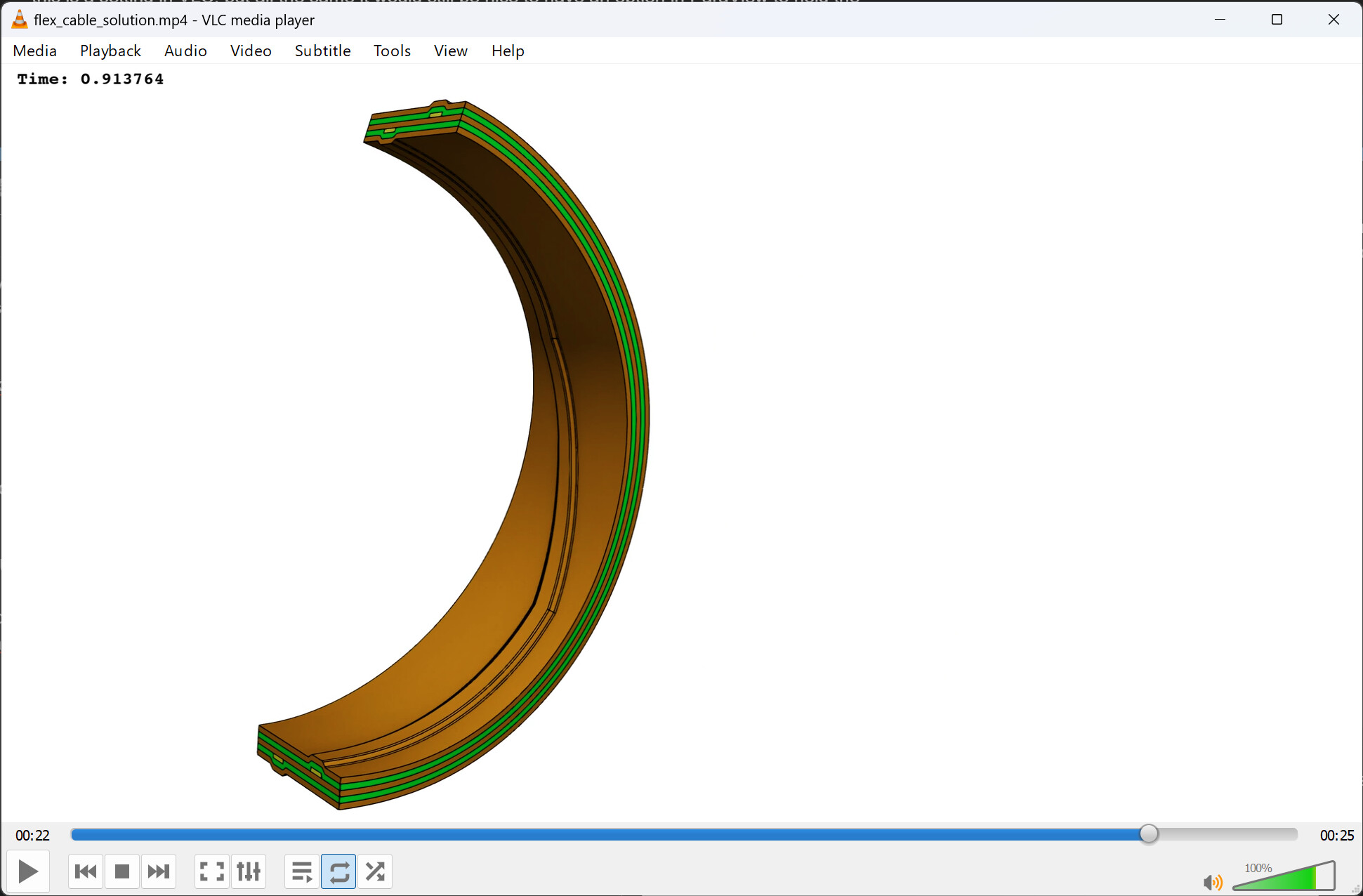
_The frame VLC pauses on…_
---
### Author:  [@mwestphal](https://discourse.paraview.org/u/mwestphal)
#### Post date: [February 6, 2024, 10:13am UTC](https://discourse.paraview.org/t/how-to-export-animation-where-last-frame-needs-to-be-held-for-certain-amount-of-time/13874/3 "2024-02-06T10:13:08Z")
This sounds like a VLC bug to me.
That being said you should be able to add more frames easily using generate time steps filter.
@Lucas_Givord @nicolas.vuaille
---
### Author:  [@nicolas.vuaille](https://discourse.paraview.org/u/nicolas.vuaille)
#### Post date: [February 6, 2024, 10:23am UTC](https://discourse.paraview.org/t/how-to-export-animation-where-last-frame-needs-to-be-held-for-certain-amount-of-time/13874/4 "2024-02-06T10:23:04Z")
I agree `GenerateTimeSteps` is the correct way to go.