# How to keep the top of the text annotation the same when new lines are added?
**URL:** https://discourse.paraview.org/t/how-to-keep-the-top-of-the-text-annotation-the-same-when-new-lines-are-added/16072
**Category:** ParaView Support
**Created:** [January 28, 2025, 7:07pm UTC](https://discourse.paraview.org/t/how-to-keep-the-top-of-the-text-annotation-the-same-when-new-lines-are-added/16072 "2025-01-28T19:07:25Z")
**Posts on this page:** 6
**Page:** 1
### Author:  [@Christopher](https://discourse.paraview.org/u/Christopher)
#### Post date: [January 28, 2025, 7:07pm UTC](https://discourse.paraview.org/t/how-to-keep-the-top-of-the-text-annotation-the-same-when-new-lines-are-added/16072/1 "2025-01-28T19:07:25Z")
Hello guys.
I have a question about text annotation in Paraview.
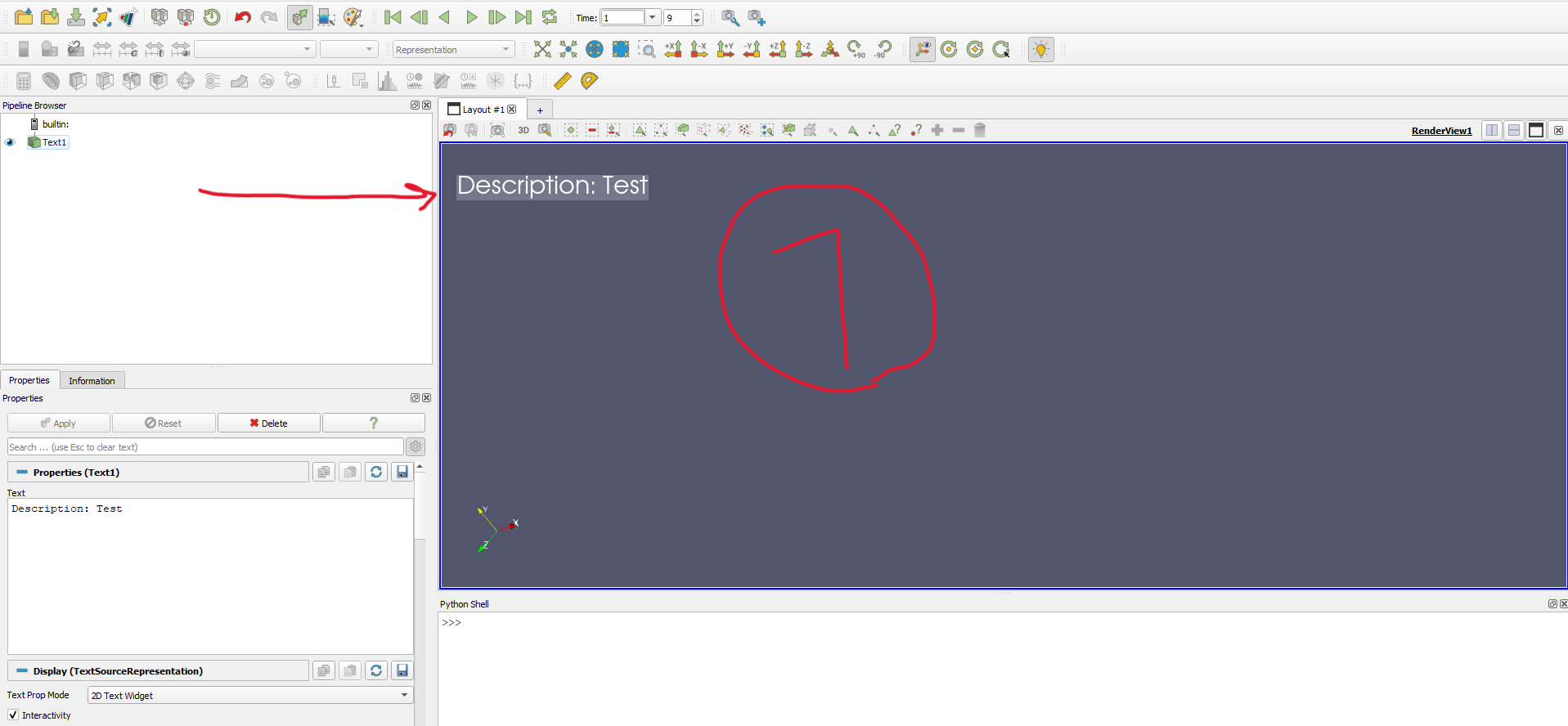
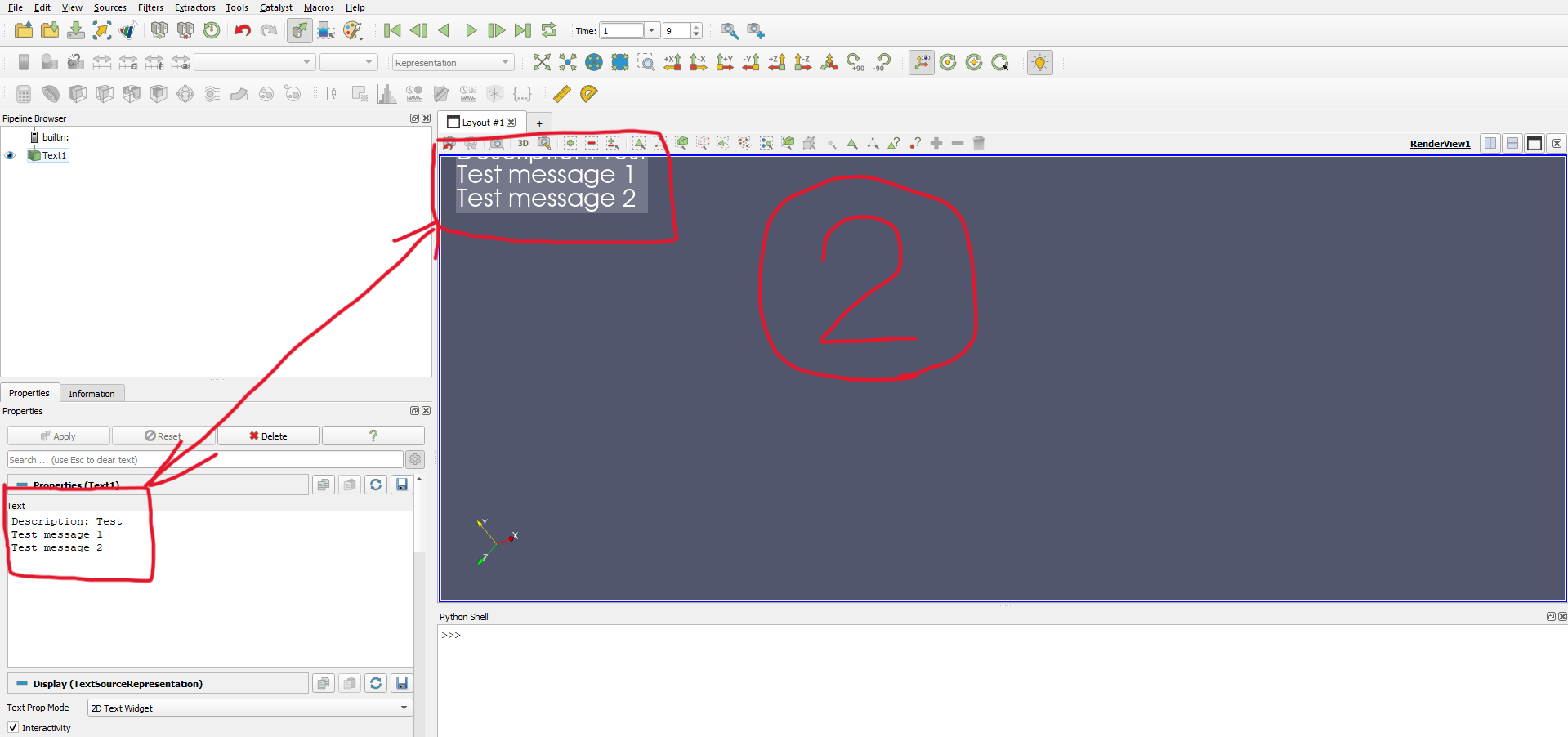
When I add new lines to my text element (The first image), the top part of the text area moves upward and the bottom remains fixed in place (The second image).
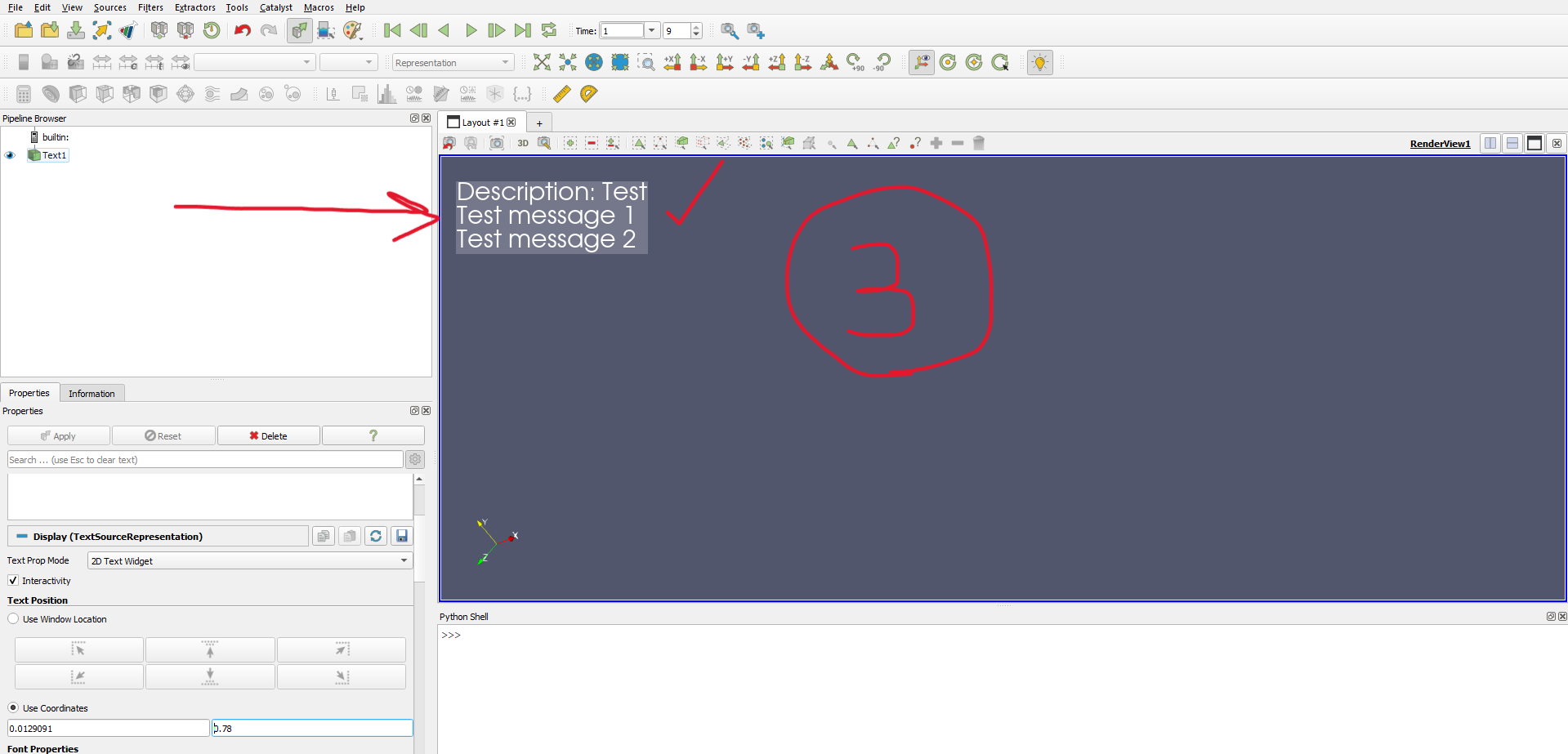
Is there any way to move the bottom part of the text area and keep the top part fixed in place? (The third image)
I know that we can adjust the y position of the text manually but I want to do it automatically.
If there is no way to do it using Paraview GUI, is there a way to do it using Python either directly (by setting an attribute for the text element) or indirectly (get the height of the text bounding box and move it downward)?
Any help would thoroughly be appreciated.
---
### Author:  [@sherin.sugathan](https://discourse.paraview.org/u/sherin.sugathan)
#### Post date: [January 28, 2025, 10:20pm UTC](https://discourse.paraview.org/t/how-to-keep-the-top-of-the-text-annotation-the-same-when-new-lines-are-added/16072/2 "2025-01-28T22:20:33Z")
In your screenshots, I can see that you have enabled the **Use Coordinates** radiobutton.
I think you should be using **Use Window Location** instead. It will allow you to anchor the text to some standard positions

---
### Author:  [@Christopher](https://discourse.paraview.org/u/Christopher)
#### Post date: [January 29, 2025, 5:45am UTC](https://discourse.paraview.org/t/how-to-keep-the-top-of-the-text-annotation-the-same-when-new-lines-are-added/16072/3 "2025-01-29T05:45:30Z")
Thanks a lot, sir.
But I don’t want to use the Use Window Location option because I want to let the user change the text position freely in the Paraview viewport.
If this is not possible, I’m wondering If there is a way to get the text bounding box height and width so that we can change its location after the user changes the text automatically using Python.
---
### Author:  [@sherin.sugathan](https://discourse.paraview.org/u/sherin.sugathan)
#### Post date: [January 29, 2025, 12:43pm UTC](https://discourse.paraview.org/t/how-to-keep-the-top-of-the-text-annotation-the-same-when-new-lines-are-added/16072/4 "2025-01-29T12:43:43Z")
🙂 In my knowledge this is not something readily available in ParaView UI. If you plan to keep your text at the top regions of the renderview, you would see that the text move upwards and eventually get out of the renderview. After playing with the source, I see that it is kind of bottom aligned. I think that is why it is moving upwards. One easy thing you can do is to keep your text freely anywhere near the bottom regions of the renderview to avoid text getting out of the viewport too early.
If you still want to align to top, you can try to check if there are alignment related properties you can create or modify by writing plugins. If that does not work, you can write your own source plugin with your own behavior implemented.
> [@Christopher](#):
>
> change its location after the user changes the text automatically using Python.
I am not sure if the following is a recommended approach or not but I made some basic code from where you can start working. It is not complete, I added only an observer to the text updates. You can add your own logic to update location (text1Display.Position) of text.
```auto
from paraview.simple import *
text_source = FindSource("Text1")
if not text_source:
text_source = Text()
text_source.Text = "mytext"
Show(text_source)
renderView1 = GetActiveViewOrCreate('RenderView')
text1Display = GetDisplayProperties(text_source, view=renderView1)
text1Display.WindowLocation = 'Any Location'
def updateTextPosition(caller, event):
print("hello")
text = text_source.Text
print(text)
lines = len(text.split("\n"))
print("number of lines", lines)
##############
text1Display.Position = [x, adjustedY]
Render()
text_property = text_source.GetProperty("Text")
text_property.AddObserver("ModifiedEvent", updateTextPosition)
```
If you find a different and better solution, please post in this thread, I am keen to know about this.
---
### Author:  [@Christopher](https://discourse.paraview.org/u/Christopher)
#### Post date: [January 29, 2025, 1:43pm UTC](https://discourse.paraview.org/t/how-to-keep-the-top-of-the-text-annotation-the-same-when-new-lines-are-added/16072/5 "2025-01-29T13:43:45Z")
Thanks a lot.
Yes I had your code in my mind but the problem is that Paraview doesn’t return the text bounding box!
vtkTextActor does return the text bounding box:
[https://vtk.org/doc/nightly/html/classvtkTextActor.html#afc0b90e97bcd388140cd4965b85ddbc3](https://vtk.org/doc/nightly/html/classvtkTextActor.html#afc0b90e97bcd388140cd4965b85ddbc3)
But I don’t know how to calculate the bounding box height in Paraview so that we can change its position based on the change in height.
---
### Author:  [@sherin.sugathan](https://discourse.paraview.org/u/sherin.sugathan)
#### Post date: [January 29, 2025, 2:15pm UTC](https://discourse.paraview.org/t/how-to-keep-the-top-of-the-text-annotation-the-same-when-new-lines-are-added/16072/6 "2025-01-29T14:15:49Z")
I think what you see in ParaView is not a textActor. It is a table. (Rendered using vtkText source)