# How to make paraview display normal
**URL:** https://discourse.paraview.org/t/how-to-make-paraview-display-normal/4138
**Category:** ParaView Support
**Created:** [April 21, 2020, 11:07pm UTC](https://discourse.paraview.org/t/how-to-make-paraview-display-normal/4138 "2020-04-21T23:07:52Z")
**Posts on this page:** 7
**Page:** 1
### Author:  [@blsun](https://discourse.paraview.org/u/blsun)
#### Post date: [April 21, 2020, 11:07pm UTC](https://discourse.paraview.org/t/how-to-make-paraview-display-normal/4138/1 "2020-04-21T23:07:52Z")
Hi,everyone
When I open paraview, the display is normal. But when I open the model, the menu bar will disappear and all buttons in the toolbar will move up. When I click the button on the toolbar, the corresponding operation will not be executed. I had to move the mouse down to perform the desired operation. Do you know how to solve this problem?
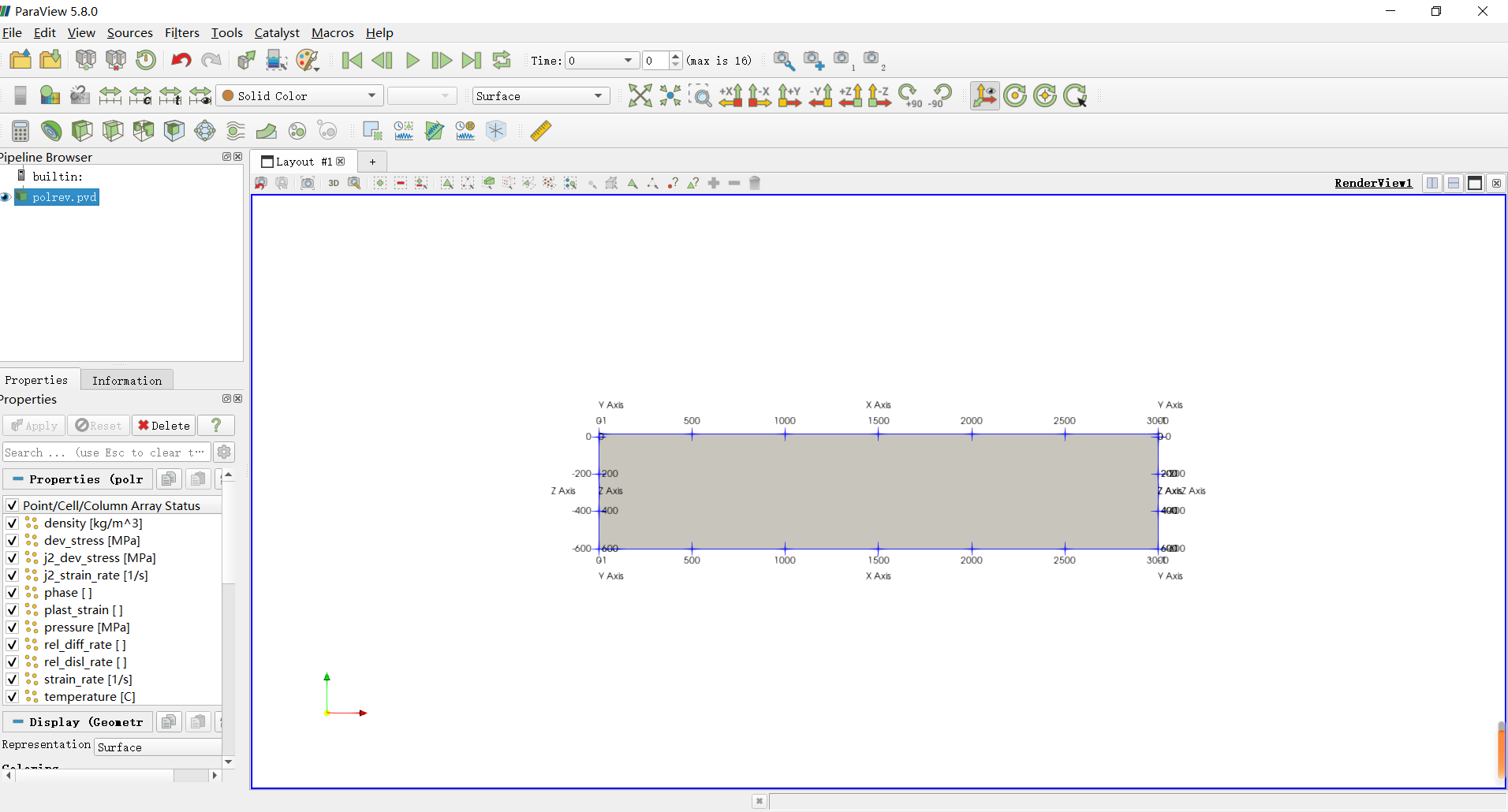
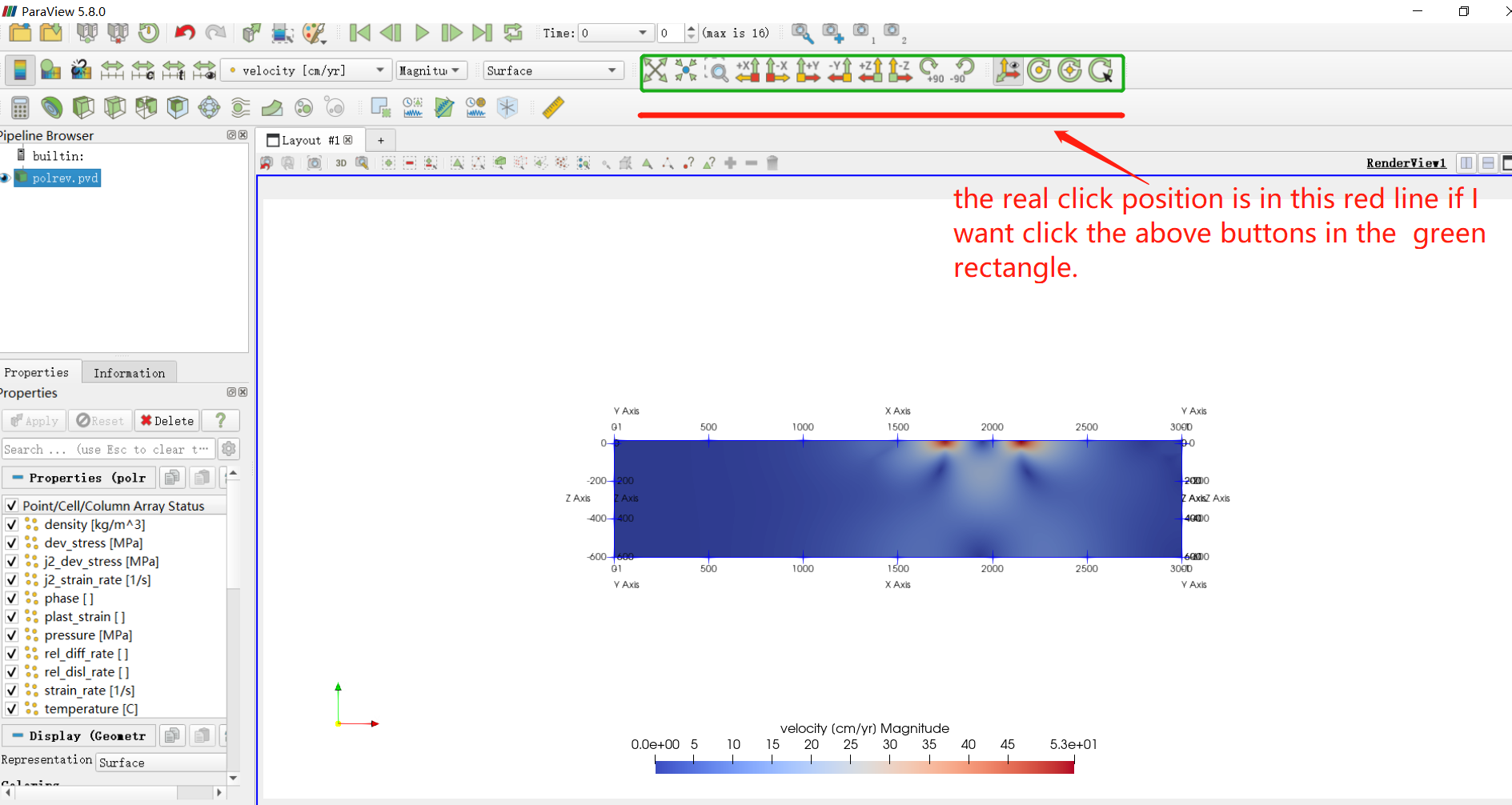
Thanks!
blsun
---
### Author:  [@mwestphal](https://discourse.paraview.org/u/mwestphal)
#### Post date: [April 22, 2020, 1:42am UTC](https://discourse.paraview.org/t/how-to-make-paraview-display-normal/4138/2 "2020-04-22T01:42:45Z")
Hello,
Are you using windows ?
Have you downloaded our release of ParaView ?
---
### Author:  [@wascott](https://discourse.paraview.org/u/wascott)
#### Post date: [April 22, 2020, 1:51am UTC](https://discourse.paraview.org/t/how-to-make-paraview-display-normal/4138/3 "2020-04-22T01:51:48Z")
Man, that sounds either video driver in nature, or like a bad configuration file.
To start with fresh configuration files, just run ParaView, and then Edit/ Reset To Default Settings.
If that doesn’t work, try updating your video drivers? If that doesn’t work, post the Help/ About screen, especially the bottom where it shows graphics drivers?
---
### Author:  [@blsun](https://discourse.paraview.org/u/blsun)
#### Post date: [April 22, 2020, 8:02am UTC](https://discourse.paraview.org/t/how-to-make-paraview-display-normal/4138/4 "2020-04-22T08:02:19Z")
yes, I am using win10 system and the Paraview is version ParaView-5.8.0-MPI-Windows-Python3.7-msvc2015-64bit which is downloaded from the official website.
---
### Author:  [@blsun](https://discourse.paraview.org/u/blsun)
#### Post date: [April 22, 2020, 8:12am UTC](https://discourse.paraview.org/t/how-to-make-paraview-display-normal/4138/5 "2020-04-22T08:12:53Z")
I am using the version ParaView-5.8.0-MPI-Windows-Python3.7-msvc2015-64bit in win 10 system. I tried to reset to default settings in the paraview but the display still not normal. I then updated the graphics drivers, the display became worse as followinig. Then I uninstall the version 5.8.0 and tried version 5.7.0 and version 5.6.2. Fortunately, the version 5.6.2 can display normal.

---
### Author:  [@cory.quammen](https://discourse.paraview.org/u/cory.quammen)
#### Post date: [April 22, 2020, 8:32pm UTC](https://discourse.paraview.org/t/how-to-make-paraview-display-normal/4138/6 "2020-04-22T20:32:01Z")
Looks like the classic Intel driver bug: [https://gitlab.kitware.com/paraview/paraview/-/issues/19364](https://gitlab.kitware.com/paraview/paraview/-/issues/19364)
---
### Author:  [@blsun](https://discourse.paraview.org/u/blsun)
#### Post date: [April 22, 2020, 9:55pm UTC](https://discourse.paraview.org/t/how-to-make-paraview-display-normal/4138/7 "2020-04-22T21:55:55Z")
Thank you very much. Your answer help me a lot to slove my problem. I download the recommended driver version from the intel website but unfortunately I can not install it, so I set the nvidia driver as the default graphic card and this question is sloved perfectly.