# How to open openFoam mesh and results in native Paraview?
**URL:** https://discourse.paraview.org/t/how-to-open-openfoam-mesh-and-results-in-native-paraview/12956
**Category:** ParaView Support
**Created:** [September 28, 2023, 2:53pm UTC](https://discourse.paraview.org/t/how-to-open-openfoam-mesh-and-results-in-native-paraview/12956 "2023-09-28T14:53:13Z")
**Posts on this page:** 20
**Page:** 1
### Author:  [@maxning](https://discourse.paraview.org/u/maxning)
#### Post date: [September 28, 2023, 2:53pm UTC](https://discourse.paraview.org/t/how-to-open-openfoam-mesh-and-results-in-native-paraview/12956/1 "2023-09-28T14:53:13Z")
I am using a native-windows version of openFoam v2306 and downloaded paraview separately. They are in different folders on my computer (runs on windows 10). I have found the folder for running tutorial scenerial and is trying to view the mesh as described in an openfoam tutorial I found. However, this tutorial only included the use of paraFoam script in the terminal, which is discouraged in the openfoam download website (using native paraview is encouraged). But I don’t see any .mesh and .foam file in the “run” folder. All of them are simply “files” when I opened up their property. And because of such, I can’t find the mesh to view in paraview. Could you tell me how should I complete this part?
---
### Author:  [@mwestphal](https://discourse.paraview.org/u/mwestphal)
#### Post date: [September 28, 2023, 3:44pm UTC](https://discourse.paraview.org/t/how-to-open-openfoam-mesh-and-results-in-native-paraview/12956/2 "2023-09-28T15:44:16Z")
create an empty `.foam` file in the folder, then open it with ParaView.
---
### Author:  [@maxning](https://discourse.paraview.org/u/maxning)
#### Post date: [September 28, 2023, 11:05pm UTC](https://discourse.paraview.org/t/how-to-open-openfoam-mesh-and-results-in-native-paraview/12956/3 "2023-09-28T23:05:13Z")
In the “run/cavity” folder? Also, could you tell me how to create an empty file?
And here is the end of the output after I entered “blockMesh”
No patch pairs to merge
## Writing polyMesh with 0 cellZones
## Mesh Information
## boundingBox: (0 0 0) (0.1 0.1 0.01) nPoints: 882 nCells: 400 nFaces: 1640 nInternalFaces: 760
## Patches
patch 0 (start: 760 size: 20) name: movingWall
patch 1 (start: 780 size: 60) name: fixedWalls
patch 2 (start: 840 size: 800) name: frontAndBack
End
Does this means I have a mesh or not?
---
### Author:  [@mwestphal](https://discourse.paraview.org/u/mwestphal)
#### Post date: [September 29, 2023, 7:52am UTC](https://discourse.paraview.org/t/how-to-open-openfoam-mesh-and-results-in-native-paraview/12956/4 "2023-09-29T07:52:53Z")
> In the “run/cavity” folder?
In the directory containing the `AllRun` script.
> Also, could you tell me how to create an empty file?
Linux/Mac:
`touch file.foam`
Windows:
Right click, new text file, `file.foam`
> Does this means I have a mesh or not?
I have no idea, this is a question for OpenFOAM
---
### Author:  [@maxning](https://discourse.paraview.org/u/maxning)
#### Post date: [September 29, 2023, 3:38pm UTC](https://discourse.paraview.org/t/how-to-open-openfoam-mesh-and-results-in-native-paraview/12956/5 "2023-09-29T15:38:37Z")
I have tried to use another method I found by running “foamToVTK -ascii” in the command line. But instead of outputting a .vtk file, and .vtm file was outputted. I managed to open this .vtm file in paraview, but instead of a 2d mesh as described in openfoam tutorial, it was a 3d mesh. Am I doing things correctly?
---
### Author:  [@mwestphal](https://discourse.paraview.org/u/mwestphal)
#### Post date: [September 29, 2023, 3:46pm UTC](https://discourse.paraview.org/t/how-to-open-openfoam-mesh-and-results-in-native-paraview/12956/6 "2023-09-29T15:46:26Z")
you want to ask `foamToVTK` developers.
---
### Author:  [@maxning](https://discourse.paraview.org/u/maxning)
#### Post date: [September 29, 2023, 3:50pm UTC](https://discourse.paraview.org/t/how-to-open-openfoam-mesh-and-results-in-native-paraview/12956/7 "2023-09-29T15:50:33Z")
Understood, also, I input the name “file.foam” in the text file. However, now the name becomes file.foam.txt though. Am I doing this right?
---
### Author:  [@mwestphal](https://discourse.paraview.org/u/mwestphal)
#### Post date: [September 29, 2023, 9:36pm UTC](https://discourse.paraview.org/t/how-to-open-openfoam-mesh-and-results-in-native-paraview/12956/8 "2023-09-29T21:36:17Z")
remove the .txt
---
### Author:  [@maxning](https://discourse.paraview.org/u/maxning)
#### Post date: [October 2, 2023, 5:18pm UTC](https://discourse.paraview.org/t/how-to-open-openfoam-mesh-and-results-in-native-paraview/12956/9 "2023-10-02T17:18:04Z")
I have done so:
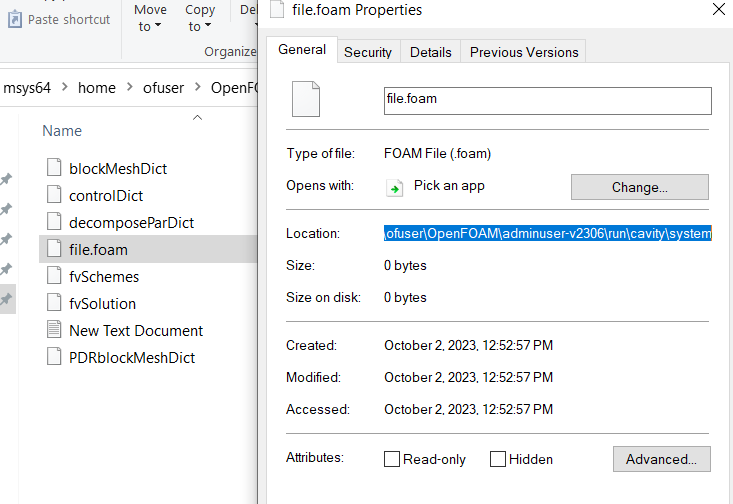
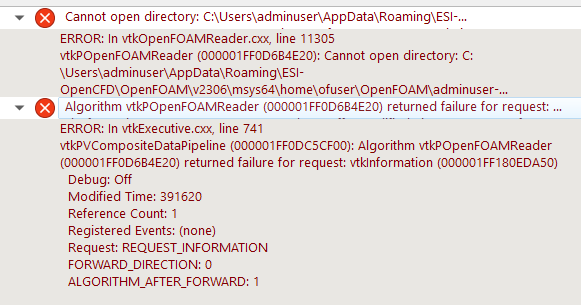
But when I tried to open this file in paraview, this error came up:
---
### Author:  [@mwestphal](https://discourse.paraview.org/u/mwestphal)
#### Post date: [October 2, 2023, 6:36pm UTC](https://discourse.paraview.org/t/how-to-open-openfoam-mesh-and-results-in-native-paraview/12956/10 "2023-10-02T18:36:38Z")
You need to actually use openFOAM before, you have no results to visualize yet.
---
### Author:  [@maxning](https://discourse.paraview.org/u/maxning)
#### Post date: [October 2, 2023, 6:55pm UTC](https://discourse.paraview.org/t/how-to-open-openfoam-mesh-and-results-in-native-paraview/12956/11 "2023-10-02T18:55:07Z")
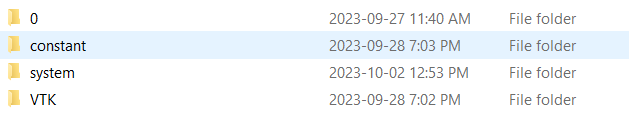
I indeed just opened the folder and created the file. But yesterday I have ran the mesh creation process, this is why I have these three folders
---
### Author:  [@mwestphal](https://discourse.paraview.org/u/mwestphal)
#### Post date: [October 3, 2023, 6:08am UTC](https://discourse.paraview.org/t/how-to-open-openfoam-mesh-and-results-in-native-paraview/12956/12 "2023-10-03T06:08:36Z")
put the .foam in this folder, alongside the `constant` and `system` folder.
---
### Author:  [@maxning](https://discourse.paraview.org/u/maxning)
#### Post date: [October 4, 2023, 4:43pm UTC](https://discourse.paraview.org/t/how-to-open-openfoam-mesh-and-results-in-native-paraview/12956/13 "2023-10-04T16:43:19Z")
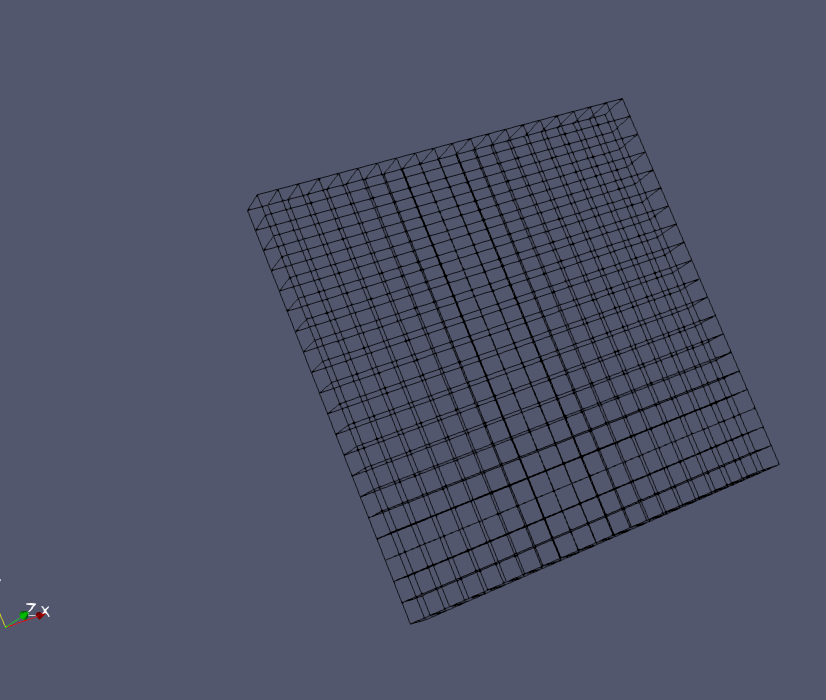
Thank you, I can open the file in paraview now. But shouldn’t this (tutorial Lid-driven cavity flow) be a 2d mesh instead of 3d?
---
### Author:  [@maxning](https://discourse.paraview.org/u/maxning)
#### Post date: [October 4, 2023, 5:05pm UTC](https://discourse.paraview.org/t/how-to-open-openfoam-mesh-and-results-in-native-paraview/12956/14 "2023-10-04T17:05:17Z")
Thank you, I have managed to process the tutorial and generated a 3d pressure field over this 3d mesh. But when I am trying to slice it into a 2d contour plot according to the tutorial. the “slice” filter is greyed out:
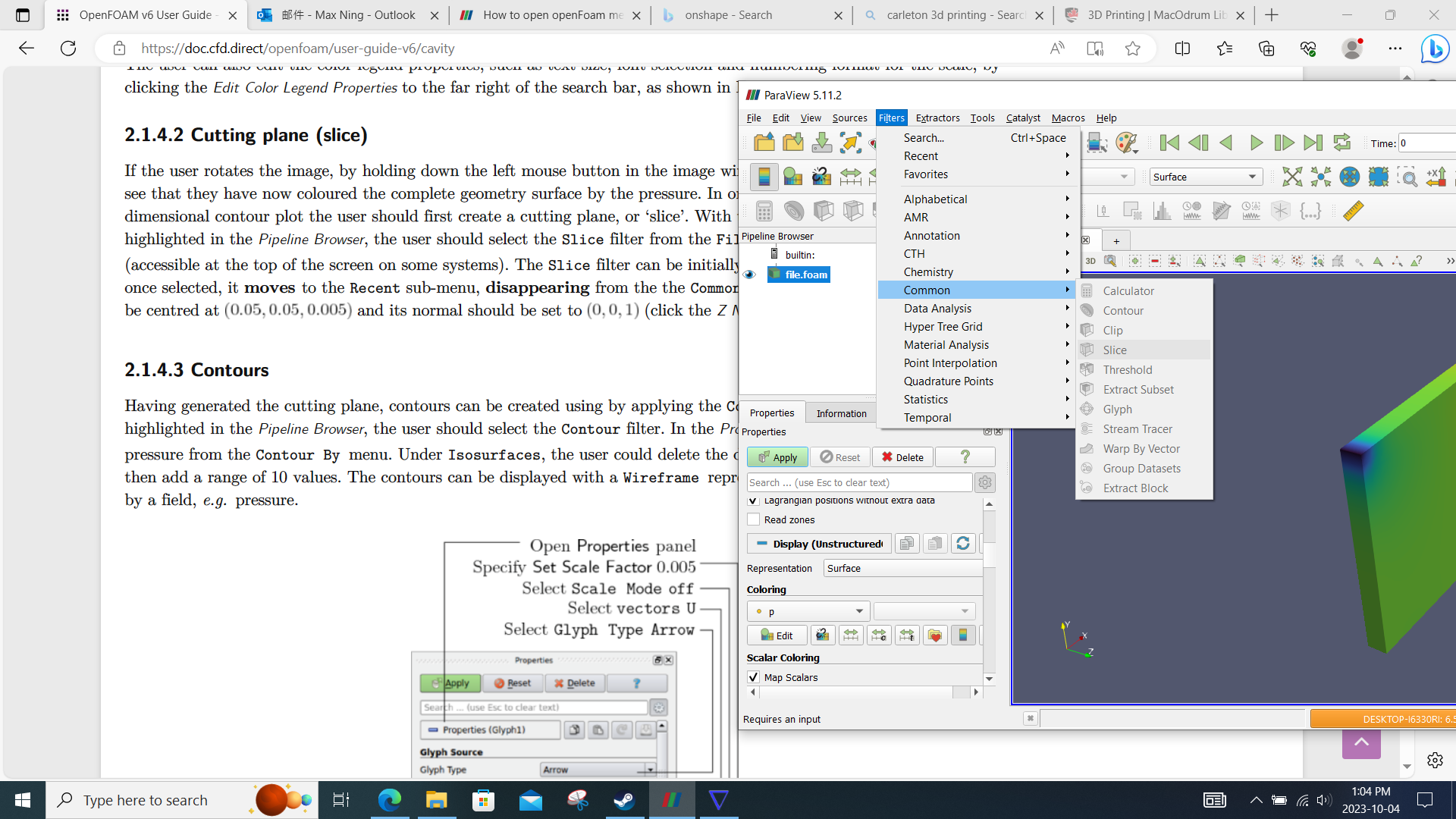
Could you tell me why?
---
### Author:  [@cory.quammen](https://discourse.paraview.org/u/cory.quammen)
#### Post date: [October 4, 2023, 7:18pm UTC](https://discourse.paraview.org/t/how-to-open-openfoam-mesh-and-results-in-native-paraview/12956/15 "2023-10-04T19:18:57Z")
Please click on the Information tab and tell us what kind of dataset you have loaded.
---
### Author:  [@maxning](https://discourse.paraview.org/u/maxning)
#### Post date: [October 4, 2023, 7:38pm UTC](https://discourse.paraview.org/t/how-to-open-openfoam-mesh-and-results-in-native-paraview/12956/16 "2023-10-04T19:38:09Z")
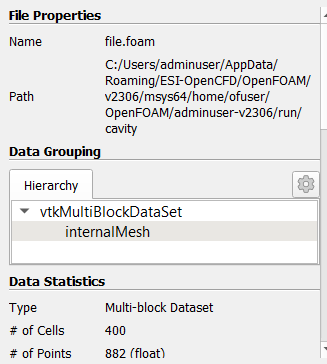
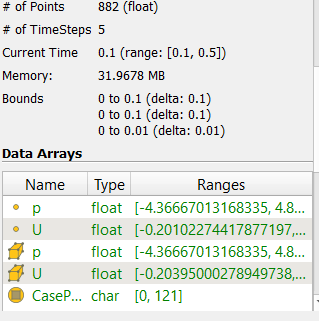
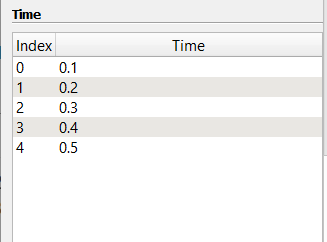
This is about the “slice” issue, right?
---
### Author:  [@cory.quammen](https://discourse.paraview.org/u/cory.quammen)
#### Post date: [October 4, 2023, 8:51pm UTC](https://discourse.paraview.org/t/how-to-open-openfoam-mesh-and-results-in-native-paraview/12956/17 "2023-10-04T20:51:07Z")
Yes, I was trying to understanding why all those filters (not just Slice) were grayed out. They shouldn’t be with this type of dataset.
Did you click Apply after selecting the OpenFOAM file? You’ll need to do that before trying to apply a filter.
---
### Author:  [@maxning](https://discourse.paraview.org/u/maxning)
#### Post date: [October 4, 2023, 8:53pm UTC](https://discourse.paraview.org/t/how-to-open-openfoam-mesh-and-results-in-native-paraview/12956/18 "2023-10-04T20:53:37Z")
I use a native-paraView software. I just opened the file.foam file by selecting it in the “open” window. I don’t remember seeing a “apply”
---
### Author:  [@cory.quammen](https://discourse.paraview.org/u/cory.quammen)
#### Post date: [October 4, 2023, 8:59pm UTC](https://discourse.paraview.org/t/how-to-open-openfoam-mesh-and-results-in-native-paraview/12956/19 "2023-10-04T20:59:03Z")
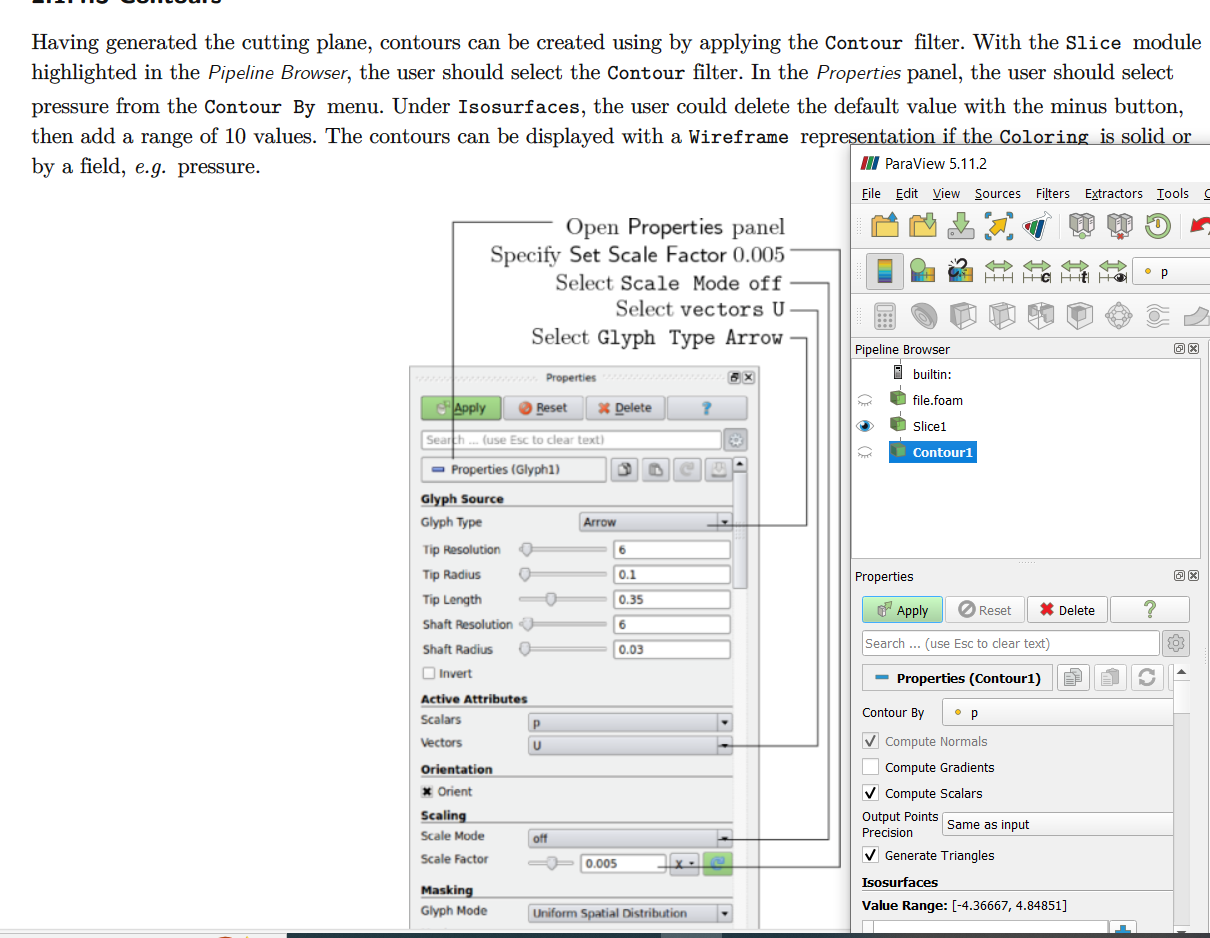
The “Apply” button is key for ParaView. In your screenshot with the tutorial and ParaView window, the “Apply” button is visible in the “Properties” tab. It’s a big green button. Click it after selecting the dataset, then the filters should be available to use.
---
### Author:  [@maxning](https://discourse.paraview.org/u/maxning)
#### Post date: [October 4, 2023, 9:26pm UTC](https://discourse.paraview.org/t/how-to-open-openfoam-mesh-and-results-in-native-paraview/12956/20 "2023-10-04T21:26:40Z")
Thank you, I have managed to use “slice”. However, I was in the process of generating contours, but the tutorials (for openfoam v6) uses a very different paraview:
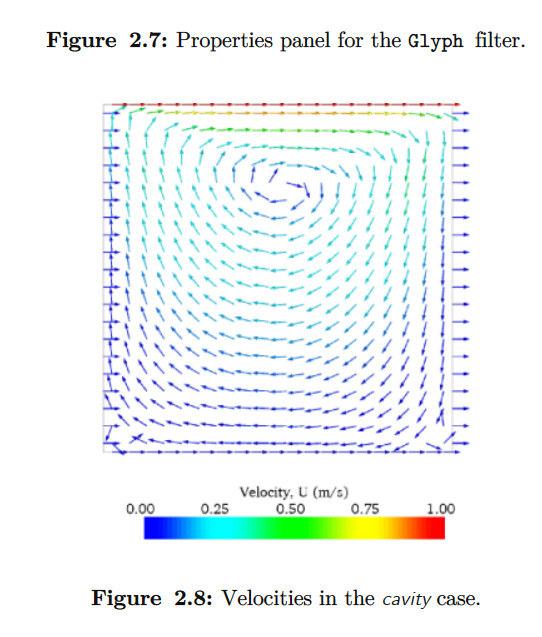
How should I generate a contour like:
[Next page](https://discourse.paraview.org/t/how-to-open-openfoam-mesh-and-results-in-native-paraview/12956.md?page=2)