# How to open openFoam mesh and results in native Paraview?
**URL:** https://discourse.paraview.org/t/how-to-open-openfoam-mesh-and-results-in-native-paraview/12956
**Category:** ParaView Support
**Created:** [September 28, 2023, 2:53pm UTC](https://discourse.paraview.org/t/how-to-open-openfoam-mesh-and-results-in-native-paraview/12956 "2023-09-28T14:53:13Z")
**Posts on this page:** 9
**Page:** 2
### Author:  [@cory.quammen](https://discourse.paraview.org/u/cory.quammen)
#### Post date: [October 5, 2023, 1:33am UTC](https://discourse.paraview.org/t/how-to-open-openfoam-mesh-and-results-in-native-paraview/12956/21 "2023-10-05T01:33:41Z")
It looks like the figures showing the glyph figures appear early in the text of the [tutorial](https://doc.cfd.direct/openfoam/user-guide-v6/cavity) so that they appear to be associated to the **Contour** filter discussion, but they are not. If you follow along in section 2.1.4.4, you’ll be able to generate an image like in Figure 2.8.
---
### Author:  [@maxning](https://discourse.paraview.org/u/maxning)
#### Post date: [October 5, 2023, 11:16pm UTC](https://discourse.paraview.org/t/how-to-open-openfoam-mesh-and-results-in-native-paraview/12956/22 "2023-10-05T23:16:35Z")
I went to 2.1.4.4, but the GUI is also different from the paraview I am using now.
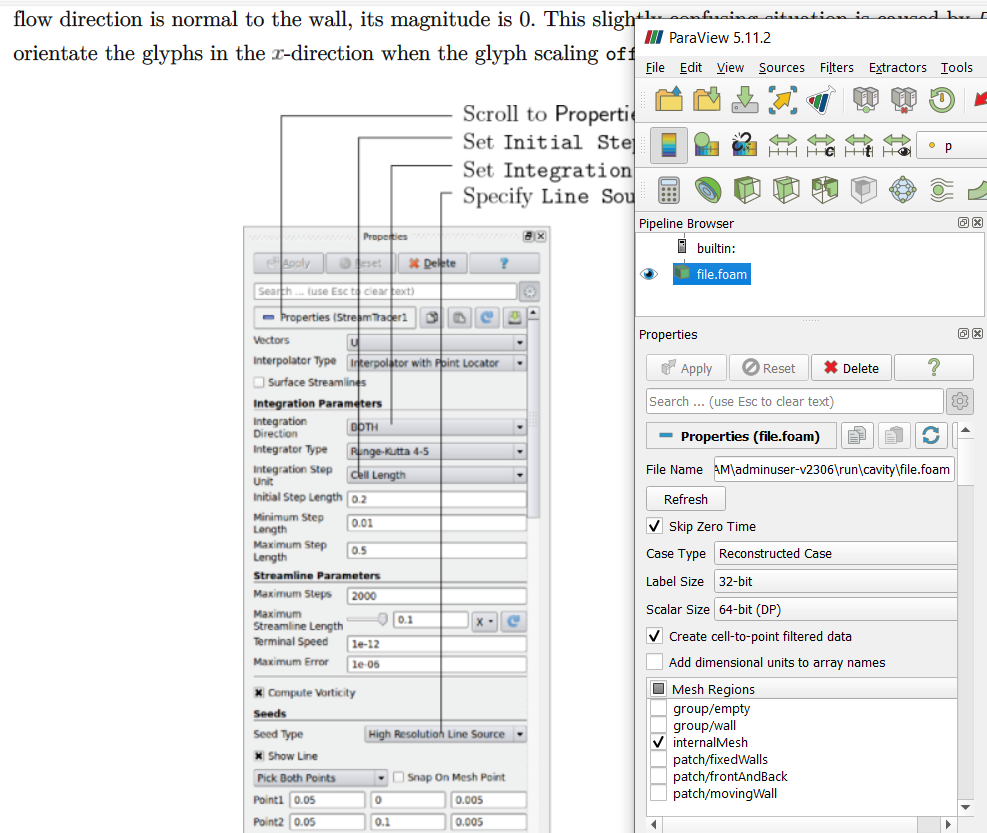
I have opened the “file.foam” and clicked “apply”, is there anything I didn’t do?
---
### Author:  [@mwestphal](https://discourse.paraview.org/u/mwestphal)
#### Post date: [October 6, 2023, 10:27am UTC](https://discourse.paraview.org/t/how-to-open-openfoam-mesh-and-results-in-native-paraview/12956/23 "2023-10-06T10:27:15Z")
This is a screenshot of the StreamTracer filter.
You must have missed a step suggesting to add a StreamTracer.
---
### Author:  [@maxning](https://discourse.paraview.org/u/maxning)
#### Post date: [October 25, 2023, 9:53pm UTC](https://discourse.paraview.org/t/how-to-open-openfoam-mesh-and-results-in-native-paraview/12956/24 "2023-10-25T21:53:19Z")
I did not see stream tracer filter in previous steps in the tutorial…
Also, I managed to do the “contour” as per the tutorial, but it looks like this:
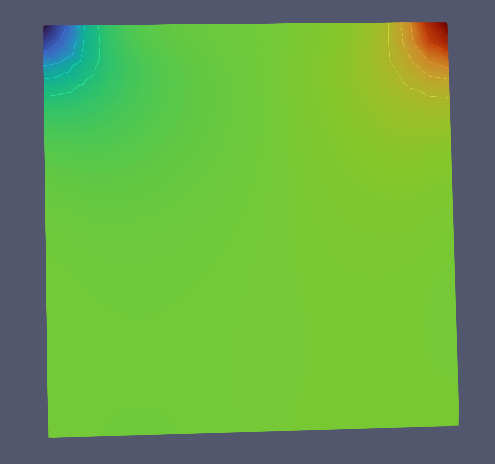
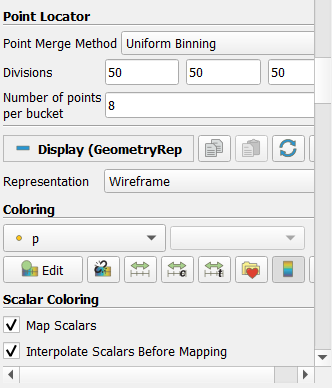
I don’t think this is right, but I don’t understand what I do wrong:

---
### Author:  [@mwestphal](https://discourse.paraview.org/u/mwestphal)
#### Post date: [October 26, 2023, 1:00pm UTC](https://discourse.paraview.org/t/how-to-open-openfoam-mesh-and-results-in-native-paraview/12956/25 "2023-10-26T13:00:59Z")
> [@maxning](#):
>
> I did not see stream tracer filter in previous steps in the tutorial…
You may want to ask the person who wrote the tutorial
---
### Author:  [@maxning](https://discourse.paraview.org/u/maxning)
#### Post date: [October 26, 2023, 3:13pm UTC](https://discourse.paraview.org/t/how-to-open-openfoam-mesh-and-results-in-native-paraview/12956/26 "2023-10-26T15:13:31Z")
I managed to find the stream tracer filter, but it only have options for speed U and not pressure P. And when I click apply, this is the result:

From the sides:
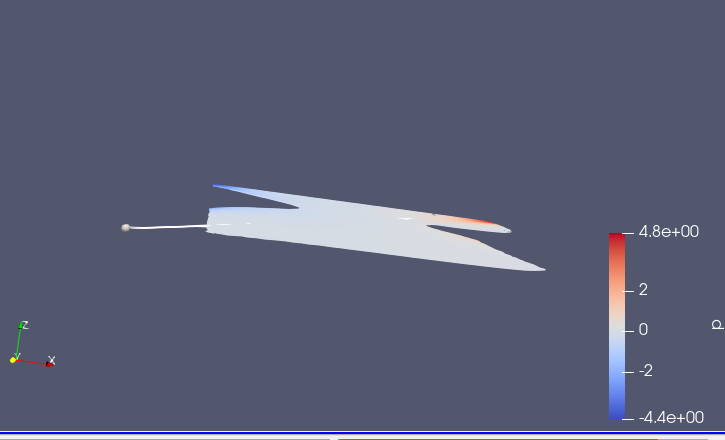
That can’t be right, right?
---
### Author:  [@mwestphal](https://discourse.paraview.org/u/mwestphal)
#### Post date: [October 26, 2023, 3:21pm UTC](https://discourse.paraview.org/t/how-to-open-openfoam-mesh-and-results-in-native-paraview/12956/27 "2023-10-26T15:21:32Z")
Pressure P is a scalar, not a vector. You can only streamtrace vectors.
---
### Author:  [@maxning](https://discourse.paraview.org/u/maxning)
#### Post date: [October 28, 2023, 11:14pm UTC](https://discourse.paraview.org/t/how-to-open-openfoam-mesh-and-results-in-native-paraview/12956/28 "2023-10-28T23:14:40Z")
Got it.
I am now working on the part where it says to “create a vector plot of the results”:
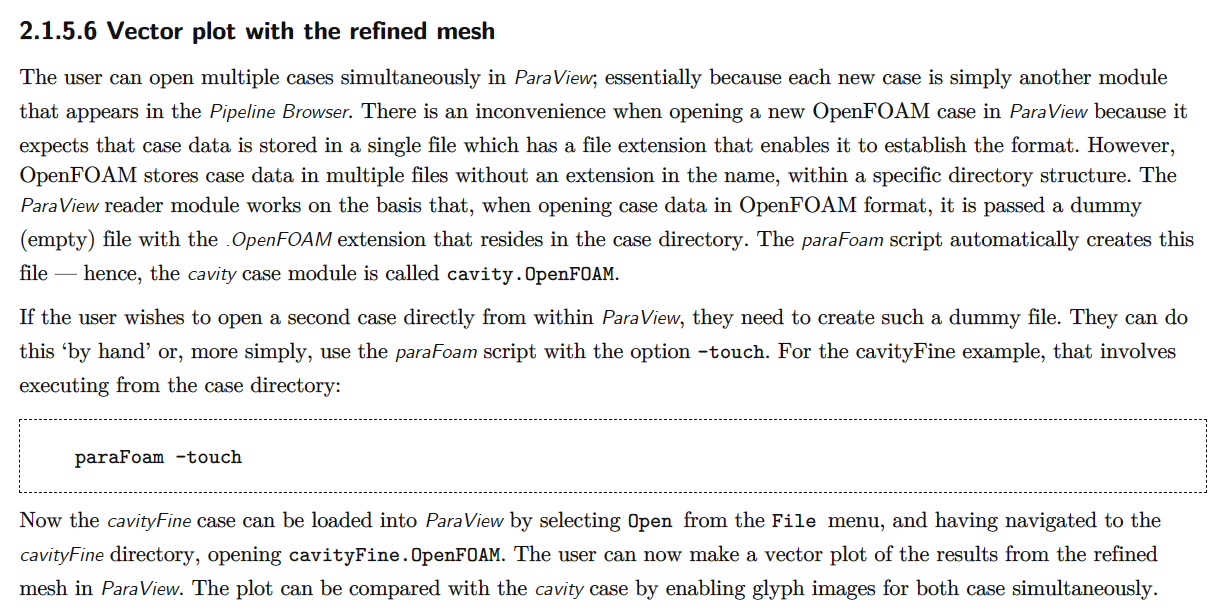
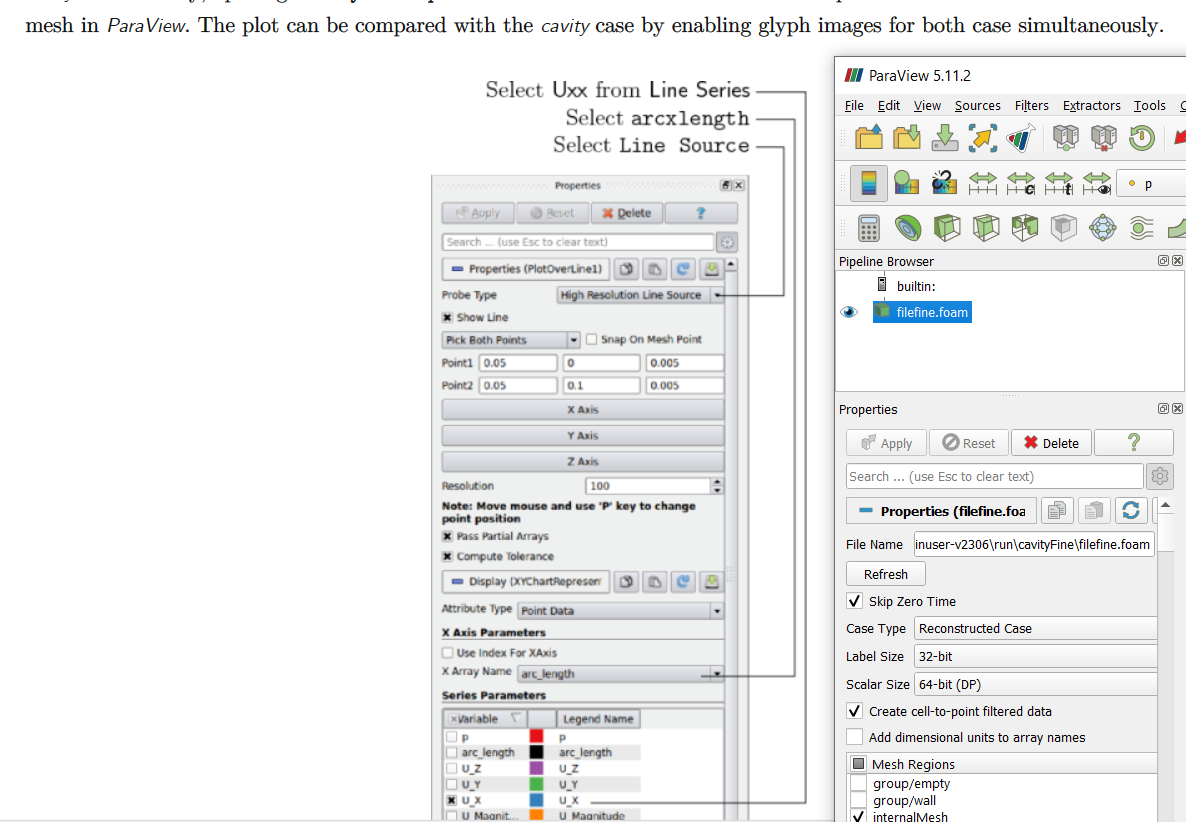
But I don’t see the same GUI setup, even though I already clicked Apply and refresh many times. Could you tell me why?
---
### Author:  [@mwestphal](https://discourse.paraview.org/u/mwestphal)
#### Post date: [October 30, 2023, 8:26am UTC](https://discourse.paraview.org/t/how-to-open-openfoam-mesh-and-results-in-native-paraview/12956/29 "2023-10-30T08:26:04Z")
Please ask this tutorial creator.
> Plot
Probably open a LineChartView.
[Previous page](https://discourse.paraview.org/t/how-to-open-openfoam-mesh-and-results-in-native-paraview/12956.md?page=1)