# How to Outline Perimeter
**URL:** https://discourse.paraview.org/t/how-to-outline-perimeter/15429
**Category:** ParaView Support
**Created:** [September 24, 2024, 7:10am UTC](https://discourse.paraview.org/t/how-to-outline-perimeter/15429 "2024-09-24T07:10:30Z")
**Posts on this page:** 8
**Page:** 1
### Author:  [@Vinicius](https://discourse.paraview.org/u/Vinicius)
#### Post date: [September 24, 2024, 7:10am UTC](https://discourse.paraview.org/t/how-to-outline-perimeter/15429/1 "2024-09-24T07:10:30Z")
Hi,
I have a VTK file with unstructured grid data (they are data points), as shown here:
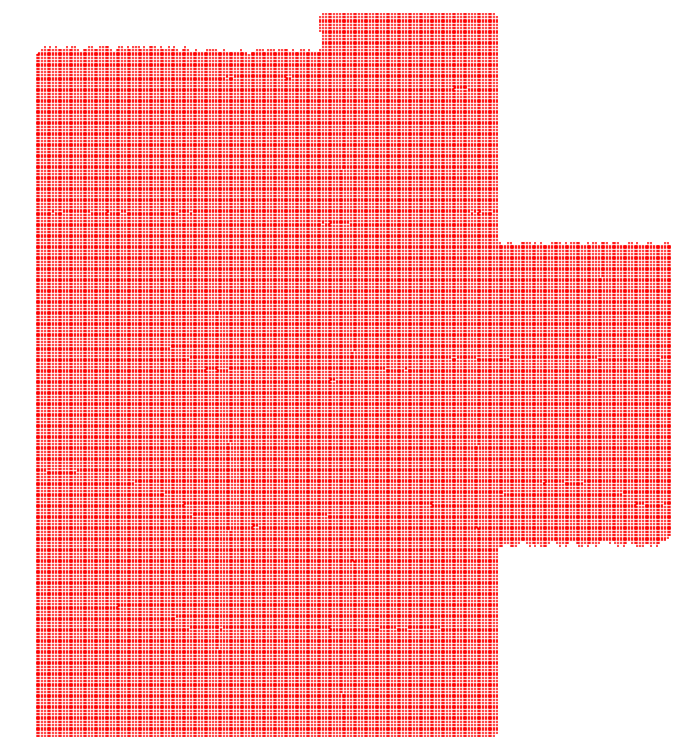
When I use the **Outline** feature in ParaView, it generates a rectangular outline around the data points, like this:
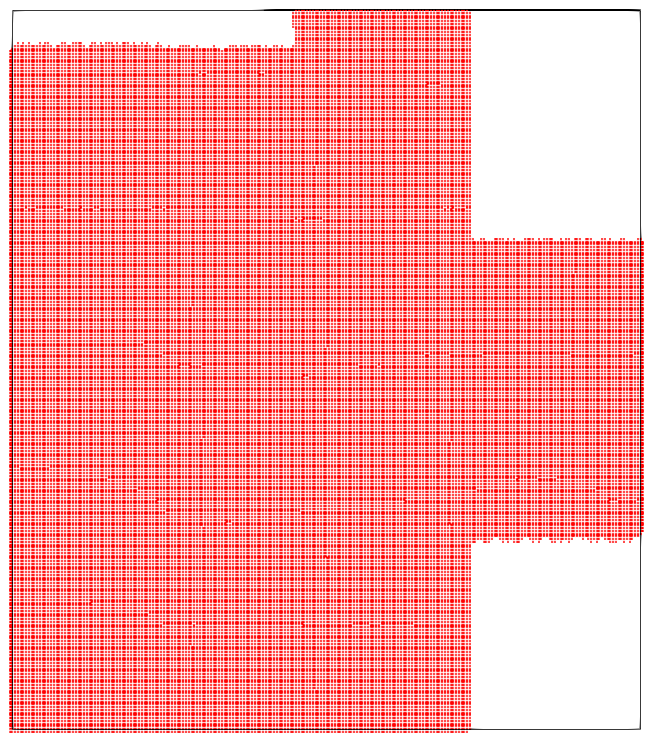
However, I’m looking to create an outline that follows the actual shape of the data points, like this hand-drawn example:
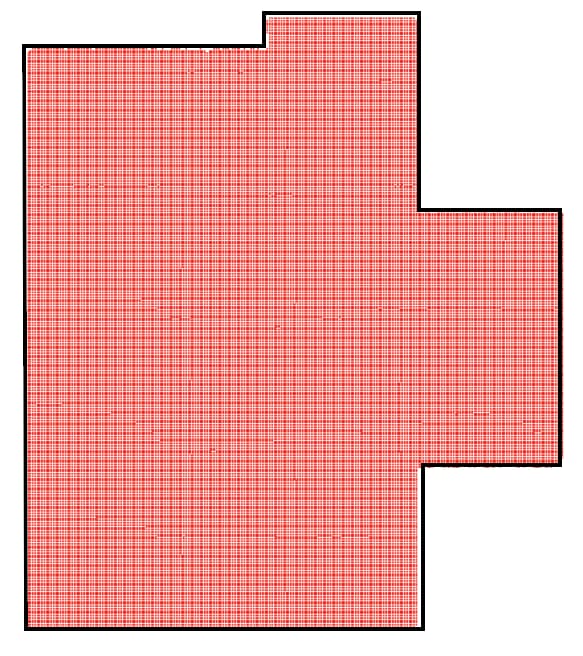
I’ve tried using **Feature Edges** and **Delaunay2D** , but they don’t give me the result I’m looking for. Does anyone know how to achieve an outline that matches the exact perimeter of the irregular data points?
Thanks in advance!
---
### Author:  [@mwestphal](https://discourse.paraview.org/u/mwestphal)
#### Post date: [September 24, 2024, 8:28am UTC](https://discourse.paraview.org/t/how-to-outline-perimeter/15429/2 "2024-09-24T08:28:02Z")
You probably want FeatureEdges filter. Could you share your data ?
---
### Author:  [@Vinicius](https://discourse.paraview.org/u/Vinicius)
#### Post date: [September 25, 2024, 1:34am UTC](https://discourse.paraview.org/t/how-to-outline-perimeter/15429/3 "2024-09-25T01:34:31Z")
Sure, here it is:
[data\_grav\_misfit\_final.vtk](https://discourse.paraview.org/uploads/short-url/A8pZCGCEzcRJdUFIU8H49xtkigk.vtk) (2.3 MB)
It is a file that has the following headers in csv format:
X,Y,Z,Value
---
### Author:  [@mwestphal](https://discourse.paraview.org/u/mwestphal)
#### Post date: [September 25, 2024, 8:58am UTC](https://discourse.paraview.org/t/how-to-outline-perimeter/15429/4 "2024-09-25T08:58:02Z")
Your file seems incorrectly encodded:
```auto
# vtk DataFile Version 3.0
Tomofast-x
BINARY
DATASET UNSTRUCTURED_GRID
POINTS 49695 FLOAT
HG?^@I:?^@<#?
HG?^@I:?^@<#?
HG?^@I:?^@<#?
HG?^@I:?^@<#?
HH^@^@I:?^@<#?
HH^Y^@I:?^@<#?
```
---
### Author:  [@Vinicius](https://discourse.paraview.org/u/Vinicius)
#### Post date: [September 25, 2024, 12:33pm UTC](https://discourse.paraview.org/t/how-to-outline-perimeter/15429/5 "2024-09-25T12:33:11Z")
Apologies, I’m still a beginner with ParaView and VTK visualization. Does this mean that my VTK file should be in ASCII format instead of binary? If possible, could you share a resource or guide on how to properly convert it to the correct format?
Additionally, could you provide a VTK file with points that I can use with the Feature Edges filter? I’d like to share it with the developer of the Tomofast-x software so they can consider implementing it in a future update.
Thank you for your help!
---
### Author:  [@Kenneth\_Moreland](https://discourse.paraview.org/u/Kenneth_Moreland)
#### Post date: [September 25, 2024, 1:29pm UTC](https://discourse.paraview.org/t/how-to-outline-perimeter/15429/6 "2024-09-25T13:29:20Z")
I was able to load your data into ParaView.
The challenge of your data is that it what we sometimes call a “point cloud” or “mesh-less data”. Your data does not define a mesh of cells connecting points and defining the area of space it covers. That means that ParaView does not immediately know the area that is supposed to be covered.
There are some tricks to impose a mesh on a point cloud. I think the one that will work best in your case is to use the `Delaunay 2D` filter. This filter will connect together the points in your data with triangles.
One problem you will see at first with the `Delaunay 2D` filter is that it will form a convex hull of the points, which means those cut out areas will get filled in. The `Delaunay 2D` filter has an optional parameter named `Alpha` that is used to remove stretched out triangles that tend to cover those spaces we want to see empty. You have to play with that parameter a bit, but I found that setting it to `100` gives a reasonable coverage.
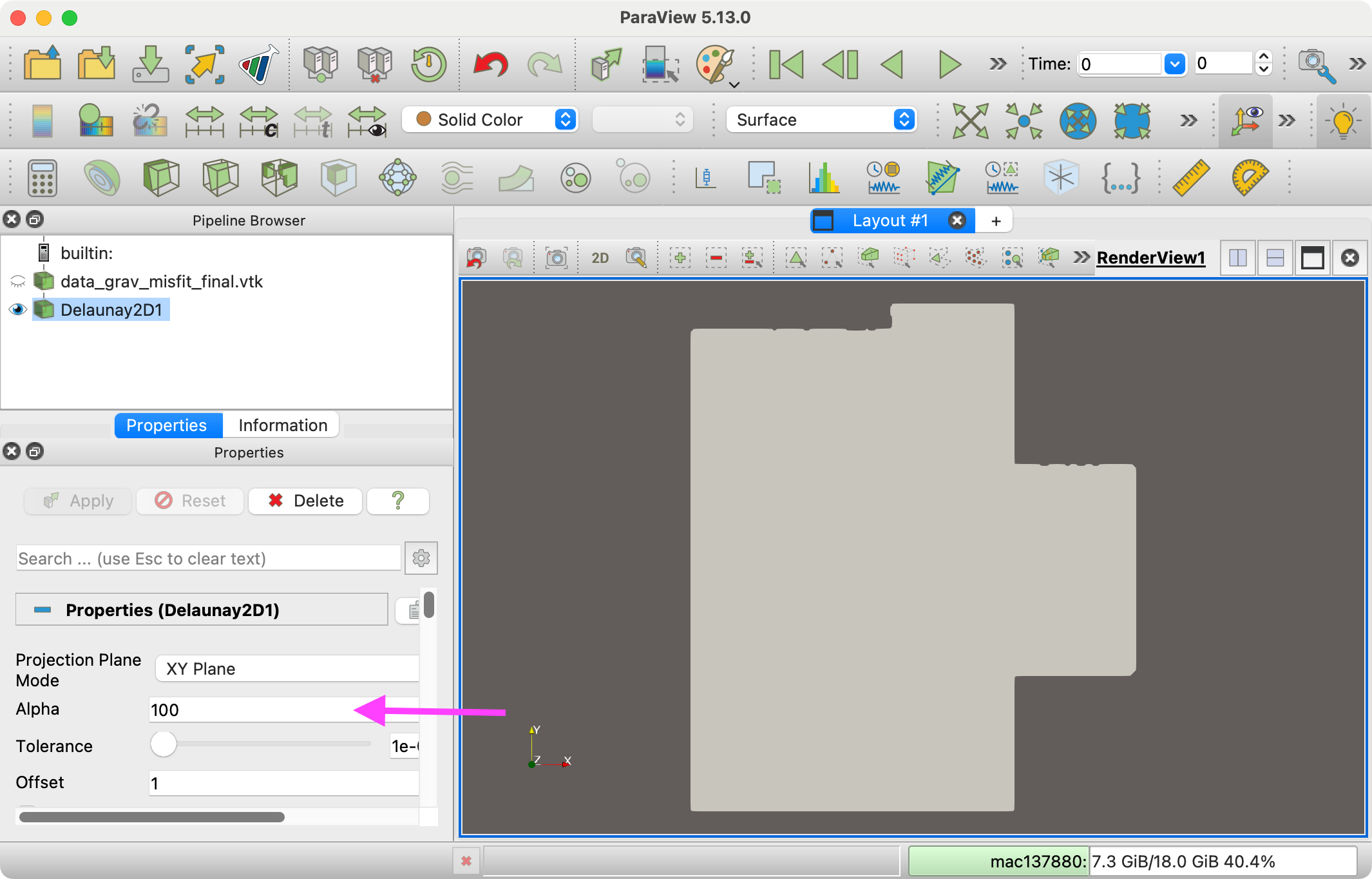
To see the outline, just change the representation to `Feature Edges`.
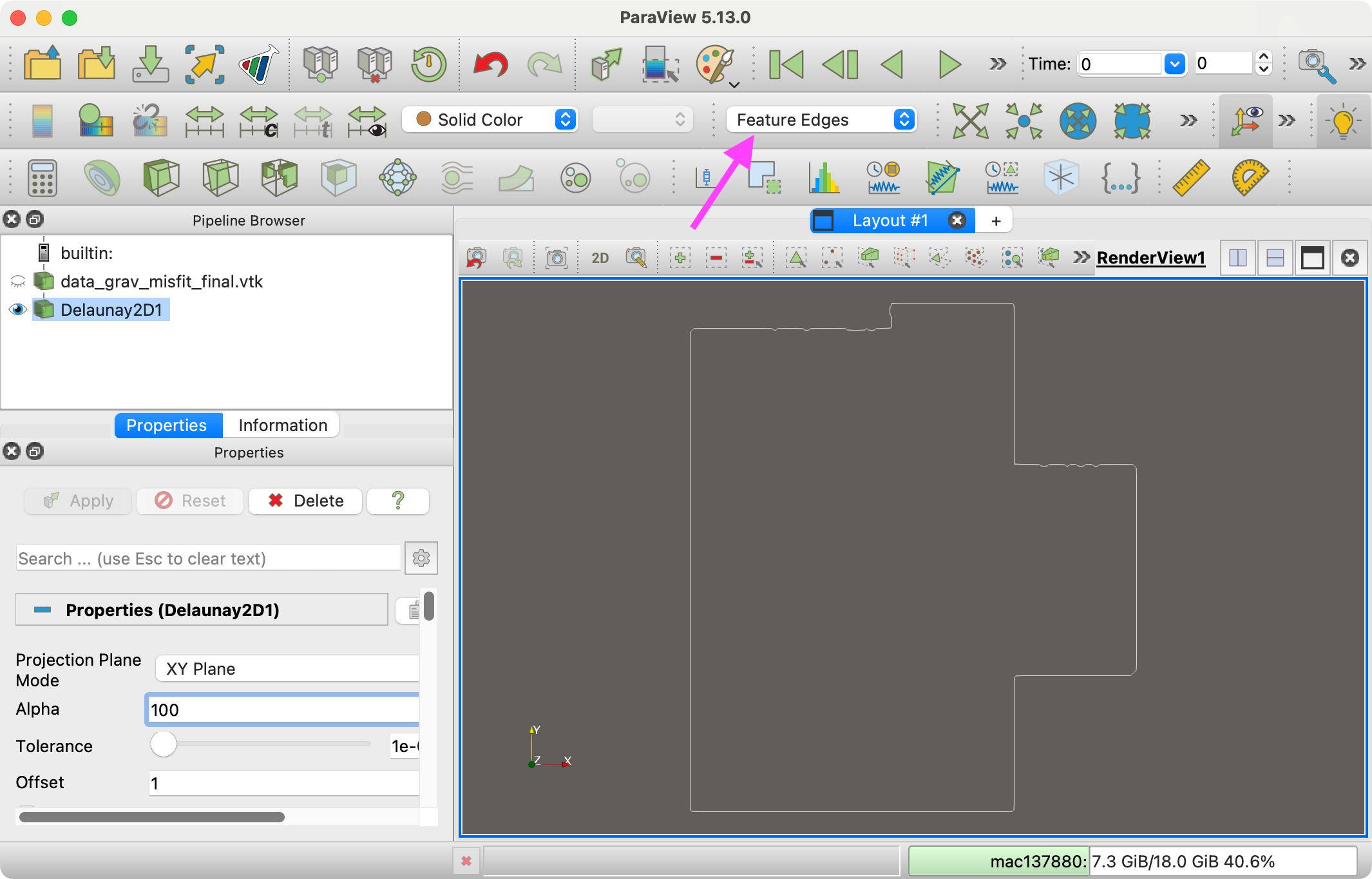
There is also a filter named `Feature Edges` that will extract the geometry of this outline if you need it.
---
### Author:  [@mwestphal](https://discourse.paraview.org/u/mwestphal)
#### Post date: [September 25, 2024, 2:15pm UTC](https://discourse.paraview.org/t/how-to-outline-perimeter/15429/7 "2024-09-25T14:15:51Z")
Indeed, not sure what happened earlier on my side.
---
### Author:  [@Vinicius](https://discourse.paraview.org/u/Vinicius)
#### Post date: [September 29, 2024, 3:34am UTC](https://discourse.paraview.org/t/how-to-outline-perimeter/15429/8 "2024-09-29T03:34:00Z")
Thank you so much, Kenneth! It worked perfectly for my needs. I’ll inform the Tomofast-x developers about this issue with the data and see if they can address it in a future pull request.