# How to Query Variable Values in .xdmf Animation in ParaView?
**URL:** https://discourse.paraview.org/t/how-to-query-variable-values-in-xdmf-animation-in-paraview/13860
**Category:** ParaView Support
**Created:** [February 4, 2024, 11:40am UTC](https://discourse.paraview.org/t/how-to-query-variable-values-in-xdmf-animation-in-paraview/13860 "2024-02-04T11:40:50Z")
**Posts on this page:** 5
**Page:** 1
### Author:  [@nikoleeaa](https://discourse.paraview.org/u/nikoleeaa)
#### Post date: [February 4, 2024, 11:40am UTC](https://discourse.paraview.org/t/how-to-query-variable-values-in-xdmf-animation-in-paraview/13860/1 "2024-02-04T11:40:50Z")
Hello,
I’m analyzing a .xdmf animation in ParaView and need to query variable values (e.g., density, voltage) at specific points and time steps. Could anyone guide me on how to achieve this?
I tried to directly click on various positions of the image with the left mouse button at each frame, but I couldn’t get the variable value.
Thanks in advance for any help!
---
### Author:  [@mwestphal](https://discourse.paraview.org/u/mwestphal)
#### Post date: [February 5, 2024, 7:50am UTC](https://discourse.paraview.org/t/how-to-query-variable-values-in-xdmf-animation-in-paraview/13860/2 "2024-02-05T07:50:50Z")
Please share your data. .xdmf AND .h5.
Thanks
---
### Author:  [@nikoleeaa](https://discourse.paraview.org/u/nikoleeaa)
#### Post date: [February 5, 2024, 5:12pm UTC](https://discourse.paraview.org/t/how-to-query-variable-values-in-xdmf-animation-in-paraview/13860/3 "2024-02-05T17:12:40Z")
Here is the download link.[https://drive.google.com/file/d/1kasjQdRtidus0MrV6IgvWwtbJcq8OLCF/view?usp=drive\_link](https://drive.google.com/file/d/1kasjQdRtidus0MrV6IgvWwtbJcq8OLCF/view?usp=drive_link)
[https://drive.google.com/file/d/1bNWmnLCMF0GpQQdKCdbHPNr2-paj4arx/view?usp=drive\_link](https://drive.google.com/file/d/1bNWmnLCMF0GpQQdKCdbHPNr2-paj4arx/view?usp=drive_link)
Thank you!
---
### Author:  [@mwestphal](https://discourse.paraview.org/u/mwestphal)
#### Post date: [February 6, 2024, 9:54am UTC](https://discourse.paraview.org/t/how-to-query-variable-values-in-xdmf-animation-in-paraview/13860/4 "2024-02-06T09:54:02Z")
- run ParaView
- File → open → yourFile.xdmf
- Select a point you are interested into using interactive select point on
- PlotSelectionOverTime, Apply
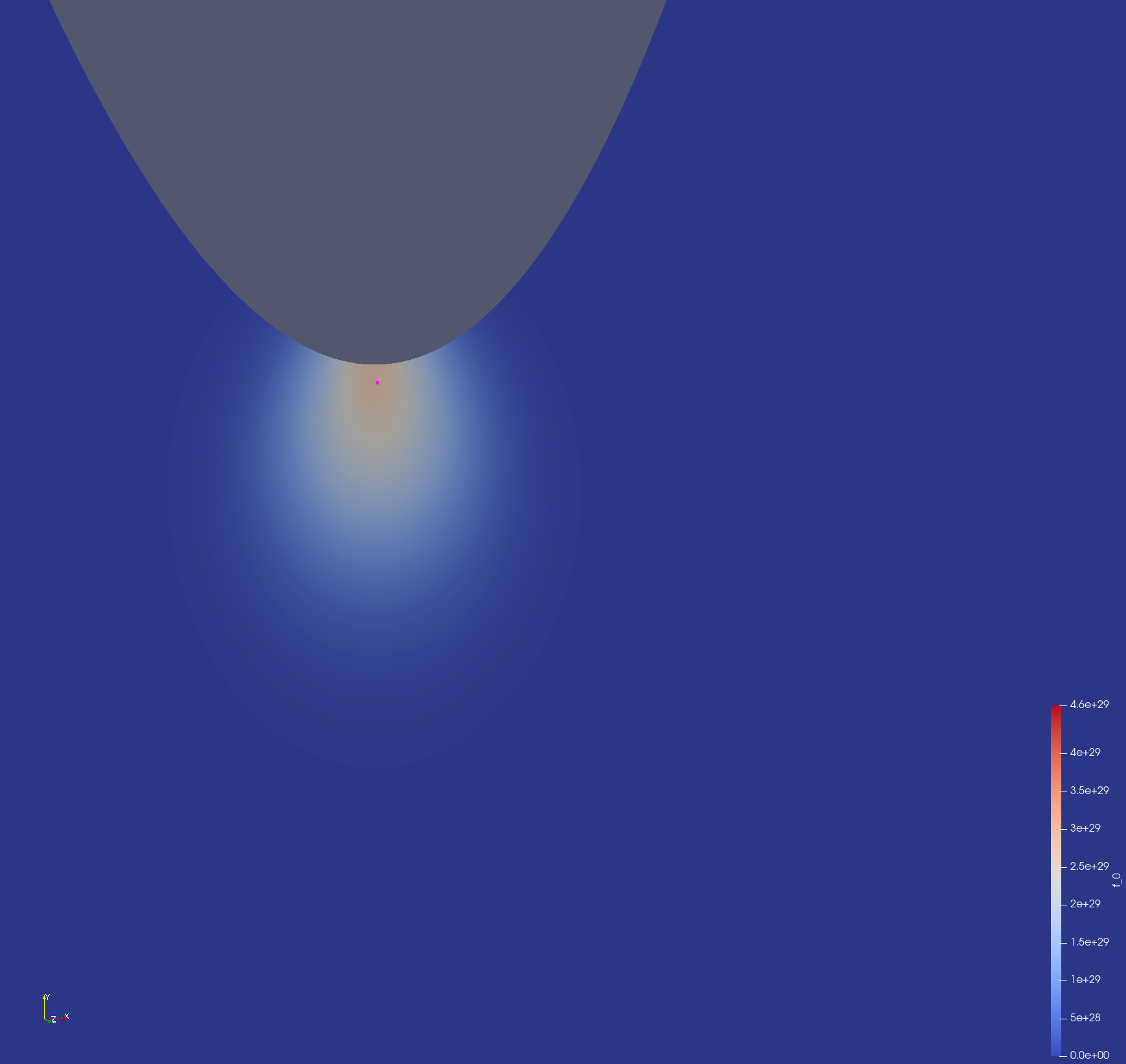
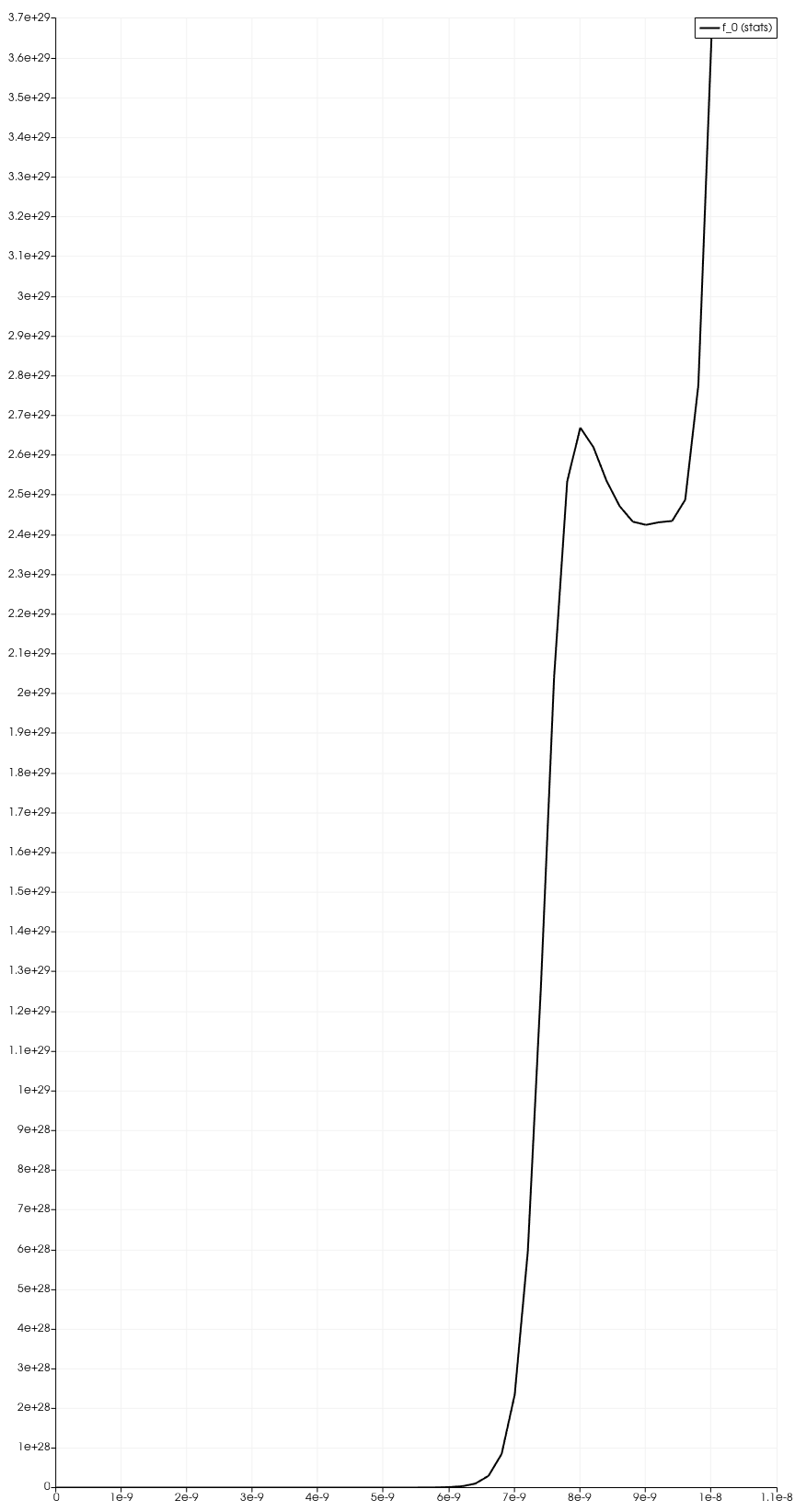
hth
---
### Author:  [@nikoleeaa](https://discourse.paraview.org/u/nikoleeaa)
#### Post date: [February 6, 2024, 4:51pm UTC](https://discourse.paraview.org/t/how-to-query-variable-values-in-xdmf-animation-in-paraview/13860/5 "2024-02-06T16:51:19Z")
Thank you very much for your help! I can draw a curve graph of the variable values at a certain point in the image over a time range, as shown in your picture.
There were some small problems in the middle, but I solved them.
I followed your steps one by one, but when I tried to click on “PlotSelectionOverTime” in the “filter”, I found that it was not clickable.
Later, I found out that this was because I didn’t click “apply” in the “properties” panel after opening the file. This is really a naive and terrible mistake.
Anyway, thank you very much for your guidance on my childish question!