# How to show fps on the web client?
**URL:** https://discourse.paraview.org/t/how-to-show-fps-on-the-web-client/6341
**Category:** Web Support
**Created:** [January 29, 2021, 2:36pm UTC](https://discourse.paraview.org/t/how-to-show-fps-on-the-web-client/6341 "2021-01-29T14:36:15Z")
**Posts on this page:** 8
**Page:** 1
### Author:  [@Superstarimage](https://discourse.paraview.org/u/Superstarimage)
#### Post date: [January 29, 2021, 2:36pm UTC](https://discourse.paraview.org/t/how-to-show-fps-on-the-web-client/6341/1 "2021-01-29T14:36:15Z")
Hello,
I am puzzling about how to show fps on the web client. Now we have use the vtk as sever rendering core.
Could anyone please show me some inspiration?
Thank you all!
---
### Author:  [@jourdain](https://discourse.paraview.org/u/jourdain)
#### Post date: [January 29, 2021, 3:09pm UTC](https://discourse.paraview.org/t/how-to-show-fps-on-the-web-client/6341/2 "2021-01-29T15:09:01Z")
In what technology: vtk.js, vtkWeb, ParaViewWeb?
For local rendering or remote?
The remote fps or the local one?
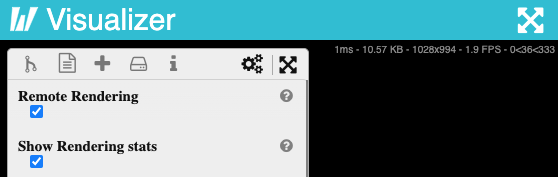
If you use visualizer, you can check the “Show Rendering stats”.
---
### Author:  [@jourdain](https://discourse.paraview.org/u/jourdain)
#### Post date: [January 29, 2021, 3:13pm UTC](https://discourse.paraview.org/t/how-to-show-fps-on-the-web-client/6341/3 "2021-01-29T15:13:06Z")
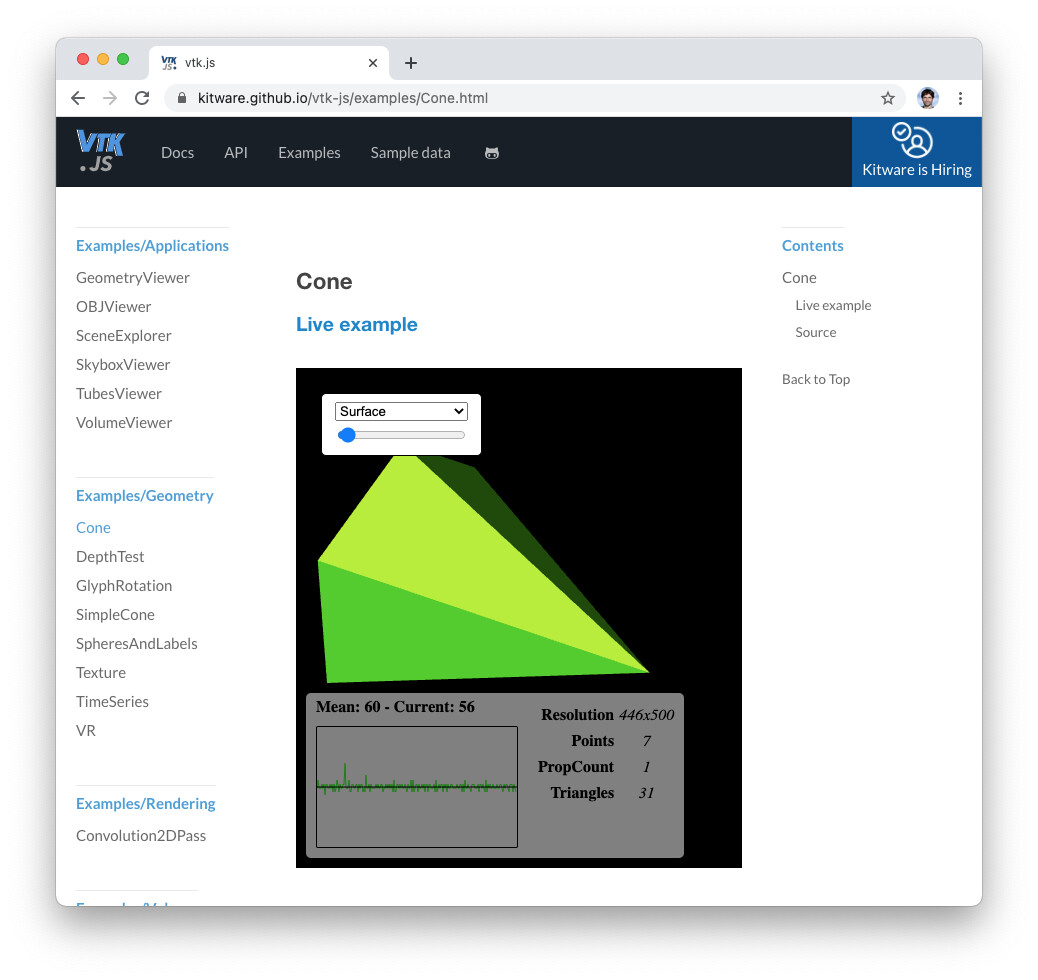
In vtk.js you have that example.
---
### Author:  [@jourdain](https://discourse.paraview.org/u/jourdain)
#### Post date: [January 29, 2021, 3:15pm UTC](https://discourse.paraview.org/t/how-to-show-fps-on-the-web-client/6341/4 "2021-01-29T15:15:15Z")
In Visualizer you can check “Show Annotation” to in-print in the view the remote rendering stats.

---
### Author:  [@Superstarimage](https://discourse.paraview.org/u/Superstarimage)
#### Post date: [January 30, 2021, 8:49am UTC](https://discourse.paraview.org/t/how-to-show-fps-on-the-web-client/6341/5 "2021-01-30T08:49:19Z")
Thank you for your help, Sebastien.
In what technology: I think we have used vtkWeb. Vtk offered the rendering function.
For local rendering or remote? For remote rendering.
The remote fps or the local one? It is remote fps. Local fps is worked out.
I have not used the Visualizer. I used a SimpleDemo: [https://github.com/tsgouros/ParaViewWeb-SimpleDemo](https://github.com/tsgouros/ParaViewWeb-SimpleDemo).
So which cases should I refer to?
Thank you a lot!
---
### Author:  [@jourdain](https://discourse.paraview.org/u/jourdain)
#### Post date: [January 31, 2021, 1:27am UTC](https://discourse.paraview.org/t/how-to-show-fps-on-the-web-client/6341/6 "2021-01-31T01:27:36Z")
Looking at the code, it is actually using ParaView, so you just need to turn the annotation on to see the remote fps.
Just put that somewhere on your server side.
```auto
from paraview import simple
pxm = simple.servermanager.ProxyManager()
renderingSettings = pxm.GetProxy('settings', 'RenderViewSettings')
renderingSettings.ShowAnnotation = 1
```
---
### Author:  [@Superstarimage](https://discourse.paraview.org/u/Superstarimage)
#### Post date: [January 31, 2021, 12:52pm UTC](https://discourse.paraview.org/t/how-to-show-fps-on-the-web-client/6341/7 "2021-01-31T12:52:00Z")
Thank you Sebastien,
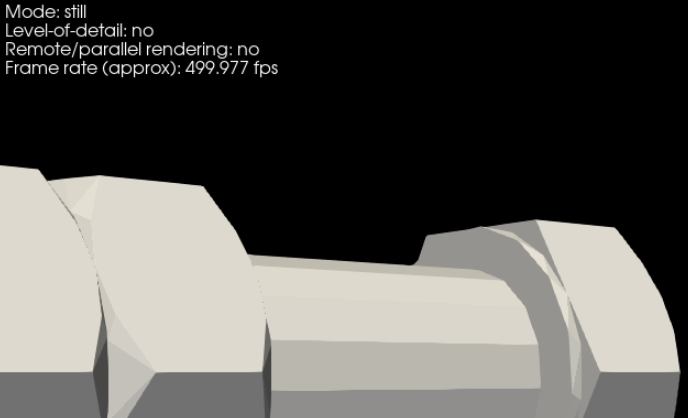
With the codes you offered, I worked out the fps. Thank you for your help.
Now, we find that we are using paraview as server. As this:[https://kitware.github.io/paraviewweb/examples/RemoteRenderer.html#Using-ParaView-as-server](https://kitware.github.io/paraviewweb/examples/RemoteRenderer.html#Using-ParaView-as-server)
It has some weak points, such as slow drawing speed according to VTK server: [https://kitware.github.io/paraviewweb/examples/RemoteRenderer.html#Using-VTK-as-server](https://kitware.github.io/paraviewweb/examples/RemoteRenderer.html#Using-VTK-as-server)
So we are changing to use the vtk as server. But the remote fps can not be shown using the same codes. Do you have some good ideas for this situation?
Thank you a lot.
---
### Author:  [@jourdain](https://discourse.paraview.org/u/jourdain)
#### Post date: [January 31, 2021, 9:30pm UTC](https://discourse.paraview.org/t/how-to-show-fps-on-the-web-client/6341/8 "2021-01-31T21:30:17Z")
What do you mean by slow rendering using ParaView server? It won’t be faster with VTK and 500 fps is plenty good.
The problem is likely related to your setup of rendering on the client side. You should look at [https://github.com/Kitware/web-project-templates/tree/master/vue-vtkjs-pvw-template](https://github.com/Kitware/web-project-templates/tree/master/vue-vtkjs-pvw-template) and see if you see any speed up.