# Importing Ansys Fluent results to Paraview
**URL:** https://discourse.paraview.org/t/importing-ansys-fluent-results-to-paraview/4862
**Category:** ParaView Support
**Created:** [July 16, 2020, 5:05pm UTC](https://discourse.paraview.org/t/importing-ansys-fluent-results-to-paraview/4862 "2020-07-16T17:05:07Z")
**Posts on this page:** 17
**Page:** 1
### Author:  [@Amalesh](https://discourse.paraview.org/u/Amalesh)
#### Post date: [July 16, 2020, 5:05pm UTC](https://discourse.paraview.org/t/importing-ansys-fluent-results-to-paraview/4862/1 "2020-07-16T17:05:07Z")
I’m new to the paraview application I don’t know how to import the results from my Ansys fluent. I don;t know which file format Paraview will support? Pls some give me suggestion to import the results from Ansys to Paraview with correct file format…!!!
thanks in advance…!!!
---
### Author:  [@kirit\_101](https://discourse.paraview.org/u/kirit_101)
#### Post date: [July 16, 2020, 6:13pm UTC](https://discourse.paraview.org/t/importing-ansys-fluent-results-to-paraview/4862/2 "2020-07-16T18:13:55Z")
Hi Amalesh:
From fluent try to save the files in CGNS format.
Then try to read in ParaView
---
### Author:  [@Rob777](https://discourse.paraview.org/u/Rob777)
#### Post date: [July 17, 2020, 1:49pm UTC](https://discourse.paraview.org/t/importing-ansys-fluent-results-to-paraview/4862/3 "2020-07-17T13:49:18Z")
The best way is to export to ensight-gold format.
---
### Author:  [@Amalesh](https://discourse.paraview.org/u/Amalesh)
#### Post date: [July 17, 2020, 1:58pm UTC](https://discourse.paraview.org/t/importing-ansys-fluent-results-to-paraview/4862/4 "2020-07-17T13:58:19Z")
I tried with both the ways its says the file format doesn’t support. Does any other option are available?
---
### Author:  [@Rob777](https://discourse.paraview.org/u/Rob777)
#### Post date: [July 17, 2020, 2:00pm UTC](https://discourse.paraview.org/t/importing-ansys-fluent-results-to-paraview/4862/5 "2020-07-17T14:00:36Z")
I’m currently working on post-processing Fluent solutions on Paraview and ensight-gold format works well.
---
### Author:  [@Amalesh](https://discourse.paraview.org/u/Amalesh)
#### Post date: [July 18, 2020, 12:46pm UTC](https://discourse.paraview.org/t/importing-ansys-fluent-results-to-paraview/4862/6 "2020-07-18T12:46:46Z")
Dear roberto,
My case was transient simulation. Before knowing paraview, I saved all the file in the CFD post compatible format. If I’m trying to convert it into a ansys Ensight format but only the last time step was converted into ensight format. But still I can’t get the results. When I import the ensight format in paraview it’s show errors. What can I do now? Or I’m doing anything wrong. Pls help me.
---
### Author:  [@Rob777](https://discourse.paraview.org/u/Rob777)
#### Post date: [July 19, 2020, 9:06am UTC](https://discourse.paraview.org/t/importing-ansys-fluent-results-to-paraview/4862/7 "2020-07-19T09:06:29Z")
Please show the journal file to convert to Ensight-gold format to see if I can help you.
Also you have to post errors you get in paraview to get help.
Please don’t be vague.
---
### Author:  [@Beer1\_0](https://discourse.paraview.org/u/Beer1_0)
#### Post date: [October 22, 2021, 12:37pm UTC](https://discourse.paraview.org/t/importing-ansys-fluent-results-to-paraview/4862/8 "2021-10-22T12:37:43Z")
There is a bug which causes errors if you have spaces in your name. I would suggest saving your project name without spaces in alphanumerics and try exporting it as ensight gold format.
---
### Author:  [@Super\_Dizzer](https://discourse.paraview.org/u/Super_Dizzer)
#### Post date: [October 26, 2021, 3:30pm UTC](https://discourse.paraview.org/t/importing-ansys-fluent-results-to-paraview/4862/9 "2021-10-26T15:30:33Z")
Hi
I dont have spaces. Renamed the file from encase to case and still have issues opening the file. Please find the error report attached here [errorReport.txt](https://discourse.paraview.org/uploads/short-url/gXyRw4EK1nnTHYMYxEaS9GLlrlk.txt) (2.5 KB)
Any help would be much appreciated.
---
### Author:  [@Beer1\_0](https://discourse.paraview.org/u/Beer1_0)
#### Post date: [October 26, 2021, 4:04pm UTC](https://discourse.paraview.org/t/importing-ansys-fluent-results-to-paraview/4862/10 "2021-10-26T16:04:25Z")
Remove the hyphen (" - ") from the name and try again
---
### Author:  [@Super\_Dizzer](https://discourse.paraview.org/u/Super_Dizzer)
#### Post date: [October 26, 2021, 4:07pm UTC](https://discourse.paraview.org/t/importing-ansys-fluent-results-to-paraview/4862/11 "2021-10-26T16:07:19Z")

Issue persists.
---
### Author:  [@Beer1\_0](https://discourse.paraview.org/u/Beer1_0)
#### Post date: [October 26, 2021, 4:15pm UTC](https://discourse.paraview.org/t/importing-ansys-fluent-results-to-paraview/4862/12 "2021-10-26T16:15:26Z")
Try this-
1. delete all ensight gold files you have created.
2. open your fluent case, write a new case and data file as - “curveTENode”
3. close fluent and open the new case and data and export it as ensight gold format. select binary and nodal options
4. when exporting from fluent, when the prompt comes to save file, clear the bar where file name is put in and type “curveTENode” there
5. save the file in the location you want
6. rename the file extension to “.case” and open in paraview
let me know if it works
---
### Author:  [@Super\_Dizzer](https://discourse.paraview.org/u/Super_Dizzer)
#### Post date: [October 26, 2021, 5:22pm UTC](https://discourse.paraview.org/t/importing-ansys-fluent-results-to-paraview/4862/13 "2021-10-26T17:22:22Z")
Nope, the same issue. Even tried to vary the location from node to cell center and format from binary to ASCII, Any of these combinations don’t help. Tried to use EnSight Parallel, this is a bit confusing, and not too sure how to leverage this or if this would solve the problem in any way.
---
### Author:  [@Beer1\_0](https://discourse.paraview.org/u/Beer1_0)
#### Post date: [October 26, 2021, 5:24pm UTC](https://discourse.paraview.org/t/importing-ansys-fluent-results-to-paraview/4862/14 "2021-10-26T17:24:24Z")
Can you post the error message again?
---
### Author:  [@Super\_Dizzer](https://discourse.paraview.org/u/Super_Dizzer)
#### Post date: [October 26, 2021, 5:26pm UTC](https://discourse.paraview.org/t/importing-ansys-fluent-results-to-paraview/4862/15 "2021-10-26T17:26:59Z")
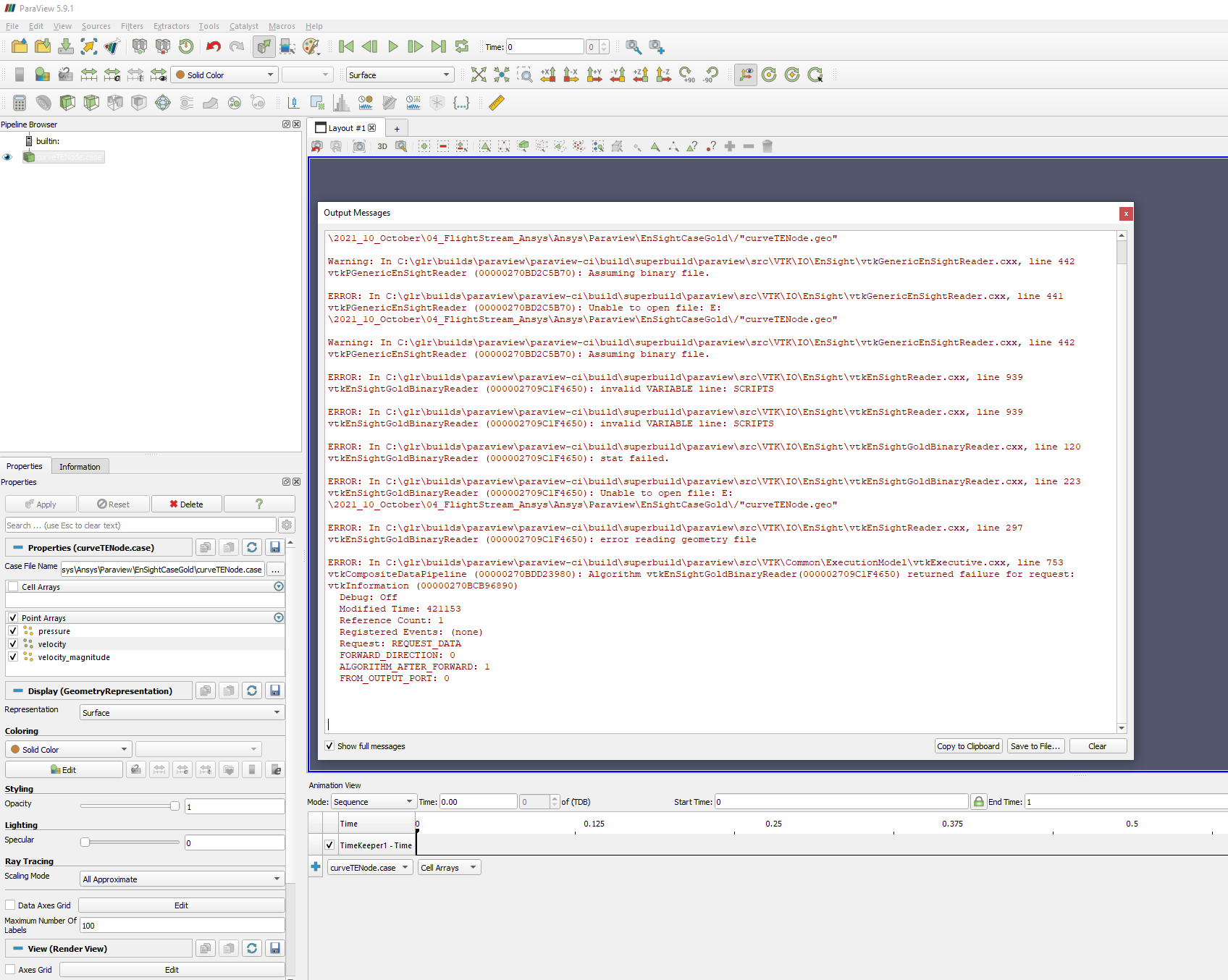
[Error.txt](https://discourse.paraview.org/uploads/short-url/nQ2WKPz7B8L7XrOhZzO1Obi2J4R.txt) (2.5 KB)
---
### Author:  [@Beer1\_0](https://discourse.paraview.org/u/Beer1_0)
#### Post date: [October 26, 2021, 5:49pm UTC](https://discourse.paraview.org/t/importing-ansys-fluent-results-to-paraview/4862/16 "2021-10-26T17:49:41Z")
I was getting the same error codes 441 and 442 and following those instructions solved the issue. Maybe you can try opening your .encas file in notepad and check.
[https://www.cfd-online.com/Forums/fluent/37825-fluent-paraview.html](https://www.cfd-online.com/Forums/fluent/37825-fluent-paraview.html)
See the post by Moerten. Also what software versions are you using?
---
### Author:  [@hr88](https://discourse.paraview.org/u/hr88)
#### Post date: [March 16, 2022, 9:12am UTC](https://discourse.paraview.org/t/importing-ansys-fluent-results-to-paraview/4862/17 "2022-03-16T09:12:05Z")
Hi Everyone,
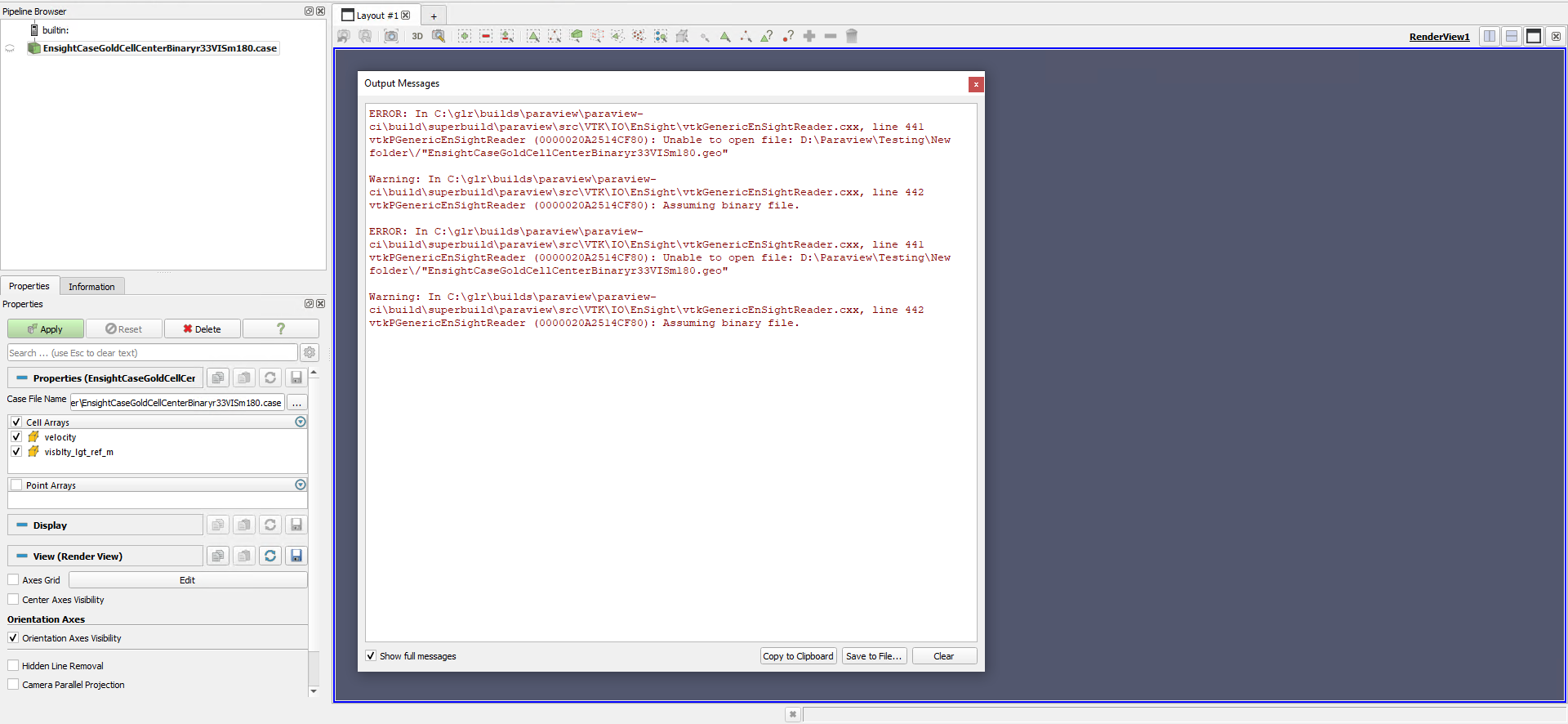
I am having the 441 and 442 error codes when importing Fluent results to Paraview and I am using Paraview 5.10.1.
I have followed suggestions mentioned in this thread such as exporting ensight gold format, renaming the file format from .encas to .case, and also making sure there were no space or dash line in the file name.
I also followed the suggestion posted by Beer1\_0 about opening up the case file in notepad and deleted the _scripts_ portion and made sure correct " signs were added.
But I still got the 441 and 442 error codes.
I have even uninstalled and reinstalled Paraview to make sure that this was not an installation issue.
Anyone have more suggestions on how to fix this issue?
Really appreciate the help…