# Importing the grd file into Paraview
**URL:** https://discourse.paraview.org/t/importing-the-grd-file-into-paraview/12202
**Category:** ParaView Support
**Tags:** vtk
**Created:** [June 1, 2023, 6:40am UTC](https://discourse.paraview.org/t/importing-the-grd-file-into-paraview/12202 "2023-06-01T06:40:30Z")
**Posts on this page:** 7
**Page:** 1
### Author:  [@dosel](https://discourse.paraview.org/u/dosel)
#### Post date: [June 1, 2023, 6:40am UTC](https://discourse.paraview.org/t/importing-the-grd-file-into-paraview/12202/1 "2023-06-01T06:40:30Z")
Hello,
I’m trying to create a geomodel in Paraview, but there was a problem importing a surface grd file created by Surfer into Paraview.
When I convert the file into a VTK in Surfer and import it into Paraview, it not only appears in 2D, but also accepts the part corresponding to the empty space as data.
The same problem occurs even if I save it as VTK from the time you grid in Surfer and imported it into Paraview.
Could you please help me solving this problem?
- Summary
I want to know how to import the surface grd file created by Surfer into Paraview normally.
Please let me know if there is a way to convert the grd file to a file format that can be read in Paraview without error.
- surface files (.grd and .vtk)
[surface files.zip](https://discourse.paraview.org/uploads/short-url/exRtCeTuScZGv1fzWAvO8yDBmEf.zip) (14.8 KB)
- surface.vtk in Paraview
- surface.vtk in Surfer
- surface.grd in Voxler
---
### Author:  [@Venke](https://discourse.paraview.org/u/Venke)
#### Post date: [June 1, 2023, 7:02am UTC](https://discourse.paraview.org/t/importing-the-grd-file-into-paraview/12202/2 "2023-06-01T07:02:56Z")
Hej
You need the threshold filter to remove the fillvalues (represented in red on your first plot) and then warp by scalar to generate the topography from the other values.
Cheers,
Venke
---
### Author:  [@dosel](https://discourse.paraview.org/u/dosel)
#### Post date: [June 1, 2023, 7:20am UTC](https://discourse.paraview.org/t/importing-the-grd-file-into-paraview/12202/3 "2023-06-01T07:20:57Z")
Thank you for your help !
I solved the empty space problem using the filter.
But still, there is a problem that the vtk file appears in two dimensions.
Do you have some ideas about this error?
---
### Author:  [@Venke](https://discourse.paraview.org/u/Venke)
#### Post date: [June 1, 2023, 7:30am UTC](https://discourse.paraview.org/t/importing-the-grd-file-into-paraview/12202/4 "2023-06-01T07:30:19Z")
Have you used the Warp by Scalar filter after applying the threshold? Can you turn the model to view it from the side? If not, you may have to toggle the 2D/3D button in the toolbar on top of the render view.
---
### Author:  [@dosel](https://discourse.paraview.org/u/dosel)
#### Post date: [June 1, 2023, 7:55am UTC](https://discourse.paraview.org/t/importing-the-grd-file-into-paraview/12202/5 "2023-06-01T07:55:41Z")
- Only threshold filter used
- WarpByScalar filter used
After using the Warp by Scalar filter, there is a height distance between the empty space and surface.
But the surface is still flat.
---
### Author:  [@Venke](https://discourse.paraview.org/u/Venke)
#### Post date: [June 1, 2023, 8:02am UTC](https://discourse.paraview.org/t/importing-the-grd-file-into-paraview/12202/6 "2023-06-01T08:02:27Z")
You need to apply the warp by scalar on the threshold, not on the surface itself.
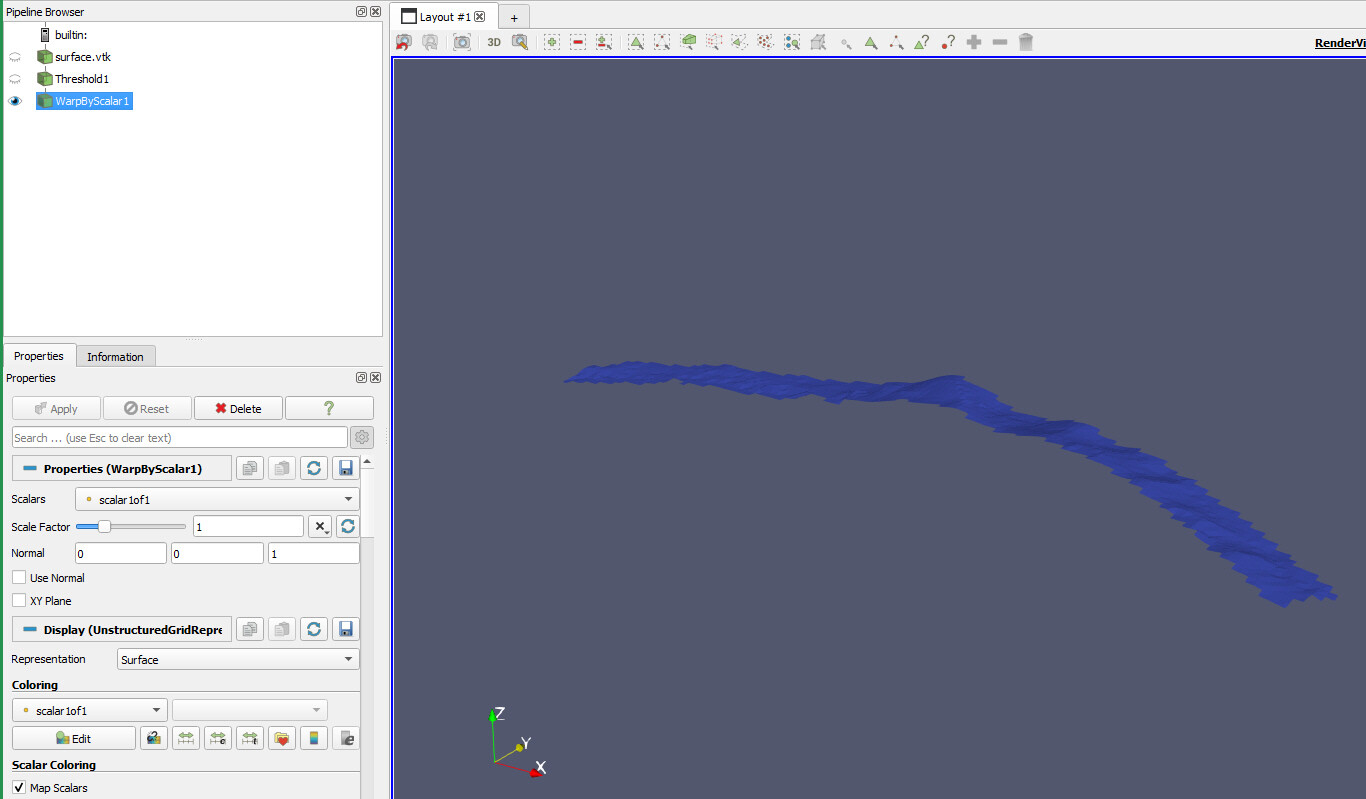
---
### Author:  [@dosel](https://discourse.paraview.org/u/dosel)
#### Post date: [June 1, 2023, 8:09am UTC](https://discourse.paraview.org/t/importing-the-grd-file-into-paraview/12202/7 "2023-06-01T08:09:45Z")
Thank you sincerely. I can’t fathom how much time I’ve spent struggling with this process. I appreciate your kind explanation.