# In client / server mode, the paraview client does not respond after pvpython completes data operation
**URL:** https://discourse.paraview.org/t/in-client-server-mode-the-paraview-client-does-not-respond-after-pvpython-completes-data-operation/8706
**Category:** ParaView Support
**Tags:** vtk
**Created:** [December 28, 2021, 9:53am UTC](https://discourse.paraview.org/t/in-client-server-mode-the-paraview-client-does-not-respond-after-pvpython-completes-data-operation/8706 "2021-12-28T09:53:50Z")
**Posts on this page:** 20
**Page:** 1
### Author:  [@sofeiya2021](https://discourse.paraview.org/u/sofeiya2021)
#### Post date: [December 28, 2021, 9:53am UTC](https://discourse.paraview.org/t/in-client-server-mode-the-paraview-client-does-not-respond-after-pvpython-completes-data-operation/8706/1 "2021-12-28T09:53:51Z")
In client / server mode, the paraview client does not respond after pvpython completes data operation
Command to start pvserver:
```auto
pvserver.exe --multi-clients
```
the information of pvserver.exe
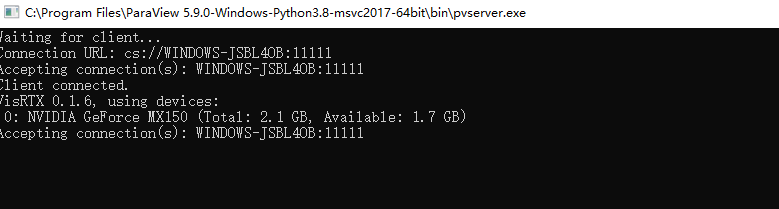
Paraview GUI connects to pvserver first
Then, pvpython connects to the server, reads the VTM file and displays it
When pvpython completes the data operation and exits, use the mouse to operate the paraview GUI, and paraview does not respond

---
### Author:  [@mwestphal](https://discourse.paraview.org/u/mwestphal)
#### Post date: [December 28, 2021, 9:55am UTC](https://discourse.paraview.org/t/in-client-server-mode-the-paraview-client-does-not-respond-after-pvpython-completes-data-operation/8706/2 "2021-12-28T09:55:01Z")
please try with ParaView 5.10.0
FYI @timothee.chabat @nicolas.vuaille
---
### Author:  [@timothee.chabat](https://discourse.paraview.org/u/timothee.chabat)
#### Post date: [December 28, 2021, 1:08pm UTC](https://discourse.paraview.org/t/in-client-server-mode-the-paraview-client-does-not-respond-after-pvpython-completes-data-operation/8706/3 "2021-12-28T13:08:29Z")
Works fine for me on Linux. A few things to try :
- instead of reading a file try creating a simple sphere or cone or really any builtin source.
- try opening the vtm from the GUI to double check your file is not corrupted
- try running
```auto
collaboration_manager = servermanager.ActiveConnection.Session.GetCollaborationManager()
collaboration_manager.PromoteToMaster(collaboration_manager.GetUserId())
```
before opening the file in the python client.
Also note that the `--multi-clients` option has been deprecated and there is no active development and testing for this feature.
---
### Author:  [@sofeiya2021](https://discourse.paraview.org/u/sofeiya2021)
#### Post date: [December 29, 2021, 3:49am UTC](https://discourse.paraview.org/t/in-client-server-mode-the-paraview-client-does-not-respond-after-pvpython-completes-data-operation/8706/4 "2021-12-29T03:49:30Z")
There is no problem when starting pvserver locally(pvserver ip:127.0.0.1). There is only a problem when starting pvserver on another computer(ip:192.168.20.60) in the LAN
---
### Author:  [@sofeiya2021](https://discourse.paraview.org/u/sofeiya2021)
#### Post date: [December 29, 2021, 5:39am UTC](https://discourse.paraview.org/t/in-client-server-mode-the-paraview-client-does-not-respond-after-pvpython-completes-data-operation/8706/5 "2021-12-29T05:39:43Z")
According to my business requirements, python automatically loads and displays VTu and VTM files, and after pvpython exits, use the paraview GUI to view the adjustment results.
–Multi clients is described in detail on paraview’s official website:[6. Remote and parallel visualization — ParaView Documentation 5.10.0 documentation](https://docs.paraview.org/en/latest/ReferenceManual/parallelDataVisualization.html#remote-visualization-in-paraview)
6.2.4. Managing multiple clients
---
### Author:  [@timothee.chabat](https://discourse.paraview.org/u/timothee.chabat)
#### Post date: [December 29, 2021, 8:16am UTC](https://discourse.paraview.org/t/in-client-server-mode-the-paraview-client-does-not-respond-after-pvpython-completes-data-operation/8706/6 "2021-12-29T08:16:25Z")
> [@sofeiya2021](#):
>
> Multi clients is described in detail on paraview’s official website
You’re right, sadly documentation is not up to date : `--multi-client` option has been deprecated since ParaView 5.8.
What I would try either way :
```py
from paraview.simple import *
Connect([...])
collaboration_manager = servermanager.ActiveConnection.Session.GetCollaborationManager()
collaboration_manager.UpdateUserInformations()
collaboration_manager.PromoteToMaster(collaboration_manager.GetUserId())
collaboration_manager.UpdateUserInformations()
# Read your file ..
# [...]
collaboration_manager.PromoteToMaster(pvid)
# where pvid is the user id of your GUI (likely 1 if the GUI is the first to connect)
collaboration_manager.UpdateUserInformations()
```
Also :
- does creating a sphere (instead of reading your file) with the server on another computer also softlock ?
- does your file live on client side or server side ?
---
### Author:  [@mwestphal](https://discourse.paraview.org/u/mwestphal)
#### Post date: [December 29, 2021, 8:48am UTC](https://discourse.paraview.org/t/in-client-server-mode-the-paraview-client-does-not-respond-after-pvpython-completes-data-operation/8706/7 "2021-12-29T08:48:27Z")
> [@timothee.chabat](#):
>
> You’re right, sadly documentation is not up to date : `--multi-client` option has been deprecated since ParaView 5.8.
Definitely. wdyt @utkarsh.ayachit @cory.quammen ?
---
### Author:  [@cory.quammen](https://discourse.paraview.org/u/cory.quammen)
#### Post date: [January 3, 2022, 6:32pm UTC](https://discourse.paraview.org/t/in-client-server-mode-the-paraview-client-does-not-respond-after-pvpython-completes-data-operation/8706/8 "2022-01-03T18:32:55Z")
> [@mwestphal](#):
>
> Definitely. wdyt @utkarsh.ayachit @cory.quammen ?
Are you asking if we should remove that from the documentation or revive multi-client support?
---
### Author:  [@mwestphal](https://discourse.paraview.org/u/mwestphal)
#### Post date: [January 3, 2022, 8:30pm UTC](https://discourse.paraview.org/t/in-client-server-mode-the-paraview-client-does-not-respond-after-pvpython-completes-data-operation/8706/9 "2022-01-03T20:30:32Z")
We should remove it from doc.
---
### Author:  [@sofeiya2021](https://discourse.paraview.org/u/sofeiya2021)
#### Post date: [January 4, 2022, 6:41am UTC](https://discourse.paraview.org/t/in-client-server-mode-the-paraview-client-does-not-respond-after-pvpython-completes-data-operation/8706/10 "2022-01-04T06:41:37Z")
my file live on server side
---
### Author:  [@timothee.chabat](https://discourse.paraview.org/u/timothee.chabat)
#### Post date: [January 4, 2022, 7:39am UTC](https://discourse.paraview.org/t/in-client-server-mode-the-paraview-client-does-not-respond-after-pvpython-completes-data-operation/8706/11 "2022-01-04T07:39:56Z")
Please test the 2 other scenarios I described in my previous message.
---
### Author:  [@todoooo](https://discourse.paraview.org/u/todoooo)
#### Post date: [January 4, 2022, 10:58pm UTC](https://discourse.paraview.org/t/in-client-server-mode-the-paraview-client-does-not-respond-after-pvpython-completes-data-operation/8706/12 "2022-01-04T22:58:40Z")
@sofeiya2021 Is the other computer also running Windows?
Changes were made in Paraview 5.10.0 with respect to the client/server stream encoding for the remote server manager. Now Windows, Linux and Mac all use utf8 encoding. I don’t know if this is related to the current issue, but it would be sensible to eliminate that possibility by testing against Paraview 5.10 which has just been officially released.
---
### Author:  [@sofeiya2021](https://discourse.paraview.org/u/sofeiya2021)
#### Post date: [January 5, 2022, 6:48am UTC](https://discourse.paraview.org/t/in-client-server-mode-the-paraview-client-does-not-respond-after-pvpython-completes-data-operation/8706/13 "2022-01-05T06:48:56Z")
yes,both computers running windows
---
### Author:  [@sofeiya2021](https://discourse.paraview.org/u/sofeiya2021)
#### Post date: [January 5, 2022, 7:45am UTC](https://discourse.paraview.org/t/in-client-server-mode-the-paraview-client-does-not-respond-after-pvpython-completes-data-operation/8706/14 "2022-01-05T07:45:33Z")
my test is as follows:
1.First, on the first computer, double-click pvserver.exe
2.Start paraview on the second computer and connect to pvserver
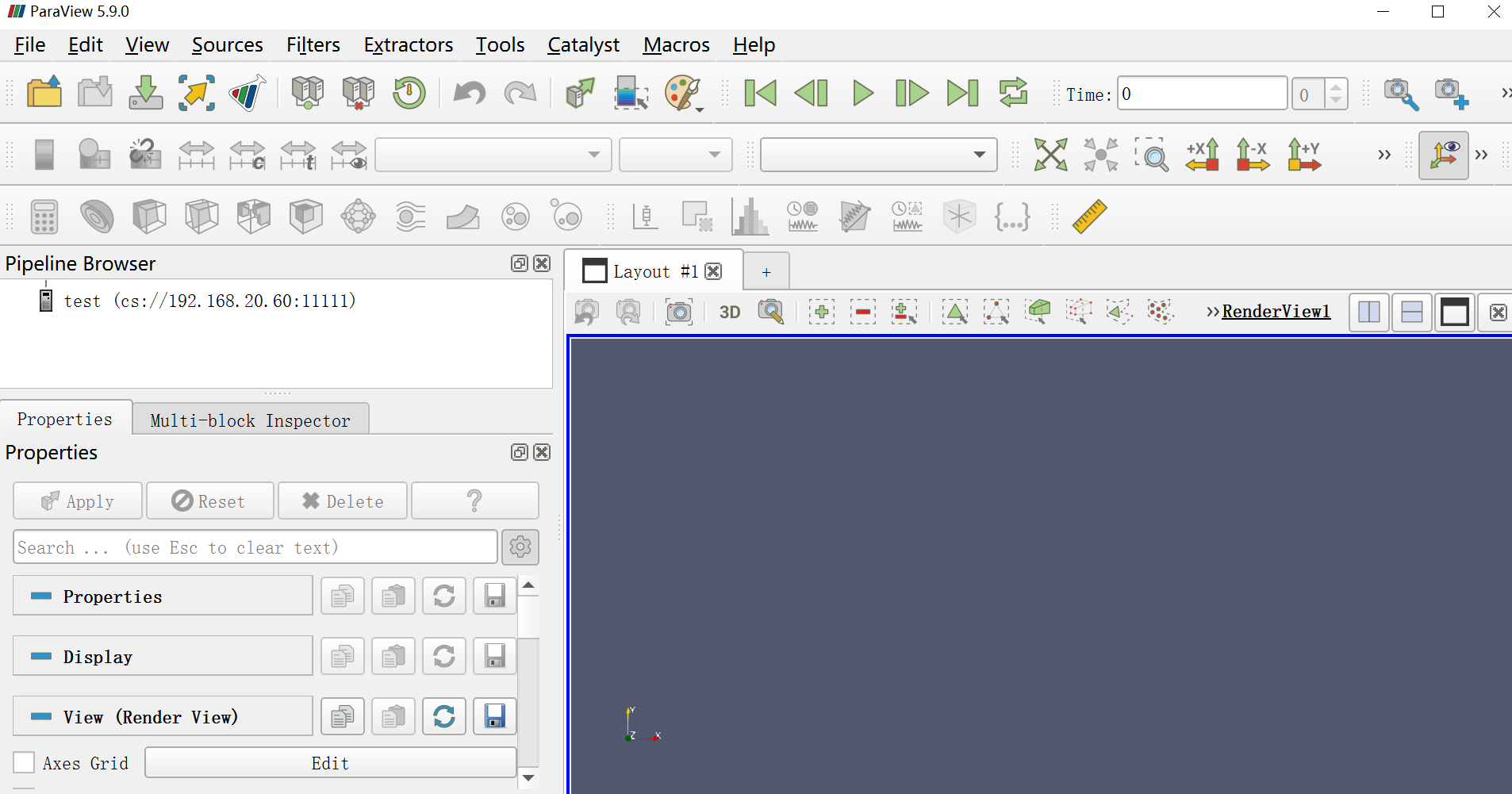
3.run my python script test.py,
test.py:
```auto
from paraview.simple import *
Connect("192.168.20.60")
cone = Cone()
#shrinkFilter = Shrink(cone)
#Show(cone)
#Render()
collaboration_manager = servermanager.ActiveConnection.Session.GetCollaborationManager()
print("{0}".format(collaboration_manager.GetUserId()))
collaboration_manager.PromoteToMaster(collaboration_manager.GetUserId())
```
when run the test.py report errors:
```auto
25.105s) [paraview] vtkSocket.cxx:447 ERR| vtkClientSocket (00000226AE5878E0): Socket error in call to connect. �������ӷ���һ��ʱ���û����ȷ�����ӵ�����û�з�Ӧ�����ӳ���ʧ�ܡ�
.
( 25.315s) [paraview] vtkClientSocket.cxx:51 ERR| vtkClientSocket (00000226AE5878E0): Failed to connect to server 192.168.20.60:11111
( 25.318s) [paraview]vtkTCPNetworkAccessMana:396 WARN| vtkTCPNetworkAccessManager (00000226AACFDDE0): Connect failed. Retrying for 38.724 more seconds.
( 47.367s) [paraview] vtkSocket.cxx:447 ERR| vtkClientSocket (00000226AE5878E0): Socket error in call to connect. �������ӷ���һ��ʱ���û����ȷ�����ӵ�����û�з�Ӧ�����ӳ���ʧ�ܡ�
.
( 47.376s) [paraview] vtkClientSocket.cxx:51 ERR| vtkClientSocket (00000226AE5878E0): Failed to connect to server 192.168.20.60:11111
( 47.380s) [paraview]vtkTCPNetworkAccessMana:396 WARN| vtkTCPNetworkAccessManager (00000226AACFDDE0): Connect failed. Retrying for 16.661 more seconds.
( 69.450s) [paraview] vtkSocket.cxx:447 ERR| vtkClientSocket (00000226AE5878E0): Socket error in call to connect. �������ӷ���һ��ʱ���û����ȷ�����ӵ�����û�з�Ӧ�����ӳ���ʧ�ܡ�
.
( 69.457s) [paraview] vtkClientSocket.cxx:51 ERR| vtkClientSocket (00000226AE5878E0): Failed to connect to server 192.168.20.60:11111
( 69.460s) [paraview]vtkTCPNetworkAccessMana:392 ERR| vtkTCPNetworkAccessManager (00000226AACFDDE0): Connect timeout.
Traceback (most recent call last):
File "E:/pythonProject/test.py", line 3, in
cone = Cone()
File "C:\Program Files\ParaView 5.9.0-Windows-Python3.8-msvc2017-64bit\bin\Lib\site-packages\paraview\simple.py", line 2449, in CreateObject
px = paraview._backwardscompatibilityhelper.GetProxy(module, key, no_update=True)
File "C:\Program Files\ParaView 5.9.0-Windows-Python3.8-msvc2017-64bit\bin\Lib\site-packages\paraview\_backwardscompatibilityhelper.py", line 718, in GetProxy
return module. __dict__ [key](**kwargs)
File "C:\Program Files\ParaView 5.9.0-Windows-Python3.8-msvc2017-64bit\bin\Lib\site-packages\paraview\servermanager.py", line 284, in __init__
self.Initialize(None, update)
File "C:\Program Files\ParaView 5.9.0-Windows-Python3.8-msvc2017-64bit\bin\Lib\site-packages\paraview\servermanager.py", line 2620, in aInitialize
raise RuntimeError ('Cannot create a proxy without a session.')
RuntimeError: Cannot create a proxy without a session.
```
---
### Author:  [@sofeiya2021](https://discourse.paraview.org/u/sofeiya2021)
#### Post date: [January 5, 2022, 7:55am UTC](https://discourse.paraview.org/t/in-client-server-mode-the-paraview-client-does-not-respond-after-pvpython-completes-data-operation/8706/15 "2022-01-05T07:55:06Z")
another test
1.on the first computer ,start pvserver.exe
start command
```auto
pvserver.exe --multi-clients
```
2.on the second computer,start paraview GUI and connect to pvserver.exe
3. run the test.py,
test.py
```auto
from paraview.simple import *
Connect("192.168.20.60")
cone = Cone()
#shrinkFilter = Shrink(cone)
#Show(cone)
#Render()
collaboration_manager = servermanager.ActiveConnection.Session.GetCollaborationManager()
print("{0}".format(collaboration_manager.GetUserId()))
collaboration_manager.PromoteToMaster(collaboration_manager.GetUserId())
```
after running the test.py,Operate the paraview GUI.But the paraview GUI does not respond
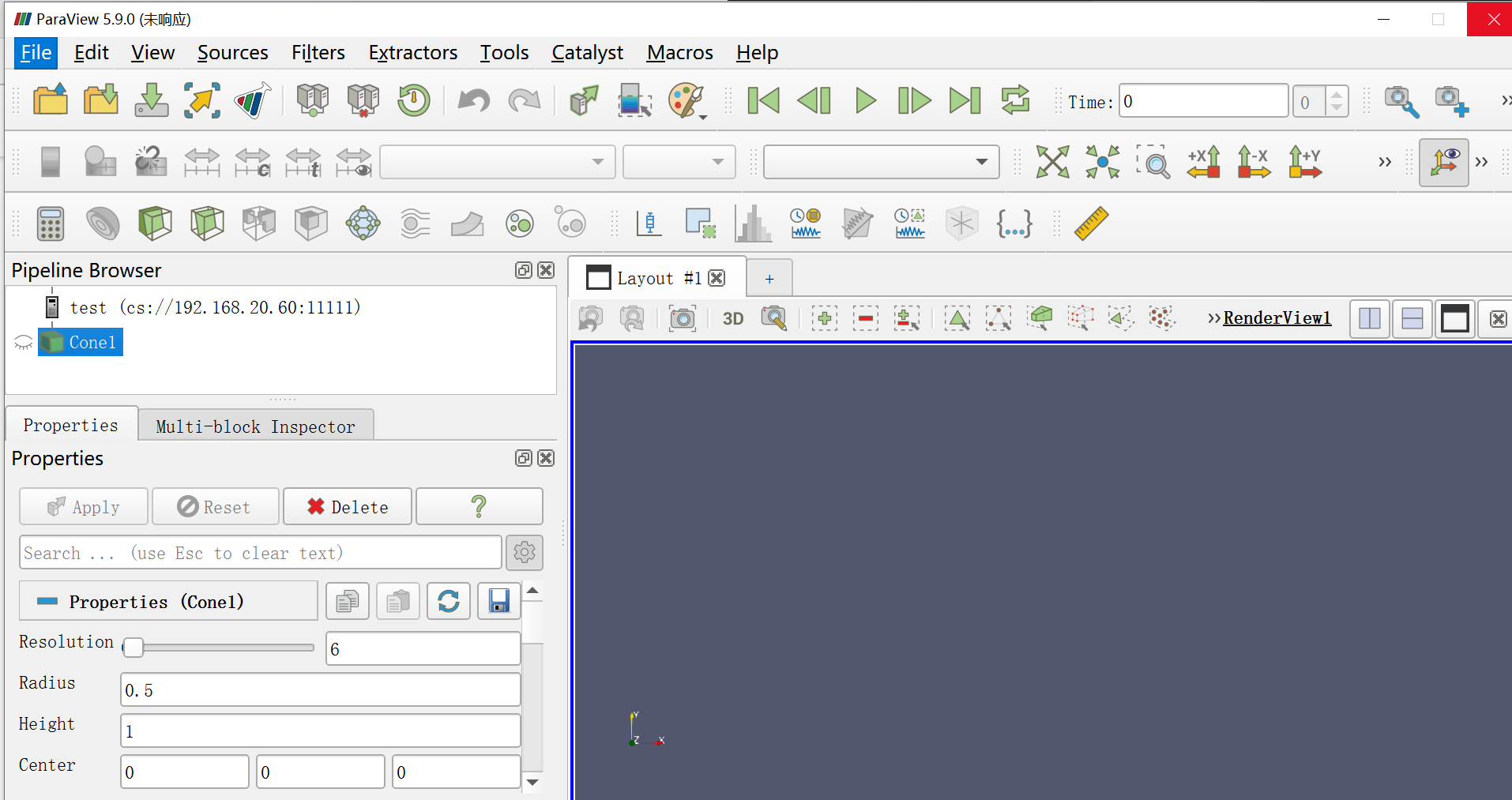
---
### Author:  [@timothee.chabat](https://discourse.paraview.org/u/timothee.chabat)
#### Post date: [January 5, 2022, 8:20am UTC](https://discourse.paraview.org/t/in-client-server-mode-the-paraview-client-does-not-respond-after-pvpython-completes-data-operation/8706/16 "2022-01-05T08:20:23Z")
Thanks for testing. First, your first test is expected to fail since you double clicked on the pvserver and did not pass the `--multi-clients` parameter.
```auto
pvserver.exe --multi-clients
```
is mandatory.
Now, please retry your second test with this script instead :
```auto
from paraview.simple import *
Connect("192.168.20.60")
collaboration_manager = servermanager.ActiveConnection.Session.GetCollaborationManager()
collaboration_manager.UpdateUserInformations()
collaboration_manager.PromoteToMaster(collaboration_manager.GetUserId())
collaboration_manager.UpdateUserInformations()
Cone()
collaboration_manager.PromoteToMaster(1)
collaboration_manager.UpdateUserInformations()
```
If it still doesn’t work then you can still try with ParaView 5.10 as @todoooo suggested. In my mind this is a Windows specific bug that is not likely to be resolved except if someone of the community track it down and fix it.
That said, what you could also do instead of relying on the `--multi-clients` feature is transfer the script to the ParaView GUI yourself through some custom sockets and execute the script directly within the GUI python shell (`View -> Python Shell` within the GUI). That is :
- Create a ParaView plugin that listen to a specific port and can access the Python shell
- Create a program that sends a python file to a specific IP:port
- Launch the ParaView GUI you want to control with the ParaView plugin you created loaded
- Launch the program you created to transfer the python script to your ParaView plugin
---
### Author:  [@sofeiya2021](https://discourse.paraview.org/u/sofeiya2021)
#### Post date: [January 5, 2022, 8:35am UTC](https://discourse.paraview.org/t/in-client-server-mode-the-paraview-client-does-not-respond-after-pvpython-completes-data-operation/8706/17 "2022-01-05T08:35:14Z")
when I retry my second test with the script you give,paraview also not respond.
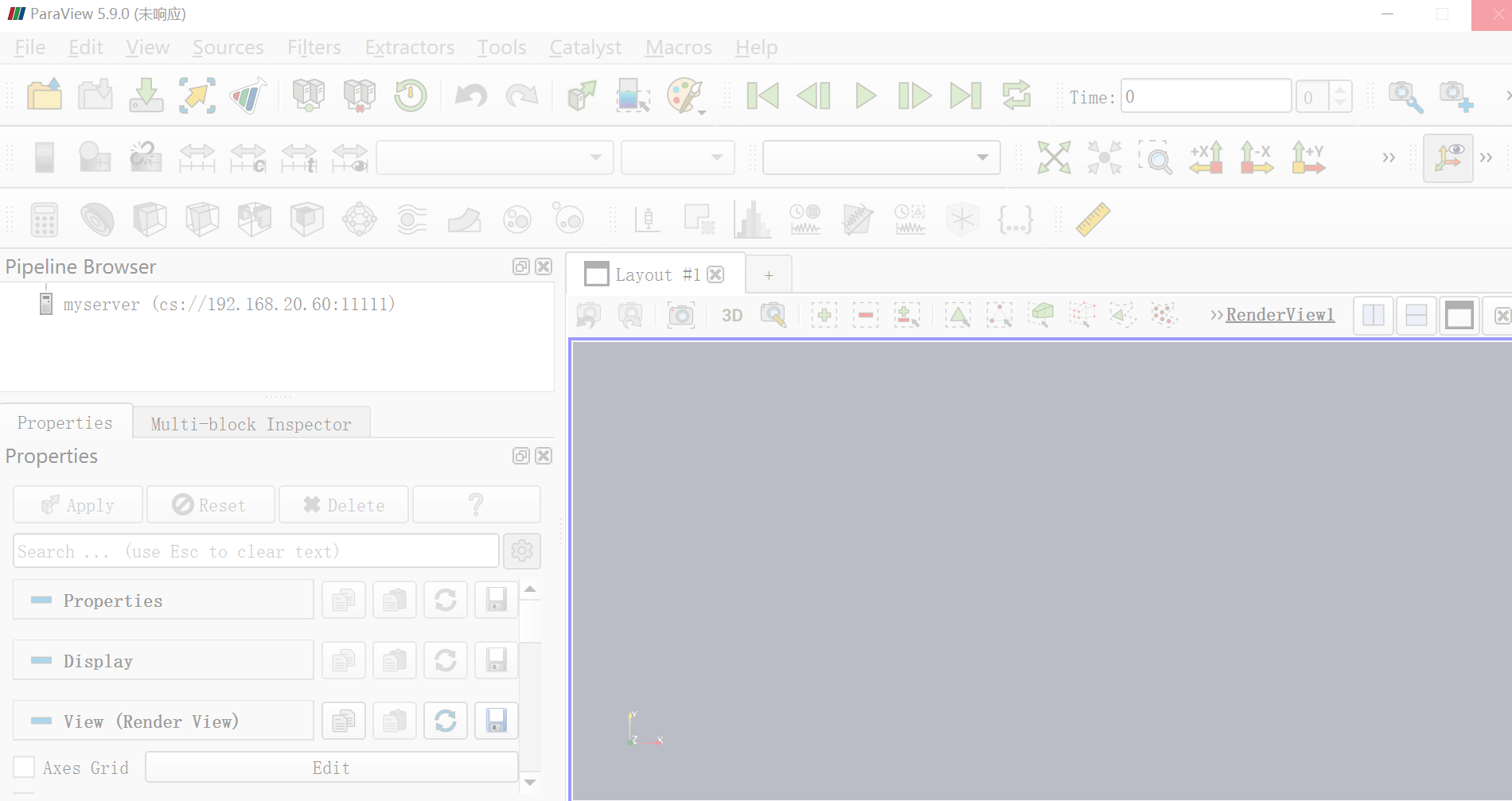
---
### Author:  [@timothee.chabat](https://discourse.paraview.org/u/timothee.chabat)
#### Post date: [January 5, 2022, 8:45am UTC](https://discourse.paraview.org/t/in-client-server-mode-the-paraview-client-does-not-respond-after-pvpython-completes-data-operation/8706/18 "2022-01-05T08:45:08Z")
Then sadly this looks like a Windows specific bug … please refer to the second part of my previous message for the solutions I can think of.
---
### Author:  [@todoooo](https://discourse.paraview.org/u/todoooo)
#### Post date: [January 5, 2022, 9:22am UTC](https://discourse.paraview.org/t/in-client-server-mode-the-paraview-client-does-not-respond-after-pvpython-completes-data-operation/8706/19 "2022-01-05T09:22:07Z")
What is the Windows locale setting on the server machine?
---
### Author:  [@sofeiya2021](https://discourse.paraview.org/u/sofeiya2021)
#### Post date: [January 5, 2022, 9:29am UTC](https://discourse.paraview.org/t/in-client-server-mode-the-paraview-client-does-not-respond-after-pvpython-completes-data-operation/8706/20 "2022-01-05T09:29:31Z")
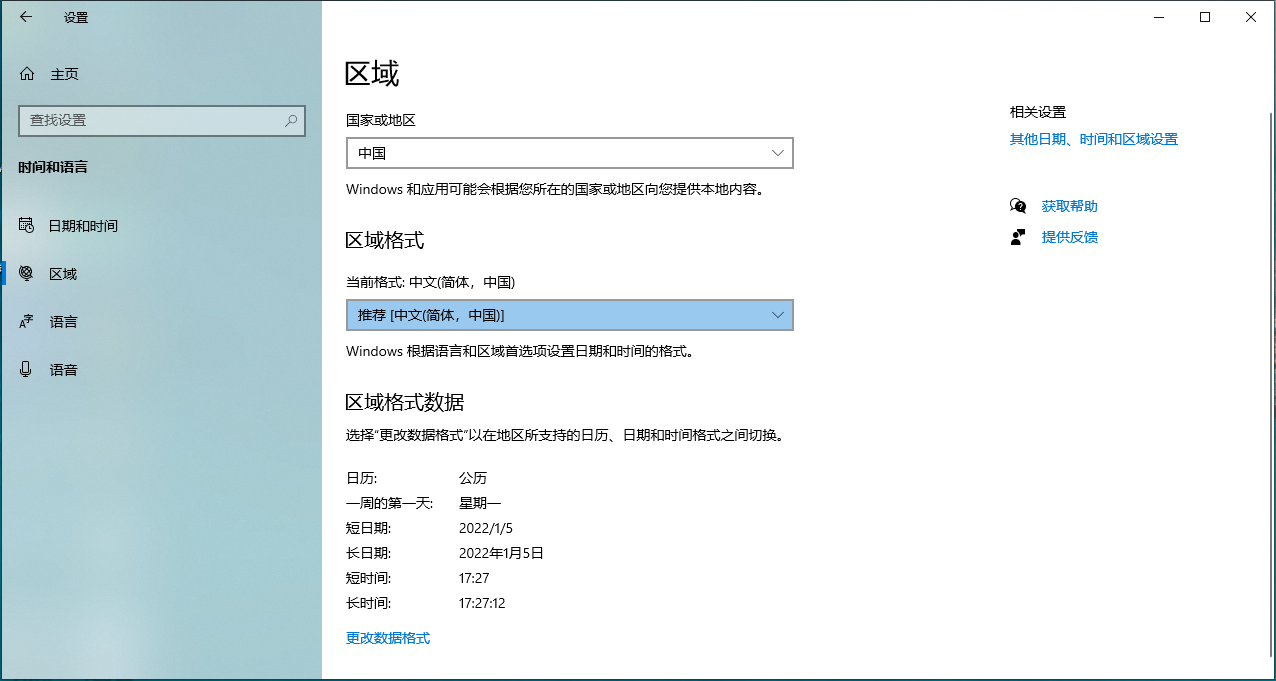
[Next page](https://discourse.paraview.org/t/in-client-server-mode-the-paraview-client-does-not-respond-after-pvpython-completes-data-operation/8706.md?page=2)