# Increase particle size for better visualization
**URL:** https://discourse.paraview.org/t/increase-particle-size-for-better-visualization/14595
**Category:** ParaView Support
**Tags:** vtk
**Created:** [May 10, 2024, 9:02am UTC](https://discourse.paraview.org/t/increase-particle-size-for-better-visualization/14595 "2024-05-10T09:02:10Z")
**Posts on this page:** 3
**Page:** 1
### Author:  [@Guanlong](https://discourse.paraview.org/u/Guanlong)
#### Post date: [May 10, 2024, 9:02am UTC](https://discourse.paraview.org/t/increase-particle-size-for-better-visualization/14595/1 "2024-05-10T09:02:10Z")
Hello researchers, I have successfully imported the VTK literature, but found that the particles are too small for observation. Is there a way to increase the size of the particles in order to better observe their movement? I would greatly appreciate it if this issue could be resolved.
[222.zip](https://discourse.paraview.org/uploads/short-url/ydUeVGaI8CplPgG9uaJW5OJ3fOq.zip) (1.6 MB)
---
### Author:  [@Kenneth\_Moreland](https://discourse.paraview.org/u/Kenneth_Moreland)
#### Post date: [May 10, 2024, 2:59pm UTC](https://discourse.paraview.org/t/increase-particle-size-for-better-visualization/14595/2 "2024-05-10T14:59:10Z")
There multiple ways to make the points bigger. The most straightforward way is to adjust the point size. The point size is measured in pixels.
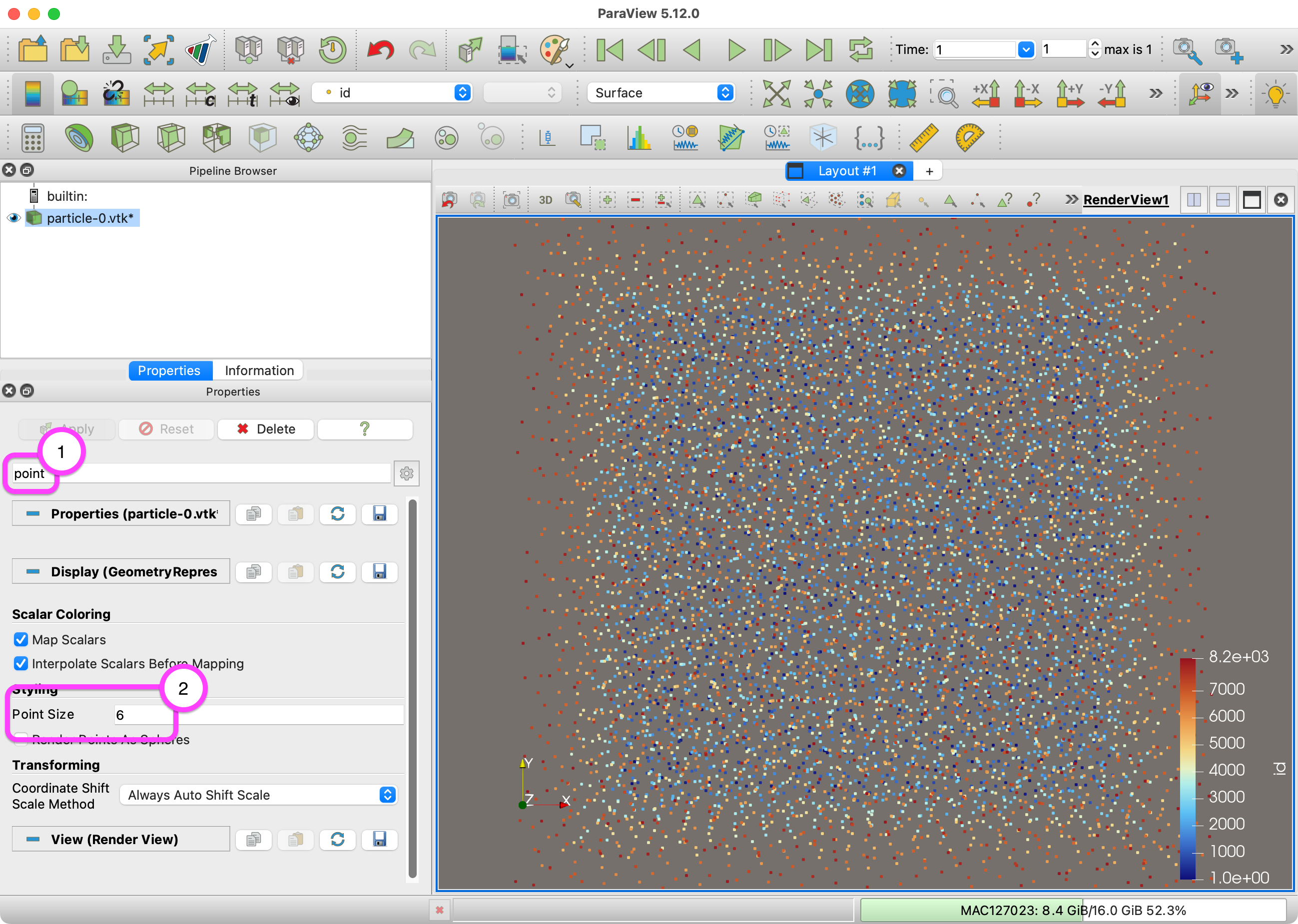
Just increasing the point size will just render each particle as a square. If you want a nice sphere representation, then change the representation to `Point Gaussian`. From there you can adjust the radius of the spheres in world units.
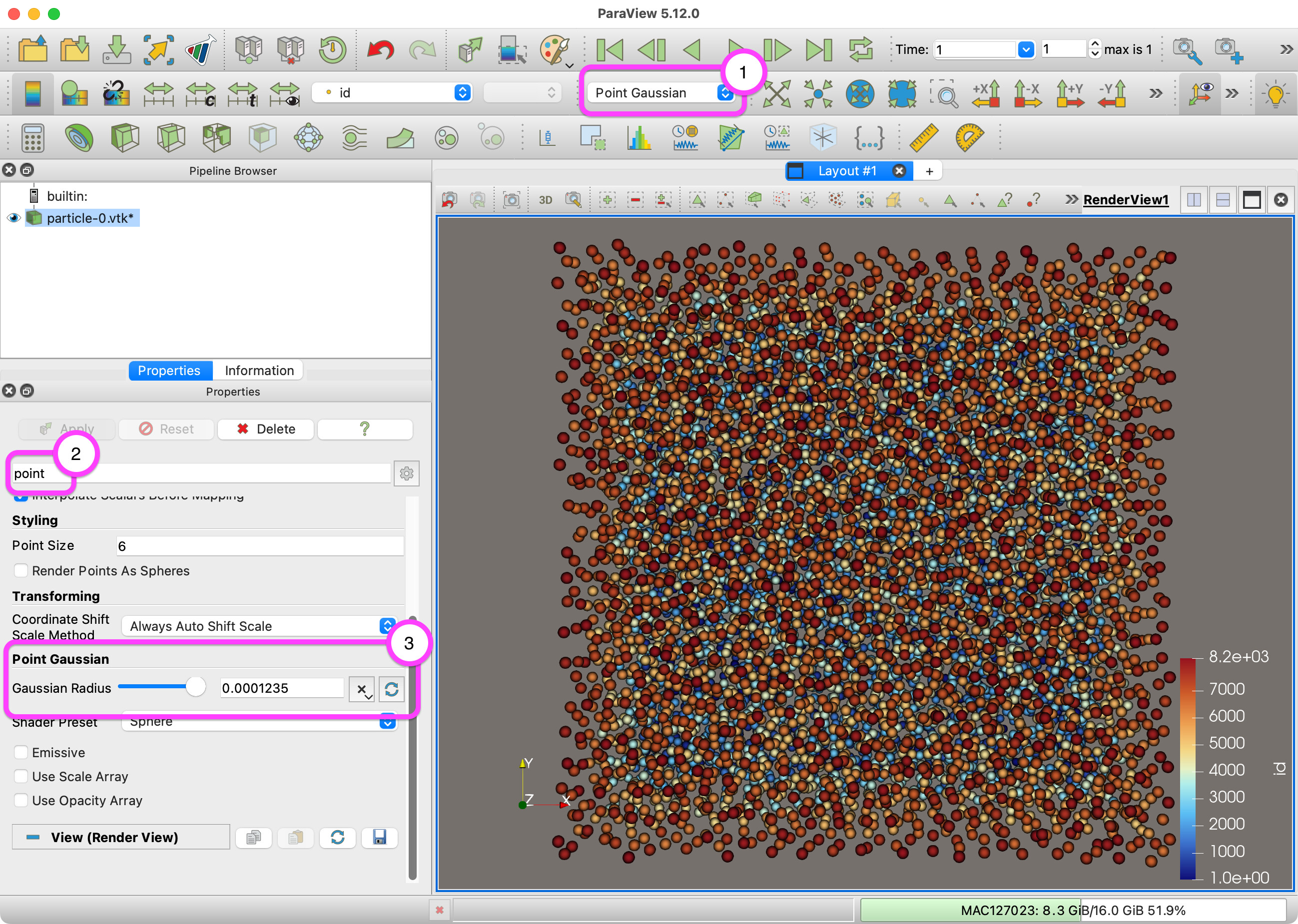
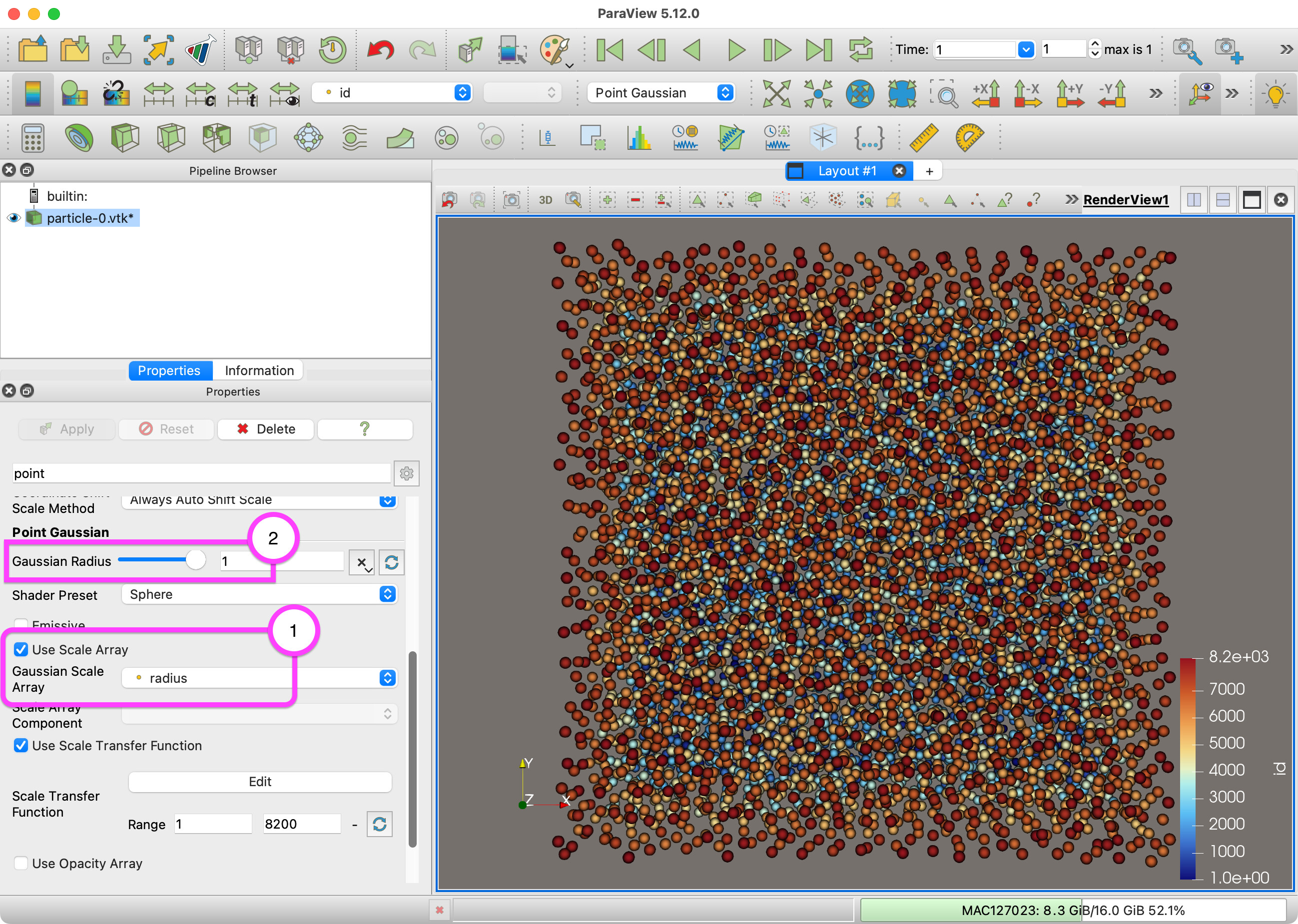
I notice that your data has a `radius` field. That looks like the radius of your particles. You can change the `Point Gaussian` representation to scale the size of the spheres to be the exact size of these radii. Just check the `Use Scale Array` and select the appropriate radius field. You should also change the `Gaussian Radius` to 1 to avoid rescaling.
One more alternate approach is to use the `Glyph`  filter. The [`Glyph` filter](https://docs.paraview.org/en/v5.12.0/Tutorials/ClassroomTutorials/beginningSourcesAndFilters.html#glyph-filter) has similar behavior to the point Gaussian representation except that it creates geometry rather than does rendering.
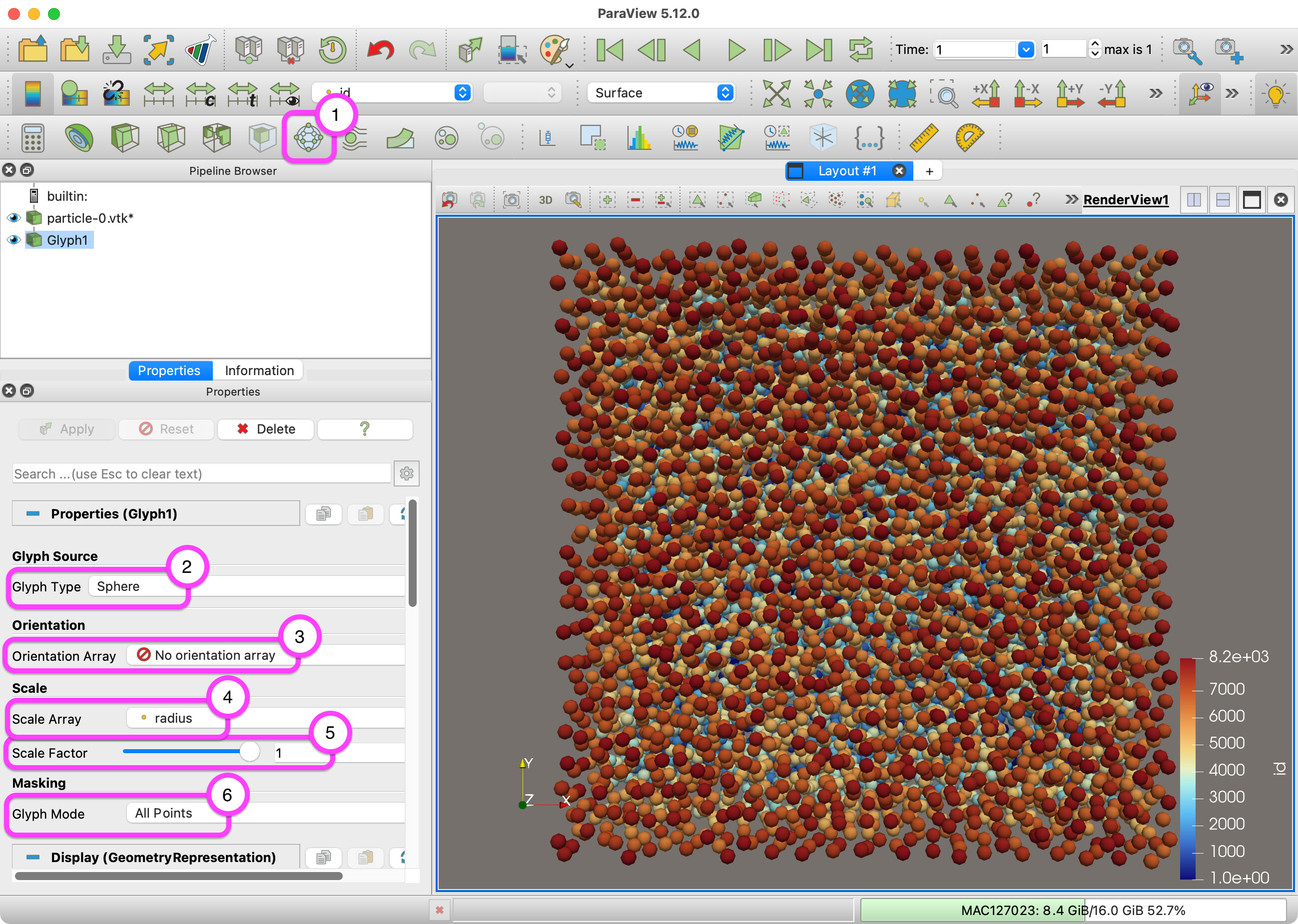
You might find more information about particle visualization in a couple of tutorials:
- [Classroom tutorial](https://docs.paraview.org/en/v5.12.0/Tutorials/ClassroomTutorials/targetedParticleSimulations.html)
- [OLCF tutorial](https://kmorel.gitlab.io/pv-tutorial-olcf-2022/particle-data/)
---
### Author:  [@Guanlong](https://discourse.paraview.org/u/Guanlong)
#### Post date: [May 11, 2024, 1:29am UTC](https://discourse.paraview.org/t/increase-particle-size-for-better-visualization/14595/3 "2024-05-11T01:29:17Z")
Thank you very much. Your reply has been of great help to me.