# Install / resolution problem
**URL:** https://discourse.paraview.org/t/install-resolution-problem/3831
**Category:** ParaView Support
**Created:** [March 16, 2020, 4:05pm UTC](https://discourse.paraview.org/t/install-resolution-problem/3831 "2020-03-16T16:05:56Z")
**Posts on this page:** 3
**Page:** 1
### Author:  [@timtilford](https://discourse.paraview.org/u/timtilford)
#### Post date: [March 16, 2020, 4:05pm UTC](https://discourse.paraview.org/t/install-resolution-problem/3831/1 "2020-03-16T16:05:56Z")
Hi,
I am working from home due to the coronavirus - hope you guys are all safe.
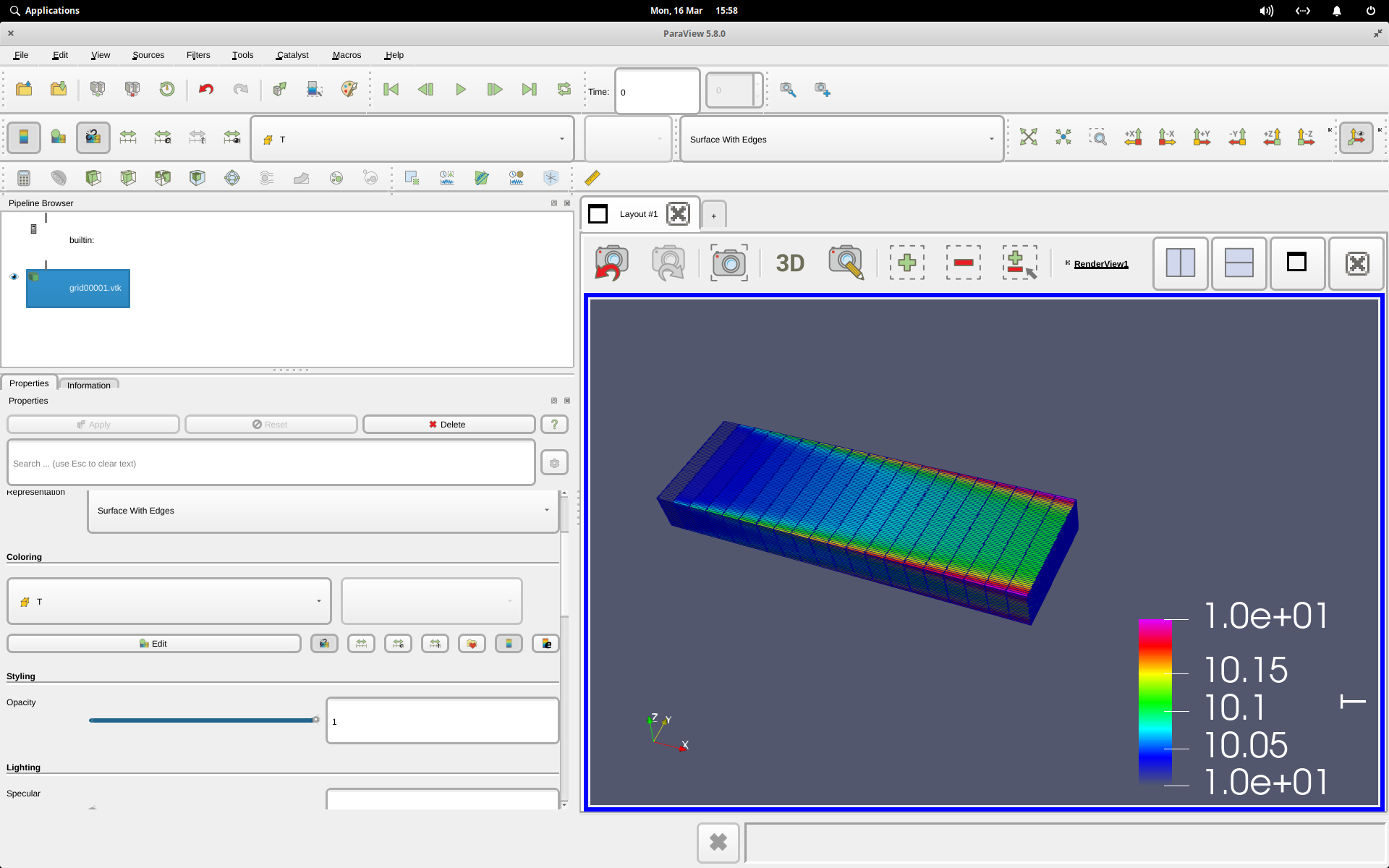
Installed Paraview 5.8 on my Elementary Linux PC. I am having really strange scaling problem. I have (hopefully) attached a screenshot. I get an error on startup - QApplication: invalid style override passed, ignoring it.
The icons are enormous. The window and font scaling looks way off. Any advice would be welcomed.
Thanks in advance.
Tim.
---
### Author:  [@mwestphal](https://discourse.paraview.org/u/mwestphal)
#### Post date: [March 17, 2020, 2:25am UTC](https://discourse.paraview.org/t/install-resolution-problem/3831/2 "2020-03-17T02:25:42Z")
Bug in Qt, work around is :
`QT_AUTO_SCREEN_SCALE_FACTOR=0 ./bin/paraview`
More info here : [https://gitlab.kitware.com/paraview/paraview/issues/19751](https://gitlab.kitware.com/paraview/paraview/issues/19751)
---
### Author:  [@timtilford](https://discourse.paraview.org/u/timtilford)
#### Post date: [March 17, 2020, 11:08am UTC](https://discourse.paraview.org/t/install-resolution-problem/3831/3 "2020-03-17T11:08:59Z")
That fixed it - many thanks for your help 🙂