# Installing paraview in fedora for remote access from a jupyter notebook.
**URL:** https://discourse.paraview.org/t/installing-paraview-in-fedora-for-remote-access-from-a-jupyter-notebook/12630
**Category:** ParaView Support
**Created:** [August 2, 2023, 11:17am UTC](https://discourse.paraview.org/t/installing-paraview-in-fedora-for-remote-access-from-a-jupyter-notebook/12630 "2023-08-02T11:17:10Z")
**Posts on this page:** 8
**Page:** 1
### Author:  [@Reshm\_R\_S](https://discourse.paraview.org/u/Reshm_R_S)
#### Post date: [August 2, 2023, 11:17am UTC](https://discourse.paraview.org/t/installing-paraview-in-fedora-for-remote-access-from-a-jupyter-notebook/12630/1 "2023-08-02T11:17:10Z")
I have a working jupyter-lab installation in my fedora machine. I am able to access the jupyter notebook remotely using my system IP address and basic python commands are working. Now, I am planning to implement a remote visualization setup. I tried the following steps for that:
1. Download and extract paraview\_xxxx.zip
2. Create a new python virtual environment.
3. Activate the environment and install ipykernel and ipyparaview
4. Install the new kernel to jupyter.
5. Using a notebook, connect to the newly installed kernel, and then try to `import paraview.simple import *`
\<\< Stuck at error `ModuleNotFoundError: No module named 'paraview'`
The extracted paraview zip file is still separated from virtual environments. I don’t know how to connect the site-packages of extracted paraview to my custom created new virtual environment. I tried installing “pip install paraview”, which did not work. Some threads are telling to use pvpython but I did not quite understand “using pvpython”. I am able to do things locally if I run pvpython manually but I dont know how can I integrate the whole setup to the jupyter notebook. Should I `execfile()` on `pvpython` before issuing the import command? I know that I am making a stupid mistake somewhere.
I am not the best in understanding how to setup things, so it would be great help if someone can edit the above steps in an easy to follow manner.
Thanks in advance!
---
### Author:  [@tgalland](https://discourse.paraview.org/u/tgalland)
#### Post date: [August 3, 2023, 9:23am UTC](https://discourse.paraview.org/t/installing-paraview-in-fedora-for-remote-access-from-a-jupyter-notebook/12630/2 "2023-08-03T09:23:28Z")
Hello Reshma,
If I understand correctly you should have downloaded ParaView from the official releases, so it should have Python support enabled. Can you confirm that ?
For information, you can also take a look at [https://gitlab.kitware.com/paraview/iparaview-kernel](https://gitlab.kitware.com/paraview/iparaview-kernel) if you want. Maybe it can give you keys to answer your problem. This project uses `ipyvtklink` instead of `ipyparaview` for displaying an interactive widget for rendering, and has been tested recently.
---
### Author:  [@Reshm\_R\_S](https://discourse.paraview.org/u/Reshm_R_S)
#### Post date: [August 4, 2023, 6:30pm UTC](https://discourse.paraview.org/t/installing-paraview-in-fedora-for-remote-access-from-a-jupyter-notebook/12630/3 "2023-08-04T18:30:26Z")
> [@tgalland](#):
>
> If I understand correctly you should have downloaded ParaView from the official releases, so it should have Python support enabled. Can you confirm that ?
Thank you! Yes, I have python support enabled. Today, to avoid python version inconsistencies, I tried building paraview with python support enabled. With that, I am able to execute the import statement without error but now I am stuck with another problem. I executed the following code.
```auto
from paraview.simple import *
sphere = Sphere(ThetaResolution=32, PhiResolution=32)
rep=Show()
rep.Representation = "Surface With Edges"
from ipyparaview.widgets import PVDisplay
disp = PVDisplay(GetActiveView())
w = display(disp) # This line giving error/
```

Everything is working except the last line, which is giving me the following error in all the major browsers.
I have pasted the error below:
```auto
[Open Browser Console for more detailed log - Double click to close this message]
Failed to load model class 'PVDisplayModel' from module 'ipyparaview'
loadClass@http://180.202.77.0:8888/lab/extensions/@jupyter-widgets/jupyterlab-manager/static/134.b4eddbb09f5fd50a4007.js?v=b4eddbb09f5fd50a4007:1:74934
loadModelClass@http://180.202.77.0:8888/lab/extensions/@jupyter-widgets/jupyterlab-manager/static/336.9f709c2076672b1bfe2b.js?v=9f709c2076672b1bfe2b:1:10729
_make_model@http://180.202.77.0:8888/lab/extensions/@jupyter-widgets/jupyterlab-manager/static/336.9f709c2076672b1bfe2b.js?v=9f709c2076672b1bfe2b:1:7517
new_model@http://180.202.77.0:8888/lab/extensions/@jupyter-widgets/jupyterlab-manager/static/336.9f709c2076672b1bfe2b.js?v=9f709c2076672b1bfe2b:1:5137
handle_comm_open@http://180.202.77.0:8888/lab/extensions/@jupyter-widgets/jupyterlab-manager/static/336.9f709c2076672b1bfe2b.js?v=9f709c2076672b1bfe2b:1:3894
134/v/this._handleCommOpen@http://180.202.77.0:8888/lab/extensions/@jupyter-widgets/jupyterlab-manager/static/134.b4eddbb09f5fd50a4007.js?v=b4eddbb09f5fd50a4007:1:73471
_handleCommOpen@http://80.202.77.0:8888/static/lab/jlab_core.f68a597bc4700114bad4.js?v=f68a597bc4700114bad4:1:1233316
```
It is interesting to note that there is a working render window(see below) popped up in the server.
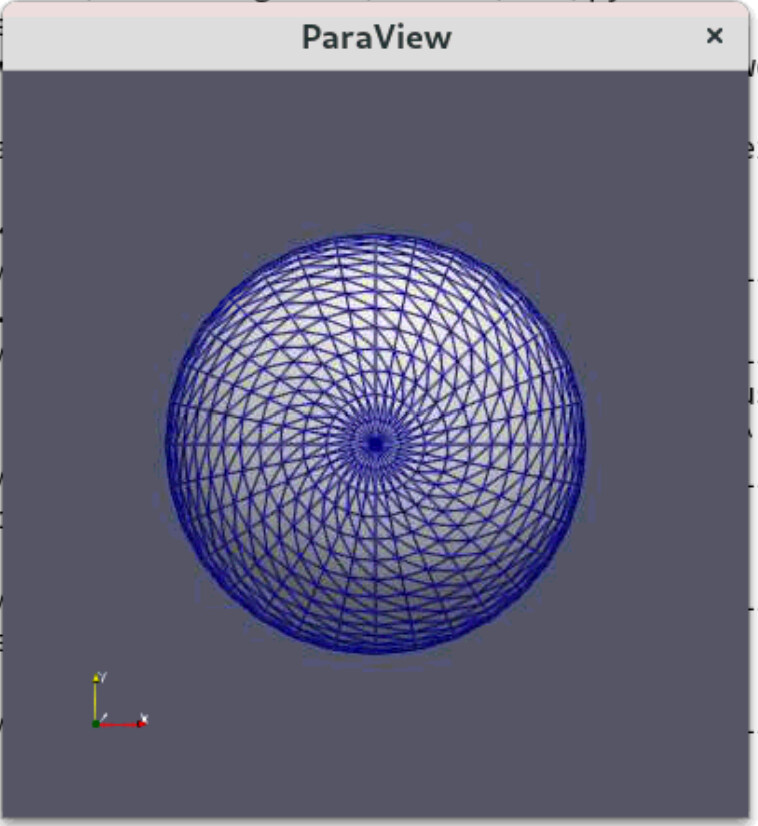
From the documentation I read from [GitHub - NVIDIA/ipyparaview: iPython widget for server-side ParaView rendering in Jupyter.](https://github.com/NVIDIA/ipyparaview), I executed(successfully) only two command shown in the section “ **Lightweight quick install** ”. Should I also do the “ **Running** ” part mentioned in the documentation? I did not do it because I don’t use/have a conda environment but instead I have a normal python virtual environment.
Any quick thought on solving this problem??
Thanks in advance!
---
### Author:  [@tgalland](https://discourse.paraview.org/u/tgalland)
#### Post date: [August 7, 2023, 6:57am UTC](https://discourse.paraview.org/t/installing-paraview-in-fedora-for-remote-access-from-a-jupyter-notebook/12630/4 "2023-08-07T06:57:01Z")
I think I ran through this issue when I tried to use `ipyparaview` some times ago. It seems to be related to the `ipywidget` version. `ipyparaview` is not compatible with `ipywidget` 8.0.0 and beyond, so I downgraded it to `7.1.1` and it worked fine (here is the related issue [Issues Rendering on JupyterLab · Issue #40 · NVIDIA/ipyparaview · GitHub](https://github.com/NVIDIA/ipyparaview/issues/40)).
---
### Author:  [@ben.boeckel](https://discourse.paraview.org/u/ben.boeckel)
#### Post date: [August 7, 2023, 11:11am UTC](https://discourse.paraview.org/t/installing-paraview-in-fedora-for-remote-access-from-a-jupyter-notebook/12630/5 "2023-08-07T11:11:55Z")
@jourdain has some scripts that (I think) help with venv usage from at least VTK; maybe then can be adapted for ParaView?
---
### Author:  [@Reshm\_R\_S](https://discourse.paraview.org/u/Reshm_R_S)
#### Post date: [August 8, 2023, 8:14pm UTC](https://discourse.paraview.org/t/installing-paraview-in-fedora-for-remote-access-from-a-jupyter-notebook/12630/7 "2023-08-08T20:14:20Z")
Hi Thomas! Thanks for your inputs! I was having a higher version than 8.0.0. So I tried `pip uninstall ipywidgets` and then installed a specific version using `pip install ipywidgets==7.7.1`. Restarted the machine and the server. Still I get the same error.
Do you know if ipyparaview is no longer supported by NVIDIA? In that case, I don’t wish to continue with ipyparaview.
Do you think I should be using the “IParaView Jupyter Kernel” instead for getting similar visualization features available in jupyter notebooks?
---
### Author:  [@tgalland](https://discourse.paraview.org/u/tgalland)
#### Post date: [August 9, 2023, 12:38pm UTC](https://discourse.paraview.org/t/installing-paraview-in-fedora-for-remote-access-from-a-jupyter-notebook/12630/8 "2023-08-09T12:38:33Z")
Hello Reshma,
Indeed I think this is worth it to take a look, as it has been tested recently.
The kernel allow you to interact with a `pvserver` instance, control it and visualize results in the notebook (interactively if you also installed the `ipyvtklink` optional dependency).
Please take a look as well at [https://gitlab.kitware.com/paraview/iparaview-kernel/-/blob/main/Examples/simpleDemo.ipynb](https://gitlab.kitware.com/paraview/iparaview-kernel/-/blob/main/Examples/simpleDemo.ipynb) for an example of usage.
---
### Author:  [@Reshm\_R\_S](https://discourse.paraview.org/u/Reshm_R_S)
#### Post date: [August 14, 2023, 9:32am UTC](https://discourse.paraview.org/t/installing-paraview-in-fedora-for-remote-access-from-a-jupyter-notebook/12630/9 "2023-08-14T09:32:49Z")
> [@tgalland](#):
>
> ipyvtklink
Thanks! Looks like a good option. Is it mandatory to use things like docker for using “ipyvtklink”?