# Is it at all possible to display graphics in parallel projection?
**URL:** https://discourse.paraview.org/t/is-it-at-all-possible-to-display-graphics-in-parallel-projection/9268
**Category:** ParaView Support
**Created:** [March 23, 2022, 3:20pm UTC](https://discourse.paraview.org/t/is-it-at-all-possible-to-display-graphics-in-parallel-projection/9268 "2022-03-23T15:20:38Z")
**Posts on this page:** 8
**Page:** 1
### Author:  [@PetrKryslUCSD](https://discourse.paraview.org/u/PetrKryslUCSD)
#### Post date: [March 23, 2022, 3:20pm UTC](https://discourse.paraview.org/t/is-it-at-all-possible-to-display-graphics-in-parallel-projection/9268/1 "2022-03-23T15:20:38Z")
For some reasons I don’t want to employ perspective when visualizing the graphics.
---
### Author:  [@utkarsh.ayachit](https://discourse.paraview.org/u/utkarsh.ayachit)
#### Post date: [March 23, 2022, 3:32pm UTC](https://discourse.paraview.org/t/is-it-at-all-possible-to-display-graphics-in-parallel-projection/9268/2 "2022-03-23T15:32:56Z")
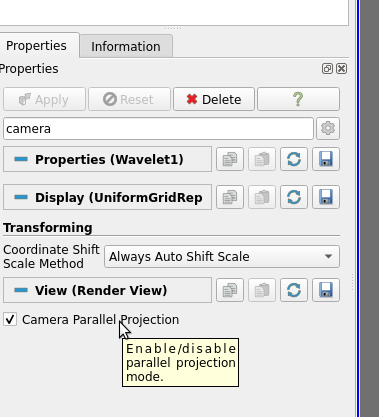
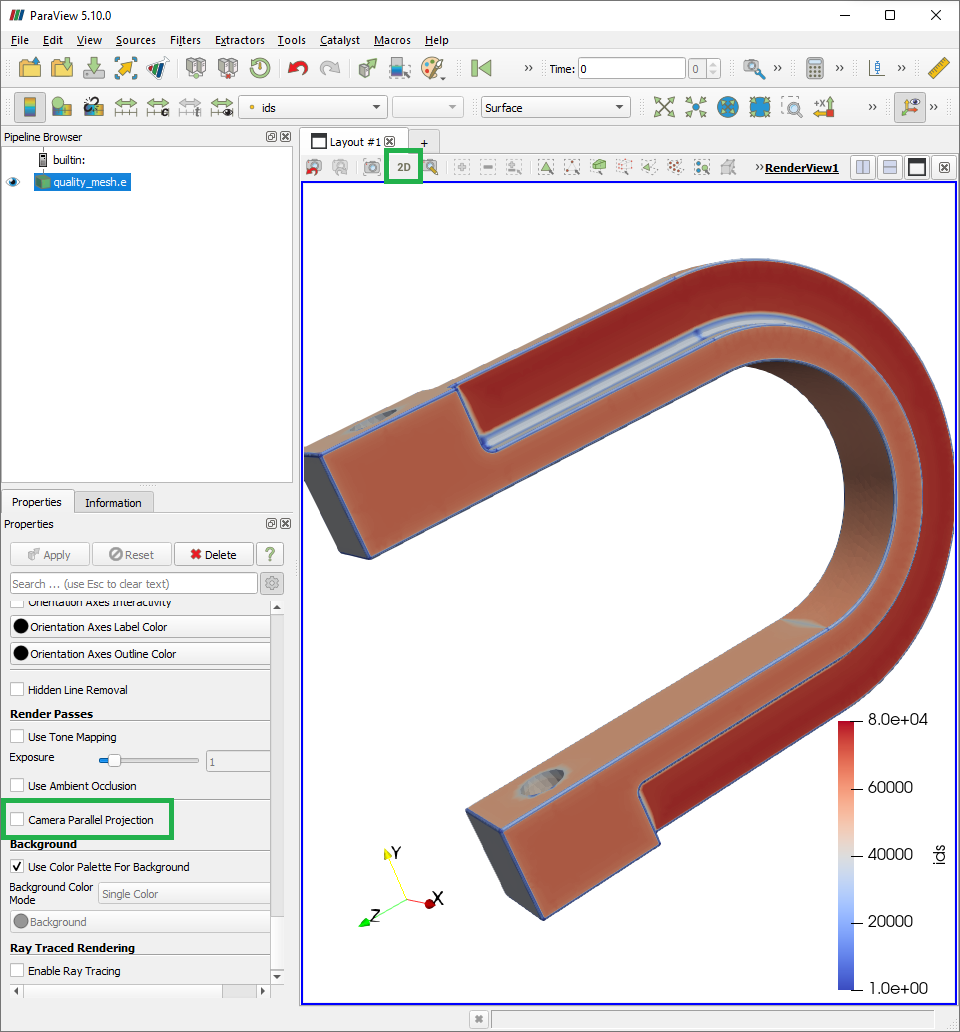
Simply check **Camera Parallel Projection** on the **Properties Tab**.
---
### Author:  [@GregVernon](https://discourse.paraview.org/u/GregVernon)
#### Post date: [March 23, 2022, 9:01pm UTC](https://discourse.paraview.org/t/is-it-at-all-possible-to-display-graphics-in-parallel-projection/9268/3 "2022-03-23T21:01:43Z")
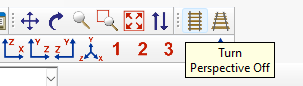
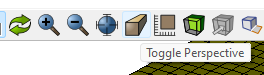
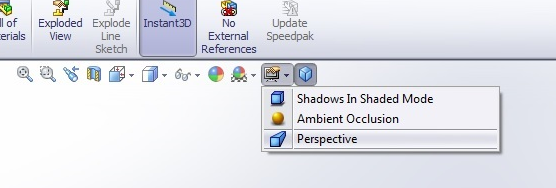
It might be nice to elevate this to an icon on the toolbar. A lot of other graphics programs put projection mode settings with their other “view” toolbar items:
## Abaqus
## Cubit
## Solidworks
Especially considering that there’s all this real-estate (for me anyways):

---
### Author:  [@jourdain](https://discourse.paraview.org/u/jourdain)
#### Post date: [March 23, 2022, 9:32pm UTC](https://discourse.paraview.org/t/is-it-at-all-possible-to-display-graphics-in-parallel-projection/9268/4 "2022-03-23T21:32:33Z")
You mean that one?

That button does 2 things:
1. switch the perspective
2. switch the interactor mode (default:pan in 2D)
---
### Author:  [@GregVernon](https://discourse.paraview.org/u/GregVernon)
#### Post date: [March 23, 2022, 9:59pm UTC](https://discourse.paraview.org/t/is-it-at-all-possible-to-display-graphics-in-parallel-projection/9268/5 "2022-03-23T21:59:21Z")
IIRC, that button switches you to a 2D view mode ~~restricted to the XY plane~~? ~~It doesn’t switch between parallel and perspective projection modes within a 3D view.~~
_EDIT:_ Just tested, not restricted to a 2D plane, though it’s painful that the interactor mode changes thus destroying my ParaView muscle memory. I actually never knew that it still allowed you to `cntrl + rightMouse` (for me) to rotate in 3D… it never crossed my mind because the button says “2D”.
_EDIT 2:_ The nice thing with a “train tracks” image or “perspective cube” icon is that they are very clear in the single piece of functionality they provide. No confusion between “2D” and “3D”, wouldn’t expect such a button to change interaction mode, no need to translate text. Plus it’s an icon / button common to CAD / CAE software.
---
### Author:  [@PetrKryslUCSD](https://discourse.paraview.org/u/PetrKryslUCSD)
#### Post date: [March 23, 2022, 10:11pm UTC](https://discourse.paraview.org/t/is-it-at-all-possible-to-display-graphics-in-parallel-projection/9268/6 "2022-03-23T22:11:32Z")
There is some funny interaction between the 3d/2d button and the camera-projection checkbox.
---
### Author:  [@GregVernon](https://discourse.paraview.org/u/GregVernon)
#### Post date: [March 23, 2022, 10:15pm UTC](https://discourse.paraview.org/t/is-it-at-all-possible-to-display-graphics-in-parallel-projection/9268/7 "2022-03-23T22:15:04Z")
Definitely.
## 2D view with parallel projection:

## 2D view with perspective projection:
---
### Author:  [@jourdain](https://discourse.paraview.org/u/jourdain)
#### Post date: [March 23, 2022, 10:39pm UTC](https://discourse.paraview.org/t/is-it-at-all-possible-to-display-graphics-in-parallel-projection/9268/8 "2022-03-23T22:39:45Z")
Not great, but you can configure your 2D/3D interactor to behave the same. In which case that button became the “Camera parallel projection” toggle.
Like you are suggesting it might be worth decoupling **projection** and **interaction**. I’m just mentioning that button as it is already there…