# Issue with Reading Tecplot Mesh File in ParaView
**URL:** https://discourse.paraview.org/t/issue-with-reading-tecplot-mesh-file-in-paraview/12852
**Category:** ParaView Support
**Created:** [September 13, 2023, 11:15am UTC](https://discourse.paraview.org/t/issue-with-reading-tecplot-mesh-file-in-paraview/12852 "2023-09-13T11:15:35Z")
**Posts on this page:** 9
**Page:** 1
### Author:  [@mardar](https://discourse.paraview.org/u/mardar)
#### Post date: [September 13, 2023, 11:15am UTC](https://discourse.paraview.org/t/issue-with-reading-tecplot-mesh-file-in-paraview/12852/1 "2023-09-13T11:15:35Z")
Hello, ParaView community,
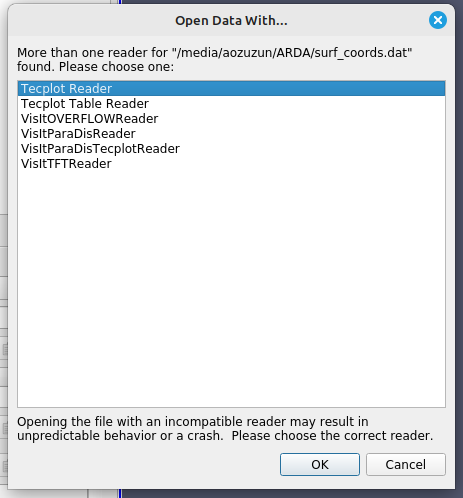
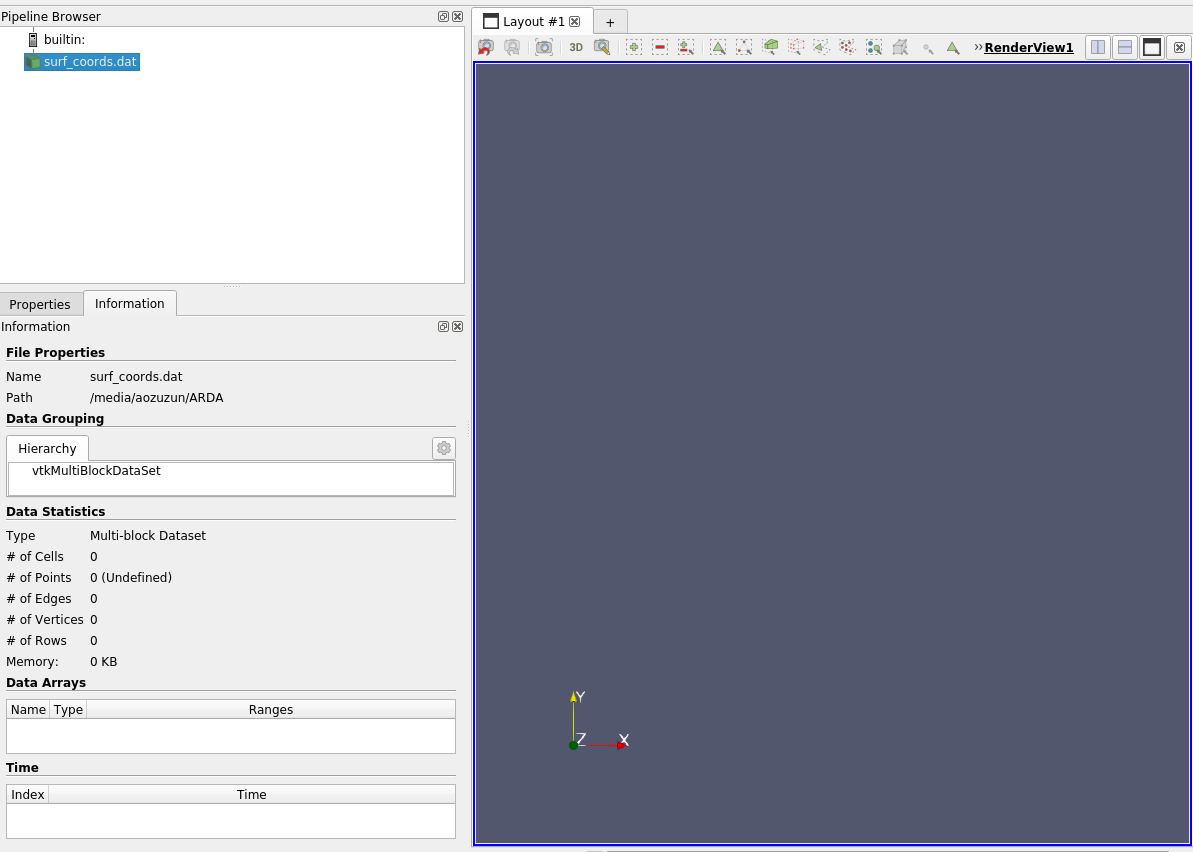
I am encountering an issue while trying to import a Tecplot mesh file into ParaView. Despite successfully importing the file, I am unable to visualize it. The mesh doesn’t appear.
The file: [surf\_coords.dat](https://discourse.paraview.org/uploads/short-url/fFw8eZjwPJsjRmg4ZpkVmKNCYJ6.dat) (124.4 KB)
---
### Author:  [@mwestphal](https://discourse.paraview.org/u/mwestphal)
#### Post date: [September 13, 2023, 12:47pm UTC](https://discourse.paraview.org/t/issue-with-reading-tecplot-mesh-file-in-paraview/12852/2 "2023-09-13T12:47:30Z")
please share your data
---
### Author:  [@mardar](https://discourse.paraview.org/u/mardar)
#### Post date: [September 13, 2023, 1:00pm UTC](https://discourse.paraview.org/t/issue-with-reading-tecplot-mesh-file-in-paraview/12852/3 "2023-09-13T13:00:44Z")
Hi @mwestphal, I have already shared the file : )
---
### Author:  [@mwestphal](https://discourse.paraview.org/u/mwestphal)
#### Post date: [September 15, 2023, 8:25am UTC](https://discourse.paraview.org/t/issue-with-reading-tecplot-mesh-file-in-paraview/12852/4 "2023-09-15T08:25:10Z")
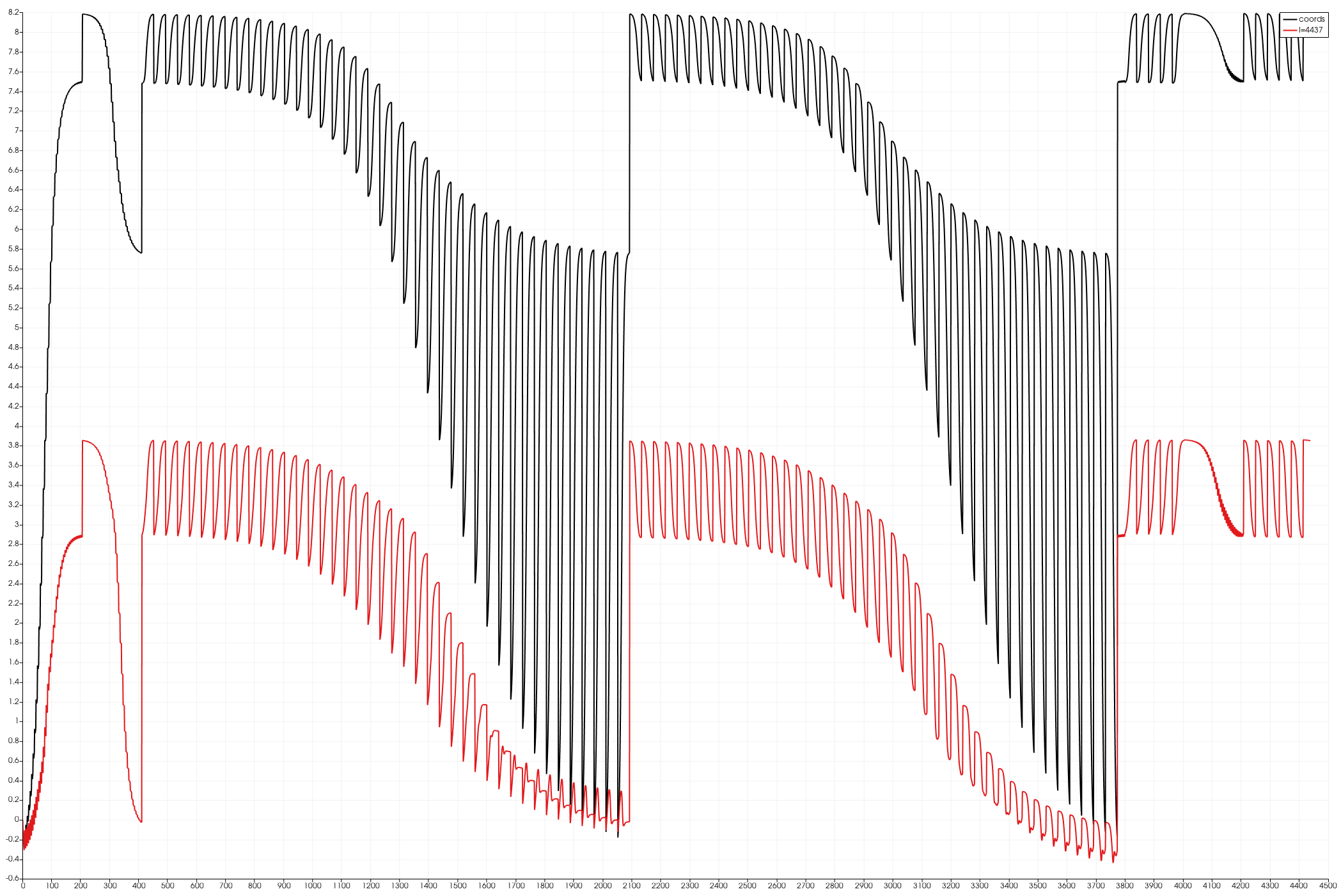
It is a table, open it with Tecplot Table Reader
---
### Author:  [@mardar](https://discourse.paraview.org/u/mardar)
#### Post date: [September 16, 2023, 10:21am UTC](https://discourse.paraview.org/t/issue-with-reading-tecplot-mesh-file-in-paraview/12852/5 "2023-09-16T10:21:53Z")
@mwestphal Thank you for your answer,
Does this mean that I won’t be able to visualize it in Paraview? I’ve been able to visualize this mesh using Tecplot without any issues.
Best regards
---
### Author:  [@mwestphal](https://discourse.paraview.org/u/mwestphal)
#### Post date: [September 18, 2023, 8:55am UTC](https://discourse.paraview.org/t/issue-with-reading-tecplot-mesh-file-in-paraview/12852/6 "2023-09-18T08:55:16Z")
Well, you can visualize it as I’ve shown. Maybe you want to convert it to 3D data ?
---
### Author:  [@mardar](https://discourse.paraview.org/u/mardar)
#### Post date: [September 18, 2023, 6:47pm UTC](https://discourse.paraview.org/t/issue-with-reading-tecplot-mesh-file-in-paraview/12852/7 "2023-09-18T18:47:02Z")
Dear @mwestphal,
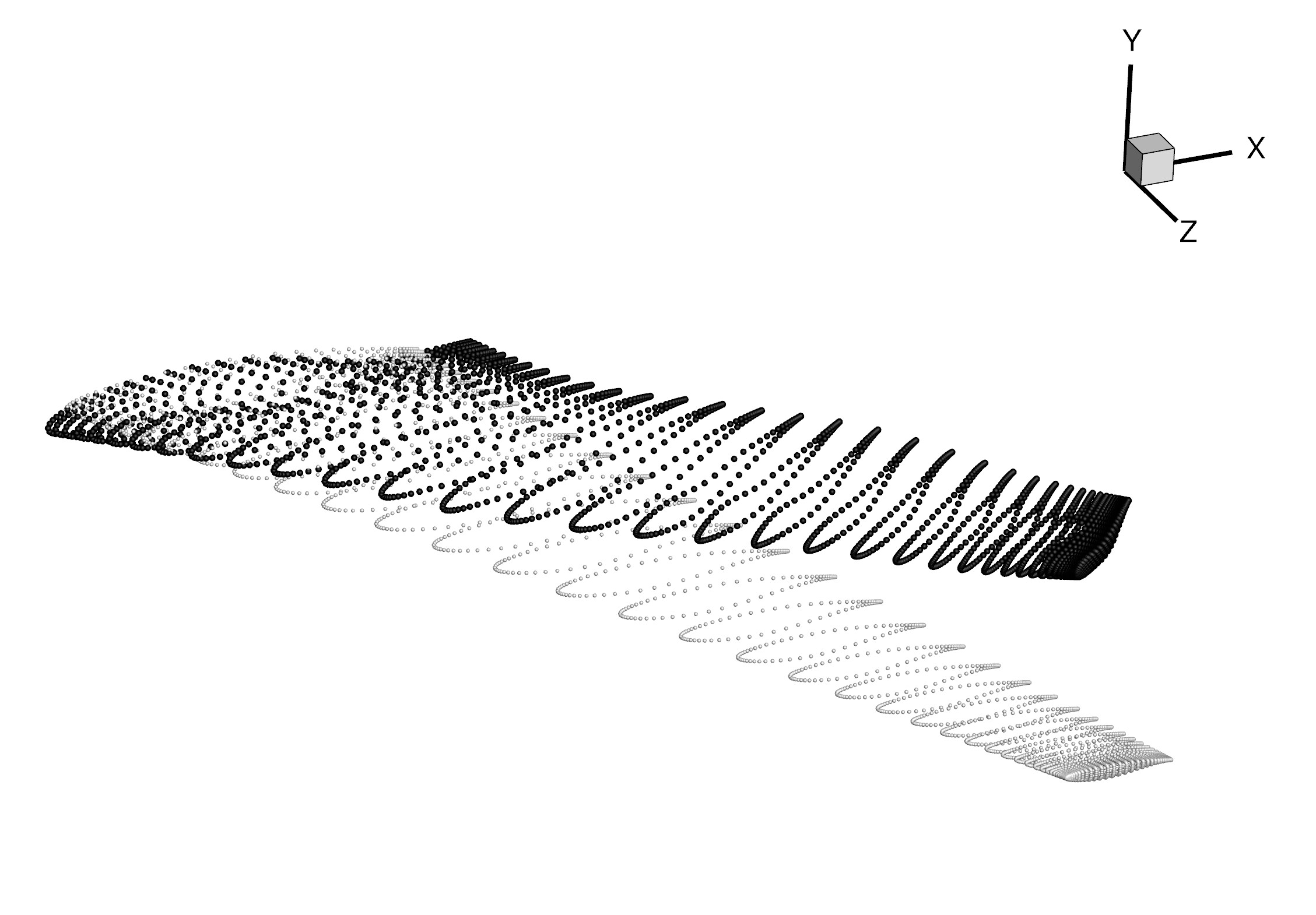
My intention is to visualize 3D mesh geometry rather than an XY plot. I could achieved that by opening the file in Tecplot. It can be seen below.
Best,
---
### Author:  [@Tox](https://discourse.paraview.org/u/Tox)
#### Post date: [September 19, 2023, 10:29am UTC](https://discourse.paraview.org/t/issue-with-reading-tecplot-mesh-file-in-paraview/12852/8 "2023-09-19T10:29:14Z")
As @mwestphal indicated, your data is not a mesh, but a point cloud. You can use the Tecplot Table Reader and then a TableToPoints filter to show your data.
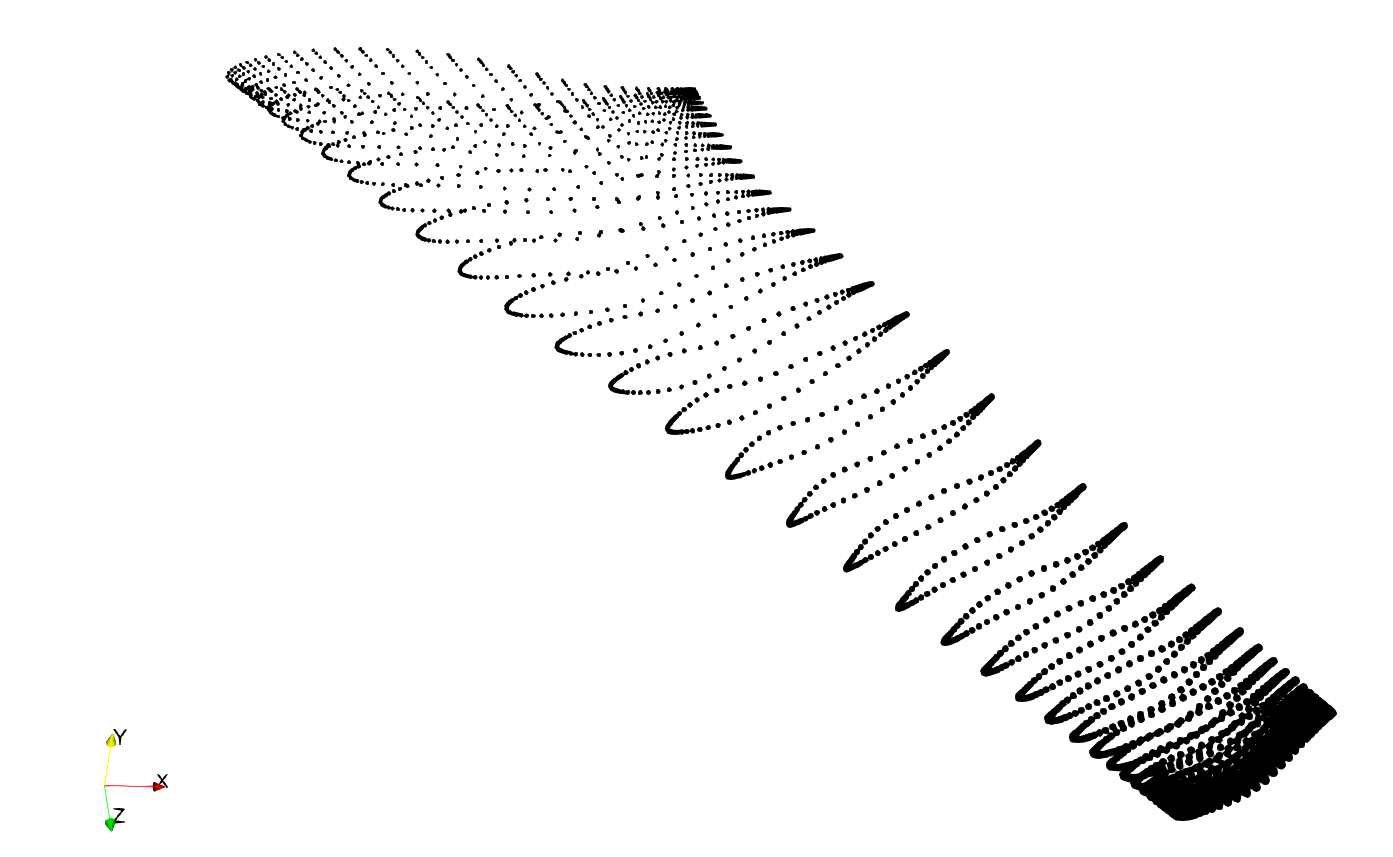
The python snippet below shows how to generate this plot:
```auto
# state file generated using paraview version 5.11.0
import paraview
paraview.compatibility.major = 5
paraview.compatibility.minor = 11
#### import the simple module from the paraview
from paraview.simple import *
#### disable automatic camera reset on 'Show'
paraview.simple._DisableFirstRenderCameraReset()
# ----------------------------------------------------------------
# setup views used in the visualization
# ----------------------------------------------------------------
# Create a new 'Render View'
renderView1 = CreateView('RenderView')
renderView1.ViewSize = [1554, 914]
renderView1.AxesGrid = 'GridAxes3DActor'
renderView1.CenterOfRotation = [1.7124825, 1.7124825, 1.7124825]
renderView1.StereoType = 'Crystal Eyes'
renderView1.CameraPosition = [3.320815949932491, 11.109266579292342, 20.135471377312278]
renderView1.CameraFocalPoint = [6.154720133039305, -0.6858139287536898, 6.3982985649942155]
renderView1.CameraViewUp = [-0.02420390614425369, 0.7560051182314661, -0.6541180567261442]
renderView1.CameraFocalDisk = 1.0
renderView1.CameraParallelScale = 3.9338656007574344
SetActiveView(None)
# ----------------------------------------------------------------
# setup view layouts
# ----------------------------------------------------------------
# create new layout object 'Layout #1'
layout1 = CreateLayout(name='Layout #1')
layout1.AssignView(0, renderView1)
layout1.SetSize(1554, 914)
# ----------------------------------------------------------------
# restore active view
SetActiveView(renderView1)
# ----------------------------------------------------------------
# ----------------------------------------------------------------
# setup the data processing pipelines
# ----------------------------------------------------------------
# create a new 'Tecplot Table Reader'
surf_coordsdat = TecplotTableReader(registrationName='surf_coords.dat', FileName='surf_coords.dat')
surf_coordsdat.Numberofheaderlines = 3
surf_coordsdat.Linewithcolumnnames = 0
surf_coordsdat.Skipcolumnnamefields = 2
# create a new 'Table To Points'
tableToPoints1 = TableToPoints(registrationName='TableToPoints1', Input=surf_coordsdat)
tableToPoints1.XColumn = 'CoordinateX,'
tableToPoints1.YColumn = 'CoordinateY,'
tableToPoints1.ZColumn = 'CoordinateZ'
# ----------------------------------------------------------------
# setup the visualization in view 'renderView1'
# ----------------------------------------------------------------
# show data from tableToPoints1
tableToPoints1Display = Show(tableToPoints1, renderView1, 'GeometryRepresentation')
# trace defaults for the display properties.
tableToPoints1Display.Representation = '3D Glyphs'
tableToPoints1Display.DiffuseColor = [0.0, 0.0, 0.0]
tableToPoints1Display.GlyphType = 'Sphere'
tableToPoints1Display.GlyphType.Radius = 0.025
```
---
### Author:  [@mardar](https://discourse.paraview.org/u/mardar)
#### Post date: [September 19, 2023, 10:44am UTC](https://discourse.paraview.org/t/issue-with-reading-tecplot-mesh-file-in-paraview/12852/9 "2023-09-19T10:44:40Z")
Sorry for the confusion caused by my incorrect use of terminology regarding mesh and point cloud. I understand now. This is what I need.
I am truly grateful for the assistance. Thanks a lot, @Tox and @mwestphal