# Mesh deformation using vespa in paraview
**URL:** https://discourse.paraview.org/t/mesh-deformation-using-vespa-in-paraview/11965
**Category:** ParaView Support
**Tags:** vtk
**Created:** [April 26, 2023, 8:46am UTC](https://discourse.paraview.org/t/mesh-deformation-using-vespa-in-paraview/11965 "2023-04-26T08:46:54Z")
**Posts on this page:** 3
**Page:** 1
### Author:  [@Mehdi\_Hamidi](https://discourse.paraview.org/u/Mehdi_Hamidi)
#### Post date: [April 26, 2023, 8:46am UTC](https://discourse.paraview.org/t/mesh-deformation-using-vespa-in-paraview/11965/1 "2023-04-26T08:46:54Z")
Hi,
I am currently using Vespa to perform mesh deformation in Paraview, but I must admit that I don’t quite understand how to use it properly. If anyone can give me the steps to follow to perform it, I would be grateful.
I have attached screenshots of my input file, the target, and the ROI (region of interest), but I keep getting an error. Please provide a detailed but not exhaustive answer since I am a new Paraview user.
Thank you for your time.
Mehdi Hamidi
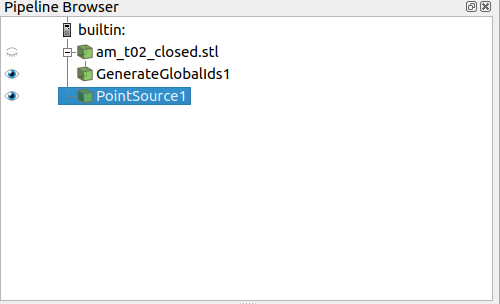
mesh(with generatedglobalID that i generated using a filter on the initial mesh) and the target(point source)
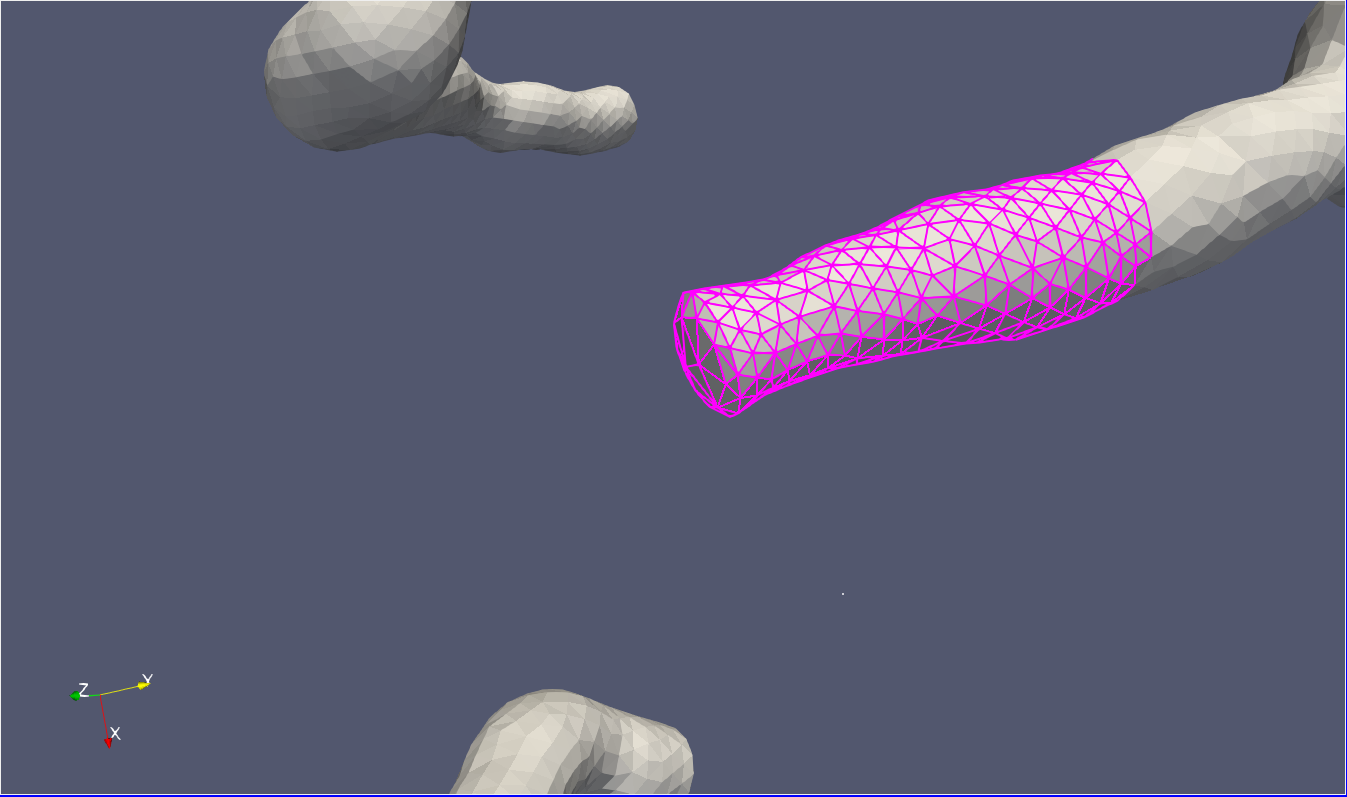
Mesh - target(white point) - and the region of interest
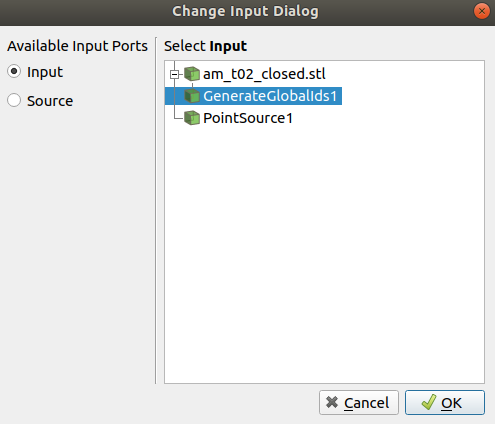
input and source (i choosed GenerateGlobalIds1 as input and pointsource1 as source)
i select global ids
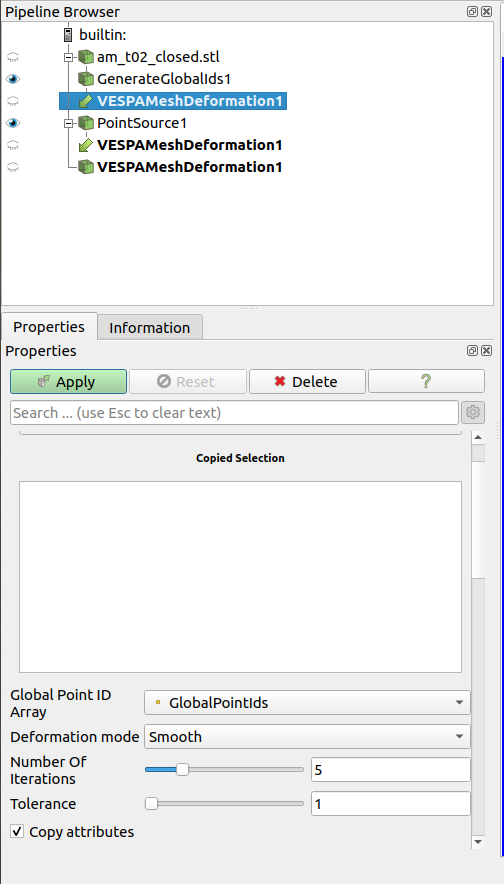
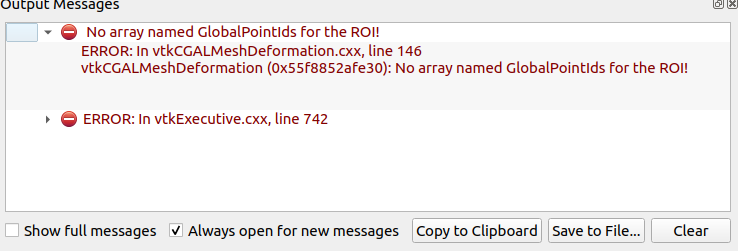
after applying i get this error
---
### Author:  [@Tiffany\_Chhim](https://discourse.paraview.org/u/Tiffany_Chhim)
#### Post date: [April 26, 2023, 11:08am UTC](https://discourse.paraview.org/t/mesh-deformation-using-vespa-in-paraview/11965/2 "2023-04-26T11:08:57Z")
Hi @Mehdi_Hamidi,
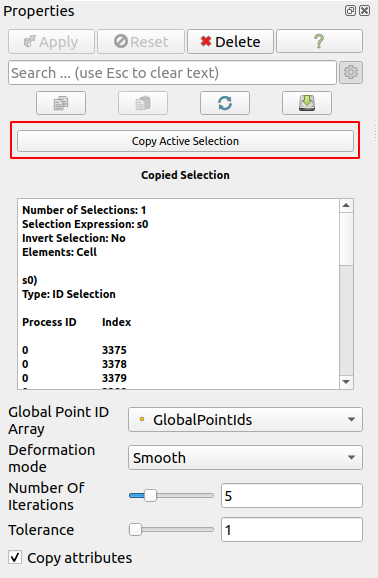
From what I can see in your screenshots, it looks like the ROI (the selection) has not been set as an input to the filter. This should be done by clicking on the “ **Copy Active Selection** ” button.
---
### Author:  [@Mehdi\_Hamidi](https://discourse.paraview.org/u/Mehdi_Hamidi)
#### Post date: [May 22, 2023, 7:46am UTC](https://discourse.paraview.org/t/mesh-deformation-using-vespa-in-paraview/11965/3 "2023-05-22T07:46:15Z")
Hi @Tiffany_Chhim;
Thanks for your answer and sorry for my late reply, as you pointed it out the copy of the active selection was what i needed.
Thank you very much !