# Moving through timeseries in pvpython
**URL:** https://discourse.paraview.org/t/moving-through-timeseries-in-pvpython/15276
**Category:** ParaView Support
**Tags:** python
**Created:** [August 22, 2024, 9:10am UTC](https://discourse.paraview.org/t/moving-through-timeseries-in-pvpython/15276 "2024-08-22T09:10:40Z")
**Posts on this page:** 4
**Page:** 1
### Author:  [@adityakavalur](https://discourse.paraview.org/u/adityakavalur)
#### Post date: [August 22, 2024, 9:10am UTC](https://discourse.paraview.org/t/moving-through-timeseries-in-pvpython/15276/1 "2024-08-22T09:10:40Z")
Hello,
I am a beginner paraview user, and am running into what seems to be a basic issue, appreciate any pointers as to what I am doing wrong.
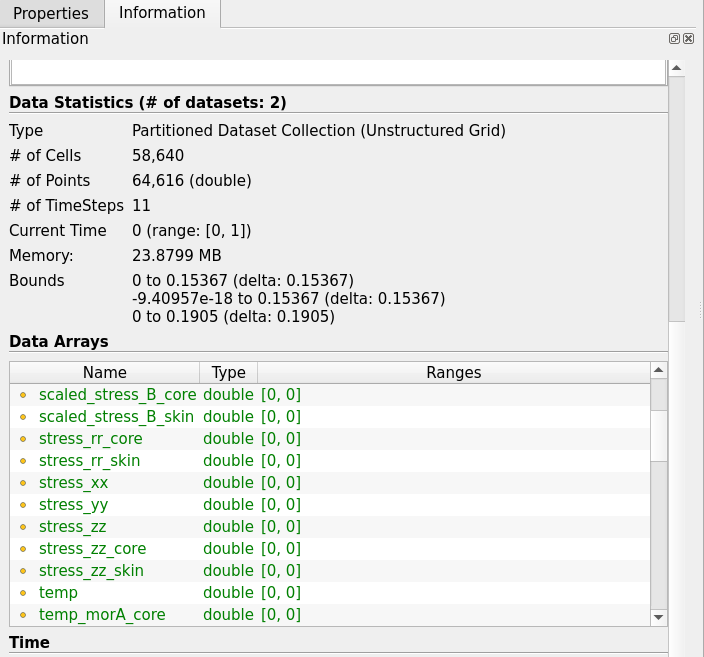
I have a exodus file that contains information over multiple timesteps. In the GUI I can easily go to a particular timestep and see the range of values for a particular field viz. temperature. However, when I try to do this in pvpython, it looks like I always get the values for timestep 0.
You see temperature is 0 at timestep 0
At the final timestep, temp is non zero
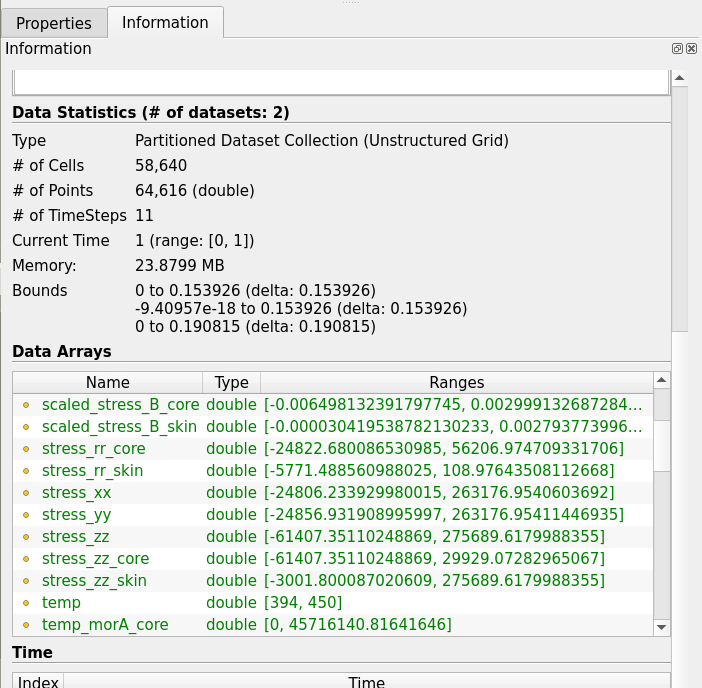
However, in pvpython I always get the range of temperature for timestep 0
I used the following [pages](https://docs.paraview.org/en/v5.12.1/Tutorials/SelfDirectedTutorial/batchPythonScripting.html). However, I couldnt find an example of how to do time stepping there so I tried using the getanimationscene module to no avail. Is there a simple way to do this?
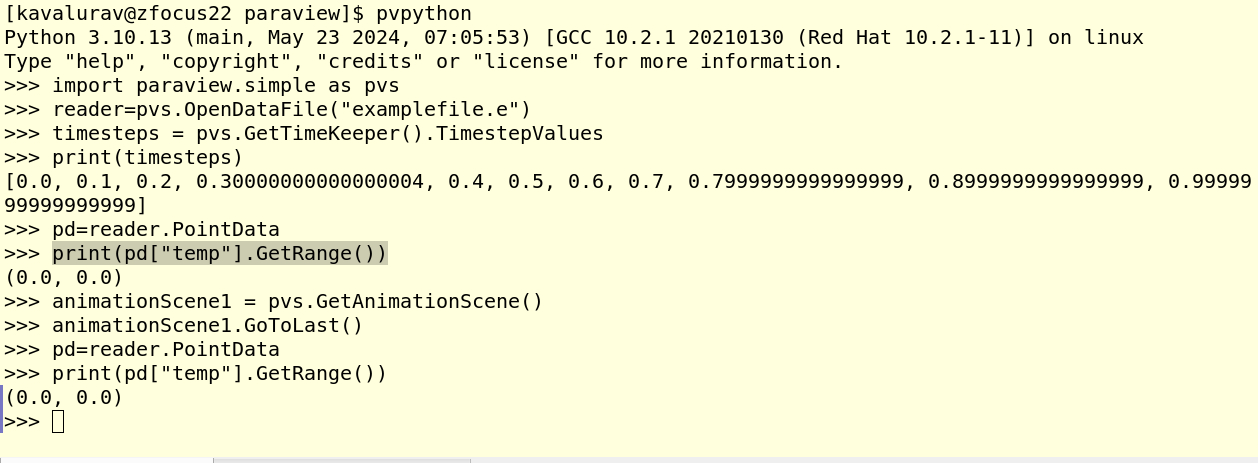
Appreciate the help! Let me know if something seems confusing/unclear.
---
### Author:  [@adityakavalur](https://discourse.paraview.org/u/adityakavalur)
#### Post date: [August 22, 2024, 9:49am UTC](https://discourse.paraview.org/t/moving-through-timeseries-in-pvpython/15276/2 "2024-08-22T09:49:04Z")
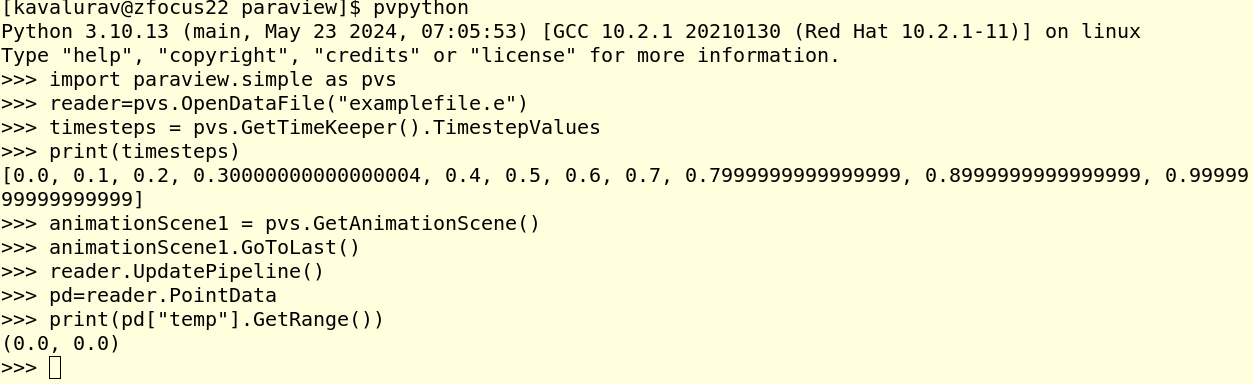
Looks like a similar question was asked [here](https://discourse.paraview.org/t/get-the-range-of-last-timestep/13139).
However, the solution of UpdatePipeline suggested there didnt work.
---
### Author:  [@mwestphal](https://discourse.paraview.org/u/mwestphal)
#### Post date: [August 22, 2024, 12:04pm UTC](https://discourse.paraview.org/t/moving-through-timeseries-in-pvpython/15276/3 "2024-08-22T12:04:43Z")
`reader.UpdatePipeline(timesteps[n])` should do the trick
---
### Author:  [@adityakavalur](https://discourse.paraview.org/u/adityakavalur)
#### Post date: [August 22, 2024, 12:19pm UTC](https://discourse.paraview.org/t/moving-through-timeseries-in-pvpython/15276/4 "2024-08-22T12:19:52Z")
Ah! Thanks! I see the UpdatePipeline accepts time argument. Knew it had to be something trivial. It works now!