# Multi-user setup error selecting the color pallete
**URL:** https://discourse.paraview.org/t/multi-user-setup-error-selecting-the-color-pallete/659
**Category:** Web Support
**Created:** [September 29, 2018, 3:53am UTC](https://discourse.paraview.org/t/multi-user-setup-error-selecting-the-color-pallete/659 "2018-09-29T03:53:13Z")
**Posts on this page:** 8
**Page:** 1
### Author:  [@nicolasmaurotorres](https://discourse.paraview.org/u/nicolasmaurotorres)
#### Post date: [September 29, 2018, 3:53am UTC](https://discourse.paraview.org/t/multi-user-setup-error-selecting-the-color-pallete/659/1 "2018-09-29T03:53:13Z")
Hi
I mounted the Multi-User setup following this guide [ParaViewWeb](https://kitware.github.io/paraviewweb/docs/multi_user_setup.html)
In the client-side, first thing i do is open the file
> \_this.pvwClient.ProxyManager.open(\_this.pathFileToOpen)
> .then(function (response) {
> if (response.success) {
> \_this.viewId = response.id; // save view id
> \_this.setState({
> valid: true
> });
> } else {
> //TODO: show error message
> }
> })
And then, I have in another button to change in a hardcoded way the pallet color with
> this.pvwClient.ColorManager.listColorMapNames()
> .then((response) =\> {
> this.pvwClient.ColorManager.selectColorMap(this.viewId, response[0])
> .then((response) =\> {
> var foo= response;
> })
> .catch((response) =\> {
> debugger;
> var bar = response;
> });
> })
> .catch(() =\> {
> debugger;
> var pepe = response;
> });
But it always goes for the catch of the selectColorMap, it says the following
> RunTime error : ‘vtkPVServerManagerCorePython.vtkSMSourceProxy’ object has no attribute ‘LookupTable’
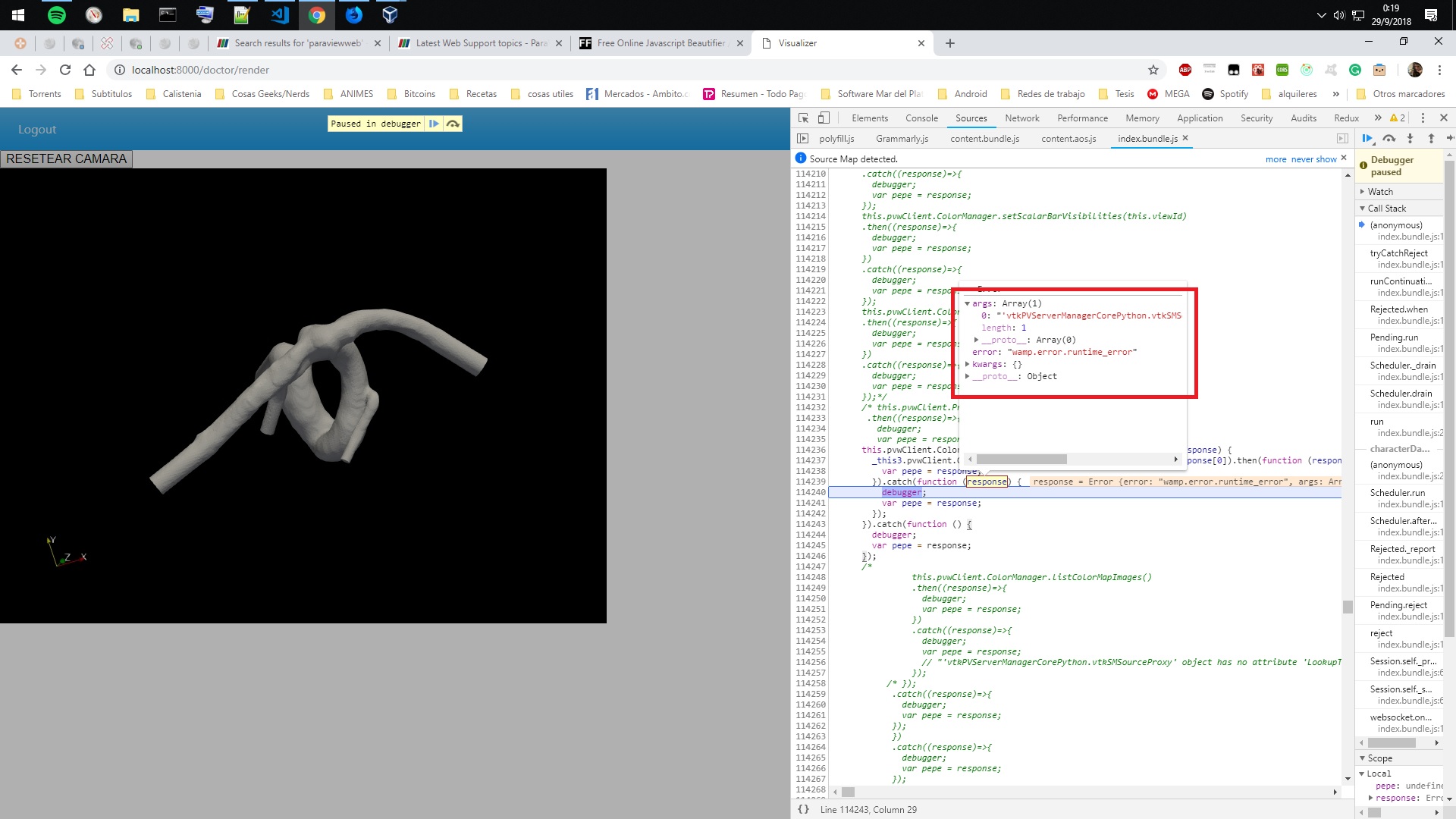
Then I checked the code on the server side and found this
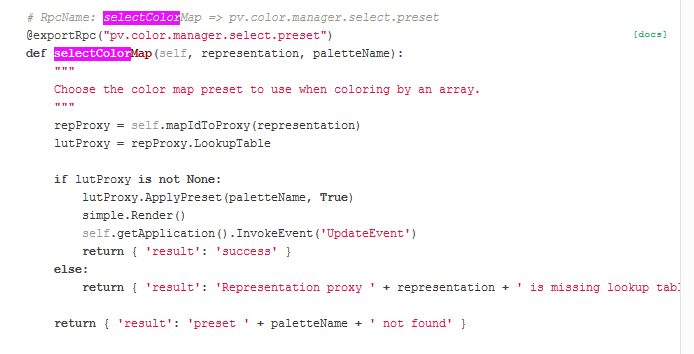
I got that from the documentation
[https://kitware.github.io/paraview-docs/latest/python/\_modules/paraview/web/protocols.html#ParaViewWebColorManager.selectColorMap](https://kitware.github.io/paraview-docs/latest/python/_modules/paraview/web/protocols.html#ParaViewWebColorManager.selectColorMap)
In ParaView is in the following path
lib/python2.7/site-package/paraview/web/protocols.py
I tried different things to get some result
1. Modify the SelectColorMap API
> repProxy = self.mapIdToProxy(representation)
> rep = simple.GetRepresentation(repProxy)
> lutProxy = rep.GetProperty(‘LookupTable’).GetData()
But the flows goes through
> “return { ‘result’: ‘Representation proxy ’ + representation + ’ is missing lookup table’ }”
1. Modify the alwaysIncludedProperties
in the **init** of ProxyManager, the **alwaysIncludePropertie** by default is self.alwaysIncludeProperties = [‘CubeAxesVisibility’]
I modified it to put the LookUpTable to this self.alwaysIncludeProperties = [‘CubeAxesVisibility’,‘LookupTable’], but nothing happend, im getting the same error.
2. View the properties of the rep through the log
First, I set the debug mode on true, and then I put this lines
> repProxy = self.mapIdToProxy(representation)
> rep = simple.GetRepresentation(repProxy)
> lutProxy = rep.GetProperty(‘LookupTable’).GetData()
> for attr, value in rep.\_\_ dict\_\_.iteritems():
> print "Attribute: " + str(attr or “”)
> print "Value: " + str(value or “”)
and I get this long log file [ceb332c0-c139-11e8-90a0-080027000935.txt](https://discourse.paraview.org/uploads/default/original/1X/3afad07200ec0b73b7c2c28f845256db140fd0d0.txt) (273.1 KB)
It has a property **““LookupTable””** , but when I am getting it, I got the error
> “return { ‘result’: ‘Representation proxy ’ + representation + ’ is missing lookup table’ }”
So my question is,
How do I set the LookupTable for the representation?
Which method I do have to use previously?
I don’t know what else can I do.
Im trying to set the color hardcoded and then do the same dynamically.
Thanks!
---
### Author:  [@nicolasmaurotorres](https://discourse.paraview.org/u/nicolasmaurotorres)
#### Post date: [September 29, 2018, 6:55pm UTC](https://discourse.paraview.org/t/multi-user-setup-error-selecting-the-color-pallete/659/2 "2018-09-29T18:55:16Z")
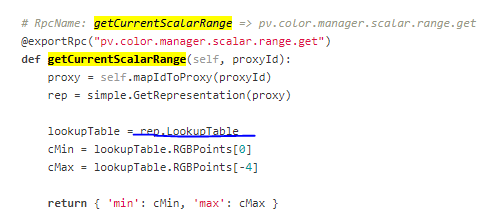
I tried to use the getCurrentScalarRange(this.viewId) but it catch’s the following error
‘NoneType’ object has no attribute ‘RGBPoints’", under the blue line
---
### Author:  [@jourdain](https://discourse.paraview.org/u/jourdain)
#### Post date: [September 30, 2018, 12:19am UTC](https://discourse.paraview.org/t/multi-user-setup-error-selecting-the-color-pallete/659/3 "2018-09-30T00:19:30Z")
You need to provide the representation not the source.
The idea is when you load some data or apply a filter, you get a data `source`.
Then if you want to see that `source` in a `view`, you need to create a `representation`. Which is usually automatic here. But they are two independent proxies.
The missing part on your end is to find the proxy id of the `representation` that correspond to your `source`. You can achieve that by requesting the list of proxies with the following function call:
```auto
@exportRpc("pv.proxy.manager.list")
def list(self, viewId=None):
[...]
```
This will provide you a list of all your sources along with the corresponding representation.
HTH,
Seb
---
### Author:  [@jourdain](https://discourse.paraview.org/u/jourdain)
#### Post date: [September 30, 2018, 12:21am UTC](https://discourse.paraview.org/t/multi-user-setup-error-selecting-the-color-pallete/659/4 "2018-09-30T00:21:23Z")
The proxy id that needs to be provided to the `getCurrentScalarRange` is the `source`, not the `view`.
---
### Author:  [@nicolasmaurotorres](https://discourse.paraview.org/u/nicolasmaurotorres)
#### Post date: [September 30, 2018, 4:33am UTC](https://discourse.paraview.org/t/multi-user-setup-error-selecting-the-color-pallete/659/5 "2018-09-30T04:33:44Z")
Well, I tried to do the list()
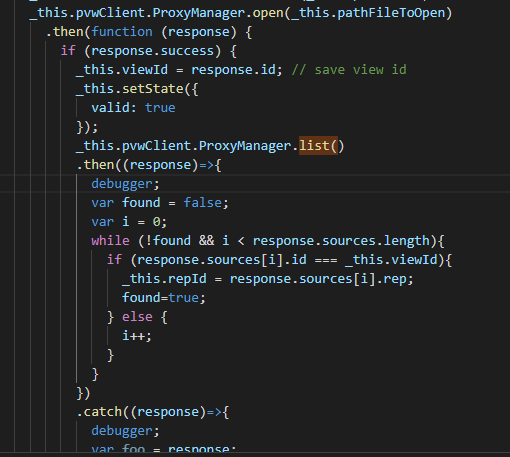
To get the rep for my id, and then use it to use selectColorPallette but when I do that, I get the error
**Representation 565 is missing lookup table**
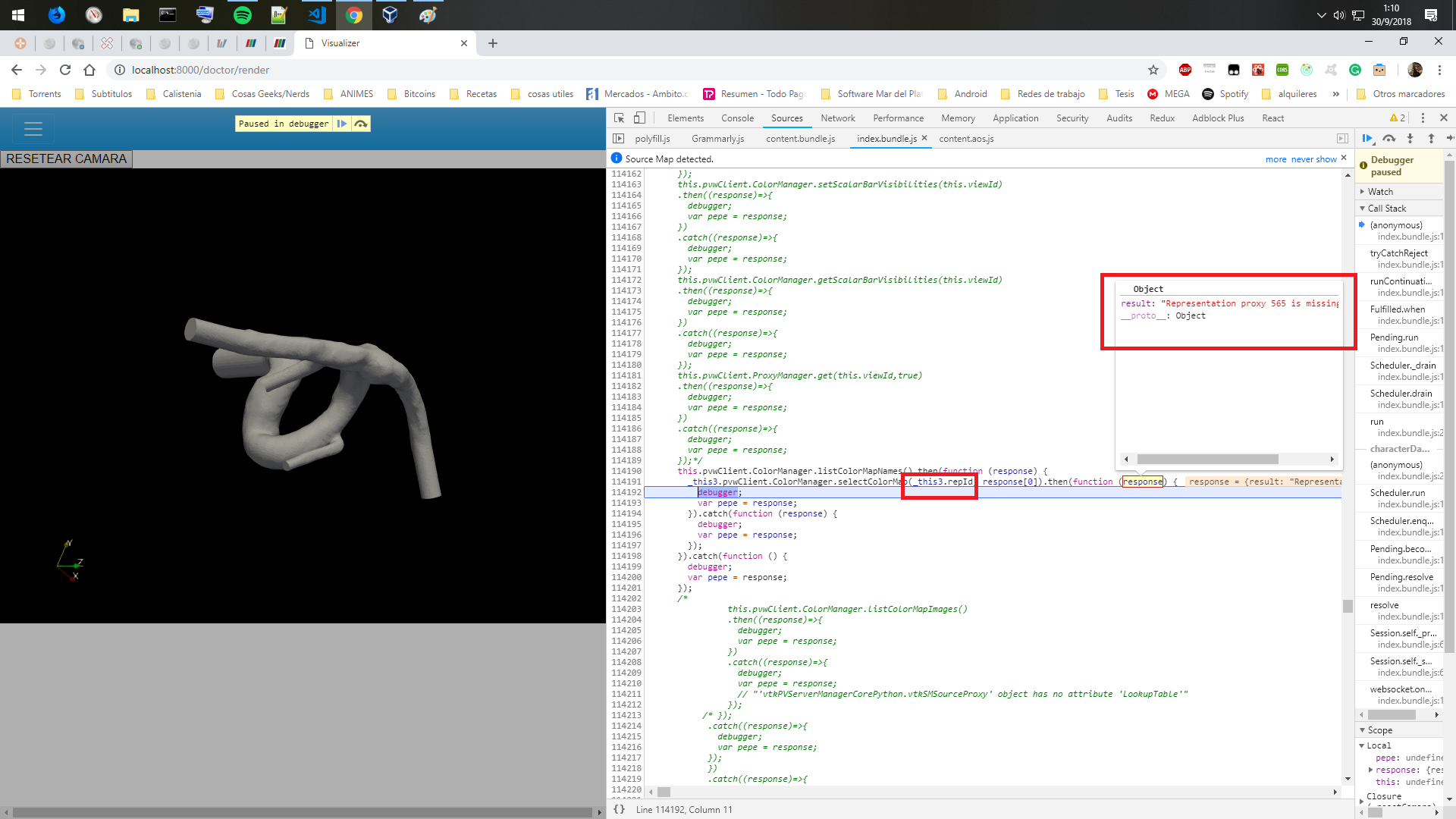
Also tried to use **getSurfaceOpacity** , it uses the same logic to get the lookup table, but it throws the following runtime error **‘NoneType’ object has no attribute 'EnableOpacityMapping’**

Maybe I’m doing another wrong thing, I have all the code public in my repository
>
Thanks for answering, I did not expect to get an answer a Saturday night haha
---
### Author:  [@jourdain](https://discourse.paraview.org/u/jourdain)
#### Post date: [September 30, 2018, 2:24pm UTC](https://discourse.paraview.org/t/multi-user-setup-error-selecting-the-color-pallete/659/6 "2018-09-30T14:24:08Z")
I think the next issue is that you need to choose which array you want to color by first. Otherwise no LookupTable get assigned to the representation.
Try to call that first:
```auto
@exportRpc("pv.color.manager.color.by")
def colorBy(self, representation, colorMode, arrayLocation='POINTS', arrayName='', vectorMode='Magnitude', vectorComponent=0, rescale=False):
[...]
```
BTW, you should rename your \_this.viewId after the open call as it is truly the sourceId, not the viewId.
---
### Author:  [@nicolasmaurotorres](https://discourse.paraview.org/u/nicolasmaurotorres)
#### Post date: [October 2, 2018, 3:11am UTC](https://discourse.paraview.org/t/multi-user-setup-error-selecting-the-color-pallete/659/7 "2018-10-02T03:11:25Z")
Hey Sebastien!
Thanks for the recommendation to rename to sourceId, I think I’m missing out a lot of concepts and doing a lot of try-error until success haha
I used the ColorBy method this way and saved all the palettes to iterate through them later

And now every time I push the button I change the palette iterating thrown the array
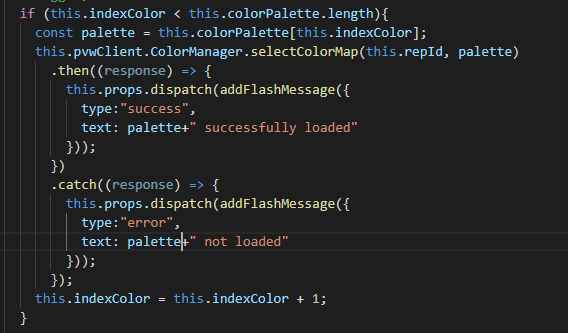
The response says **{“result” : “success”}**
but I don’t see any change
Do i have to do anything else?
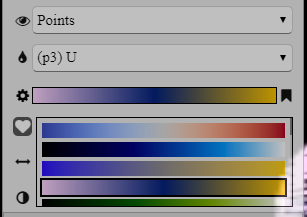
The whole idea of this post is to do something similar to how Visualizer handle the colors
---
### Author:  [@jourdain](https://discourse.paraview.org/u/jourdain)
#### Post date: [October 2, 2018, 3:03pm UTC](https://discourse.paraview.org/t/multi-user-setup-error-selecting-the-color-pallete/659/8 "2018-10-02T15:03:49Z")
I believe the colorMode value ‘’ is not valid.
You should look for the ParaView guide (Free Online PDF) and read the Python section. This should give you the background that you need between Source/Representation/View and how they work together.
Then you can use Visualizer to see what kind of calls are made via the Network inspector in your browser as you can see all the frames on the WebSocket connection. That way you will see the calls that are made and with which parameters to achieve a specific action.