# Nightly ParaView client freezes when connecting to remote server
**URL:** https://discourse.paraview.org/t/nightly-paraview-client-freezes-when-connecting-to-remote-server/12913
**Category:** ParaView Support
**Created:** [September 22, 2023, 6:30pm UTC](https://discourse.paraview.org/t/nightly-paraview-client-freezes-when-connecting-to-remote-server/12913 "2023-09-22T18:30:04Z")
**Posts on this page:** 6
**Page:** 1
### Author:  [@GregVernon](https://discourse.paraview.org/u/GregVernon)
#### Post date: [September 22, 2023, 6:30pm UTC](https://discourse.paraview.org/t/nightly-paraview-client-freezes-when-connecting-to-remote-server/12913/1 "2023-09-22T18:30:04Z")
As recently as two days ago, I’ve successfully been able to connect a client of the released version of ParaView 5.11.1 to a remote `pvserver` of the same version, however, I wanted to test out some new features in the nightly version and my client freezes on the `Waiting for Connection to Server` screen.
## Client Information:
```auto
Version: 5.11.1-1743-gc891e043a6
VTK Version: 9.3.20230919
Qt Version: 5.15.2
vtkIdType size: 64bits
Embedded Python: On
Python Library Path: C:\Program Files\ParaView 5.11.1\bin\lib
Python Library Version: 3.9.13 (tags/v3.9.13:6de2ca5, May 17 2022, 16:36:42) [MSC v.1929 64 bit (AMD64)]
Python Numpy Support: On
Python Numpy Path: C:\Program Files\ParaView 5.11.1\bin\Lib\site-packages\numpy
Python Numpy Version: 1.25.2
Python Matplotlib Support: On
Python Matplotlib Path: C:\Program Files\ParaView 5.11.1\bin\Lib\site-packages\matplotlib
Python Matplotlib Version: 3.7.2
Python Testing: Off
MPI Enabled: Off
ParaView Build ID: superbuild ae1e15ada9b26dabc41e13cd235bd9adcdfb4f8a (master)
Disable Registry: Off
Test Directory:
Data Directory:
SMP Backend: TBB
SMP Max Number of Threads: 8
OpenGL Vendor: NVIDIA Corporation
OpenGL Version: 3.2.0 NVIDIA 528.24
OpenGL Renderer: NVIDIA GeForce RTX 2060 SUPER/PCIe/SSE2
Accelerated filters overrides available: No
```
## Server information
```auto
paraview version 5.11.1-1743-gc891e043a6
```
## Steps to repeat
1. Manually start the `pvserver` on remote Linux server, using my personal port number.
2. Launch client ParaView on local Windows 11 workstation
3. Use the `Choose Server Configuration` dialog to connect to the remote Linux server.
### What I see on the server:
```auto
greg /h/g/a/ParaView $ ~/apps/ParaView/ParaView-master-5.11.1-1743-gc891e043a6/bin/pvserver --server-port=14774 &
[1] 1914113
greg /h/g/a/ParaView $ Waiting for client...
Connection URL: cs://cauchy:14774
Accepting connection(s): cauchy:14774
Client connected.
```
### What I see on the local client, even 10 minutes after connecting
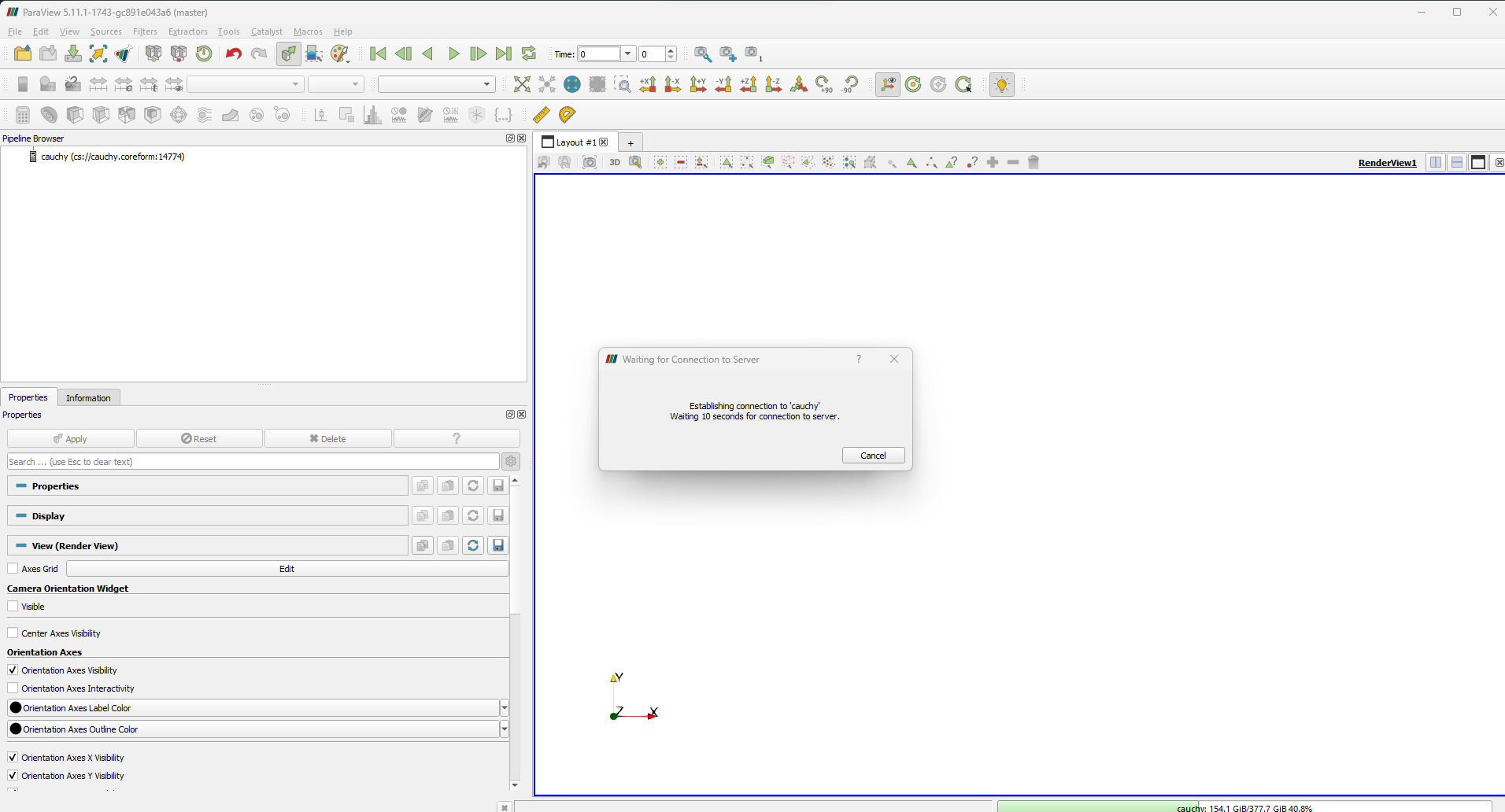
And I can’t click on anything in ParaView, not even `Cancel` (I get the “Windows Busy Chime”).
---
### Author:  [@GregVernon](https://discourse.paraview.org/u/GregVernon)
#### Post date: [September 22, 2023, 6:34pm UTC](https://discourse.paraview.org/t/nightly-paraview-client-freezes-when-connecting-to-remote-server/12913/2 "2023-09-22T18:34:56Z")
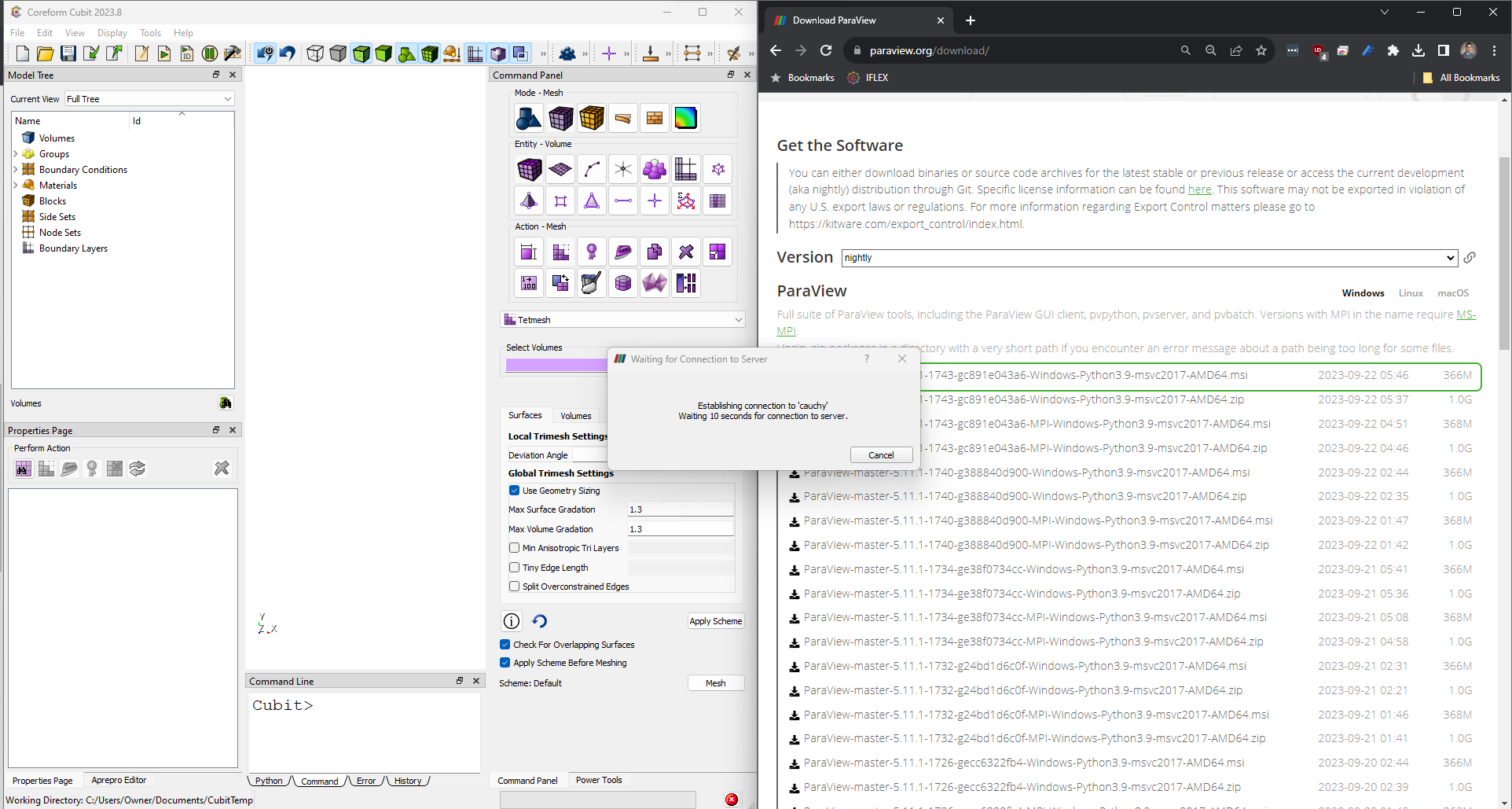
Also, it’s mildly annoying that the `Waiting for Connection to Server` dialog remains affixed to the top of my screen, so while I wait for it to connect it blocks my view of other applications:
---
### Author:  [@mwestphal](https://discourse.paraview.org/u/mwestphal)
#### Post date: [September 25, 2023, 7:50am UTC](https://discourse.paraview.org/t/nightly-paraview-client-freezes-when-connecting-to-remote-server/12913/3 "2023-09-25T07:50:01Z")
Do you think you could test a few different nighlies to identify which version started mibehaving ?
---
### Author:  [@GregVernon](https://discourse.paraview.org/u/GregVernon)
#### Post date: [September 25, 2023, 4:29pm UTC](https://discourse.paraview.org/t/nightly-paraview-client-freezes-when-connecting-to-remote-server/12913/4 "2023-09-25T16:29:06Z")
Sure - do you have an idea of where I should start?
---
### Author:  [@mwestphal](https://discourse.paraview.org/u/mwestphal)
#### Post date: [September 25, 2023, 4:42pm UTC](https://discourse.paraview.org/t/nightly-paraview-client-freezes-when-connecting-to-remote-server/12913/5 "2023-09-25T16:42:00Z")
I’m afraid not, but a simple dichotomy between the one that works and the one that don’t should get you going.
---
### Author:  [@GregVernon](https://discourse.paraview.org/u/GregVernon)
#### Post date: [September 25, 2023, 4:48pm UTC](https://discourse.paraview.org/t/nightly-paraview-client-freezes-when-connecting-to-remote-server/12913/6 "2023-09-25T16:48:05Z")
Ok - digging in… FWIW I’ve verified `ParaView-master-5.11.1-1693-gee53bc9344-Windows-Python3.9-msvc2017-AMD64.msi` (which is the oldest artifact on the downloads page) **does** work. Will report back when I find the break.