# Opacity not functioning properly
**URL:** https://discourse.paraview.org/t/opacity-not-functioning-properly/5382
**Category:** ParaView Support
**Created:** [September 18, 2020, 3:13pm UTC](https://discourse.paraview.org/t/opacity-not-functioning-properly/5382 "2020-09-18T15:13:24Z")
**Posts on this page:** 3
**Page:** 1
### Author:  [@heisenmech](https://discourse.paraview.org/u/heisenmech)
#### Post date: [September 18, 2020, 3:13pm UTC](https://discourse.paraview.org/t/opacity-not-functioning-properly/5382/1 "2020-09-18T15:13:24Z")
Hi all,
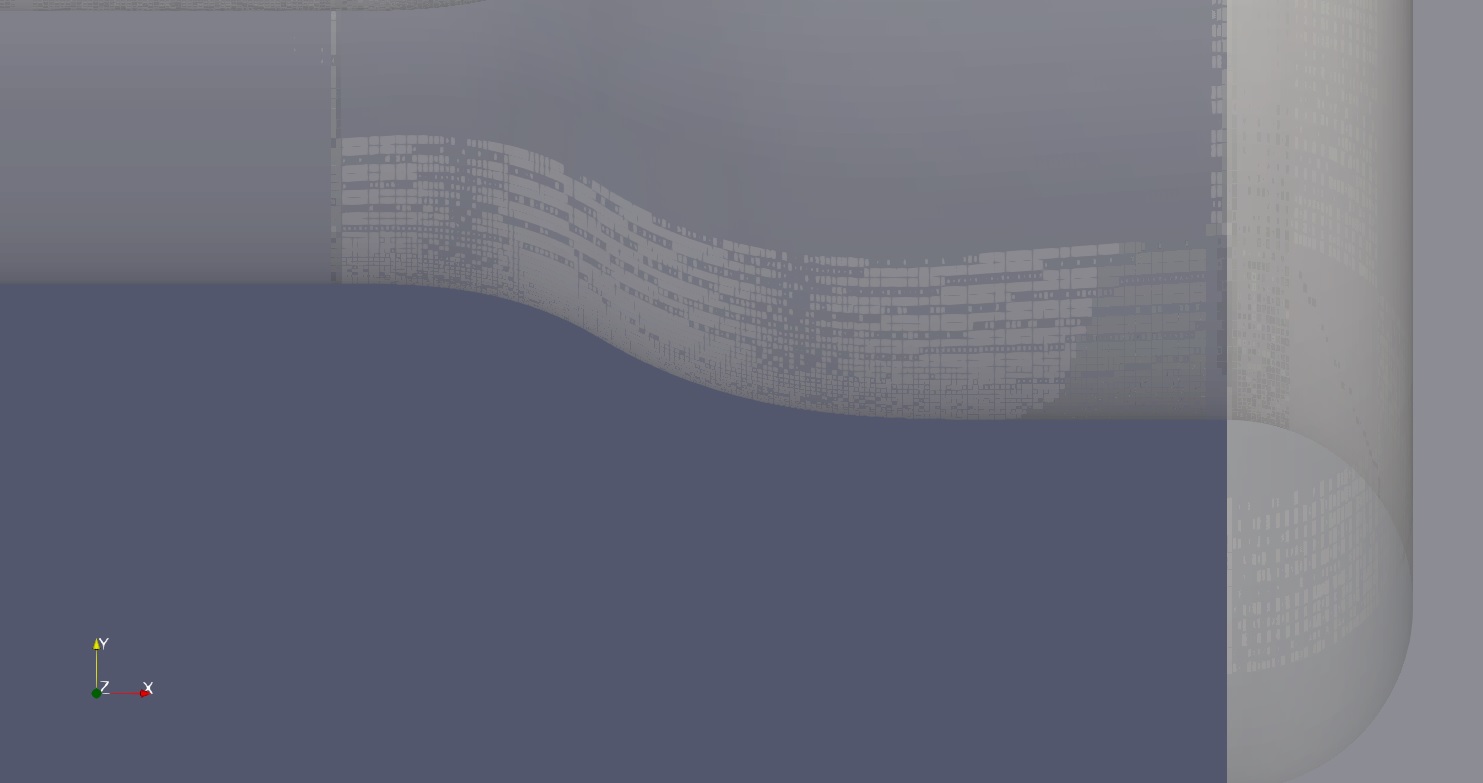
I’m trying to make solid surfaces transparent to a certain degree with opacity option. It still, however, shows some patches on the surfaces, which looks quite ugly.
(This case has been exported from Fluent.)
I’ve tried both 5.8.0 and 5.8.1 versions but got no luck.!
Any workaround for this?
Best.
---
### Author:  [@mwestphal](https://discourse.paraview.org/u/mwestphal)
#### Post date: [September 23, 2020, 12:42pm UTC](https://discourse.paraview.org/t/opacity-not-functioning-properly/5382/2 "2020-09-23T12:42:32Z")
you probably have duplicated points within your dataset. You can try using the Clean filter.
---
### Author:  [@heisenmech](https://discourse.paraview.org/u/heisenmech)
#### Post date: [September 23, 2020, 1:50pm UTC](https://discourse.paraview.org/t/opacity-not-functioning-properly/5382/3 "2020-09-23T13:50:15Z")
Not really. I found a workaround though. If the surfaces are extracted by “extract blocks” filter, they become beautifully transparent with opacity option.
Hope others find this useful.