# open several med file with python script
**URL:** https://discourse.paraview.org/t/open-several-med-file-with-python-script/15280
**Category:** ParaView Support
**Created:** [August 22, 2024, 1:16pm UTC](https://discourse.paraview.org/t/open-several-med-file-with-python-script/15280 "2024-08-22T13:16:35Z")
**Posts on this page:** 3
**Page:** 1
### Author:  [@dim14](https://discourse.paraview.org/u/dim14)
#### Post date: [August 22, 2024, 1:16pm UTC](https://discourse.paraview.org/t/open-several-med-file-with-python-script/15280/1 "2024-08-22T13:16:35Z")
Hello
I’m trying to write a script which can open several .med files and show their Mdepl characteristic
an example of a such file can be download here : [https://unicloud.unicaen.fr/index.php/s/et98DmfRAKNpi8b](https://unicloud.unicaen.fr/index.php/s/et98DmfRAKNpi8b)
To reach this goal i have used the show trace tool of paraview and try at first a simple script
```auto
import pvsimple
pvsimple.ShowParaviewView()
# trace generated using paraview version 5.9.0
#### import the simple module from the paraview
from pvsimple import *
#### disable automatic camera reset on 'Show'
pvsimple._DisableFirstRenderCameraReset()
# create a new 'MED Reader'
rbassin00000med = MEDReader(registrationName='rbassin00000.med', FileName='/media/vesvard211/Crucial X8/maillage/rbassin00000.med')
rbassin00001med = MEDReader(registrationName='rbassin00001.med', FileName='/media/vesvard211/Crucial X8/maillage/rbassin00001.med')
# Properties modified on rbassin00001med
rbassin00000med.AllArrays = ['TS0/bassin/ComSup1/Mdepl@@][@@P1']
rbassin00001med.AllArrays = ['TS0/bassin/ComSup1/Mdepl@@][@@P1']
# get active view
renderView1 = GetActiveViewOrCreate('RenderView')
# show data in view
rbassin00000medDisplay = Show(rbassin00000med, renderView1, 'UnstructuredGridRepresentation')
rbassin00001medDisplay = Show(rbassin00001med, renderView1, 'UnstructuredGridRepresentation')
# trace defaults for the display properties.
rbassin00000medDisplay.Representation = 'Surface'
rbassin00001medDisplay.Representation = 'Surface'
# update the view to ensure updated data information
renderView1.Update()
# set scalar coloring
ColorBy(rbassin00000medDisplay, ('POINTS', 'Mdepl', 'Magnitude'))
ColorBy(rbassin00001medDisplay, ('POINTS', 'Mdepl', 'Magnitude'))
# rescale color and/or opacity maps used to include current data range
rbassin00000medDisplay.RescaleTransferFunctionToDataRange(True, False)
rbassin00001medDisplay.RescaleTransferFunctionToDataRange(True, False)
# show color bar/color legend
rbassin00000medDisplay.SetScalarBarVisibility(renderView1, True)
rbassin00001medDisplay.SetScalarBarVisibility(renderView1, True)
# get color transfer function/color map for 'Mdepl'
mdeplLUT = GetColorTransferFunction('Mdepl')
# get opacity transfer function/opacity map for 'Mdepl'
mdeplPWF = GetOpacityTransferFunction('Mdepl')
# Apply a preset using its name. Note this may not work as expected when presets have duplicate names.
mdeplLUT.ApplyPreset('Rainbow Desaturated', True)
# current camera placement for renderView1
renderView1.CameraPosition = [-0.03795083269039638, -0.7879435548662959, 0.9085857232162643]
renderView1.CameraViewUp = [-0.01389439643973598, 0.7556964723196868, 0.6547746081447845]
```
and it’s working. But when i’m using a loop :
```auto
import pvsimple
pvsimple.ShowParaviewView()
# trace generated using paraview version 5.9.0
#### import the simple module from the paraview
from pvsimple import *
#### disable automatic camera reset on 'Show'
pvsimple._DisableFirstRenderCameraReset()
medFiles = []
medDisplays = []
for i in range(2):
# create a new 'MED Reader'
medFiles.insert(i,MEDReader(registrationName='rbassin0000' + str(i) + '.med', FileName='/media/vesvard211/Crucial X8/maillage/rbassin0000' + str(i) + '.med' ))
medFiles[i].AllArrays = ['TS0/bassin/ComSup1/Mdepl']
# get active view
renderView1 = GetActiveViewOrCreate('RenderView')
# show data in view
medDisplays.insert(i,Show(medFiles[i], renderView1, 'UnstructuredGridRepresentation'))
# trace defaults for the display properties.
medDisplays[i].Representation = 'Surface'
# reset view to fit data
renderView1.ResetCamera()
# get the material library
materialLibrary1 = GetMaterialLibrary()
# update the view to ensure updated data information
renderView1.Update()
# set scalar coloring
ColorBy(medDisplays[i], ('POINTS', 'Mdepl', 'Magnitude'))
# rescale color and/or opacity maps used to include current data range
medDisplays[i].RescaleTransferFunctionToDataRange(True, False)
# show color bar/color legend
medDisplays[i].SetScalarBarVisibility(renderView1, True)
# get color transfer function/color map for 'Mdepl'
mdeplLUT = GetColorTransferFunction('Mdepl')
# get opacity transfer function/opacity map for 'Mdepl'
mdeplPWF = GetOpacityTransferFunction('Mdepl')
# Apply a preset using its name. Note this may not work as expected when presets have duplicate names.
mdeplLUT.ApplyPreset('Rainbow Desaturated', True)
# current camera placement for renderView1
renderView1.CameraPosition = [-0.03795083269039638, -0.7879435548662959, 0.9085857232162643]
renderView1.CameraViewUp = [-0.01389439643973598, 0.7556964723196868, 0.6547746081447845]
```
the script doesn’t manage to select Mdepl characteristic and this error message appear :
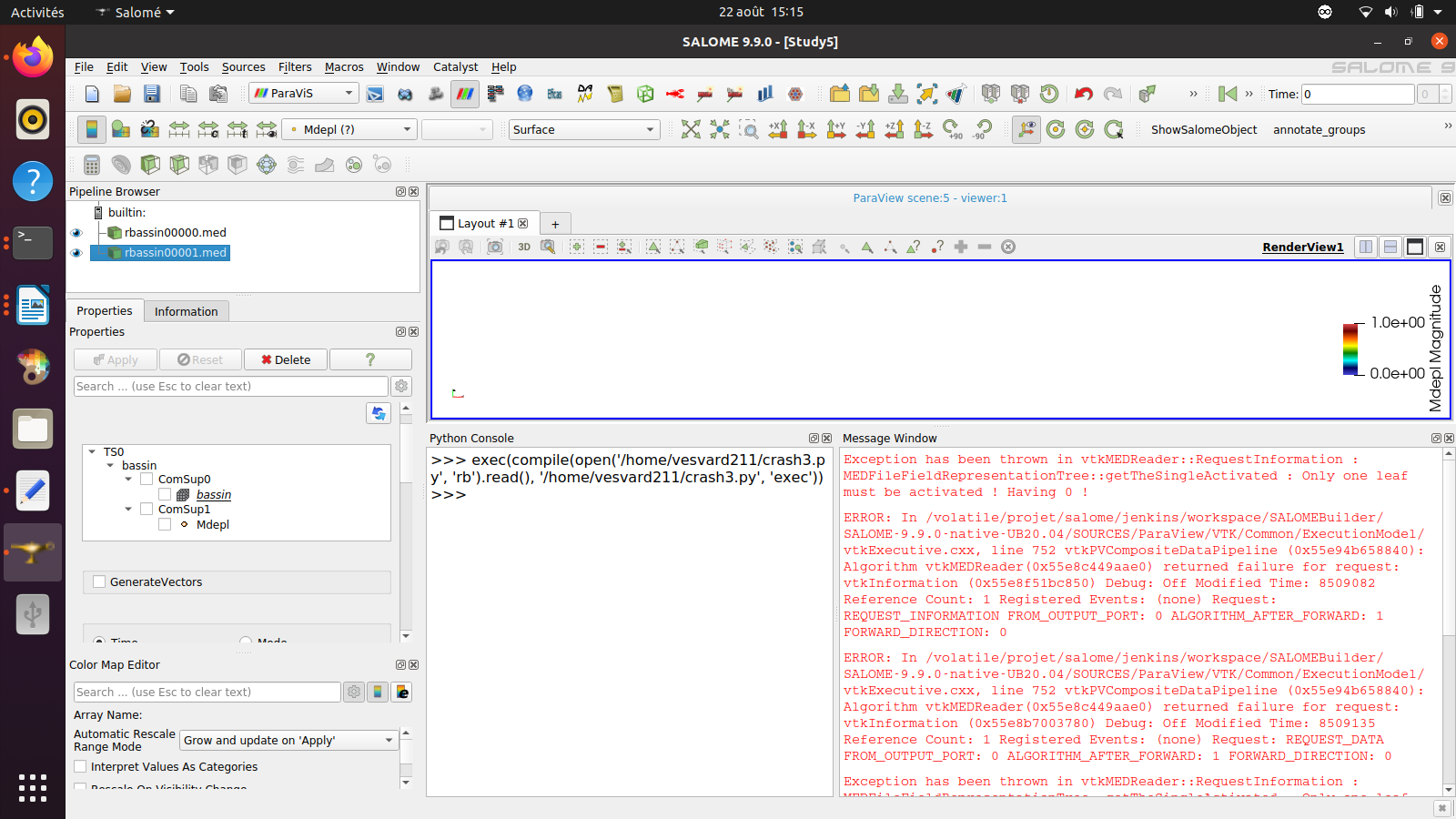
If anyone have suggestion it 'll be great
---
### Author:  [@nicolas.vuaille](https://discourse.paraview.org/u/nicolas.vuaille)
#### Post date: [August 23, 2024, 7:41am UTC](https://discourse.paraview.org/t/open-several-med-file-with-python-script/15280/2 "2024-08-23T07:41:41Z")
In the loop, the `AllArrays` property does not look the same as in the working example. Are you sure of that line?
---
### Author:  [@dim14](https://discourse.paraview.org/u/dim14)
#### Post date: [August 23, 2024, 1:59pm UTC](https://discourse.paraview.org/t/open-several-med-file-with-python-script/15280/3 "2024-08-23T13:59:42Z")
You were right i miss that. The right attribute is : `Mdepl@@][@@P1`
And it’s working 🙂
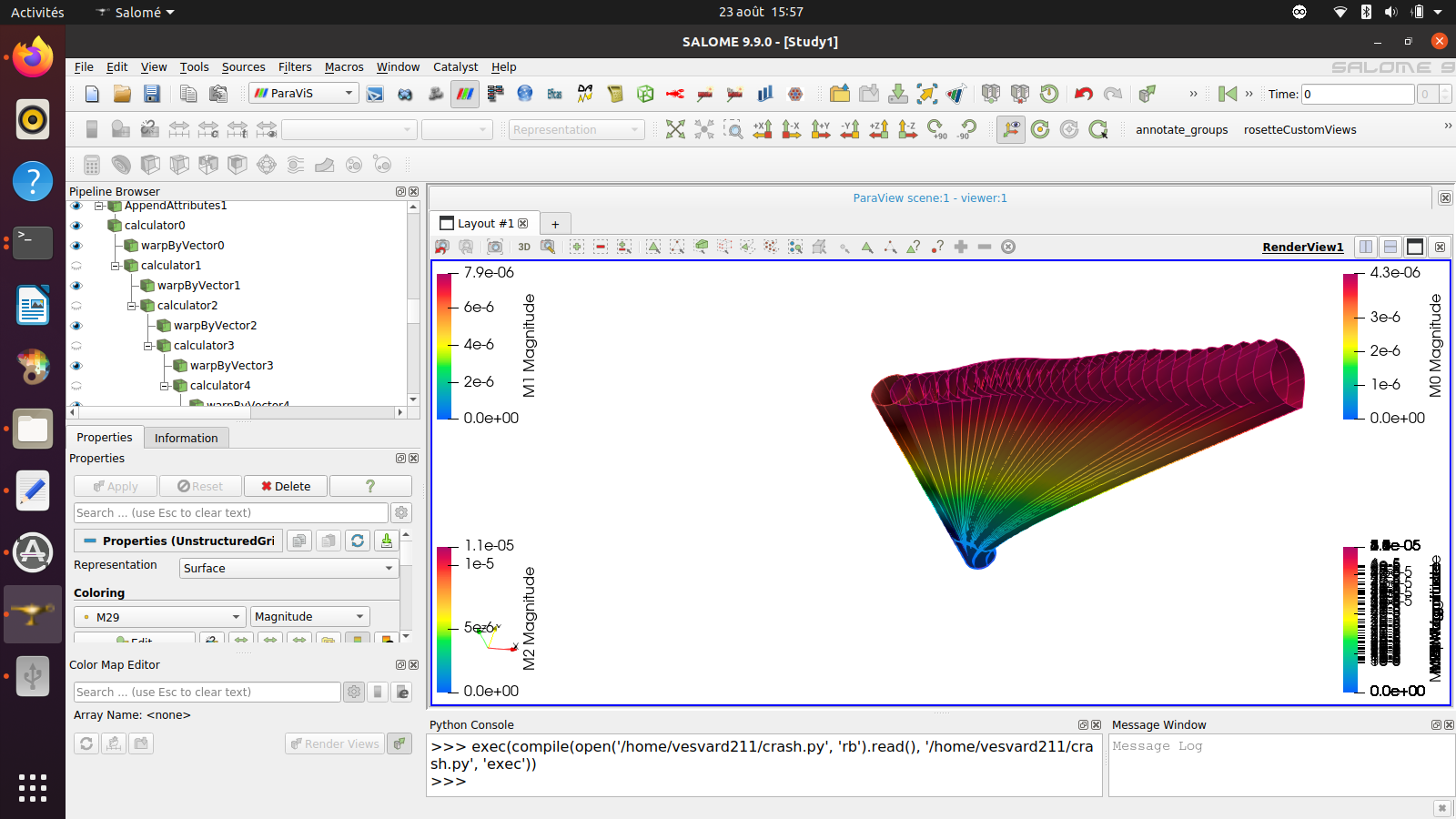
Thanks for you help
Best regards