# Paraview 5.11 instantly closes when opend
**URL:** https://discourse.paraview.org/t/paraview-5-11-instantly-closes-when-opend/10978
**Category:** ParaView Support
**Created:** [December 14, 2022, 8:34pm UTC](https://discourse.paraview.org/t/paraview-5-11-instantly-closes-when-opend/10978 "2022-12-14T20:34:06Z")
**Posts on this page:** 7
**Page:** 1
### Author:  [@Raulsanz](https://discourse.paraview.org/u/Raulsanz)
#### Post date: [December 14, 2022, 8:34pm UTC](https://discourse.paraview.org/t/paraview-5-11-instantly-closes-when-opend/10978/1 "2022-12-14T20:34:06Z")
What can I do if this happens? I have tried downloading previous versions but it continue happening
---
### Author:  [@mwestphal](https://discourse.paraview.org/u/mwestphal)
#### Post date: [December 15, 2022, 7:53am UTC](https://discourse.paraview.org/t/paraview-5-11-instantly-closes-when-opend/10978/2 "2022-12-15T07:53:30Z")
Hi @Raulsanz
Please provide more info about your system and your error.
Best,
---
### Author:  [@Raulsanz](https://discourse.paraview.org/u/Raulsanz)
#### Post date: [December 15, 2022, 10:06am UTC](https://discourse.paraview.org/t/paraview-5-11-instantly-closes-when-opend/10978/3 "2022-12-15T10:06:41Z")
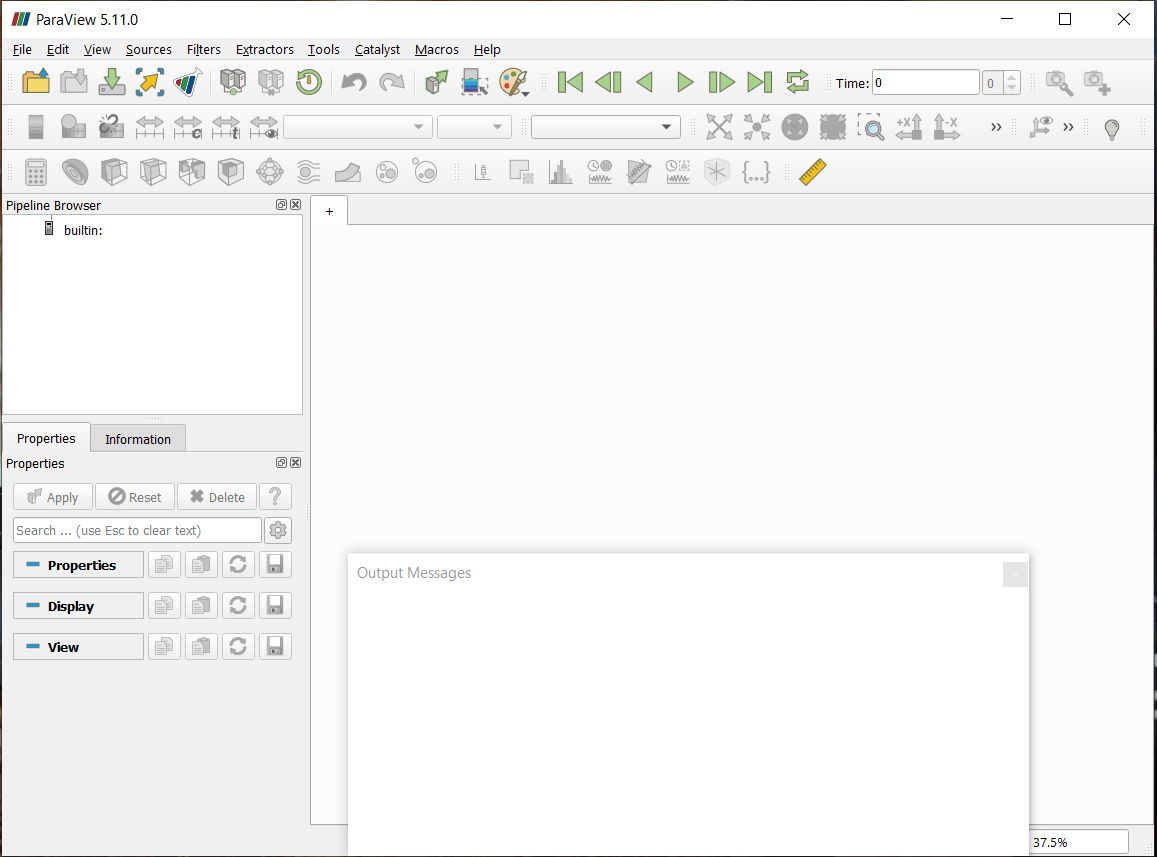
Hi @mwestphal
Im working with a windows 10 pro System. My computer is an Hp Victus AMD64 Ryzen 7 with a NVIDIA GEFORCE RTX 3050.
I tried downloading both paraview 5.11 .msi and .zip but they are giving me the same problem. When I execute the paraview.exe file, It opens, shows the output messages window and it propmts nothing, 2 seconds later the app closes without a crushing massage from the app or windows. Usually windows shows a window saying that the program stop working and asking if you want to close it or wait but not this time.
Thanks for your atention
---
### Author:  [@mwestphal](https://discourse.paraview.org/u/mwestphal)
#### Post date: [December 15, 2022, 11:12am UTC](https://discourse.paraview.org/t/paraview-5-11-instantly-closes-when-opend/10978/4 "2022-12-15T11:12:56Z")
Please make sure your GPU driver are used and up to date.
---
### Author:  [@Raulsanz](https://discourse.paraview.org/u/Raulsanz)
#### Post date: [December 15, 2022, 12:10pm UTC](https://discourse.paraview.org/t/paraview-5-11-instantly-closes-when-opend/10978/5 "2022-12-15T12:10:35Z")
I have just updated drivers just in case, because the computer is new, but nothing has changed.
---
### Author:  [@mwestphal](https://discourse.paraview.org/u/mwestphal)
#### Post date: [December 15, 2022, 1:03pm UTC](https://discourse.paraview.org/t/paraview-5-11-instantly-closes-when-opend/10978/6 "2022-12-15T13:03:29Z")
Coul you try recovering opengl information using pvython ?
> [@Recover OpenGL Informations from pvpython](https://discourse.paraview.org/t/recover-opengl-informations-from-pvpython/1536):
>
> The OpenGL informations, visible in Help → About dialog, are not easily recoverable in pvpython yet. Here is how to do it. On ParaView 5.6 and earlier versions: import vtk as VTK openGLInfo=VTK.vtkPVOpenGLInformation() session=servermanager.vtkSMProxyManager.GetProxyManager().GetActiveSession() session.GatherInformation(session.CLIENT, openGLInfo, 0) openGLInfo.GetVendor() openGLInfo.GetVersion() openGLInfo.GetRenderer() openGLInfo.GetCapabilities() On ParaView 5.7.X : openGLInfo=serverman…
```auto
from paraview.simple import *
openGLInfo = GetOpenGLInformation()
openGLInfo.GetVendor()
openGLInfo.GetVersion()
openGLInfo.GetRenderer()
openGLInfo.GetCapabilities()
```
---
### Author:  [@FQVBSina](https://discourse.paraview.org/u/FQVBSina)
#### Post date: [March 6, 2023, 7:41pm UTC](https://discourse.paraview.org/t/paraview-5-11-instantly-closes-when-opend/10978/7 "2023-03-06T19:41:15Z")
In case anyone else has this issue, I am 80% positive that it is the Windows trying to run Paraview with the integrated chipset instead of the graphics card. Try:
1. Open graphics settings by searching it in start menu
2. Browse app and find the binary of Paraview.
3. Click options
4. Force the graphics card to the high performance card.