# ParaView 5.8 some Icons are invisible
**URL:** https://discourse.paraview.org/t/paraview-5-8-some-icons-are-invisible/3756
**Category:** ParaView Support
**Created:** [March 6, 2020, 6:26am UTC](https://discourse.paraview.org/t/paraview-5-8-some-icons-are-invisible/3756 "2020-03-06T06:26:11Z")
**Posts on this page:** 11
**Page:** 1
### Author:  [@ymjia](https://discourse.paraview.org/u/ymjia)
#### Post date: [March 6, 2020, 6:26am UTC](https://discourse.paraview.org/t/paraview-5-8-some-icons-are-invisible/3756/1 "2020-03-06T06:26:11Z")
Hi guys,
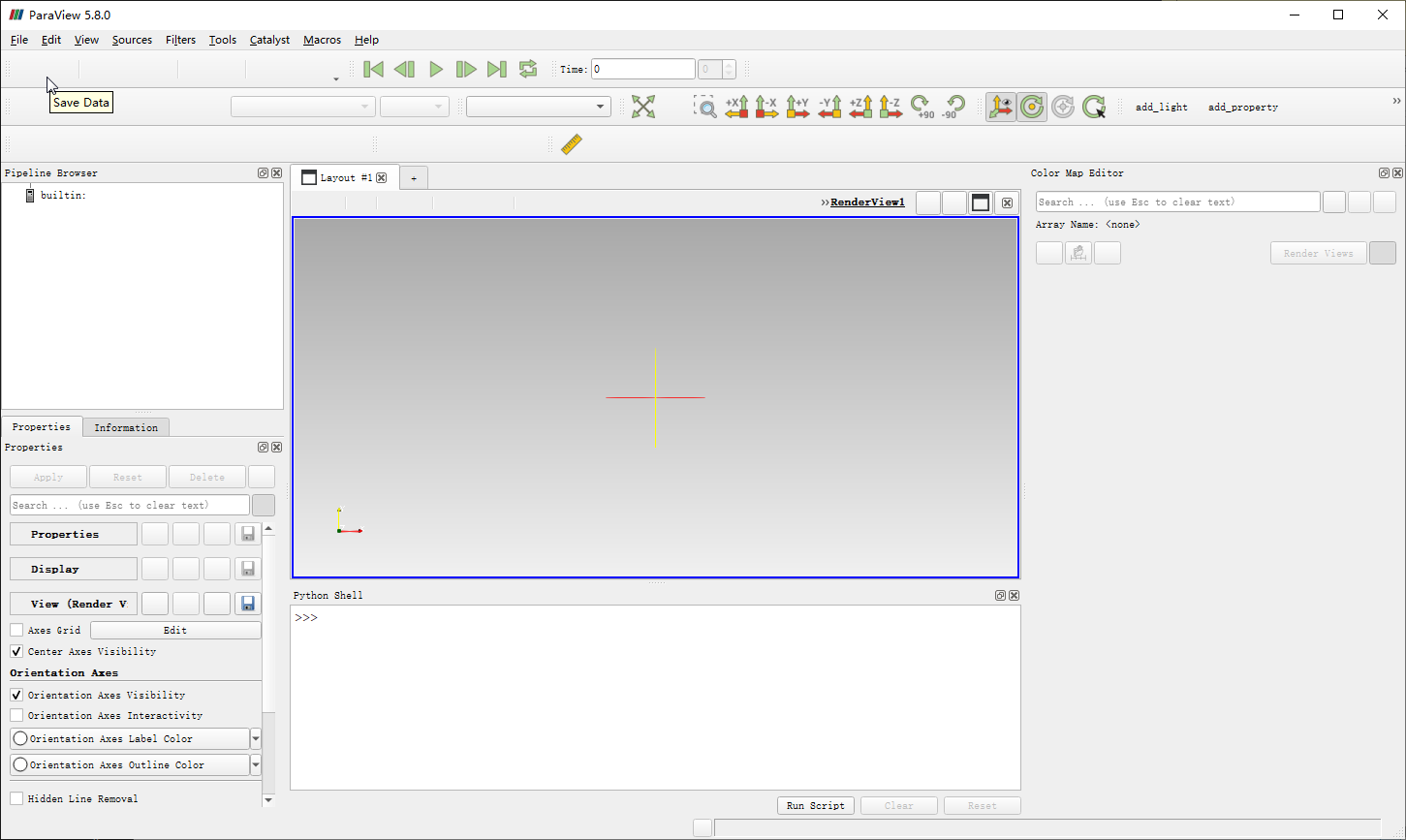
I have built an executable from newest 5.8 release source, every thing is ok but when I open the executable in the installed dir, some of the icons are **invisble** while time step/ camera control icons are normal. Invisible icons are clickable and act as expected.
Here is the screenshort:
```
Is there something I have missed in CMake configuration or buid process?
My configuration:
* Windows 10
* Visual Studio 15 2017 Win64
* Qt 5.12.6
* Python 3.7
* no other cmake option changed except PARAVIEW_USE_PYTHON set to 1 and qt/python dir set.
```
---
### Author:  [@ymjia](https://discourse.paraview.org/u/ymjia)
#### Post date: [March 6, 2020, 7:14am UTC](https://discourse.paraview.org/t/paraview-5-8-some-icons-are-invisible/3756/2 "2020-03-06T07:14:51Z")
I have solved the problem, record here in case someone else may encounter:
The problem comes from CMAKE INSTALL, after build INSTALL project in VS gui, it missed several directories including:
bin/iconengines
bin/imageformats
after manually copy iconengines to my installed dir, **nearly** all icons recover:
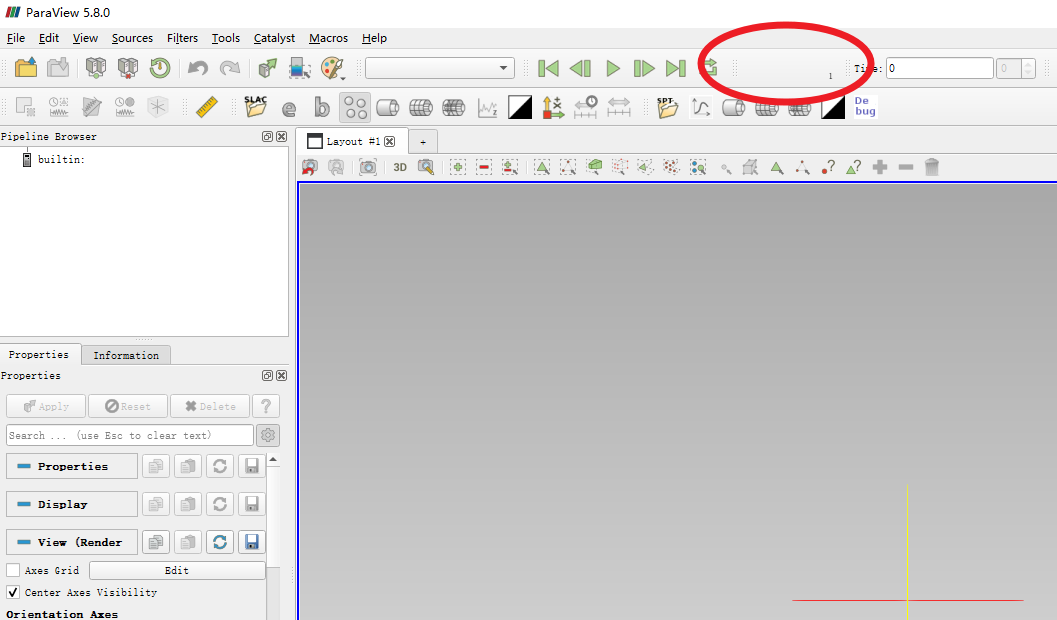
camera position recorder icons are still invisble, then after copy imageformats to installed dir, all icons are visible:
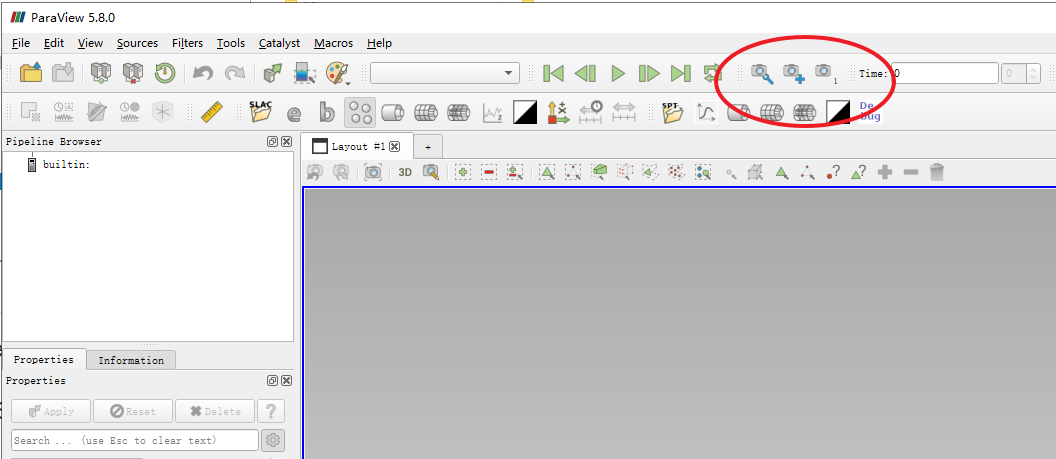
So **cmake install** may need update for new paraview Version.
Best reguards!
---
### Author:  [@mwestphal](https://discourse.paraview.org/u/mwestphal)
#### Post date: [March 6, 2020, 10:45am UTC](https://discourse.paraview.org/t/paraview-5-8-some-icons-are-invisible/3756/3 "2020-03-06T10:45:09Z")
@ben.boeckel
---
### Author:  [@ben.boeckel](https://discourse.paraview.org/u/ben.boeckel)
#### Post date: [March 16, 2020, 2:43pm UTC](https://discourse.paraview.org/t/paraview-5-8-some-icons-are-invisible/3756/4 "2020-03-16T14:43:30Z")
If this is a standalone ParaView, I’m not surprised. I don’t think we do any attempt to move the appropriate Qt plugins to the install tree outside of the superbuild right now.
---
### Author:  [@steveogg](https://discourse.paraview.org/u/steveogg)
#### Post date: [April 2, 2020, 8:18pm UTC](https://discourse.paraview.org/t/paraview-5-8-some-icons-are-invisible/3756/5 "2020-04-02T20:18:58Z")
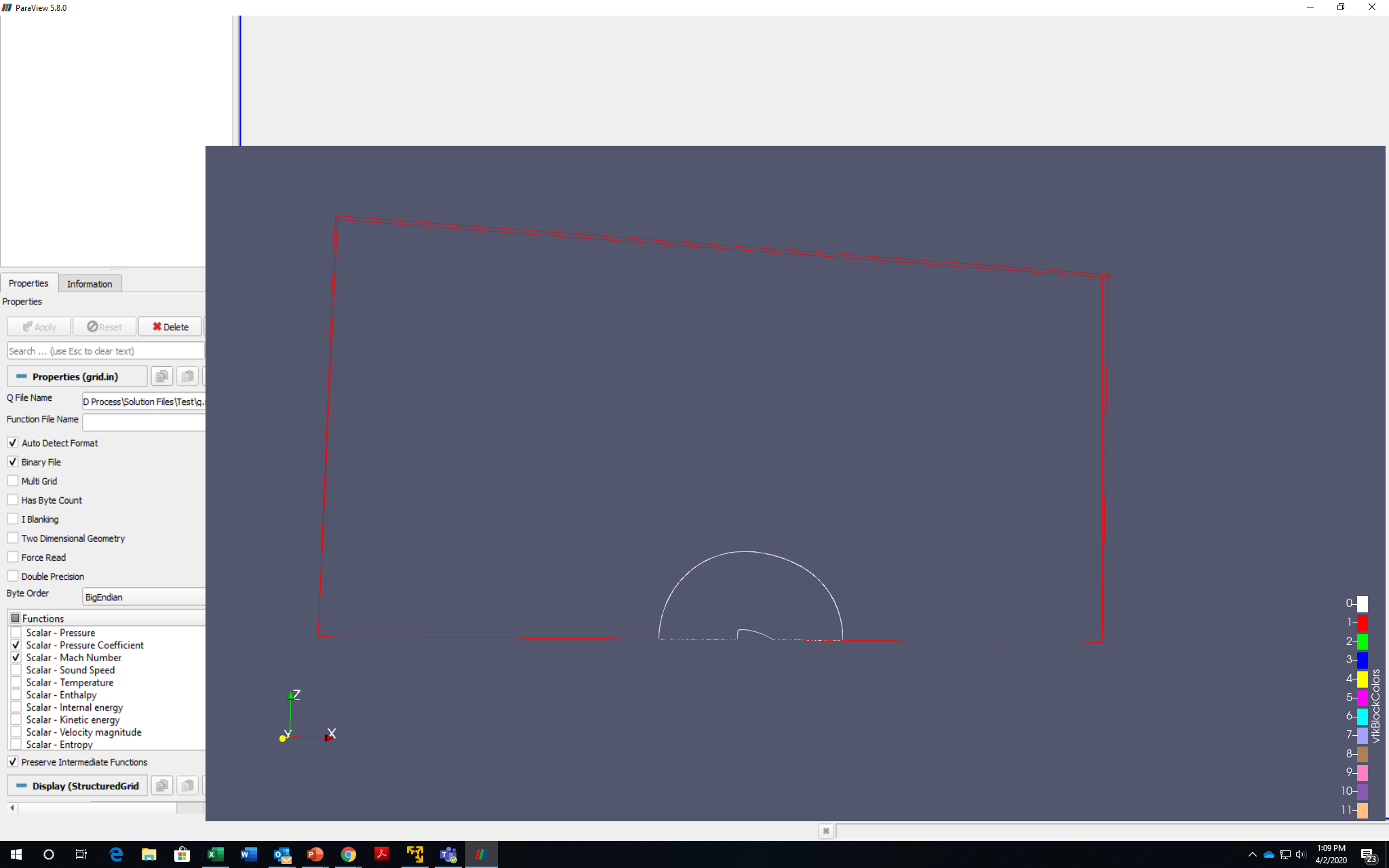
I have just started using Paraview. I have a Dell workstation with an nVidia M4000 graphics card. I downloaded the windows executable and installed Paraview. When I launched the application it came up just fine and I selected my grid file and solution file. It brought up the graphics, but at the same time all the icons that were at the top disappeared. Here is the screenshot. It seems my case is somewhat different than the above issue since originally all the icons were present. Any suggestions?
Thanks.
 It this should be a new topic please let me know.
---
### Author:  [@cory.quammen](https://discourse.paraview.org/u/cory.quammen)
#### Post date: [April 2, 2020, 8:31pm UTC](https://discourse.paraview.org/t/paraview-5-8-some-icons-are-invisible/3756/6 "2020-04-02T20:31:42Z")
> [@steveogg](#):
>
> Any suggestions?
It’s very likely ParaView isn’t using your NVIDIA card (you can verify by going to the Help menu and selecting About…, then look for your OpenGL settings) as this looks like the classic Intel driver bug at work. To ensure ParaView is using your NVIDIA card, go to the NVIDIA Control Panel, click on “Manage 3D Settings”. Under the “Global Settings” tab, scroll down to the “OpenGL rendering GPU” and select your M4000 card. That should do it. There’s another way to set this up per application under the “Program Settings” tab as well.
---
### Author:  [@steveogg](https://discourse.paraview.org/u/steveogg)
#### Post date: [April 3, 2020, 9:42am UTC](https://discourse.paraview.org/t/paraview-5-8-some-icons-are-invisible/3756/7 "2020-04-03T09:42:05Z")
Cory,
That fixed the issue. Thank you.
Steve
---
### Author:  [@mwestphal](https://discourse.paraview.org/u/mwestphal)
#### Post date: [April 6, 2020, 7:33am UTC](https://discourse.paraview.org/t/paraview-5-8-some-icons-are-invisible/3756/8 "2020-04-06T07:33:08Z")
For reference : [https://gitlab.kitware.com/paraview/paraview/-/issues/19364](https://gitlab.kitware.com/paraview/paraview/-/issues/19364)
---
### Author:  [@anthomas](https://discourse.paraview.org/u/anthomas)
#### Post date: [July 13, 2021, 4:31pm UTC](https://discourse.paraview.org/t/paraview-5-8-some-icons-are-invisible/3756/9 "2021-07-13T16:31:48Z")
I seem to be having the exact same issue as you, where exactly did you move the folders to? I moved the imageformats and iconengine folders from qt to the paraview bin but this did not seem to work.
---
### Author:  [@ymjia](https://discourse.paraview.org/u/ymjia)
#### Post date: [July 13, 2021, 5:02pm UTC](https://discourse.paraview.org/t/paraview-5-8-some-icons-are-invisible/3756/11 "2021-07-13T17:02:16Z")
You can first install executable in official release, if the official installed ParaView run as expected, then take the Qt plugins in official installed bin/ directory as a reference:)
---
### Author:  [@anthomas](https://discourse.paraview.org/u/anthomas)
#### Post date: [July 13, 2021, 6:09pm UTC](https://discourse.paraview.org/t/paraview-5-8-some-icons-are-invisible/3756/12 "2021-07-13T18:09:08Z")
The official release works perfectly, and my build works fine with a separate installation of qt. However moving these files with the official release as a reference did not fix the issue of missing icons when qt is not included in the package. (edit fixed by adding a few other dlls)