# Paraview "expanding" when opening .foam file
**URL:** https://discourse.paraview.org/t/paraview-expanding-when-opening-foam-file/5378
**Category:** ParaView Support
**Created:** [September 18, 2020, 10:17am UTC](https://discourse.paraview.org/t/paraview-expanding-when-opening-foam-file/5378 "2020-09-18T10:17:43Z")
**Posts on this page:** 2
**Page:** 1
### Author:  [@Luca](https://discourse.paraview.org/u/Luca)
#### Post date: [September 18, 2020, 10:17am UTC](https://discourse.paraview.org/t/paraview-expanding-when-opening-foam-file/5378/1 "2020-09-18T10:17:43Z")
Hi!
I encountered issues when opening a .foam file of a cfd simulation run on openfoam.
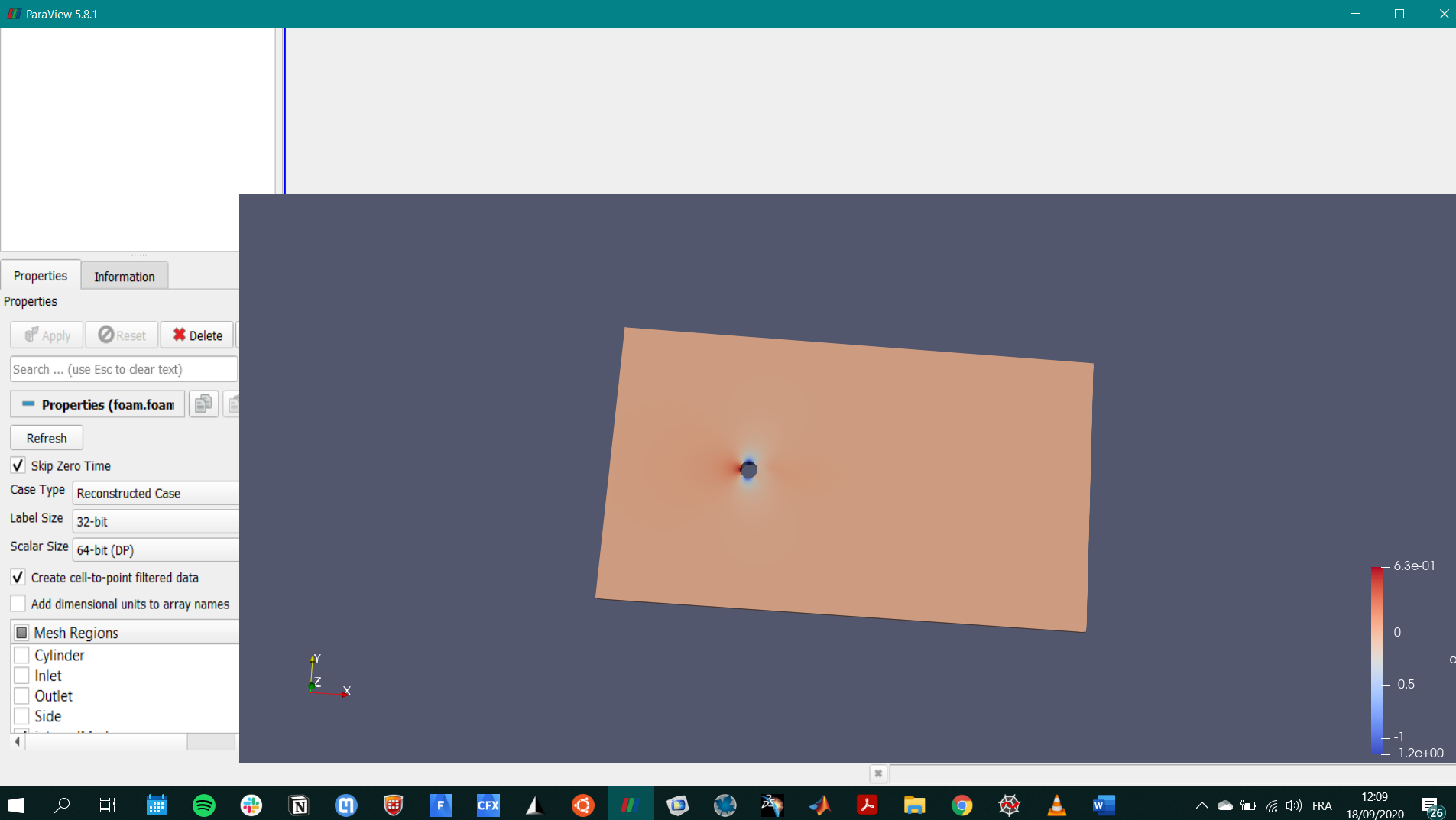
Once I open the file and click “apply” in paraview, the layout window seems to expand and the “properties” window shows some weird zoom effect. All commands disappear as well. Please refer to the screenshot below to see what I mean. Thanks in advance for the help!
---
### Author:  [@mwestphal](https://discourse.paraview.org/u/mwestphal)
#### Post date: [September 18, 2020, 10:27am UTC](https://discourse.paraview.org/t/paraview-expanding-when-opening-foam-file/5378/2 "2020-09-18T10:27:13Z")
Classic intel bug.
> [@I am using ParaView 5.8.0 on Windows 10, and my GUI is completely broken, with missing icons! What is happening?](https://discourse.paraview.org/t/i-am-using-paraview-5-8-0-on-windows-10-and-my-gui-is-completely-broken-with-missing-icons-what-is-happening/4509):
>
> This is due to the "Intel Driver Bug., You can find all info about it here: [https://gitlab.kitware.com/paraview/paraview/-/issues/19364](https://gitlab.kitware.com/paraview/paraview/-/issues/19364) Possible solutions are: Upgrade to ParaView 5.8.1 or more recent Use another GPU (eg: NVIDIA instead of Intel) Downgrade your Intel driver to the version before 26.20.100.6708 Upgrade your Intel driver to the version after 26.20.100.7528 Use mesa instead : [How to run ParaView (including the binary release) using Mesa on Windows](https://discourse.paraview.org/t/how-to-run-paraview-including-the-binary-release-using-mesa-on-windows/4321/2) Downgrade to ParaView…