# Paraview Interface Changes after running an uploaded file
**URL:** https://discourse.paraview.org/t/paraview-interface-changes-after-running-an-uploaded-file/4150
**Category:** ParaView Support
**Created:** [April 22, 2020, 9:21pm UTC](https://discourse.paraview.org/t/paraview-interface-changes-after-running-an-uploaded-file/4150 "2020-04-22T21:21:21Z")
**Posts on this page:** 5
**Page:** 1
### Author:  [@Zoelle\_F\_Wong](https://discourse.paraview.org/u/Zoelle_F_Wong)
#### Post date: [April 22, 2020, 9:21pm UTC](https://discourse.paraview.org/t/paraview-interface-changes-after-running-an-uploaded-file/4150/1 "2020-04-22T21:21:21Z")
Hello!
I’m new to paraview and I’m having trouble running Paraview.
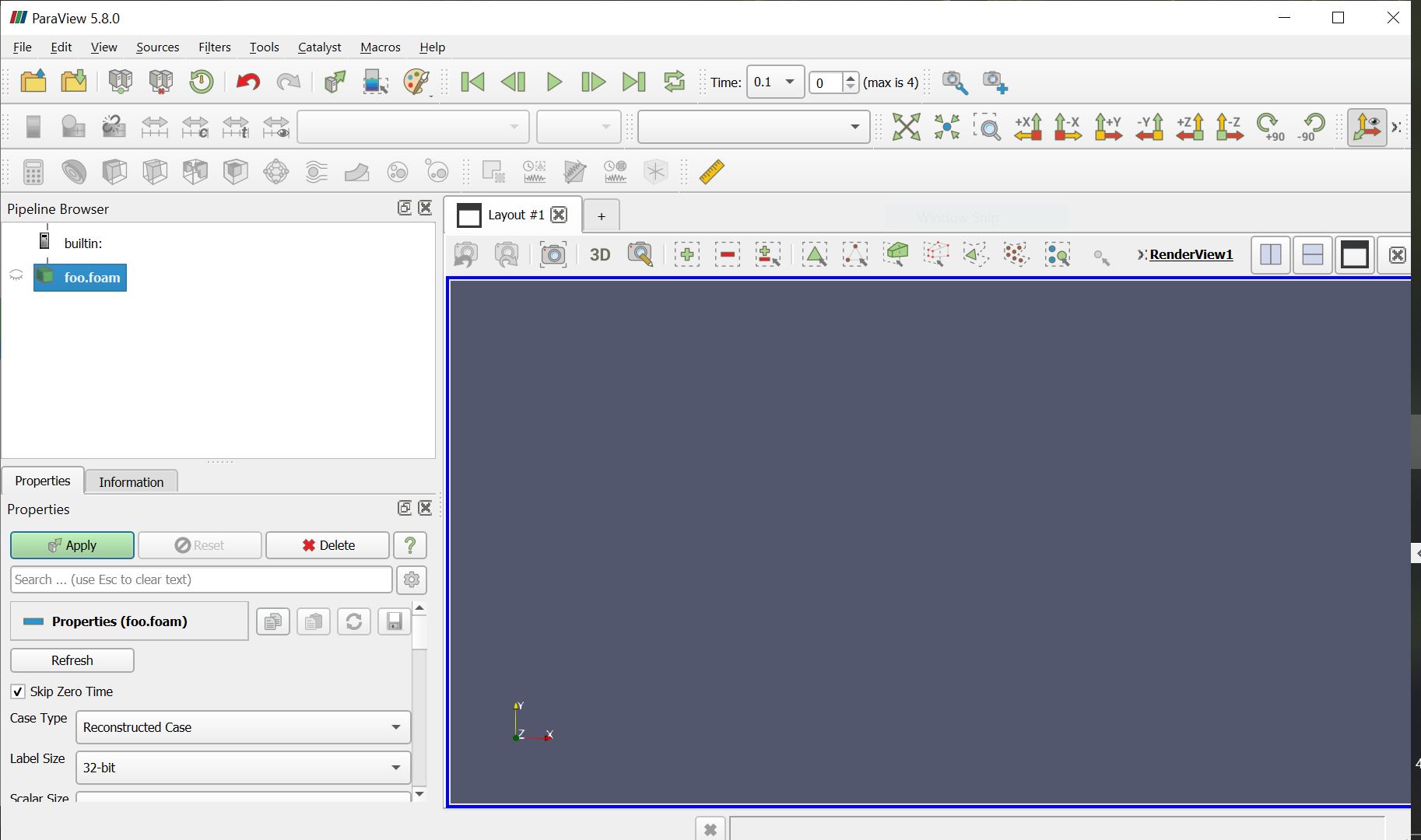
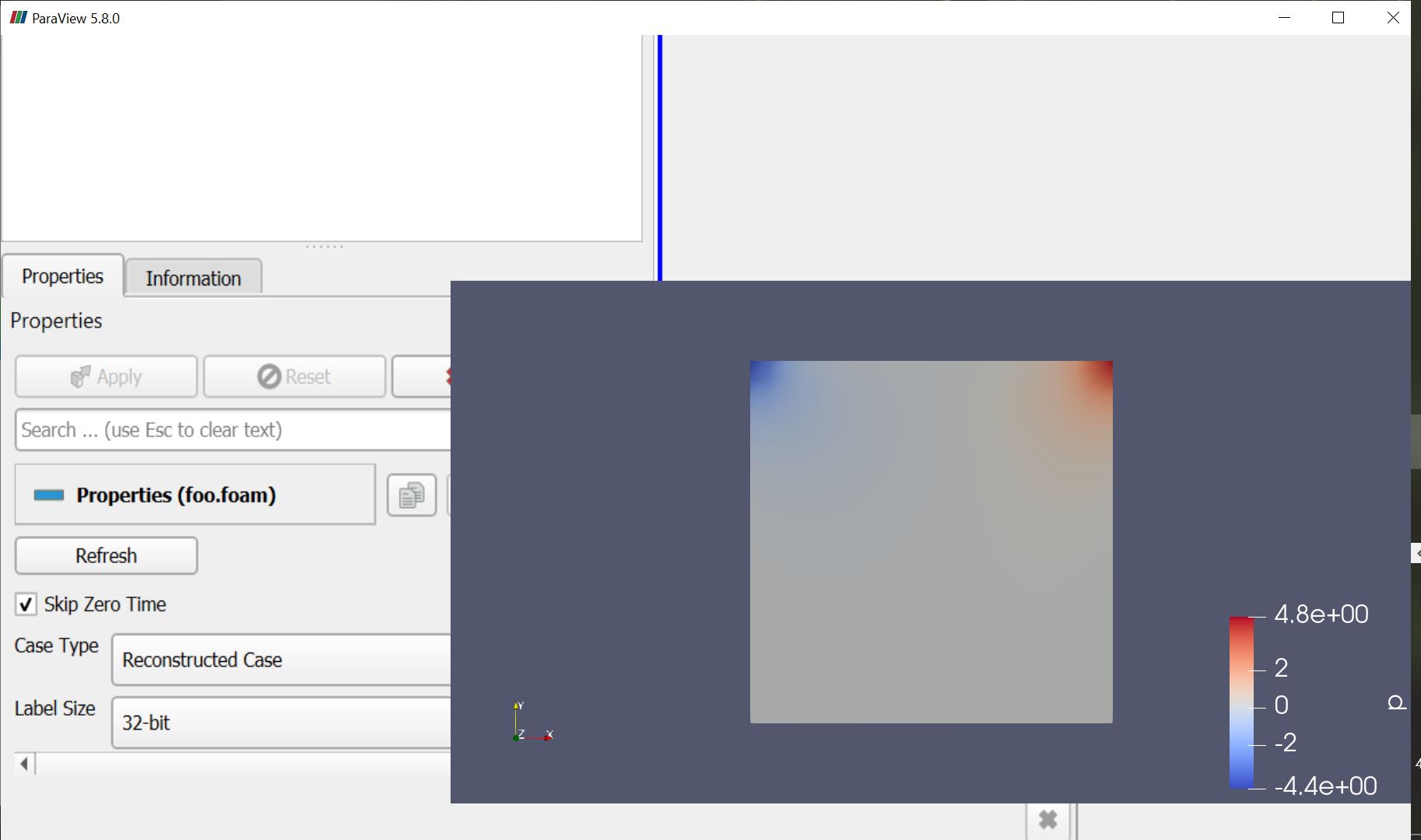
I’ve installed the ParaView 5.8.0- Windows.exe file from the downloads website. I have a file called “foo.foam”, which is a file from the results of the “Open Cavity Tutorial” from Open Foam. I am also operating on a Windows operating system. Initially, the paraview interface looks normal (picture 1), but after I press “apply” the interface looks different (picture 2).
Is there additional software that I need to install to see the interface? Is there something that I need to reconfigure in my computer’s visual settings?
Thank you in advance!
---
### Author:  [@wascott](https://discourse.paraview.org/u/wascott)
#### Post date: [April 22, 2020, 9:23pm UTC](https://discourse.paraview.org/t/paraview-interface-changes-after-running-an-uploaded-file/4150/2 "2020-04-22T21:23:15Z")
To quote Cory, looks like the classic Intel driver bug. [https://gitlab.kitware.com/paraview/paraview/-/issues/19364](https://gitlab.kitware.com/paraview/paraview/-/issues/19364)
---
### Author:  [@Zoelle\_F\_Wong](https://discourse.paraview.org/u/Zoelle_F_Wong)
#### Post date: [April 22, 2020, 10:17pm UTC](https://discourse.paraview.org/t/paraview-interface-changes-after-running-an-uploaded-file/4150/3 "2020-04-22T22:17:43Z")
Thank you!
How did you update your driver? I’ve tried going to the Dell downloads website, but it says I’m up to date. The display on Paraview indicates otherwise
---
### Author:  [@wascott](https://discourse.paraview.org/u/wascott)
#### Post date: [April 22, 2020, 10:23pm UTC](https://discourse.paraview.org/t/paraview-interface-changes-after-running-an-uploaded-file/4150/4 "2020-04-22T22:23:30Z")
On my personal laptop, I also had this issue. I had to roll back a few years… That worked.
---
### Author:  [@Zoelle\_F\_Wong](https://discourse.paraview.org/u/Zoelle_F_Wong)
#### Post date: [April 22, 2020, 10:52pm UTC](https://discourse.paraview.org/t/paraview-interface-changes-after-running-an-uploaded-file/4150/5 "2020-04-22T22:52:01Z")
Thank you!
I ended up installing Paraview 5.4 instead of 5.8; I don’t have any visual interface issues with Paraview 5.4
I suppose that means the intel drivers aren’t compatible with the current windows drivers… Please pass this information along so that Paraview 5.8 or Windows 10 can become compatible!