# paraview lite: import Files
**URL:** https://discourse.paraview.org/t/paraview-lite-import-files/10368
**Category:** Web Support
**Tags:** web
**Created:** [September 21, 2022, 2:10am UTC](https://discourse.paraview.org/t/paraview-lite-import-files/10368 "2022-09-21T02:10:12Z")
**Posts on this page:** 20
**Page:** 1
### Author:  [@Elision](https://discourse.paraview.org/u/Elision)
#### Post date: [September 21, 2022, 2:10am UTC](https://discourse.paraview.org/t/paraview-lite-import-files/10368/1 "2022-09-21T02:10:12Z")
Why does the source code I downloaded from github run without the Contour button on the interface and no files can be opened in Files? I also want to import my own local files. How do I do this
---
### Author:  [@jourdain](https://discourse.paraview.org/u/jourdain)
#### Post date: [September 21, 2022, 5:33pm UTC](https://discourse.paraview.org/t/paraview-lite-import-files/10368/2 "2022-09-21T17:33:01Z")
How do you run the application? Are you on Windows?
---
### Author:  [@Elision](https://discourse.paraview.org/u/Elision)
#### Post date: [September 22, 2022, 12:42am UTC](https://discourse.paraview.org/t/paraview-lite-import-files/10368/3 "2022-09-22T00:42:10Z")
yes, on windows, just follow the guidance:npm install and npm run serve
---
### Author:  [@jourdain](https://discourse.paraview.org/u/jourdain)
#### Post date: [September 22, 2022, 2:28pm UTC](https://discourse.paraview.org/t/paraview-lite-import-files/10368/4 "2022-09-22T14:28:52Z")
What about running it from paraview directly
```bash
pvpython.exe -m paraview.apps.lite --data "C:\\SomeValidPath"
```
Usually the issue on windows is that the path is not well formed which prevent the app to list any file.
---
### Author:  [@Elision](https://discourse.paraview.org/u/Elision)
#### Post date: [September 22, 2022, 4:08pm UTC](https://discourse.paraview.org/t/paraview-lite-import-files/10368/5 "2022-09-22T16:08:18Z")
I want to secondary develop the source code of ParaView Lite to build my own visual website. If I run the source code on the UBANTU system, does it work properly? including displaying files properly?
---
### Author:  [@Elision](https://discourse.paraview.org/u/Elision)
#### Post date: [September 22, 2022, 4:11pm UTC](https://discourse.paraview.org/t/paraview-lite-import-files/10368/6 "2022-09-22T16:11:50Z")
When I open a geological model through ParqView Server and display it on the Web through ParaViewWeb, my interaction with the model is very slow, such as rotation, zooming in and out, etc. Does it have anything to do with my computer performance? Or is there an optimization strategy?
---
### Author:  [@jourdain](https://discourse.paraview.org/u/jourdain)
#### Post date: [September 26, 2022, 6:34pm UTC](https://discourse.paraview.org/t/paraview-lite-import-files/10368/7 "2022-09-26T18:34:10Z")
It is hard to say why it is slow unless you are using OSMesa with CPU rendering or you are working over a very bad network. But if you provide more context, we might be able to better help.
If you want to edit the code, yes go for it. Unix based system should work better than Windows for development.
Also, you might be interested to look into [trame](https://kitware.github.io/trame/) for building similar application in plain python in a simpler manner.
---
### Author:  [@Elision](https://discourse.paraview.org/u/Elision)
#### Post date: [September 27, 2022, 1:32am UTC](https://discourse.paraview.org/t/paraview-lite-import-files/10368/8 "2022-09-27T01:32:55Z")
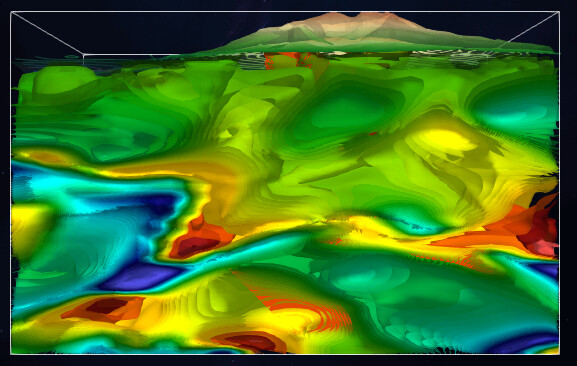
When I render a cone on the web, I interact with the cone very smoothly. However, when I render a real geological model pvsm file, the interaction is very poor, and even the problem of losing the model may occur.
---
### Author:  [@Elision](https://discourse.paraview.org/u/Elision)
#### Post date: [September 27, 2022, 1:36am UTC](https://discourse.paraview.org/t/paraview-lite-import-files/10368/9 "2022-09-27T01:36:34Z")
I gave up the idea before because there are few online information about the trame.
I run paraview lite on Windows. The code asks the server for the default file on the server through filelisting.js, right?
So I can understand that it is because of the problems of the Windows system, not because of the steps I ran the program?
---
### Author:  [@Elision](https://discourse.paraview.org/u/Elision)
#### Post date: [September 27, 2022, 1:47am UTC](https://discourse.paraview.org/t/paraview-lite-import-files/10368/10 "2022-09-27T01:47:14Z")

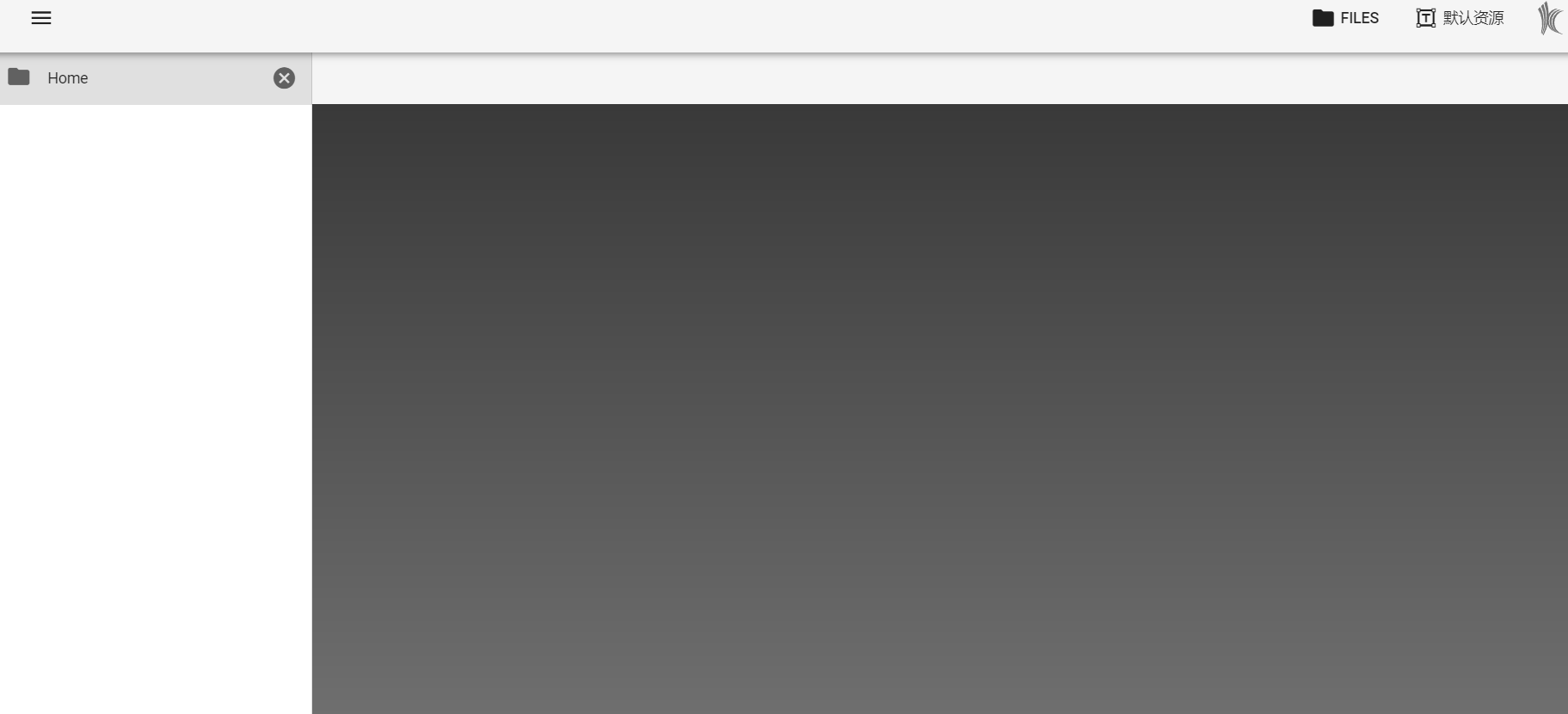
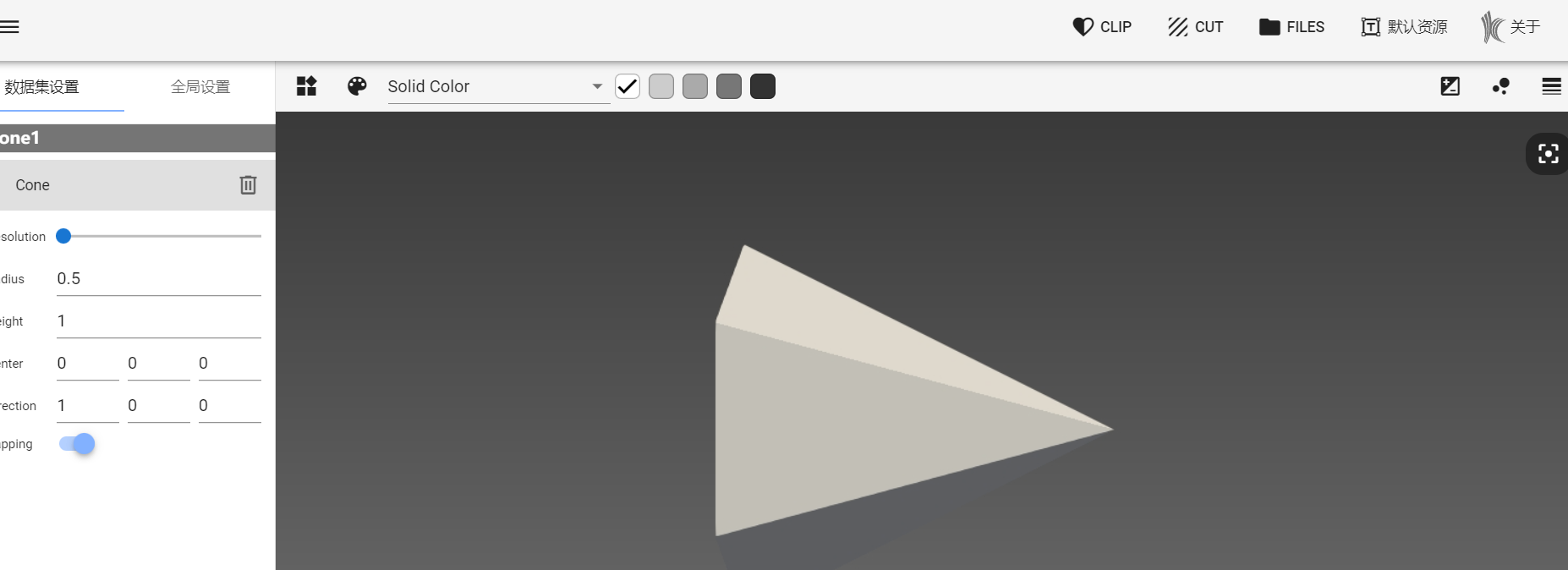
This is the screenshot of my run. It can be seen that there is nothing in the file. When rendering the cone, the tool above lacks two types of fliers compared with the official sample
---
### Author:  [@jourdain](https://discourse.paraview.org/u/jourdain)
#### Post date: [September 27, 2022, 3:50pm UTC](https://discourse.paraview.org/t/paraview-lite-import-files/10368/11 "2022-09-27T15:50:52Z")
So here is what I can say based on the additional information:
- Your path “~” is not a valid windows path. Just provide a full and valid path should solve your listing issue.
- Rendering speed: since the cone is fast it seems that you don’t really have a powerful GPU for rendering your data. Nothing specific/limitation of ParaView lite.
- Filter limitation: With cone, the data has no field and therefore those filters can not be applied. And that is the reason why they are hidden when the cone source is selected.
---
### Author:  [@jourdain](https://discourse.paraview.org/u/jourdain)
#### Post date: [September 27, 2022, 3:53pm UTC](https://discourse.paraview.org/t/paraview-lite-import-files/10368/12 "2022-09-27T15:53:46Z")
Trame documentation:
- [Web site](https://kitware.github.io/trame/)
- [Tutorial](https://kitware.github.io/trame/docs/tutorial.html)
- [API](https://trame.readthedocs.io/en/latest/index.html)
- [Examples](https://github.com/Kitware/trame/tree/master/examples)
- [WIP Visualizer implementation](https://github.com/Kitware/paraview-visualizer)
---
### Author:  [@Elision](https://discourse.paraview.org/u/Elision)
#### Post date: [September 28, 2022, 5:45am UTC](https://discourse.paraview.org/t/paraview-lite-import-files/10368/13 "2022-09-28T05:45:07Z")


After I add the path of a folder, clicking the Files button again will cause this error.
---
### Author:  [@Elision](https://discourse.paraview.org/u/Elision)
#### Post date: [September 28, 2022, 5:46am UTC](https://discourse.paraview.org/t/paraview-lite-import-files/10368/14 "2022-09-28T05:46:24Z")
I’m sorry to bother you all the time. Because of the lack of online information, I can only come to the forum for help
---
### Author:  [@jourdain](https://discourse.paraview.org/u/jourdain)
#### Post date: [September 28, 2022, 2:55pm UTC](https://discourse.paraview.org/t/paraview-lite-import-files/10368/15 "2022-09-28T14:55:04Z")
Google should be your next step, that is a plain Python error that you may have to fix yourself.
---
### Author:  [@Elision](https://discourse.paraview.org/u/Elision)
#### Post date: [September 29, 2022, 1:11am UTC](https://discourse.paraview.org/t/paraview-lite-import-files/10368/16 "2022-09-29T01:11:05Z")
Thank you very much for your help Mr Sebasitien
---
### Author:  [@Elision](https://discourse.paraview.org/u/Elision)
#### Post date: [October 10, 2022, 3:38am UTC](https://discourse.paraview.org/t/paraview-lite-import-files/10368/17 "2022-10-10T03:38:55Z")
Hi:
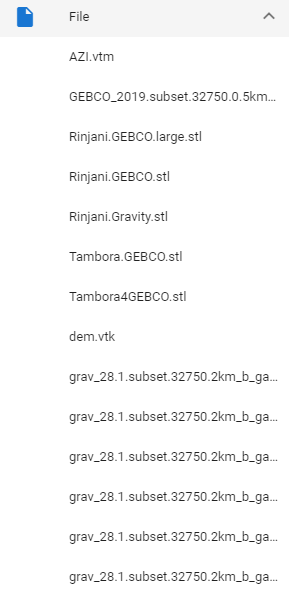
I tried to open a local psvm file and added the required data. However, when I opened the psvm file in the paraview lite, an error was reported. I initially thought that the data file I added was not recognized.
The following is the data file and local psvm file I added

The following is an error:

---
### Author:  [@jourdain](https://discourse.paraview.org/u/jourdain)
#### Post date: [October 11, 2022, 3:39pm UTC](https://discourse.paraview.org/t/paraview-lite-import-files/10368/18 "2022-10-11T15:39:01Z")
Could it be because the data files are not properly found from the pvsm definition?
Are you sure when you load your pvsm file from ParaView it works as expected?
---
### Author:  [@Elision](https://discourse.paraview.org/u/Elision)
#### Post date: [October 12, 2022, 11:42am UTC](https://discourse.paraview.org/t/paraview-lite-import-files/10368/19 "2022-10-12T11:42:46Z")
I can normally open it on the paraview client. I created a data folder in vscode and a data1 folder in the data folder directory to store some of my vtk and other data files, followed by my psvm files. After running the program to load the psvm, an error occurs. I don’t know how to make the program recognize my data file
---
### Author:  [@jourdain](https://discourse.paraview.org/u/jourdain)
#### Post date: [October 12, 2022, 2:39pm UTC](https://discourse.paraview.org/t/paraview-lite-import-files/10368/20 "2022-10-12T14:39:30Z")
My guess is that you need to tell ParaView to load that state using relative path rather than the one defined inside the pvsm one. You can do that using that kind of [LoadState call](https://github.com/Kitware/trame/blob/master/examples/07_paraview/StateViewer/app.py#L37-L41).
[Next page](https://discourse.paraview.org/t/paraview-lite-import-files/10368.md?page=2)