# Paraview on hidpi monitor (again)
**URL:** https://discourse.paraview.org/t/paraview-on-hidpi-monitor-again/11301
**Category:** ParaView Support
**Created:** [January 31, 2023, 9:36am UTC](https://discourse.paraview.org/t/paraview-on-hidpi-monitor-again/11301 "2023-01-31T09:36:50Z")
**Posts on this page:** 2
**Page:** 1
### Author:  [@hakostra](https://discourse.paraview.org/u/hakostra)
#### Post date: [January 31, 2023, 9:36am UTC](https://discourse.paraview.org/t/paraview-on-hidpi-monitor-again/11301/1 "2023-01-31T09:36:50Z")
I just set up a new workstation with Linux Mint 21.1, this is a Ubuntu 22.04 based distro. I compile Paraview from scratch with the 5.11 tarball. I have a big monitor with 5120x2160 resolution and have the monitor scale set to 150% in the display settings on my system.
When I download the prebuilt tarball the UI looks perfect. The Paraview I compile myself looks _mostly_ fine, but I have two issues:
First issue is that there are some icons that seems to be way too small, for instance in the filter properties panel to the left. See attached screenshot, where I have “my own” paraview to the left and the “prebuilt binary” to the right:
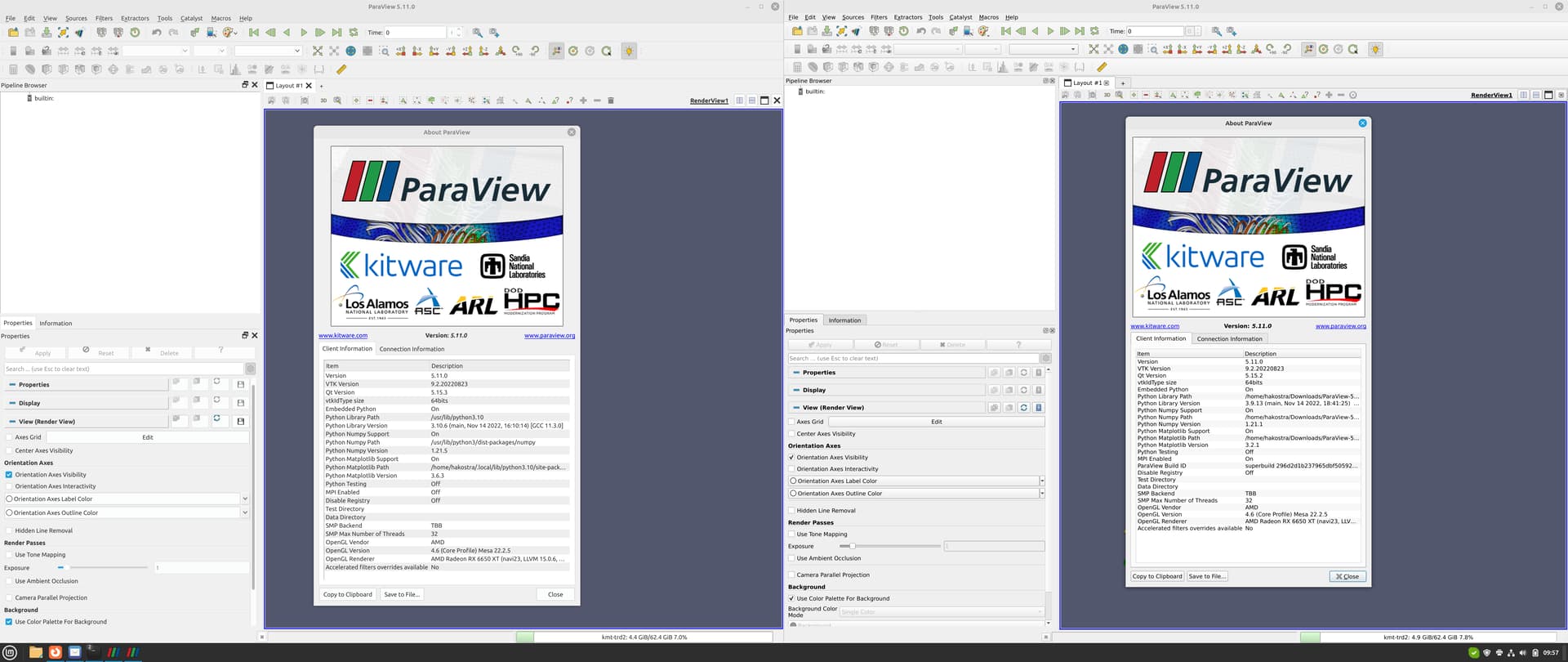
See for instance icons on buttons “Apply”, “Reset”, “Delete” and to the right of “Properties”, “Display” etc. in the pipeline properties. As you see, many icons are just fine as well…
Second issue is that there are just too much whitespace around menu items:

The alphabetical filters list takes up almost my entire screen real estate.
This is how it looks in the prebuilt binaries:
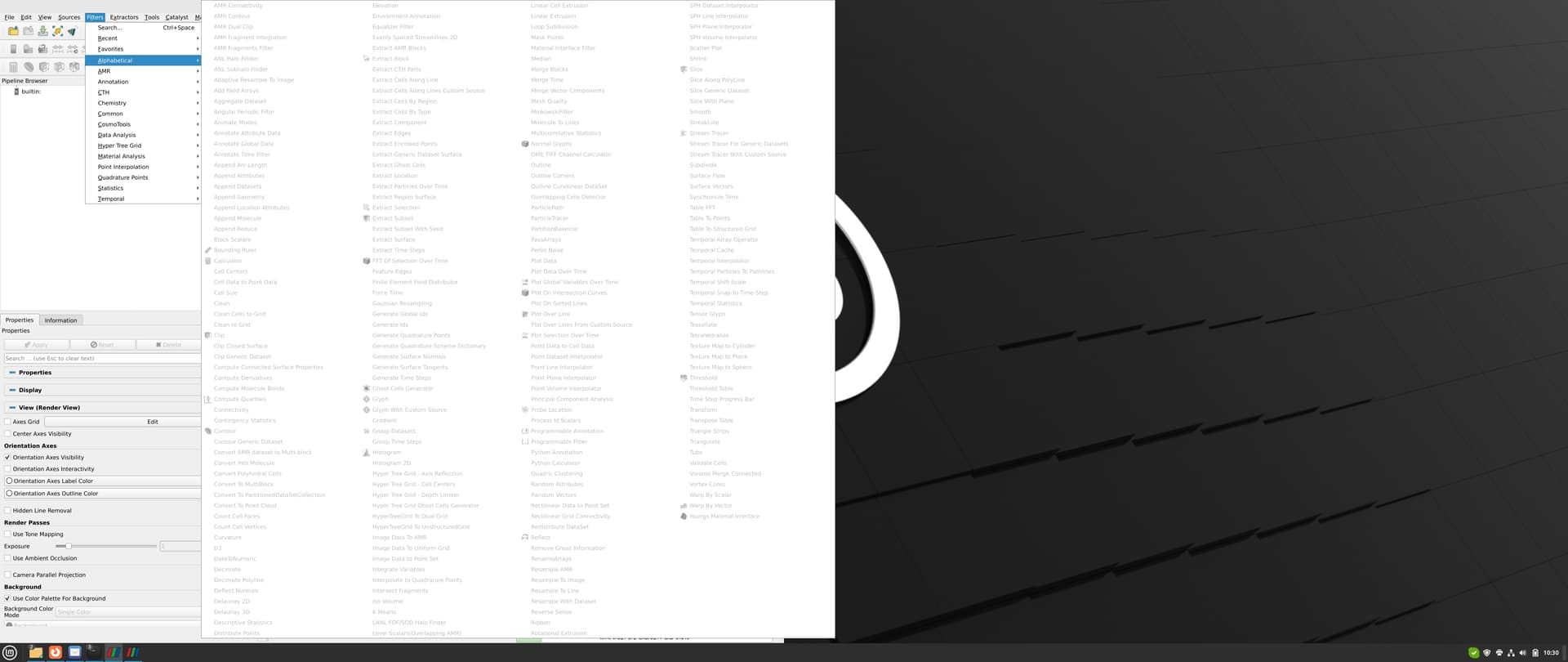
much better. A small remark is that the font size seems to be identical, it’s just the whitespace around it that’s a problem.
This seems to be related to some kind of setting on my system (themes??), missing package or something similar, where the prebuilt binary package manage to ship correct settings/dependencies/icons. QT version on my system (5.15.3) are almost the same as the one in use by the prebuilt binaries (5.15.2) (see also first screenshot).
Have anyone seen something similar that can point me in the right direction on how to fix this? Thanks in advance.
---
### Author:  [@hakostra](https://discourse.paraview.org/u/hakostra)
#### Post date: [February 2, 2023, 8:41am UTC](https://discourse.paraview.org/t/paraview-on-hidpi-monitor-again/11301/2 "2023-02-02T08:41:23Z")
I found the answer after just trying all different QT themes available on my system. Setting the environment variable `QT_STYLE_OVERRIDE=Fusion` gives the exact same look as the published binaries.
It seems that the default style, if I do not explicitly specify anything, it is ‘gtk2’. Setting `QT_STYLE_OVERRIDE` to an invalid value prints the available themes on the system to the terminal.