# ParaView OpenGL version
**URL:** https://discourse.paraview.org/t/paraview-opengl-version/4065
**Category:** Development
**Created:** [April 14, 2020, 3:12pm UTC](https://discourse.paraview.org/t/paraview-opengl-version/4065 "2020-04-14T15:12:34Z")
**Posts on this page:** 4
**Page:** 1
### Author:  [@embeddedmz](https://discourse.paraview.org/u/embeddedmz)
#### Post date: [April 14, 2020, 3:12pm UTC](https://discourse.paraview.org/t/paraview-opengl-version/4065/1 "2020-04-14T15:12:34Z")
Hi,
I have a CMake project that is building many stuff : a program in which ParaView 5.4.1 is embedded and other programs that only uses ParaView libraries (the VTK that it bundles).
I’m having trouble with the programs that uses the QVTKOpenGLWidget bundled in ParaView. The problems are related to the OpenGL version, the widget is not working properly. I solved that by using this env. variable before launching the program : MESA\_GL\_VERSION\_OVERRIDE, I set it to 3.2 or 3.3.
Unfortunately, vtkPolyData(s) that I show in the QVTKOpenGLWidget now are colored in black (colors disappeared). There’s no problem with the deprecated QVTKWidget.
In ParaView, we can see the used OpenGL version : Help -\> About (OpenGL version 3.3)
But when I do this, in a terminal :
```
[amzoughi@amine-pc-temp Qt]$ glxinfo | grep OpenGL
OpenGL vendor string: Intel Open Source Technology Center
OpenGL renderer string: Mesa DRI Intel(R) Sandybridge Desktop
OpenGL core profile version string: 3.3 (Core Profile) Mesa 18.0.5
OpenGL core profile shading language version string: 3.30
OpenGL core profile context flags: (none)
OpenGL core profile profile mask: core profile
OpenGL core profile extensions:
OpenGL version string: 3.0 Mesa 18.0.5
OpenGL shading language version string: 1.30
OpenGL context flags: (none)
OpenGL extensions:
OpenGL ES profile version string: OpenGL ES 3.0 Mesa 18.0.5
OpenGL ES profile shading language version string: OpenGL ES GLSL ES 3.00
OpenGL ES profile extensions:
```
The version is 3.0. Can someone explain the black magic, ParaView is doing to set the right version of OpenGL ?
Thanks.
---
### Author:  [@wascott](https://discourse.paraview.org/u/wascott)
#### Post date: [April 14, 2020, 3:22pm UTC](https://discourse.paraview.org/t/paraview-opengl-version/4065/2 "2020-04-14T15:22:08Z")
I have no idea about your original question with regards to vtkPolyData, etc. However, with regards to the required OpenGL version, here are some thoughts. You actually don’t care about the OpenGL version string. OpenGL version says that this version of opengl implements ALL OpenGL features (including deprecated features) up to version 3.0. OpenGL core profile version string: 3.3 tells us what version of OpenGL required functionality is supported.
---
### Author:  [@embeddedmz](https://discourse.paraview.org/u/embeddedmz)
#### Post date: [April 14, 2020, 3:33pm UTC](https://discourse.paraview.org/t/paraview-opengl-version/4065/3 "2020-04-14T15:33:54Z")
In the application where I embedded ParaView client, the other non-ParaView parts and using QVTKOpenGL Widget are working with no problems.
In the applications where I didn’t embed the ParaView client but I’m still using ParaView libraries, QVTKOpenGLWidget is not working (QVTKWiget is OK), I have these errors printed in the standard output every time I interact with the widget :
> ERROR: In /home/febus-g1/rpmbuild/BUILD/ParaView-v5.4.1/VTK/Rendering/OpenGL2/vtkOpenGLRenderWindow.cxx, line 831
>
> vtkGenericOpenGLRenderWindow (0x11c9050): GL version 2.1 with the gpu\_shader4 extension is not supported by your graphics driver but is required for the new OpenGL rendering backend. Please update your OpenGL driver. If you are using Mesa please make sure you have version 10.6.5 or later and make sure your driver in Mesa supports OpenGL 3.2.
>
> ERROR: In /home/febus-g1/rpmbuild/BUILD/ParaView-v5.4.1/VTK/Rendering/OpenGL2/vtkShaderProgram.cxx, line 408
>
> vtkShaderProgram (0x1f9d240): 1: #version 150
>
> 2: #ifdef GL\_ES
>
> 3: #if **VERSION** == 300
>
> 4: #define attribute in
>
> 5: #define varying out
>
> 6: #endif // 300
>
> 7: #else // GL\_ES
>
> 8: #define highp
>
> 9: #define mediump
>
> 10: #define lowp
>
> 11: #if **VERSION** == 150
>
> 12: #define attribute in
>
> 13: #define varying out
>
> 14: #endif
>
> 15: #endif // GL\_ES
>
> 16:
>
> 17:
>
> 18: /\*=========================================================================
>
> 19:
>
> 20: Program: Visualization Toolkit
>
> 21: Module: vtkPolyData2DVS.glsl
>
> 22:
>
> 23: Copyright (c) Ken Martin, Will Schroeder, Bill Lorensen
>
> 24: All rights reserved.
>
> 25: See Copyright.txt or [http://www.kitware.com/Copyright.htm](http://www.kitware.com/Copyright.htm) for details.
>
> 26:
>
> 27: This software is distributed WITHOUT ANY WARRANTY; without even
>
> 28: the implied warranty of MERCHANTABILITY or FITNESS FOR A PARTICULAR
>
> 29: PURPOSE. See the above copyright notice for more information.
>
> 30:
>
> 31: =========================================================================\*/
>
> 32:
>
> 33: // all variables that represent positions or directions have a suffix
>
> 34: // indicating the coordinate system they are in. The possible values are
>
> 35: // MC - Model Coordinates
>
> 36: // WC - WC world coordinates
>
> 37: // VC - View Coordinates
>
> 38: // DC - Display Coordinates
>
> 39:
>
> 40: attribute vec4 vertexWC;
>
> 41:
>
> 42: // material property values
>
> 43: //VTK::Color::Dec
>
> 44:
>
> 45: // Texture coordinates
>
> 46: attribute vec2 tcoordMC; varying vec2 tcoordVCVSOutput;
>
> 47:
>
> 48: // Apple Bug
>
> 49: //VTK::PrimID::Dec
>
> 50:
>
> 51: uniform mat4 WCVCMatrix; // World to view matrix
>
> 52:
>
> 53: void main()
>
> 54: {
>
> 55: // Apple Bug
>
> 56: //VTK::PrimID::Impl
>
> 57:
>
> 58: gl\_Position = WCVCMatrix\*vertexWC;
>
> 59: tcoordVCVSOutput = tcoordMC;
>
> 60: //VTK::Color::Impl
>
> 61: }
>
> 62:
>
> ERROR: In /home/febus-g1/rpmbuild/BUILD/ParaView-v5.4.1/VTK/Rendering/OpenGL2/vtkShaderProgram.cxx, line 409
>
> vtkShaderProgram (0x1f9d240): 0:1(10): error: GLSL 1.50 is not supported. Supported versions are: 1.10, 1.20, 1.30, 1.00 ES, and 3.00 ES
When I use MESA\_GL\_VERSION\_OVERRIDE=3.3 ./myApp, QVTKOpenGLWiget is working but I have vtkPolyData that are not colored with LUT, they are black, I suspect that MESA\_GL\_VERSION\_OVERRIDE is not enough to fix my issue, I played also MESA\_GLSL\_VERSION\_OVERRIDE but either it makes me come back to the same errors as before or it has no effect.
So, I want to understand what the ParaView is doing so that OpenGL is well configured !
---
### Author:  [@embeddedmz](https://discourse.paraview.org/u/embeddedmz)
#### Post date: [April 15, 2020, 11:21am UTC](https://discourse.paraview.org/t/paraview-opengl-version/4065/5 "2020-04-15T11:21:59Z")
Using this :
> QSurfaceFormat::setDefaultFormat(QVTKOpenGLWidget::defaultFormat());
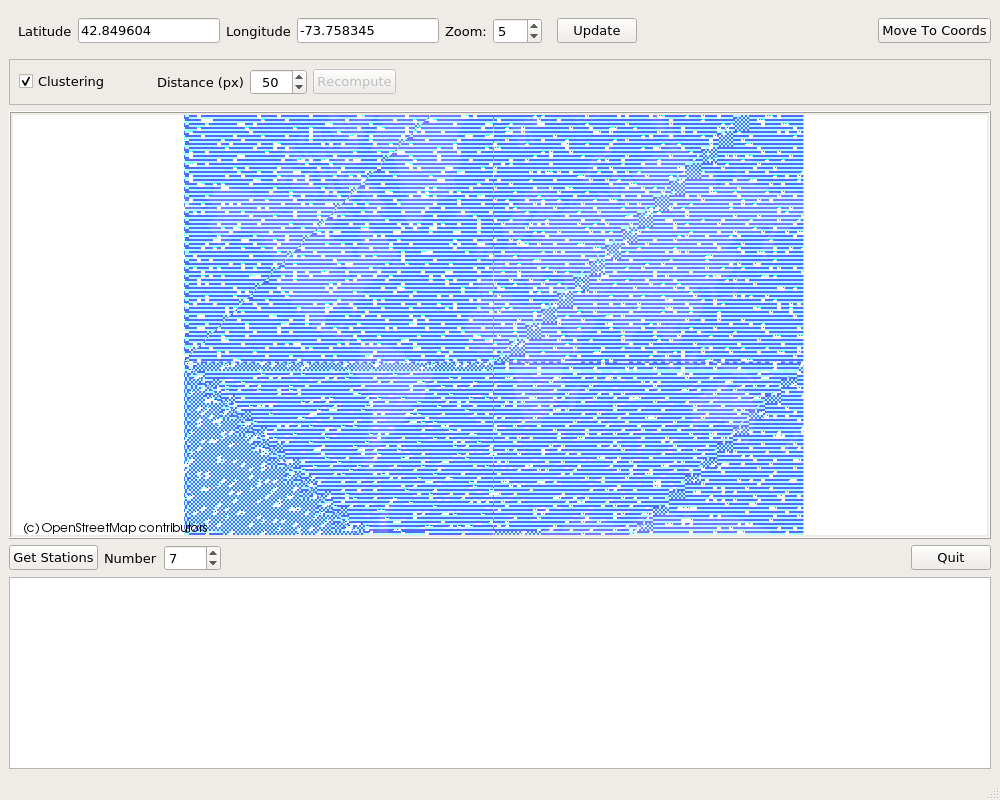
I don’t have error messages or seg faults, but images are not rendered correctly at all :
With QVTKOpenGLWidget + vtkGenericOpenGLRenderWindow :
With QVTKWidget + vtkRenderWindow :
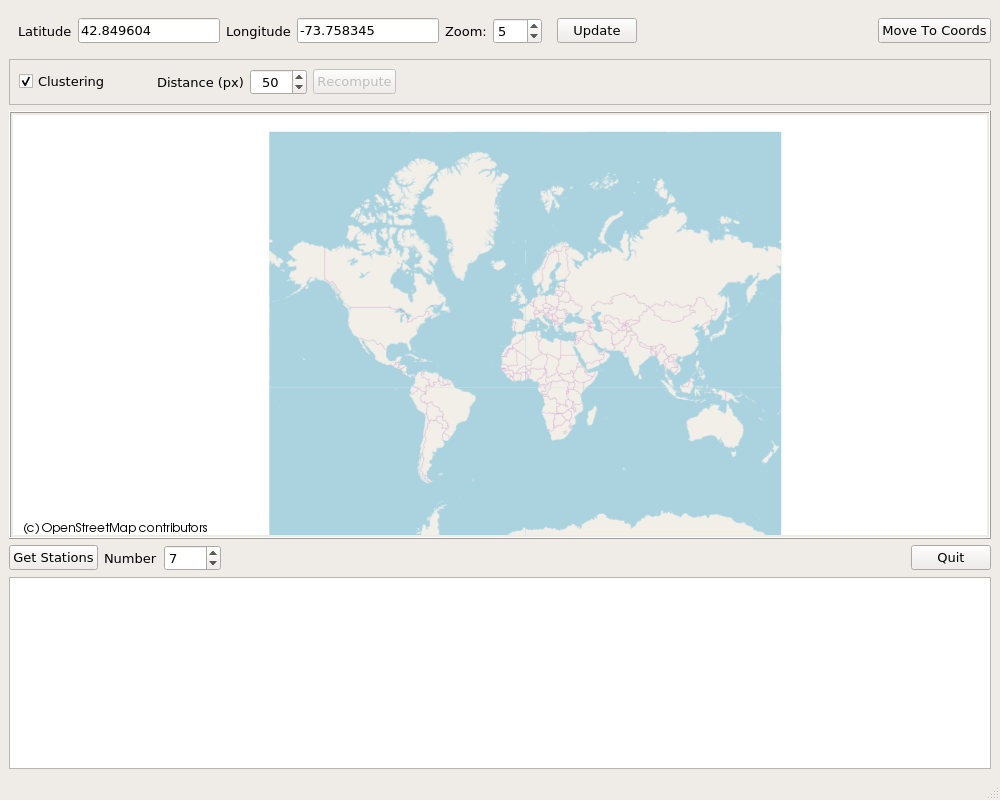
In ParaView (which is using QVTKOpenGLWidget) there’s no problems ! This mess is really driving me insane !
I don’t want to use QVTKWidget, because I’m using vglrun to run my application remotely and it crashes with this command !
UPDATE : In the case of the software I am using (that uses ParaView stuff), QSurfaceFormat::setDefaultFormat fixed all my issues.