# ParaView versions greater 5.11 fail to display all mesh elements
**URL:** https://discourse.paraview.org/t/paraview-versions-greater-5-11-fail-to-display-all-mesh-elements/15810
**Category:** Development
**Tags:** exodus
**Created:** [November 28, 2024, 8:35am UTC](https://discourse.paraview.org/t/paraview-versions-greater-5-11-fail-to-display-all-mesh-elements/15810 "2024-11-28T08:35:26Z")
**Posts on this page:** 10
**Page:** 1
### Author:  [@Stysch](https://discourse.paraview.org/u/Stysch)
#### Post date: [November 28, 2024, 8:35am UTC](https://discourse.paraview.org/t/paraview-versions-greater-5-11-fail-to-display-all-mesh-elements/15810/1 "2024-11-28T08:35:26Z")
Hi all,
I’m using ParaView to display meshes from Exodus II files. This works fine with versions 5.11.0 and below, but starting from version 5.12.0, not all mesh elements are displayed. I’ve attached screenshots of both the correctly and incorrectly displayed mesh, as well as the example model file used for these screenshots.
The issue is present on both Windows and Linux.
Any hint on what’s going wrong here would be greatly appreciated!
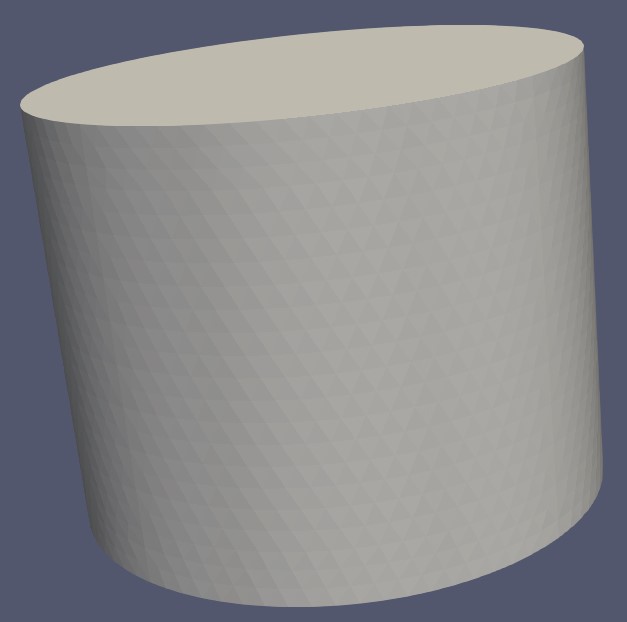
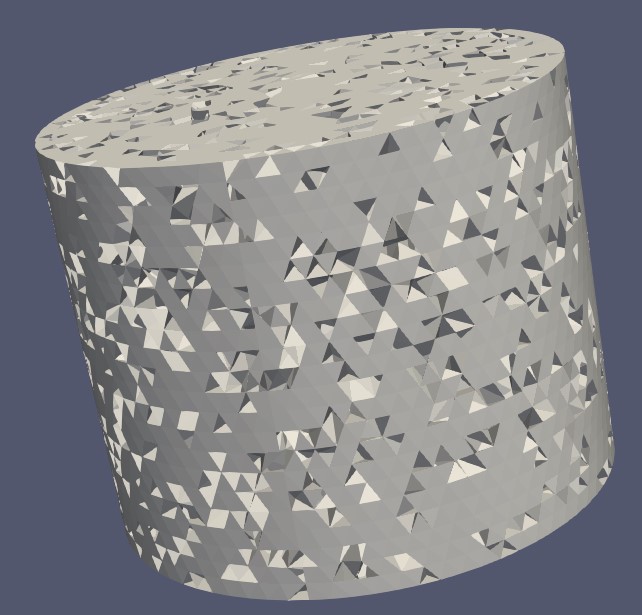
[test\_model.ex2](https://discourse.paraview.org/uploads/short-url/uZPmEjR5G9MLauiknf4mUVoVOzs.ex2) (385.3 KB)
---
### Author:  [@mwestphal](https://discourse.paraview.org/u/mwestphal)
#### Post date: [November 28, 2024, 8:57am UTC](https://discourse.paraview.org/t/paraview-versions-greater-5-11-fail-to-display-all-mesh-elements/15810/2 "2024-11-28T08:57:41Z")
Hi @Stysch
It looks like half your cells are inverted (and most of them are declared as hexahedron but should be tetrahedron anyway).
It looks like ParaView nows try to “respect” inverted hexadron so they show up like this.
But you actually can fix your mesh in ParaView!
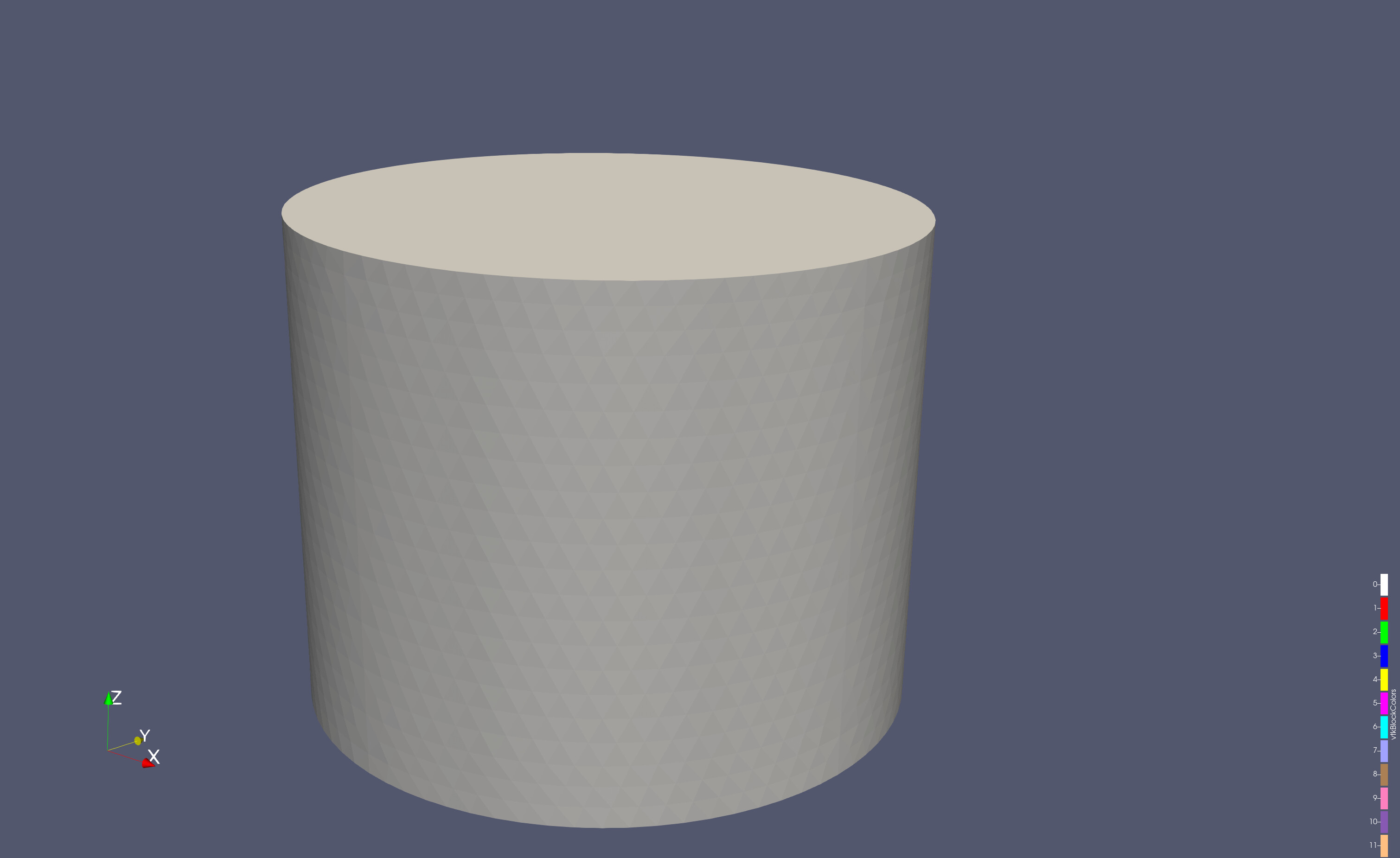
Add a Tetrahedralize and a CleanCellsToGrid filter to get your correct data (as tetrahedron):
---
### Author:  [@Stysch](https://discourse.paraview.org/u/Stysch)
#### Post date: [November 28, 2024, 10:15am UTC](https://discourse.paraview.org/t/paraview-versions-greater-5-11-fail-to-display-all-mesh-elements/15810/3 "2024-11-28T10:15:33Z")
Hi @mwestphal ,
thank you very much for your quick and helpful reply! Looks like an issue with our writer then, thanks for pointing that out.
---
### Author:  [@Stysch](https://discourse.paraview.org/u/Stysch)
#### Post date: [November 28, 2024, 12:50pm UTC](https://discourse.paraview.org/t/paraview-versions-greater-5-11-fail-to-display-all-mesh-elements/15810/4 "2024-11-28T12:50:56Z")
I’ve looked into the code of our Exodus writer, and it seems to be intentional that tetrahedrons are written out as hexahedrons: The Exodus standard does not allow element blocks with mixed types, and because any collector of the mesh can contain both, the type with the maximum number of node is used for all elements.
This is of course not great, but it seems to me that the behavior of ParaView 5.11 fits better to this limitation of the Exodus format.
You said that the issue is not that we used hexas for tetras but rather that the hexas are “inverted”. What exactly do you mean by inverted? When we write a hexa from a tetra, we use the nodes of the tetra more than once. Maybe I could influence whether the elements are inverted by changing which tetra node is used where in the hexa?
Current mapping:
tetra0 → hexa0
tetra1 → hexa1
tetra1 → hexa2
tetra2 → hexa3
tetra3 → hexa4
tetra1 → hexa5
tetra1 → hexa6
tetra1 → hexa7
---
### Author:  [@mwestphal](https://discourse.paraview.org/u/mwestphal)
#### Post date: [November 28, 2024, 12:55pm UTC](https://discourse.paraview.org/t/paraview-versions-greater-5-11-fail-to-display-all-mesh-elements/15810/5 "2024-11-28T12:55:52Z")
I think you need to invert the order of points of certain hexa, but more investigation is needed to understand exactly which one. You can use ParaView to identify which one. You can simply select an inverted hexa and check the point ordre in ParaView.
---
### Author:  [@Stysch](https://discourse.paraview.org/u/Stysch)
#### Post date: [November 29, 2024, 12:39pm UTC](https://discourse.paraview.org/t/paraview-versions-greater-5-11-fail-to-display-all-mesh-elements/15810/6 "2024-11-29T12:39:47Z")
Thank you for your reply! Thinking more about this issue I’m even more confused. I still do not understand what an inverted element is in ParaView and I cannot find in the documentation.
We order the nodes of our terta and hexahedrons exactly as you do [here](https://examples.vtk.org/site/VTKBook/05Chapter5/#Figure%205-2). To ensure that our tetrahedrons which we save as hexas are displayed correctly, the only thing we need to make sure should be that each of the four faces of any tetrahedron becomes one of the faces of the hexahedron (because in the visualization “Surface” the faces should be what is displayed). If we use the node mapping I shared above, we should get the following face mapping:
hexa face 0 → tetra face 0
hexa face 1 → tetra face 3
hexa face 2 → tetra face 1
hexa face 3 → node 1 (all nodes of that face are node 1)
hexa face 4 → edge 1 2
hexa face 5 → tetra face 2
I don’t know where there is room for a different visualization here. I’d really like to understand what version 5.12 and newer are doing differently here.
---
### Author:  [@mwestphal](https://discourse.paraview.org/u/mwestphal)
#### Post date: [November 29, 2024, 12:42pm UTC](https://discourse.paraview.org/t/paraview-versions-greater-5-11-fail-to-display-all-mesh-elements/15810/7 "2024-11-29T12:42:23Z")
> [@Stysch](#):
>
> I’d really like to understand what version 5.12 and newer are doing differently here.
The simplest way to figure that out is to bisect the commits of ParaView and VTK and figure out which change caused the issue.
---
### Author:  [@Stysch](https://discourse.paraview.org/u/Stysch)
#### Post date: [November 29, 2024, 12:46pm UTC](https://discourse.paraview.org/t/paraview-versions-greater-5-11-fail-to-display-all-mesh-elements/15810/8 "2024-11-29T12:46:18Z")
Ok, thank you for the suggestion, I will maybe try to do that!
But could you maybe still write one to two sentences about what you meant by “inverted element” or how you came to the assessment that half of the elements fall in that category?
---
### Author:  [@mwestphal](https://discourse.paraview.org/u/mwestphal)
#### Post date: [November 29, 2024, 12:49pm UTC](https://discourse.paraview.org/t/paraview-versions-greater-5-11-fail-to-display-all-mesh-elements/15810/9 "2024-11-29T12:49:19Z")
I think you understood correctly, I meant that the order of the point of the cells may be incorrect in the cell definition, which would cause the rendering issues.
---
### Author:  [@nicolas.vuaille](https://discourse.paraview.org/u/nicolas.vuaille)
#### Post date: [February 12, 2025, 8:57am UTC](https://discourse.paraview.org/t/paraview-versions-greater-5-11-fail-to-display-all-mesh-elements/15810/10 "2025-02-12T08:57:20Z")
Some news on this.
Good news: previous behavior was restored, it can be tested in ParaView [nightly build](https://www.paraview.org/download/?version=nightly)
Sadly, duplicated points in a cell is not a supported case so other issues are to be expected.
One should `Clean Cells to Grid`, but this filter needs some extra improvement: it only remove degenerated cells instead of fix them: see this VTK issue: [https://gitlab.kitware.com/vtk/vtk/-/issues/19604](https://gitlab.kitware.com/vtk/vtk/-/issues/19604)