# paraview visualization distorted after apply
**URL:** https://discourse.paraview.org/t/paraview-visualization-distorted-after-apply/3248
**Category:** ParaView Support
**Created:** [December 31, 2019, 3:10am UTC](https://discourse.paraview.org/t/paraview-visualization-distorted-after-apply/3248 "2019-12-31T03:10:57Z")
**Posts on this page:** 9
**Page:** 1
### Author:  [@DanielRodrigues](https://discourse.paraview.org/u/DanielRodrigues)
#### Post date: [December 31, 2019, 3:10am UTC](https://discourse.paraview.org/t/paraview-visualization-distorted-after-apply/3248/1 "2019-12-31T03:10:57Z")
Hello.
I just installed paraview 5.7.0 on my new laptop and im facing an issue i didnt face in my other computer.
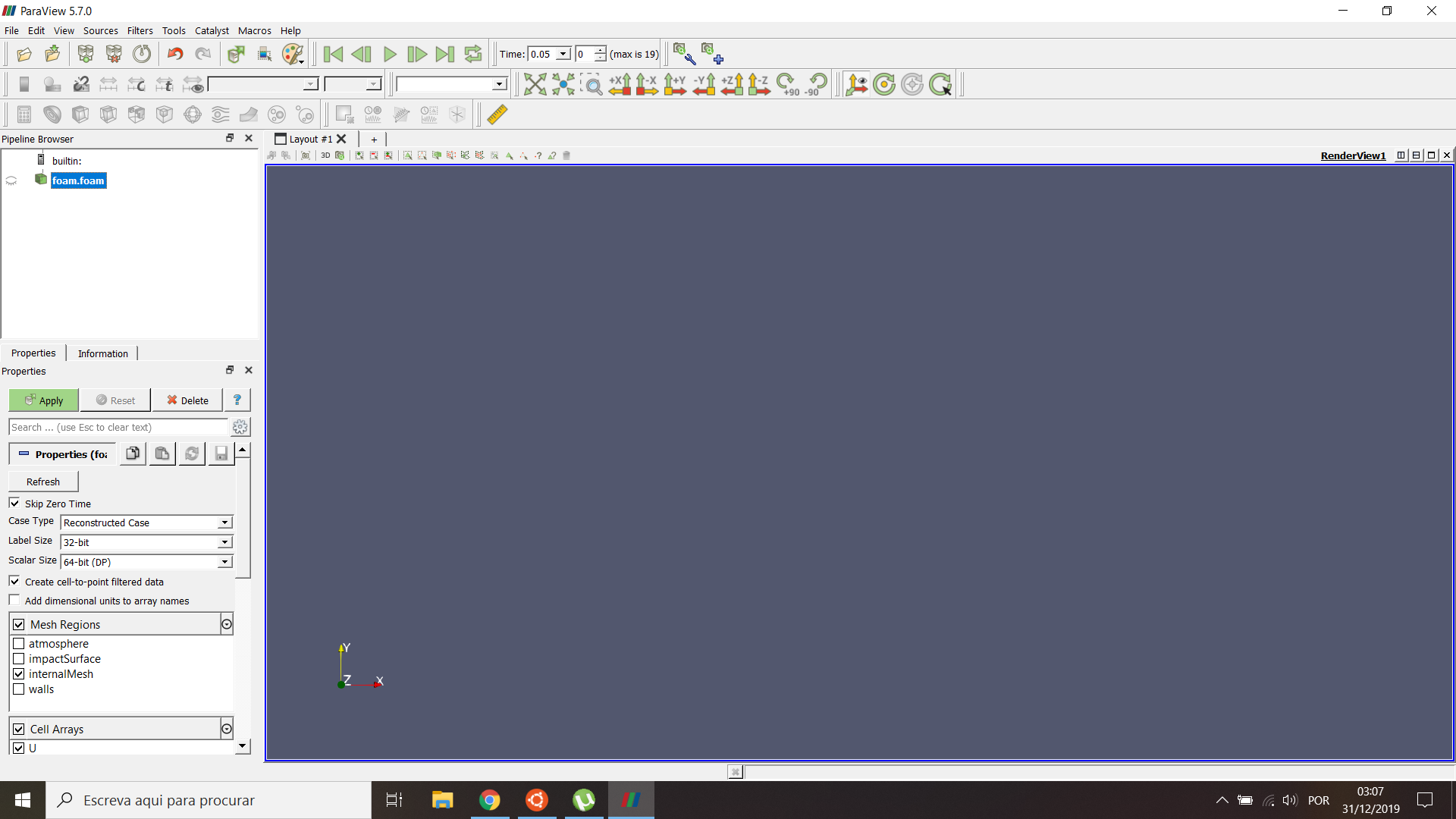
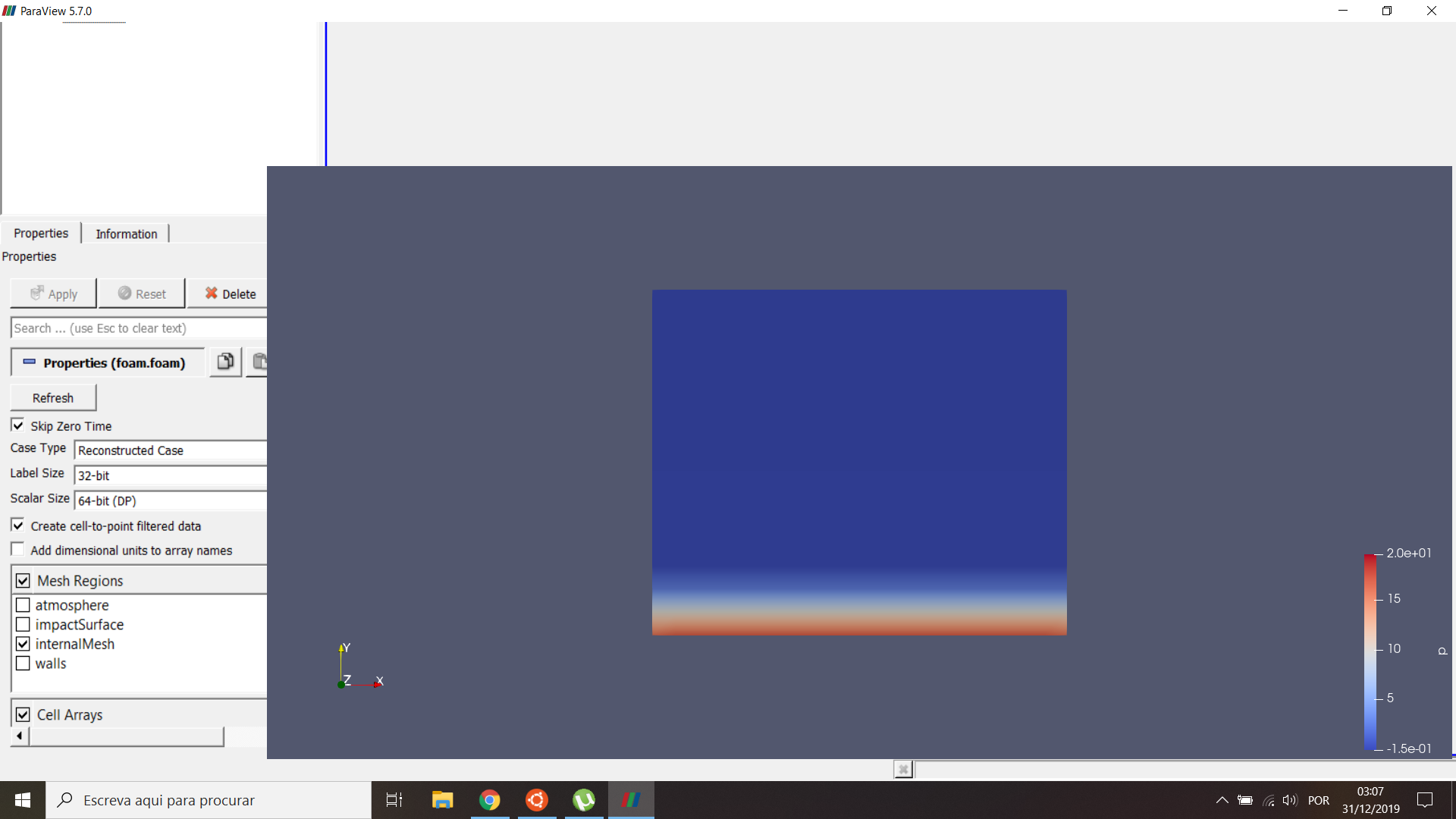
Im running a standard damBreak case and i want to visualize the results. However, when i apply the foam case, the toolbars get all distorted and i can’t manage to correctly see the results. The following 2 images display the paraview results and toolbars before and after clicking on apply. Does this ever happened to anyone?
Thank you for your time.
---
### Author:  [@aron.helser](https://discourse.paraview.org/u/aron.helser)
#### Post date: [December 31, 2019, 7:45pm UTC](https://discourse.paraview.org/t/paraview-visualization-distorted-after-apply/3248/2 "2019-12-31T19:45:16Z")
Unfortunately, this is a known issue with the Intel display driver: [https://gitlab.kitware.com/paraview/paraview/issues/19364](https://gitlab.kitware.com/paraview/paraview/issues/19364)
It might be possible to downgrade your display driver to fix the problem.
If your laptop also has an nVidia card, if you set ParaView to use that, you won’t have this issue.
HTH,
Aron
---
### Author:  [@DanielRodrigues](https://discourse.paraview.org/u/DanielRodrigues)
#### Post date: [January 1, 2020, 7:05pm UTC](https://discourse.paraview.org/t/paraview-visualization-distorted-after-apply/3248/3 "2020-01-01T19:05:21Z")
Hello,
Thank you very much for your prompt response. As you mentioned, i set ParaView to use my nVidia card and it all worked out. I appreciate your help.
Happy holidays,
Daniel Rodrigues.
---
### Author:  [@w.perry](https://discourse.paraview.org/u/w.perry)
#### Post date: [January 17, 2020, 4:41pm UTC](https://discourse.paraview.org/t/paraview-visualization-distorted-after-apply/3248/4 "2020-01-17T16:41:16Z")
I had this problem on my laptop using intel UHD 620 integrated graphics for display rendering. Today (1/17/2020) I updated the driver and the resizing issue seems to be resolved.
If this problem happens again in the future, the driver version I updated to is 26.20.100.7584
---
### Author:  [@Hannes\_Schenk](https://discourse.paraview.org/u/Hannes_Schenk)
#### Post date: [January 31, 2020, 6:16pm UTC](https://discourse.paraview.org/t/paraview-visualization-distorted-after-apply/3248/5 "2020-01-31T18:16:32Z")
I have exactly the same problem. How do you ‘set’ ParaView to use your nVidia card? Is it in the settings? I coul’d not find the option.
I am new to ParaView, help is appreciated.
---
### Author:  [@DanielRodrigues](https://discourse.paraview.org/u/DanielRodrigues)
#### Post date: [January 31, 2020, 6:41pm UTC](https://discourse.paraview.org/t/paraview-visualization-distorted-after-apply/3248/6 "2020-01-31T18:41:07Z")
Ok, so you open your NVIDIA control panel and go to “manage 3D settings”. From there, go to “program settings” and select paraview as the program to customize. On point 2., select the preferred graphics processor for the program, which is your NVIDIA card. This should work for your paraview.
---
### Author:  [@theodorebaltis](https://discourse.paraview.org/u/theodorebaltis)
#### Post date: [January 31, 2020, 7:28pm UTC](https://discourse.paraview.org/t/paraview-visualization-distorted-after-apply/3248/7 "2020-01-31T19:28:47Z")
When I right-click my ParaView executable (or a shortcut) I get the menu option “Run with graphics processor” where I can specify which chip to use as well as an option to set the default option, which then takes me to the NVIDIA Control Panel.
---
### Author:  [@wascott](https://discourse.paraview.org/u/wascott)
#### Post date: [February 11, 2020, 5:19pm UTC](https://discourse.paraview.org/t/paraview-visualization-distorted-after-apply/3248/8 "2020-02-11T17:19:02Z")
By the way, I also saw this on my home computer last weekend. (Dell Inspiron, Intel graphics). I tried updating drivers to Dell’s (Intel’s) latest and greatest. It didnt’ fix the issue. I then rolled back to a previously recommended driver, and that worked.
Realize that you may have to roll back instead of forward.
---
### Author:  [@Hannes\_Schenk](https://discourse.paraview.org/u/Hannes_Schenk)
#### Post date: [February 11, 2020, 5:23pm UTC](https://discourse.paraview.org/t/paraview-visualization-distorted-after-apply/3248/9 "2020-02-11T17:23:55Z")
The switching to my NVIDIA card has worked for me fine. Thanks!