# ParaviewWeb use Apache on Win10
**URL:** https://discourse.paraview.org/t/paraviewweb-use-apache-on-win10/9750
**Category:** Web Support
**Created:** [June 7, 2022, 1:55am UTC](https://discourse.paraview.org/t/paraviewweb-use-apache-on-win10/9750 "2022-06-07T01:55:39Z")
**Posts on this page:** 16
**Page:** 1
### Author:  [@Mike1](https://discourse.paraview.org/u/Mike1)
#### Post date: [June 7, 2022, 1:55am UTC](https://discourse.paraview.org/t/paraviewweb-use-apache-on-win10/9750/1 "2022-06-07T01:55:40Z")
Hello,everyone!
I used the ParaView-5.9 binaries to get the ParaViewWeb implementation, and I successfully customized some implementations according to the simple configuration document.
[http://kitware.github.io/paraviewweb/docs/architecture.html](http://kitware.github.io/paraviewweb/docs/architecture.html)
I mainly refer to tsgouros’ implementation, and made some modifications:
[https://github.com/tsgouros/ParaViewWeb-SimpleDemo](https://github.com/tsgouros/ParaViewWeb-SimpleDemo)
Here is the simple client window I created:

Yes, I didn’t use Visualizer directly.
I encountered some errors when trying to use Apache Web Server on Win10 from documentation:
[http://kitware.github.io/paraviewweb/docs/windows\_10.html](http://kitware.github.io/paraviewweb/docs/windows_10.html)
When I’m configured as described in the documentation and start laucher.bat, under the [http://localhost:9000/paraview](http://localhost:9000/paraview) won the Processing Failed error:
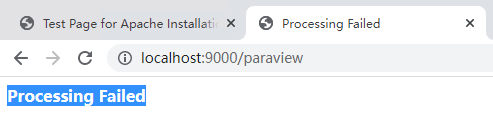
The following error message appears in launcherlog.log:
> Traceback (most recent call last):
> File “D:\paraview-remote-rendering-web\bin\Lib\site-packages\twisted\web\server.py”, line 217, in process
> self.render(resrc)
> File “D:\paraview-remote-rendering-web\bin\Lib\site-packages\twisted\web\server.py”, line 284, in render
> body = resrc.render(self)
> File “D:\paraview-remote-rendering-web\bin\Lib\site-packages\twisted\web\resource.py”, line 265, in render
> return m(request)
> File “D:\paraview-remote-rendering-web\bin\Lib\site-packages\wslink\launcher.py”, line 607, in render\_GET
> id = extractSessionId(request)
> File “D:\paraview-remote-rendering-web\bin\Lib\site-packages\wslink\launcher.py”, line 252, in extractSessionId
> path = request.path.split(‘/’)
> TypeError: a bytes-like object is required, not ‘str’
My httpd-vhosts.conf configuration is as follows:
```auto
ServerName paraview
ServerAdmin admin@paraview.com
DocumentRoot D:/paraview-remote-rendering-web/share/paraview-5.9/web/ParaViewWeb-SimpleDemo-master/js/www
ErrorLog D:/paraview-remote-rendering-web/error.log
CustomLog D:/paraview-remote-rendering-web/log/apache2/access.log combined
Options Indexes FollowSymLinks
Order allow,deny
Allow from all
AllowOverride None
Require all granted
# Handle launcher forwarding
# port and endpoint should match launcher.config
ProxyPass /paraview http://localhost:9000/paraview
# Handle WebSocket forwarding
RewriteEngine On
# This is the path the mapping file Jetty creates
# path to proxy should match launcher.config
RewriteMap session-to-port txt:C:/Apache24/proxy.txt
# This is the rewrite condition. Look for anything with a sessionId= in the
# query part of the URL and capture the value to use below.
RewriteCond %{QUERY_STRING} ^sessionId=(.*)&path=(.*)$ [NC]
# This does the rewrite using the mapping file and the sessionId
RewriteRule ^/proxy.*$ ws://${session-to-port:%1}/%2 [P]
```
Here is the launcher configuration:
```auto
{
"configuration": {
"host" : "localhost",
"port" : 9000,
"endpoint": "paraview",
"content": "D:/paraview-remote-rendering-web/share/paraview-5.9/web/ParaViewWeb-SimpleDemo-master/js/www",
"proxy_file" : "C:/Apache24/proxy.txt",
"sessionURL" : "ws://paraview:80/proxy?sessionId=${id}&path=ws",
"timeout" : 30,
"log_dir" : "D:/paraview-remote-rendering-web/log/",
"fields" : []
},
"resources" : [ {
"host" : "localhost",
"port_range" : [9001, 9999]
} ],
"properties" : {
"python_exec" : "D:/paraview-remote-rendering-web/bin/pvpython.exe",
"cloudcad": "D:/paraview-remote-rendering-web/share/paraview-5.9/web/ParaViewWeb-SimpleDemo-master/python/PVWSDServer.py"
},
"apps": {
"cloudcad": {
"cmd": [
"${python_exec}", "-dr", "${cloudcad}", "--port", "${port}", "--authKey", "${secret}", "--data", "${dataDir}", "--load-file", "${dataFile}"
],
"ready_line" : "Starting factory"
}
}
}
```
So the question is what’s going on? Forgive me for being new to ParaViewWeb.
---
### Author:  [@Mike1](https://discourse.paraview.org/u/Mike1)
#### Post date: [June 7, 2022, 2:01am UTC](https://discourse.paraview.org/t/paraviewweb-use-apache-on-win10/9750/2 "2022-06-07T02:01:41Z")
There are two other pieces of potentially useful information in the launcherLog:
```auto
2022-06-06 13:51:39,496:INFO:twisted:Timing out client: IPv4Address(type='TCP', host='127.0.0.1', port=50644)
2022-06-06 13:51:39,748:INFO:twisted:Timing out client: IPv4Address(type='TCP', host='127.0.0.1', port=50646)
```
---
### Author:  [@jourdain](https://discourse.paraview.org/u/jourdain)
#### Post date: [June 7, 2022, 3:55am UTC](https://discourse.paraview.org/t/paraviewweb-use-apache-on-win10/9750/3 "2022-06-07T03:55:14Z")
When you are setting up apache like that, you are supposed to reach your app on `http://localhost/` not `localhost:9000/paraview`.
Also you may want to look at [trame](https://kitware.github.io/trame/) which is the latest framework based on ParaViewWeb that allow quick development of viz apps in plain python.
---
### Author:  [@Mike1](https://discourse.paraview.org/u/Mike1)
#### Post date: [June 7, 2022, 4:50am UTC](https://discourse.paraview.org/t/paraviewweb-use-apache-on-win10/9750/4 "2022-06-07T04:50:16Z")
> [@jourdain](#):
>
> [http://localhost/](http://localhost/)
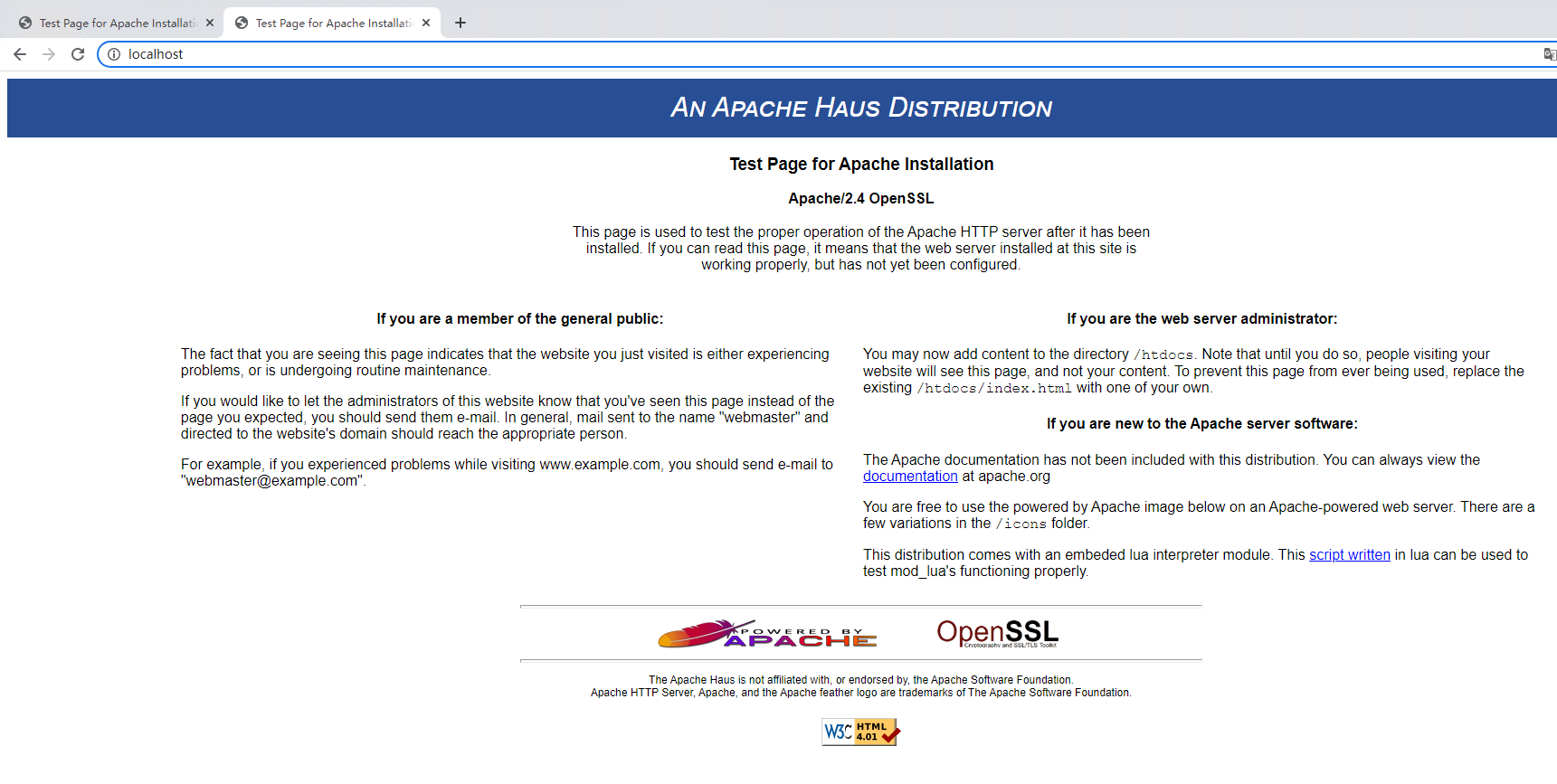
I’m accessing apache’s test interface in this address form, not the content of ParaViewWeb:
---
### Author:  [@mau\_igna\_06](https://discourse.paraview.org/u/mau_igna_06)
#### Post date: [June 7, 2022, 11:28am UTC](https://discourse.paraview.org/t/paraviewweb-use-apache-on-win10/9750/5 "2022-06-07T11:28:20Z")
I think the problem maybe thay on your first server configuratiom you set up port 80 instead of the port you intended
---
### Author:  [@jourdain](https://discourse.paraview.org/u/jourdain)
#### Post date: [June 7, 2022, 3:00pm UTC](https://discourse.paraview.org/t/paraviewweb-use-apache-on-win10/9750/6 "2022-06-07T15:00:24Z")
The good news is that you are reaching Apache now. The bad news is that it is not serving the content from `D:/paraview-remote-rendering-web`.
I guess you will have to see why your configuration of Apache is not used or not working. That will really be the first step knowing that the goal here is just serving files from your disk. After that you will have to make sure the websocket proxying actually work (also part of the config).
---
### Author:  [@Mike1](https://discourse.paraview.org/u/Mike1)
#### Post date: [June 8, 2022, 2:32am UTC](https://discourse.paraview.org/t/paraviewweb-use-apache-on-win10/9750/7 "2022-06-08T02:32:00Z")
Yes, Sebastien. I am new to network service configuration.
Are there clearer instructions for using Apache for ParaViewWeb? Or my PVW needs some extra configuration to work with Apache.So far ALL I know is that I need to introduce Wslink’s smartConnect in index.js, and I wrote it like this:
```auto
import SmartConnect from 'wslink/src/SmartConnect';
const config = { sessionURL: 'ws://localhost:1234/ws' };
const smartConnect = SmartConnect.newInstance({ config });
...
smartConnect.connect();
```
---
### Author:  [@jourdain](https://discourse.paraview.org/u/jourdain)
#### Post date: [June 8, 2022, 2:24pm UTC](https://discourse.paraview.org/t/paraviewweb-use-apache-on-win10/9750/8 "2022-06-08T14:24:08Z")
Unfortunately we only have the following set of guides:
- [Multi-user setup](http://kitware.github.io/paraviewweb/docs/multi_user_setup.html)
- [Using Apache](http://kitware.github.io/paraviewweb/docs/apache_front_end.html)
- [EC2 deployment](http://kitware.github.io/paraviewweb/docs/ec2.html)
- [Docker](http://kitware.github.io/paraviewweb/docs/docker.html)
- [Deploying on Ubuntu](http://kitware.github.io/paraviewweb/docs/ubuntu_14_04.html)
- [Deploying on Windows](http://kitware.github.io/paraviewweb/docs/windows_10.html)
Most of them focus on Unix base system and not Windows but the guiding principal remain the same across OS.
If you are not that familiar with all of those but you can run a docker container within your windows. It might be much simpler to go that route.
Also you should really consider looking at [trame](https://kitware.github.io/trame/) and do your development with it as it is the framework that will have the most up-to-date infrastructure and documentation. Also the [cookie cutter](https://github.com/Kitware/trame-cookiecutter) that come with it provide the initial infrastructure for building docker images to support multi-clients. The only caveat now is that we only provided bash script to encapsulate the docker commands. But a Windows version of them could be created, or you could simply type the command yourself with the proper arguments.
HTH
---
### Author:  [@Mike1](https://discourse.paraview.org/u/Mike1)
#### Post date: [June 14, 2022, 6:02am UTC](https://discourse.paraview.org/t/paraviewweb-use-apache-on-win10/9750/9 "2022-06-14T06:02:49Z")
Is there an example of Docker working with ParaViewWeb on Windows 10?
---
### Author:  [@jourdain](https://discourse.paraview.org/u/jourdain)
#### Post date: [June 14, 2022, 3:04pm UTC](https://discourse.paraview.org/t/paraviewweb-use-apache-on-win10/9750/10 "2022-06-14T15:04:00Z")
I will try to deploy and run [that setup](https://github.com/Kitware/paraviewweb-demo) first.
Once working and understood you can start adding your own code.
---
### Author:  [@Mike1](https://discourse.paraview.org/u/Mike1)
#### Post date: [June 15, 2022, 2:12am UTC](https://discourse.paraview.org/t/paraviewweb-use-apache-on-win10/9750/11 "2022-06-15T02:12:58Z")
Can I build my own PVW Docker image?
I am using the version of Paraview 5.9, I see the version of the pre-built image is 5.7.
---
### Author:  [@jourdain](https://discourse.paraview.org/u/jourdain)
#### Post date: [June 15, 2022, 2:01pm UTC](https://discourse.paraview.org/t/paraviewweb-use-apache-on-win10/9750/12 "2022-06-15T14:01:16Z")
You sure can. The most recent one we pushed are available [here](https://hub.docker.com/r/kitware/paraview/tags?page=1&name=pvw) but still in 5.8.
The `pv-` ones are coming from [here](https://gitlab.kitware.com/paraview/paraview-superbuild/-/tree/master/Scripts/docker/ubuntu). And the `pvw-` ones are coming from [here](https://github.com/Kitware/paraviewweb/tree/master/tools/docker/paraviewweb)
But the better approach that we are now taking with trame is to have a [generic one with the apache/network setup](https://github.com/Kitware/trame/tree/master/docker) and just add [ParaView by downloading our pre-built version](https://github.com/Kitware/paraview-visualizer/blob/master/docker/Dockerfile#L8-L10) either for EGL or OSMesa.
My initial suggestion was to start with something easy that works rather than tackling the full image setup without much background on how it is suppose to work.
---
### Author:  [@Mike1](https://discourse.paraview.org/u/Mike1)
#### Post date: [July 11, 2022, 9:13am UTC](https://discourse.paraview.org/t/paraviewweb-use-apache-on-win10/9750/13 "2022-07-11T09:13:42Z")
Hi Sebastien!
I tried again to configure Apache and the launcher to use ParaviewWeb. Now I can access the html content on [http://localhost](http://localhost), but the rest is missing. I found a Websocket error in the browser console:
` WebSocket connection to 'ws://localhost:1234/ws' failed: Error during WebSocket handshake: Unexpected response code: 404`
Also, this is an error in the launcherLog.log:
`INFO:twisted:"127.0.0.1" - - [11/Jul/2022:08:37:52 +0000] "GET /ws HTTP/1.1" 404 145 "-" "Mozilla/5.0 (Windows NT 10.0; Win64; x64)`
I think there may be something wrong with the configuration of my launcher, so I hope to get help from PVW experts.
Here is the latest launcher and Apache configuration:
[PVW configuration](https://github.com/Recope/PVWtest)
---
### Author:  [@jourdain](https://discourse.paraview.org/u/jourdain)
#### Post date: [July 18, 2022, 8:00pm UTC](https://discourse.paraview.org/t/paraviewweb-use-apache-on-win10/9750/14 "2022-07-18T20:00:45Z")
Either your launcher or your client hard coding the port `:1234`.
---
### Author:  [@Mike1](https://discourse.paraview.org/u/Mike1)
#### Post date: [July 25, 2022, 3:35am UTC](https://discourse.paraview.org/t/paraviewweb-use-apache-on-win10/9750/15 "2022-07-25T03:35:22Z")
Shouldn’t the client be hard coding? Like this:
```auto
import SmartConnect from 'wslink/src/SmartConnect';
const config = { sessionURL: 'ws://localhost:1234/ws' };
const smartConnect = SmartConnect.newInstance({ config });
```
---
### Author:  [@jourdain](https://discourse.paraview.org/u/jourdain)
#### Post date: [August 9, 2022, 2:32pm UTC](https://discourse.paraview.org/t/paraviewweb-use-apache-on-win10/9750/16 "2022-08-09T14:32:49Z")
Definitely not, you want things to be dynamic otherwise you can only have 1 server process and therefore only one client. (which is fine for the dev phase)
The role of the launcher is to start a new process for each client that connect to your service so nothing get shared across them.
Then apache handle the routing to link a session id to a specific process that is running on a given port.