# Plot Over Line
**URL:** https://discourse.paraview.org/t/plot-over-line/8313
**Category:** ParaView Support
**Created:** [November 3, 2021, 1:09pm UTC](https://discourse.paraview.org/t/plot-over-line/8313 "2021-11-03T13:09:21Z")
**Posts on this page:** 3
**Page:** 1
### Author:  [@limpideyes](https://discourse.paraview.org/u/limpideyes)
#### Post date: [November 3, 2021, 1:09pm UTC](https://discourse.paraview.org/t/plot-over-line/8313/1 "2021-11-03T13:09:21Z")
Hello,
Is there any way that in a ‘Plot Over Line’ tool, the X axis is changed into Y axis?
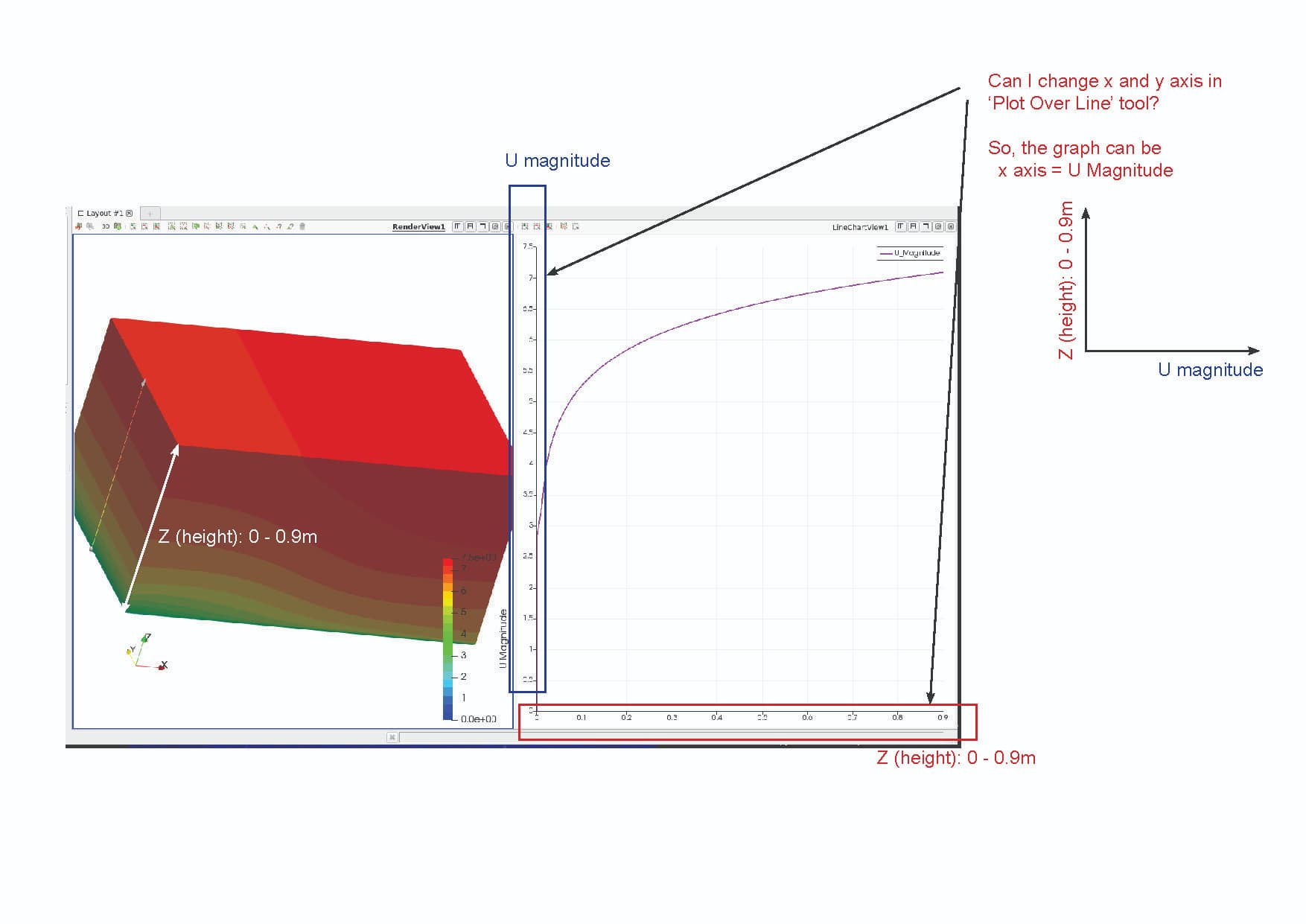
In the graph above by the Plot Over Line, the X axis represents Z (the height of geometry 0-0.9m) and the Y axis shows U Magnitude.
However, I would represent:
X = U Magnitude
Y = The height (m)
How can I change it?
Please help.
Thanks!
---
### Author:  [@Kenneth\_Moreland](https://discourse.paraview.org/u/Kenneth_Moreland)
#### Post date: [November 3, 2021, 7:43pm UTC](https://discourse.paraview.org/t/plot-over-line/8313/2 "2021-11-03T19:43:26Z")
Go to the `Display` properties in the properties panel. Change the `X Array Name` parameter to what you want to represent the x axis (in this case, U magnitude). Then go to the `Series Parameters` table. Turn off all series and then turn on `arc_length`.
---
### Author:  [@limpideyes](https://discourse.paraview.org/u/limpideyes)
#### Post date: [November 4, 2021, 7:24am UTC](https://discourse.paraview.org/t/plot-over-line/8313/3 "2021-11-04T07:24:49Z")
That works.
Thanks, Kenneth!