# plotting line from csv file
**URL:** https://discourse.paraview.org/t/plotting-line-from-csv-file/5469
**Category:** ParaView Support
**Created:** [October 1, 2020, 2:11pm UTC](https://discourse.paraview.org/t/plotting-line-from-csv-file/5469 "2020-10-01T14:11:40Z")
**Posts on this page:** 15
**Page:** 1
### Author:  [@MoRaafat](https://discourse.paraview.org/u/MoRaafat)
#### Post date: [October 1, 2020, 2:11pm UTC](https://discourse.paraview.org/t/plotting-line-from-csv-file/5469/1 "2020-10-01T14:11:40Z")
Hi all,
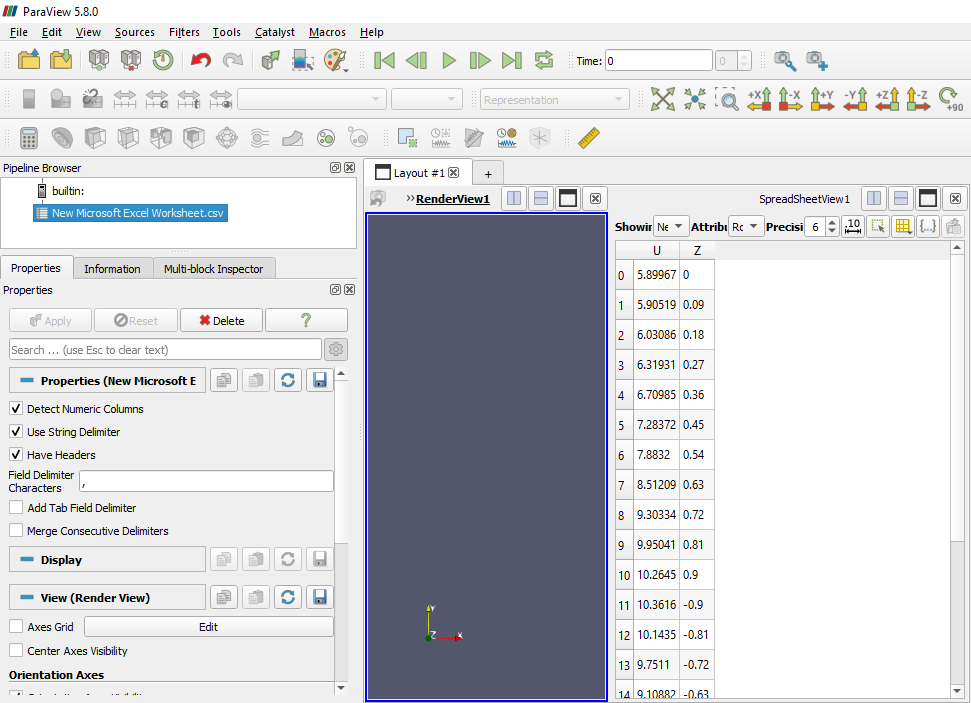
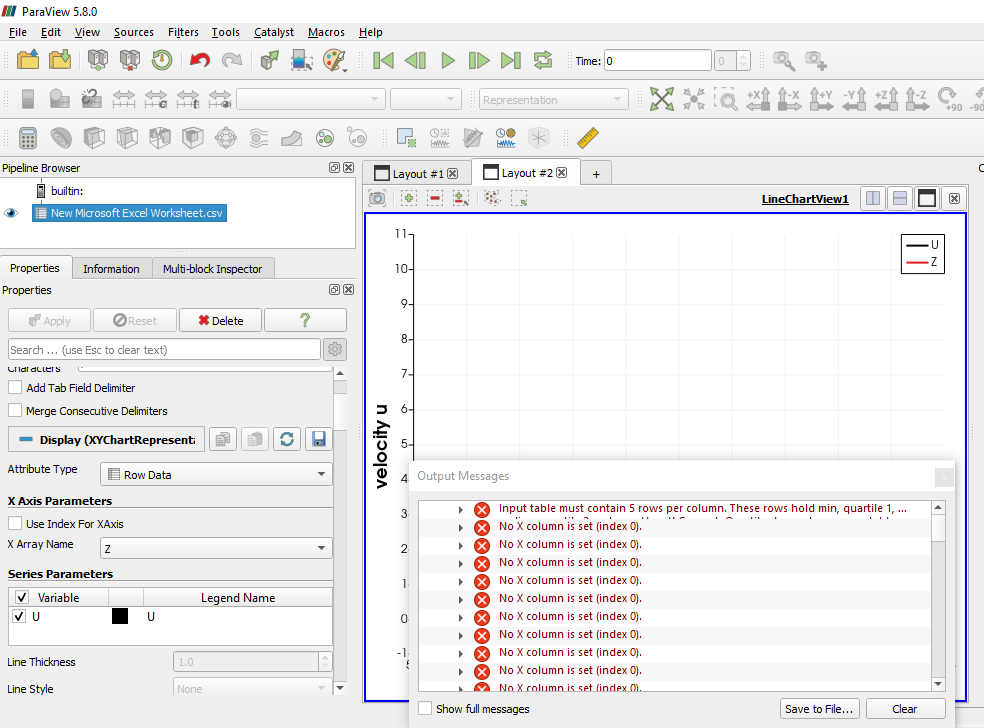
i would like to ask about plotting line from csv file. the csv file contains two columns, one for the z-axis and the other for the velocity. i tried to plot the line chart view, but at setting z to be the **x array** error is encountered and nothing is done
---
### Author:  [@mwestphal](https://discourse.paraview.org/u/mwestphal)
#### Post date: [October 1, 2020, 2:22pm UTC](https://discourse.paraview.org/t/plotting-line-from-csv-file/5469/2 "2020-10-01T14:22:26Z")
Can you share your dataset ? This should work out of the box.
---
### Author:  [@MoRaafat](https://discourse.paraview.org/u/MoRaafat)
#### Post date: [October 1, 2020, 2:26pm UTC](https://discourse.paraview.org/t/plotting-line-from-csv-file/5469/3 "2020-10-01T14:26:24Z")
[velocity u.csv](https://discourse.paraview.org/uploads/short-url/uNfBdr5bnl1LviS8sWXYoNKt2Ud.csv) (344 Bytes)
---
### Author:  [@mwestphal](https://discourse.paraview.org/u/mwestphal)
#### Post date: [October 1, 2020, 2:41pm UTC](https://discourse.paraview.org/t/plotting-line-from-csv-file/5469/4 "2020-10-01T14:41:45Z")
There is a bug in the delimited text reader for header names without quotes.
Just add quotes to the first line for work around it.
`"Z","U"`
---
### Author:  [@mwestphal](https://discourse.paraview.org/u/mwestphal)
#### Post date: [October 1, 2020, 2:47pm UTC](https://discourse.paraview.org/t/plotting-line-from-csv-file/5469/5 "2020-10-01T14:47:09Z")
Here is the logged issue : [https://gitlab.kitware.com/vtk/vtk/-/issues/18015](https://gitlab.kitware.com/vtk/vtk/-/issues/18015)
---
### Author:  [@MoRaafat](https://discourse.paraview.org/u/MoRaafat)
#### Post date: [October 1, 2020, 2:58pm UTC](https://discourse.paraview.org/t/plotting-line-from-csv-file/5469/6 "2020-10-01T14:58:28Z")
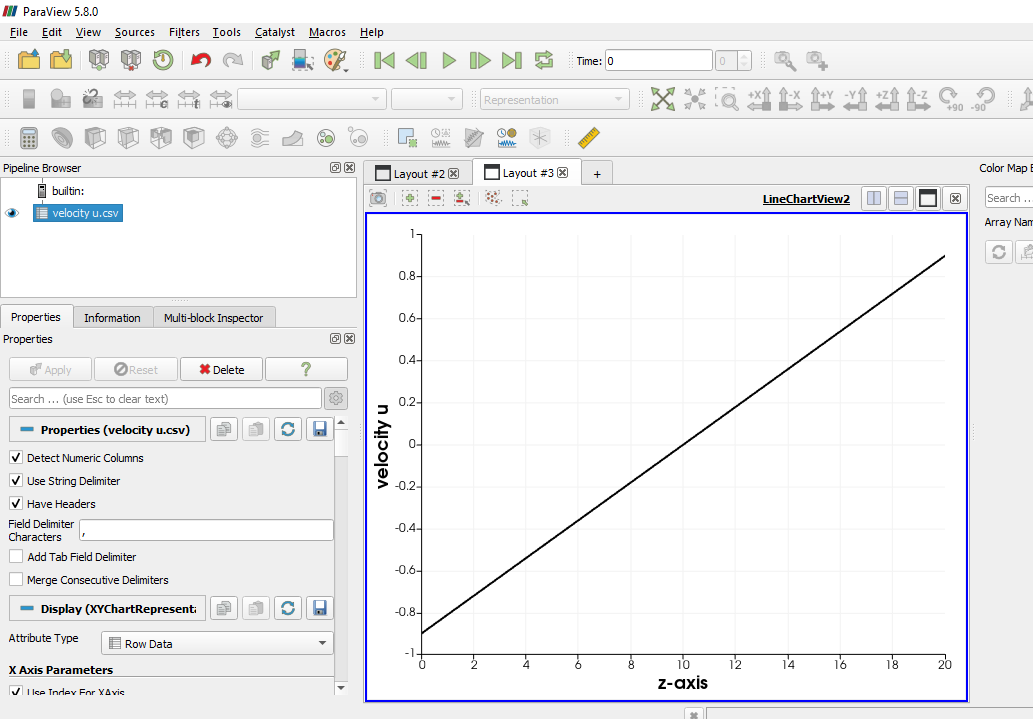
thanks for your quick reply, but when i added the quotes, the velocity column was deleted. [velocity u.csv](https://discourse.paraview.org/uploads/short-url/8BHtIZUAzIUkpC1a54Y8jpEJ6cv.csv) (356 Bytes)
---
### Author:  [@mwestphal](https://discourse.paraview.org/u/mwestphal)
#### Post date: [October 1, 2020, 3:00pm UTC](https://discourse.paraview.org/t/plotting-line-from-csv-file/5469/7 "2020-10-01T15:00:02Z")
This file works perfectly for me: [velocity u.csv](https://discourse.paraview.org/uploads/short-url/rNVSzf4hjl6Mq8azZaZEMBiThQT.csv) (348 Bytes)
---
### Author:  [@MoRaafat](https://discourse.paraview.org/u/MoRaafat)
#### Post date: [October 1, 2020, 3:13pm UTC](https://discourse.paraview.org/t/plotting-line-from-csv-file/5469/8 "2020-10-01T15:13:30Z")
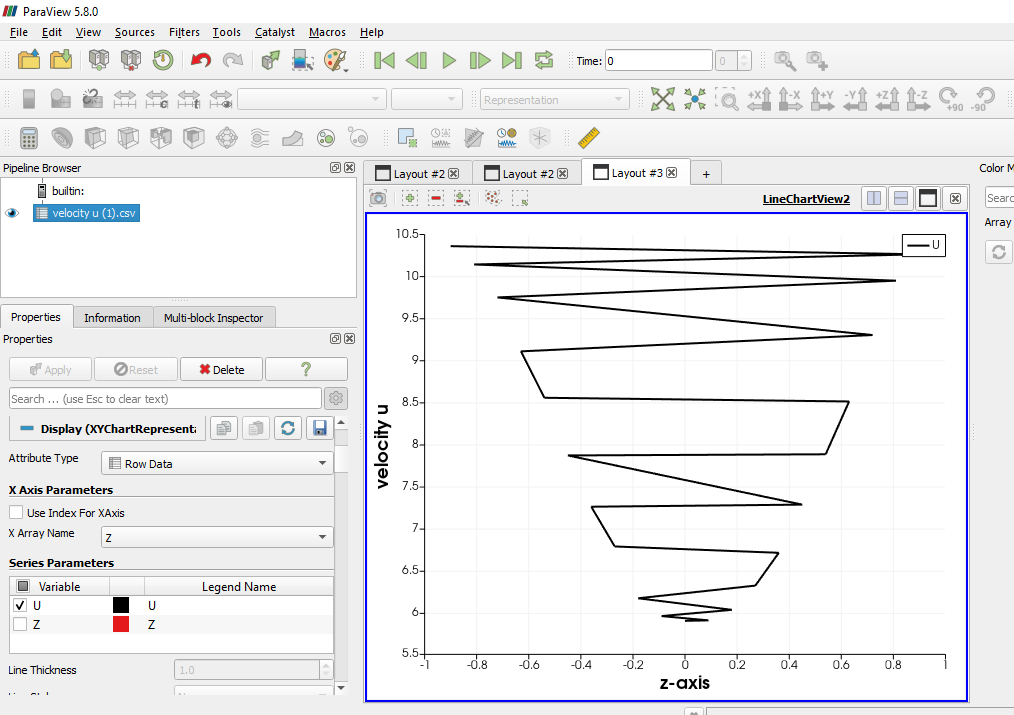
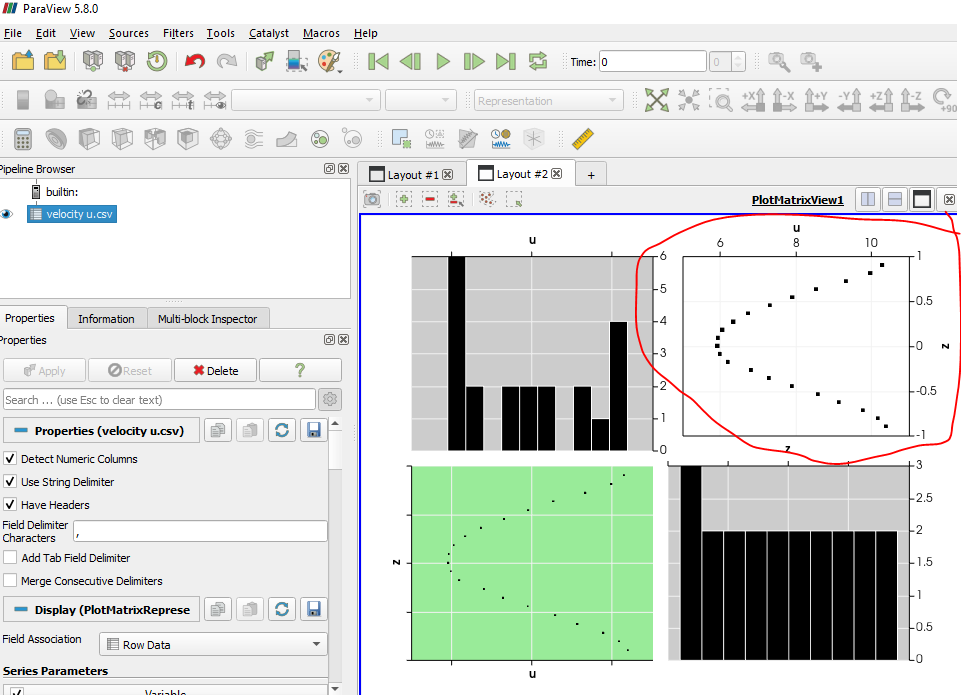
i am so sorry for this disturbance. when i used your last csv file the plot is correctly between z and velocity but the curve is not correct. i used the first file without quotes and used plot matrix view , the proper curve appears. although, i need the curve to compare it with another data
---
### Author:  [@Kenneth\_Moreland](https://discourse.paraview.org/u/Kenneth_Moreland)
#### Post date: [October 1, 2020, 3:13pm UTC](https://discourse.paraview.org/t/plotting-line-from-csv-file/5469/9 "2020-10-01T15:13:59Z")
It looks like something (probably MS Excel) added a [byte order mark](https://en.wikipedia.org/wiki/Byte_order_mark) to the file that is confusing ParaView. They are invisible in just about every editor I tried (or used to identify the file as UTF-8), but they showed up when I ran `cat` from a shell.
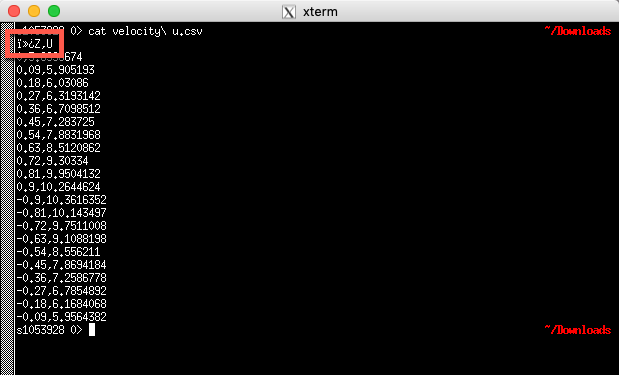
If you have it available on your system, you can use the `dos2unix` program on your system to strip that out, and then the file works. Or, like @mwestphal said, you can put the labels in quotes and ParaView will read it correctly.
This seems like a bug to me, so I filed a bug report: [#20243](https://gitlab.kitware.com/paraview/paraview/-/issues/20243).
---
### Author:  [@Kenneth\_Moreland](https://discourse.paraview.org/u/Kenneth_Moreland)
#### Post date: [October 1, 2020, 3:15pm UTC](https://discourse.paraview.org/t/plotting-line-from-csv-file/5469/10 "2020-10-01T15:15:40Z")
Try turning on the `Sort By X-Axis` option in the `Line Chart View`.
---
### Author:  [@MoRaafat](https://discourse.paraview.org/u/MoRaafat)
#### Post date: [October 1, 2020, 3:22pm UTC](https://discourse.paraview.org/t/plotting-line-from-csv-file/5469/11 "2020-10-01T15:22:02Z")
yes, i get the proper curve by turning on the `Sort By X-Axis` option with the file sent by[velocity u.csv](https://discourse.paraview.org/uploads/short-url/rNVSzf4hjl6Mq8azZaZEMBiThQT.csv) (348 Bytes) [velocity u.csv](https://discourse.paraview.org/uploads/short-url/rNVSzf4hjl6Mq8azZaZEMBiThQT.csv) (348 Bytes) @mwestphal
---
### Author:  [@MoRaafat](https://discourse.paraview.org/u/MoRaafat)
#### Post date: [October 1, 2020, 3:45pm UTC](https://discourse.paraview.org/t/plotting-line-from-csv-file/5469/12 "2020-10-01T15:45:20Z")
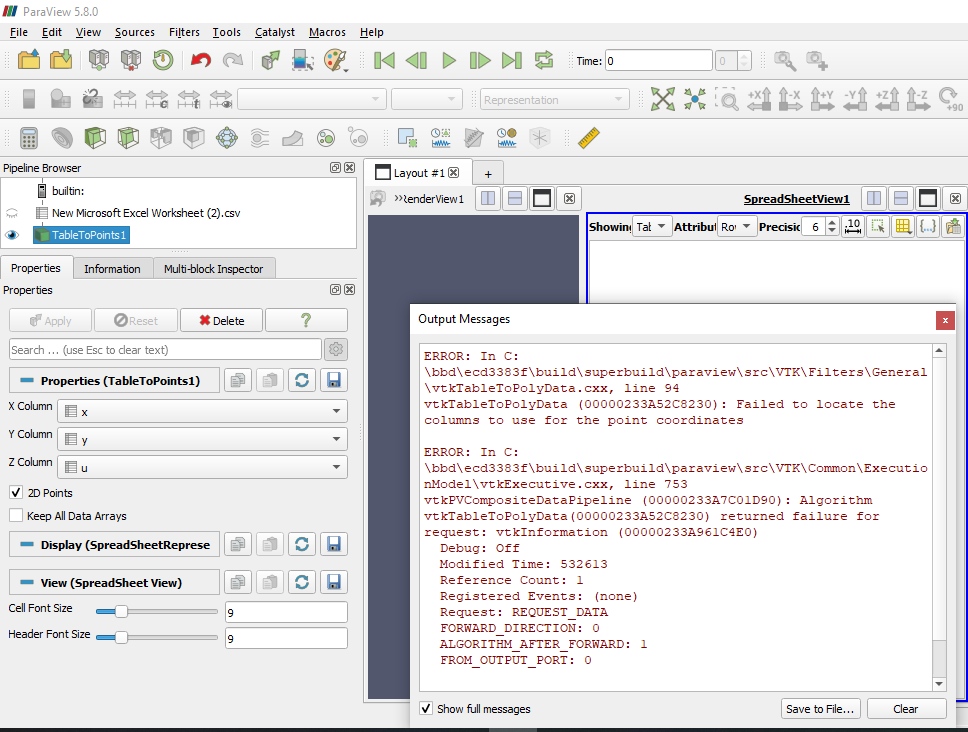
i also have a problem with plotting a contour of velocity at a section with two axis. i think the problem came from the csv file, too, as you mentioned.[velocity contour.csv](https://discourse.paraview.org/uploads/short-url/qdMOlvuEEkRmm0DyT0WF0zRKI1k.csv) (7.5 KB)
---
### Author:  [@Kenneth\_Moreland](https://discourse.paraview.org/u/Kenneth_Moreland)
#### Post date: [October 1, 2020, 7:52pm UTC](https://discourse.paraview.org/t/plotting-line-from-csv-file/5469/13 "2020-10-01T19:52:09Z")
Yes. Same problem. Same workaround. Run the `dos2unix` Unix utility or edit the file to surround the header labels with quotes.
---
### Author:  [@MoRaafat](https://discourse.paraview.org/u/MoRaafat)
#### Post date: [October 3, 2020, 10:28am UTC](https://discourse.paraview.org/t/plotting-line-from-csv-file/5469/14 "2020-10-03T10:28:31Z")
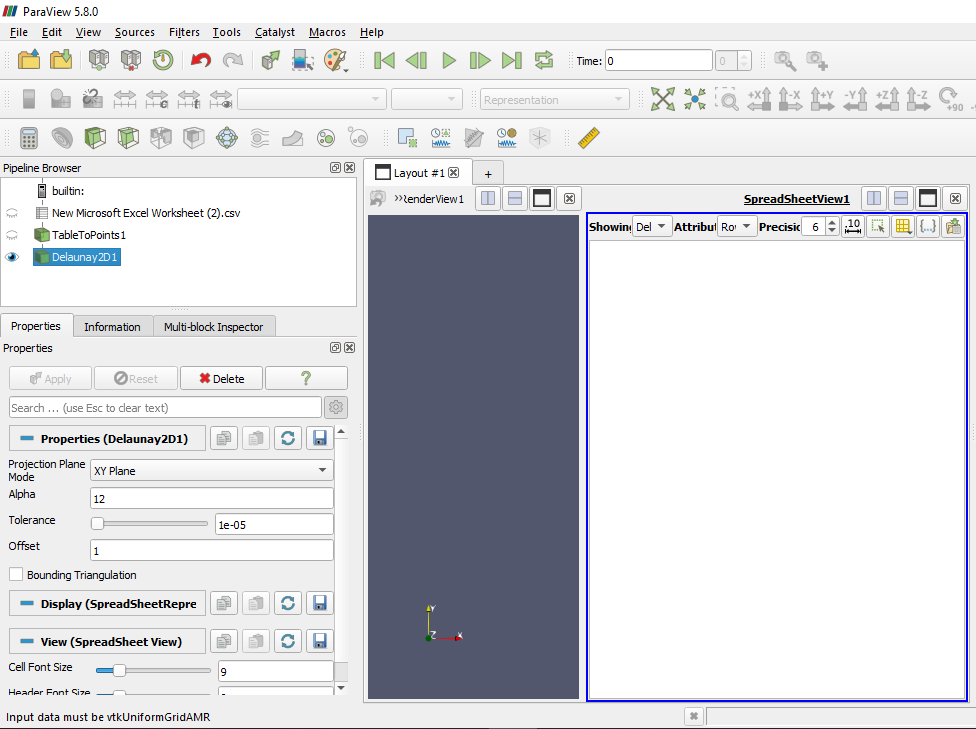
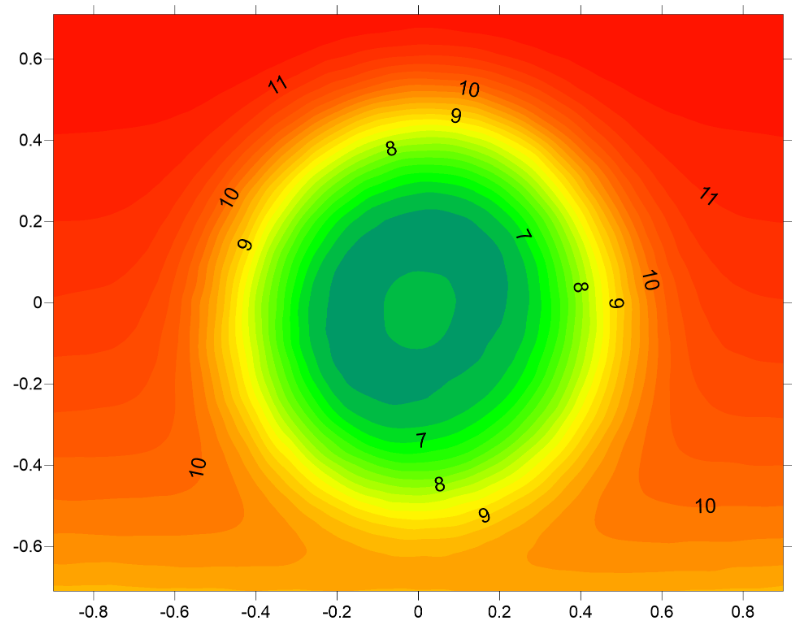
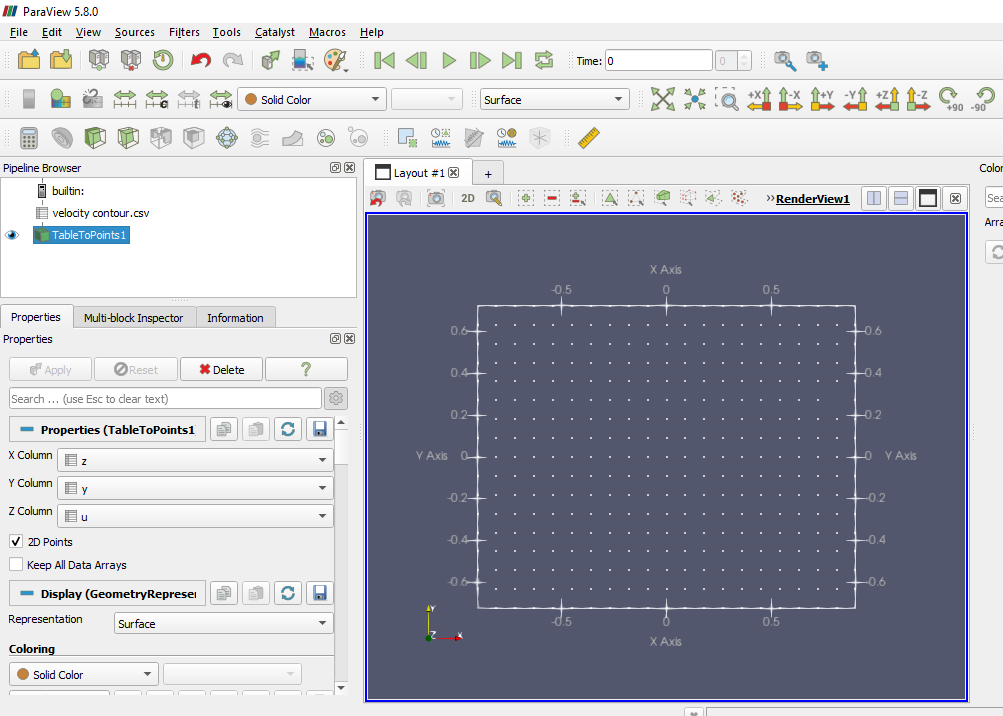
thanks to you, i manged to plot the line. can i get help in plotting a contour of velocity like the 1st photo attached. i used ‘table to points’ then ‘Delaunay2d’, so, what is next.
Thanks in advance.

---
### Author:  [@Kenneth\_Moreland](https://discourse.paraview.org/u/Kenneth_Moreland)
#### Post date: [October 4, 2020, 7:33pm UTC](https://discourse.paraview.org/t/plotting-line-from-csv-file/5469/15 "2020-10-04T19:33:09Z")
See this topic for the answer: [2D contour from .csv](https://discourse.paraview.org/t/2d-contour-from-csv/2913)