# Plug-in RenderView Object and Caption
**URL:** https://discourse.paraview.org/t/plug-in-renderview-object-and-caption/12692
**Category:** Development
**Created:** [August 13, 2023, 1:05am UTC](https://discourse.paraview.org/t/plug-in-renderview-object-and-caption/12692 "2023-08-13T01:05:46Z")
**Posts on this page:** 5
**Page:** 1
### Author:  [@Farhan](https://discourse.paraview.org/u/Farhan)
#### Post date: [August 13, 2023, 1:05am UTC](https://discourse.paraview.org/t/plug-in-renderview-object-and-caption/12692/1 "2023-08-13T01:05:46Z")
Hi experts,
I am new to developing paraview (pv) plug-in and am trying to display an object with a caption in the renderview. I was able to create the below image in python VTK where I added a cylinder and an “vtkCaptionActor2D()” actor to the renderer.
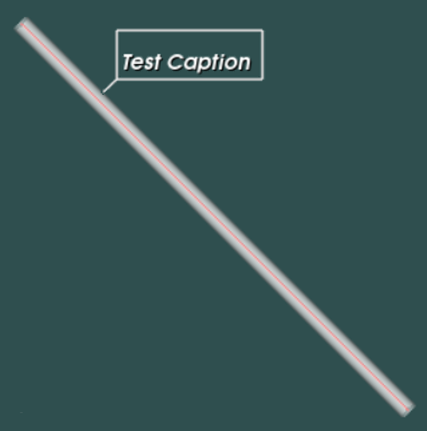
I need to create similar functionality in a plug-in in ParaView. However, I cannot figure out how to get access to the pv renderer and add the caption actor. Or may be, return a single object by “grouping” the cylinder and caption (not sure how to “combine” or “group”).
If it helps below is my “RequestData()” function.
```auto
1. int MyPlugin::RequestData(vtkInformation* vtkNotUsed(request),
2. vtkInformationVector** vtkNotUsed(inputVector), vtkInformationVector* outputVector)
3. {
4. auto cyl = vtkCylinderSource::New();
5. cyl->SetCenter(0, 0, 0);
6. cyl->SetHeight(100);
7. cyl->SetRadius(1);
8. cyl->SetResolution(50);
9. cyl->Update();
10. auto caption = vtkCaptionActor2D::New();
11. caption.SetCaption("Test Caption");
12. auto outInfo = outputVector->GetInformationObject(0);
13. auto outObj = outInfo->Get(vtkDataObject::DATA_OBJECT());
14. outObj->ShallowCopy(cyl->GetOutput());
15. return 1;
16. }
```
Any suggestions or example would be helpful.
Regards
---
### Author:  [@Mathews\_John](https://discourse.paraview.org/u/Mathews_John)
#### Post date: [August 14, 2023, 2:48pm UTC](https://discourse.paraview.org/t/plug-in-renderview-object-and-caption/12692/2 "2023-08-14T14:48:58Z")
Hi,
I am not an expert and this is a shot in the dark but looking at this [Caption Widget Example](https://examples.vtk.org/site/Cxx/Widgets/CaptionWidget/), the vtkCaptionActor2D() is a property of an axes or a representation.
In the RequestData() function you only usually get the data of the source. I think you will have to set the caption elsewhere in your code where the view is being rendered.
---
### Author:  [@Farhan](https://discourse.paraview.org/u/Farhan)
#### Post date: [August 14, 2023, 6:26pm UTC](https://discourse.paraview.org/t/plug-in-renderview-object-and-caption/12692/3 "2023-08-14T18:26:17Z")
Thanks John.
My only objective is to create a 3D object with a descriptive text in a paraview plug-in. It does not have to use vtkCaptionActor2D() or be inside the function RequestData().
For now, I am using the vtkAppendPolyData to append a cylinder and vtkVectorText inside the RequestData().

This works, however I guess font and color cannot be updated, since pv renderer is needed for that. Unfortunately, I am unable to find how to get access to the paraview renderer. Will keep trying.
Regards
---
### Author:  [@Farhan](https://discourse.paraview.org/u/Farhan)
#### Post date: [August 15, 2023, 1:04pm UTC](https://discourse.paraview.org/t/plug-in-renderview-object-and-caption/12692/4 "2023-08-15T13:04:43Z")
For anyone facing similar issue
Access to the Mapper in the Paraview is explained in the section [“Adding new Representations for 3D View using Plugins \* new in version 3.7” on the page](https://www.paraview.org/Wiki/ParaView/Plugin_HowTo#Adding_new_Representations_for_3D_View_using_Plugins_*_new_in_version_3.7)
Regards
---
### Author:  [@mwestphal](https://discourse.paraview.org/u/mwestphal)
#### Post date: [August 16, 2023, 2:18pm UTC](https://discourse.paraview.org/t/plug-in-renderview-object-and-caption/12692/5 "2023-08-16T14:18:59Z")
This is higly outdated, here is the correct page: [ParaView: Plugin Howto](https://kitware.github.io/paraview-docs/latest/cxx/PluginHowto.html)