# Post proccesing troubles histogram/distribution function.
**URL:** https://discourse.paraview.org/t/post-proccesing-troubles-histogram-distribution-function/7444
**Category:** ParaView Support
**Created:** [June 18, 2021, 6:34pm UTC](https://discourse.paraview.org/t/post-proccesing-troubles-histogram-distribution-function/7444 "2021-06-18T18:34:03Z")
**Posts on this page:** 5
**Page:** 1
### Author:  [@peppsn](https://discourse.paraview.org/u/peppsn)
#### Post date: [June 18, 2021, 6:34pm UTC](https://discourse.paraview.org/t/post-proccesing-troubles-histogram-distribution-function/7444/1 "2021-06-18T18:34:03Z")
Hi! Im a new paraview user and could use some help if there’s anyone with experience and some left over time out there.
I’ve done a simulation in Converge CFD (h5-files) and trying to show a distribution curve at different timespots in the simulation.
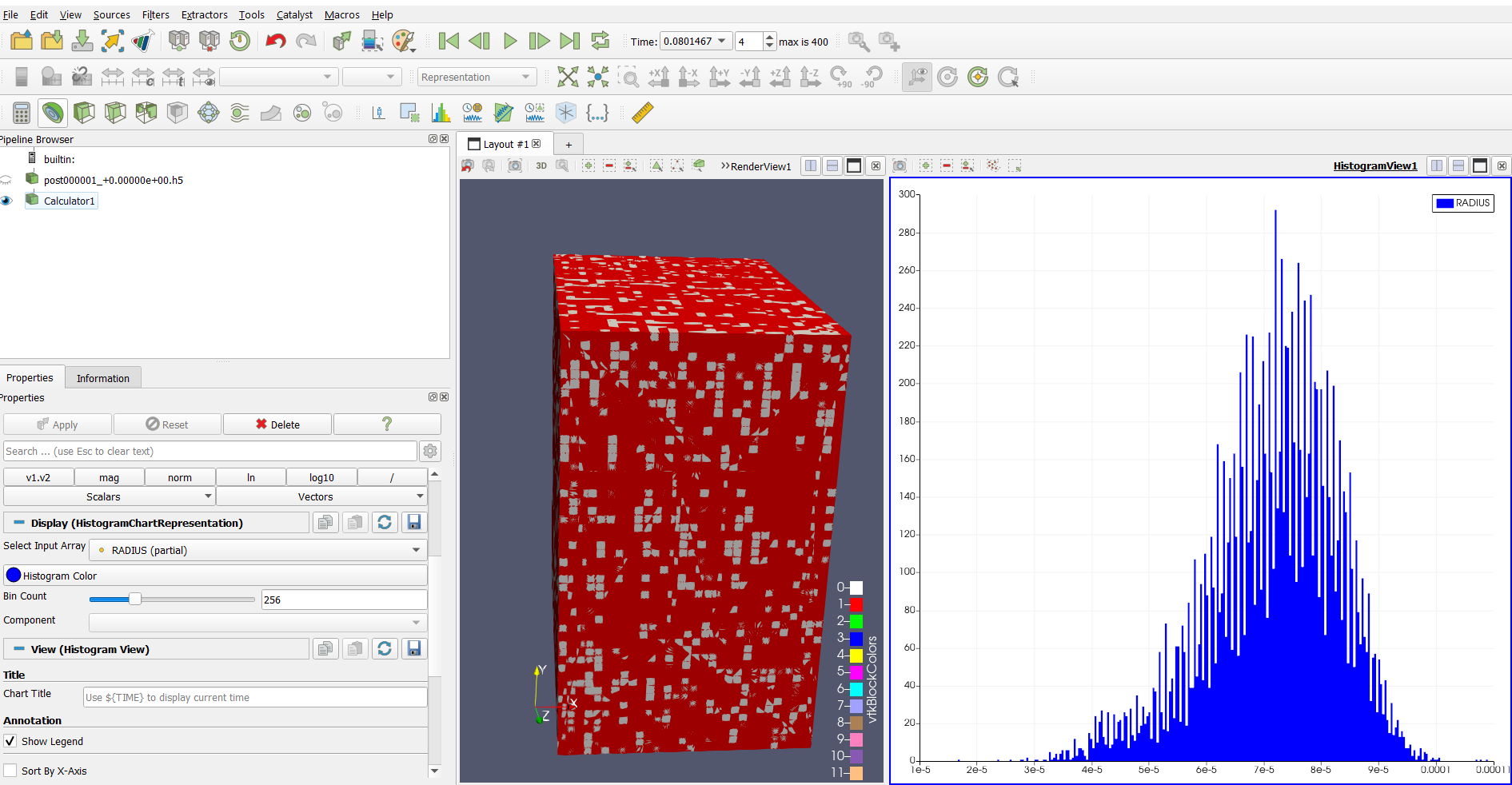
The optimal situation would be to have several graphs in the same picture to show the change in distribution at different times.
Is this possible in paraview? And if not, is it possible to extract data to excel and do it there? Had some trouble with that too…
Regards
- P
---
### Author:  [@Kenichiro-Yoshimi](https://discourse.paraview.org/u/Kenichiro-Yoshimi)
#### Post date: [June 20, 2021, 3:53am UTC](https://discourse.paraview.org/t/post-proccesing-troubles-histogram-distribution-function/7444/2 "2021-06-20T03:53:16Z")
Hello,
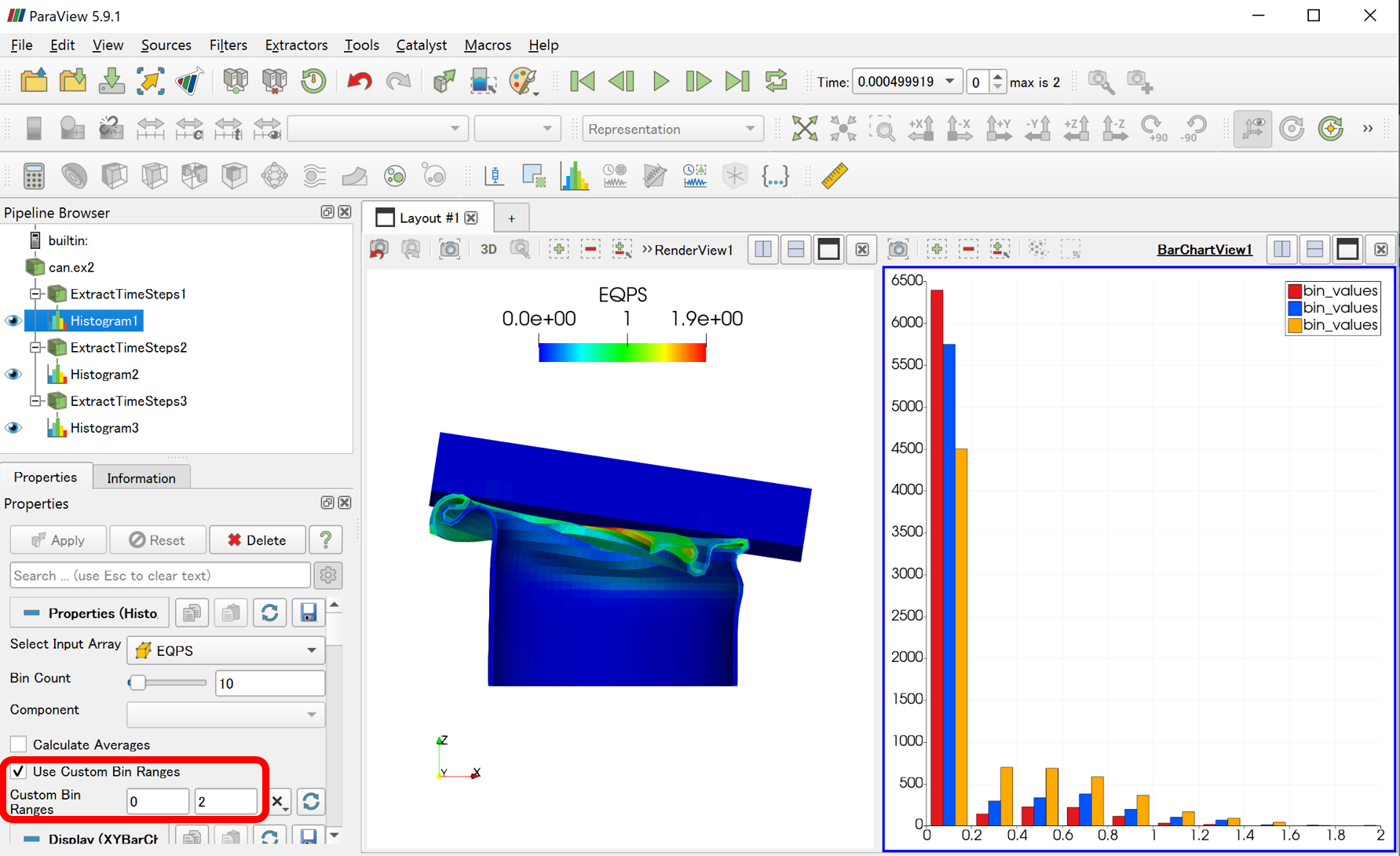
One way to do this is to use the **Extract Time Steps** filter and the **Histogram** filter:
1. Use the **Extract Time Steps** filter to pick out the time steps you want to compare.
2. Apply a **Histogram** Filter to the result of each Extract Time Steps filter. At this time, it is necessary to set a common **Custom Bin Ranges** for all Histogram Filters.
---
### Author:  [@peppsn](https://discourse.paraview.org/u/peppsn)
#### Post date: [June 21, 2021, 9:32am UTC](https://discourse.paraview.org/t/post-proccesing-troubles-histogram-distribution-function/7444/3 "2021-06-21T09:32:51Z")
Thank you Kyoshimi!
This seems like a possible way to solve my problem.
But I have a huge amount of timesteps. Is there a way to do it more easy than manually add one timestep at the time?
---
### Author:  [@Kenichiro-Yoshimi](https://discourse.paraview.org/u/Kenichiro-Yoshimi)
#### Post date: [June 21, 2021, 10:30am UTC](https://discourse.paraview.org/t/post-proccesing-troubles-histogram-distribution-function/7444/4 "2021-06-21T10:30:06Z")
For example, there is a way to automate it with a Python script like the one attached, but I am not sure if it is the way you want.
[histogram.py](https://discourse.paraview.org/uploads/short-url/vOINJhdZZD8I23RgSxQNUwYcaXf.py) (2.0 KB)
1. View \> Python Shell
2. Click on the **Run Script** button and load histogram.py as above.
---
### Author:  [@peppsn](https://discourse.paraview.org/u/peppsn)
#### Post date: [June 21, 2021, 5:18pm UTC](https://discourse.paraview.org/t/post-proccesing-troubles-histogram-distribution-function/7444/5 "2021-06-21T17:18:12Z")
Thanks for your time and help!
I figured it out thanks to you.
Have a nice day.
- P