# Problems with the display
**URL:** https://discourse.paraview.org/t/problems-with-the-display/5529
**Category:** ParaView Support
**Created:** [October 8, 2020, 6:27pm UTC](https://discourse.paraview.org/t/problems-with-the-display/5529 "2020-10-08T18:27:05Z")
**Posts on this page:** 5
**Page:** 1
### Author:  [@Orlando\_Cuen](https://discourse.paraview.org/u/Orlando_Cuen)
#### Post date: [October 8, 2020, 6:27pm UTC](https://discourse.paraview.org/t/problems-with-the-display/5529/1 "2020-10-08T18:27:05Z")
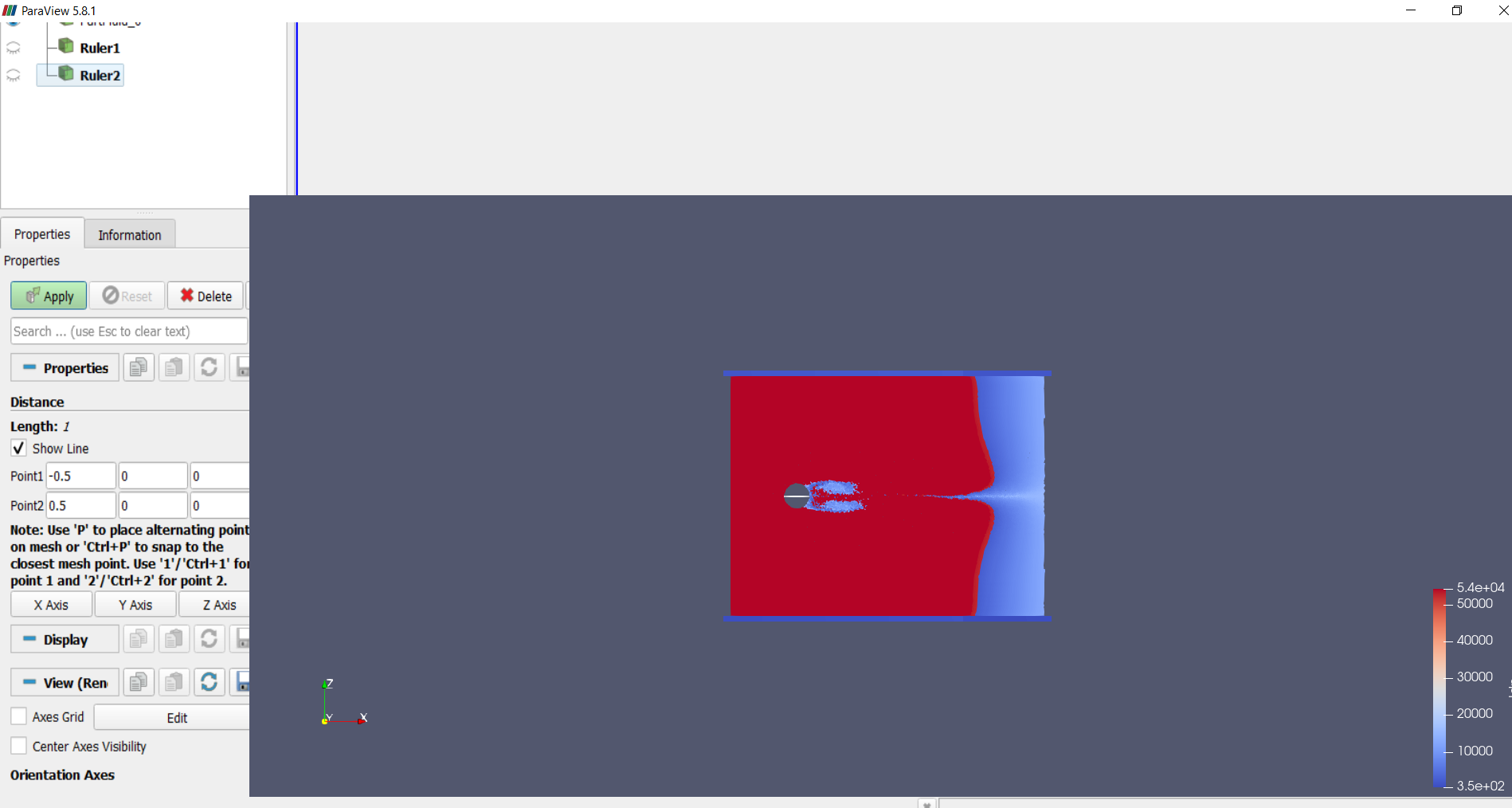
Hi, I’m having trouble viewing my numerical simulations, the moment I hit the Apply option the window apparently freezes and doesn’t allow me to see the options at the top of the window.
I hope someone can help me with this problem.
Best regards.
---
### Author:  [@theodorebaltis](https://discourse.paraview.org/u/theodorebaltis)
#### Post date: [October 8, 2020, 6:35pm UTC](https://discourse.paraview.org/t/problems-with-the-display/5529/2 "2020-10-08T18:35:11Z")
Probably same as:
> [@Display issue with opening files with multiple displays](https://discourse.paraview.org/t/display-issue-with-opening-files-with-multiple-displays/4614):
>
> I am consistently getting the following display issue when opening files with multiple displays (laptop + additional monitor). As soon as the laptop cover is closed (so just back to one single display it works fine) Is this something you are aware of and plan to fix? Thank you
---
### Author:  [@Orlando\_Cuen](https://discourse.paraview.org/u/Orlando_Cuen)
#### Post date: [October 8, 2020, 7:15pm UTC](https://discourse.paraview.org/t/problems-with-the-display/5529/3 "2020-10-08T19:15:04Z")
Hello
Yes I have the same problem as you, but I do not have an additional monitor, it only happens with my laptop, I already downloaded several old versions and also recent versions and the same thing keeps happening to me.
---
### Author:  [@theodorebaltis](https://discourse.paraview.org/u/theodorebaltis)
#### Post date: [October 8, 2020, 7:21pm UTC](https://discourse.paraview.org/t/problems-with-the-display/5529/4 "2020-10-08T19:21:20Z")
Has nothing to do with the monitor, but with the drivers for your graphics chip.
That link has what you need. Take another look.
---
### Author:  [@Orlando\_Cuen](https://discourse.paraview.org/u/Orlando_Cuen)
#### Post date: [October 8, 2020, 8:38pm UTC](https://discourse.paraview.org/t/problems-with-the-display/5529/5 "2020-10-08T20:38:46Z")
Thank you very much.
I have solved the problem, right clicking and selecting the option to run from the Nvidia graphics processor.
Best regards!!