# Programmable source not displaying volume representation
**URL:** https://discourse.paraview.org/t/programmable-source-not-displaying-volume-representation/15110
**Category:** ParaView Support
**Created:** [July 24, 2024, 1:02am UTC](https://discourse.paraview.org/t/programmable-source-not-displaying-volume-representation/15110 "2024-07-24T01:02:40Z")
**Posts on this page:** 3
**Page:** 1
### Author:  [@eckart](https://discourse.paraview.org/u/eckart)
#### Post date: [July 24, 2024, 1:02am UTC](https://discourse.paraview.org/t/programmable-source-not-displaying-volume-representation/15110/1 "2024-07-24T01:02:40Z")
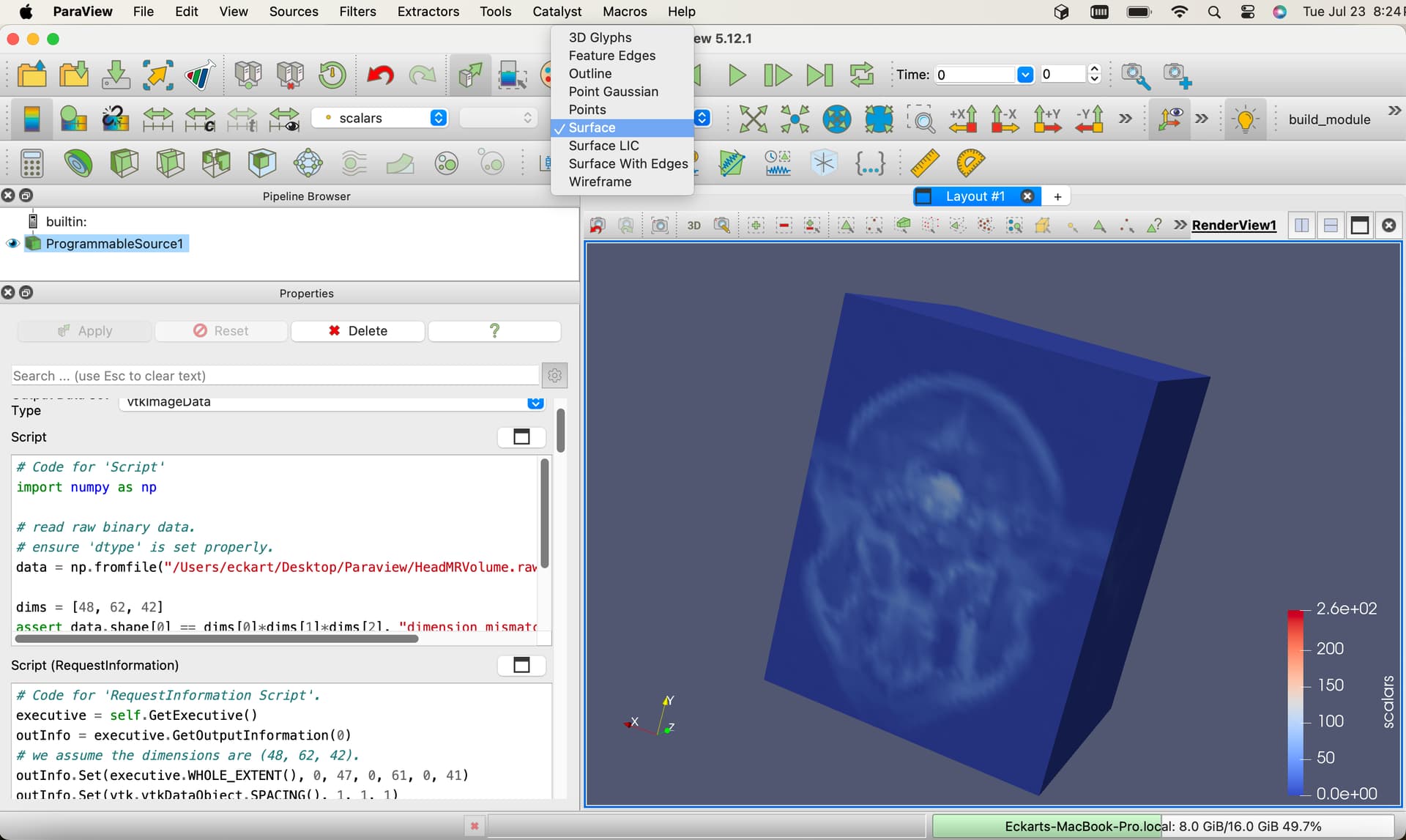
How do I get a Programmable Source to display in Volume representation?
I am following along the example in the ParaView Reference Manual, Section 5.2.4. Reading binary 2D image. The script I am using is basically the same as the example given in the Reference Manual. Why is Volume representation is not available as an option (but Reference Manual Fig. 5.31 shows this same example in Volume representation)?
Output Datatype: vtkImageData
```python
# Code for 'Script'
import numpy as np
# read raw binary data.
# ensure 'dtype' is set properly.
data = np.fromfile("/Users/eckart/Desktop/Paraview/HeadMRVolume.raw", dtype=np.uint8)
dims = [48, 62, 42]
assert data.shape[0] == dims[0]*dims[1]*dims[2], "dimension mismatch"
output.SetExtent(0, dims[0]-1, 0, dims[1]-1, 0, dims[2]-1)
output.PointData.append(data, "scalars")
output.PointData.SetActiveScalars("scalars")
# Code for 'RequestInformation Script'.
executive = self.GetExecutive()
outInfo = executive.GetOutputInformation(0)
# we assume the dimensions are (48, 62, 42).
outInfo.Set(executive.WHOLE_EXTENT(), 0, 47, 0, 61, 0, 41)
outInfo.Set(vtk.vtkDataObject.SPACING(), 1, 1, 1)
```
* * *
macOS Sonoma 14.5, ParaView 5.12.1 from ([https://www.paraview.org/download/](https://www.paraview.org/download/)), Apple M4 GPU
---
### Author:  [@cory.quammen](https://discourse.paraview.org/u/cory.quammen)
#### Post date: [July 24, 2024, 1:43am UTC](https://discourse.paraview.org/t/programmable-source-not-displaying-volume-representation/15110/2 "2024-07-24T01:43:46Z")
This works for me in 5.12.1:
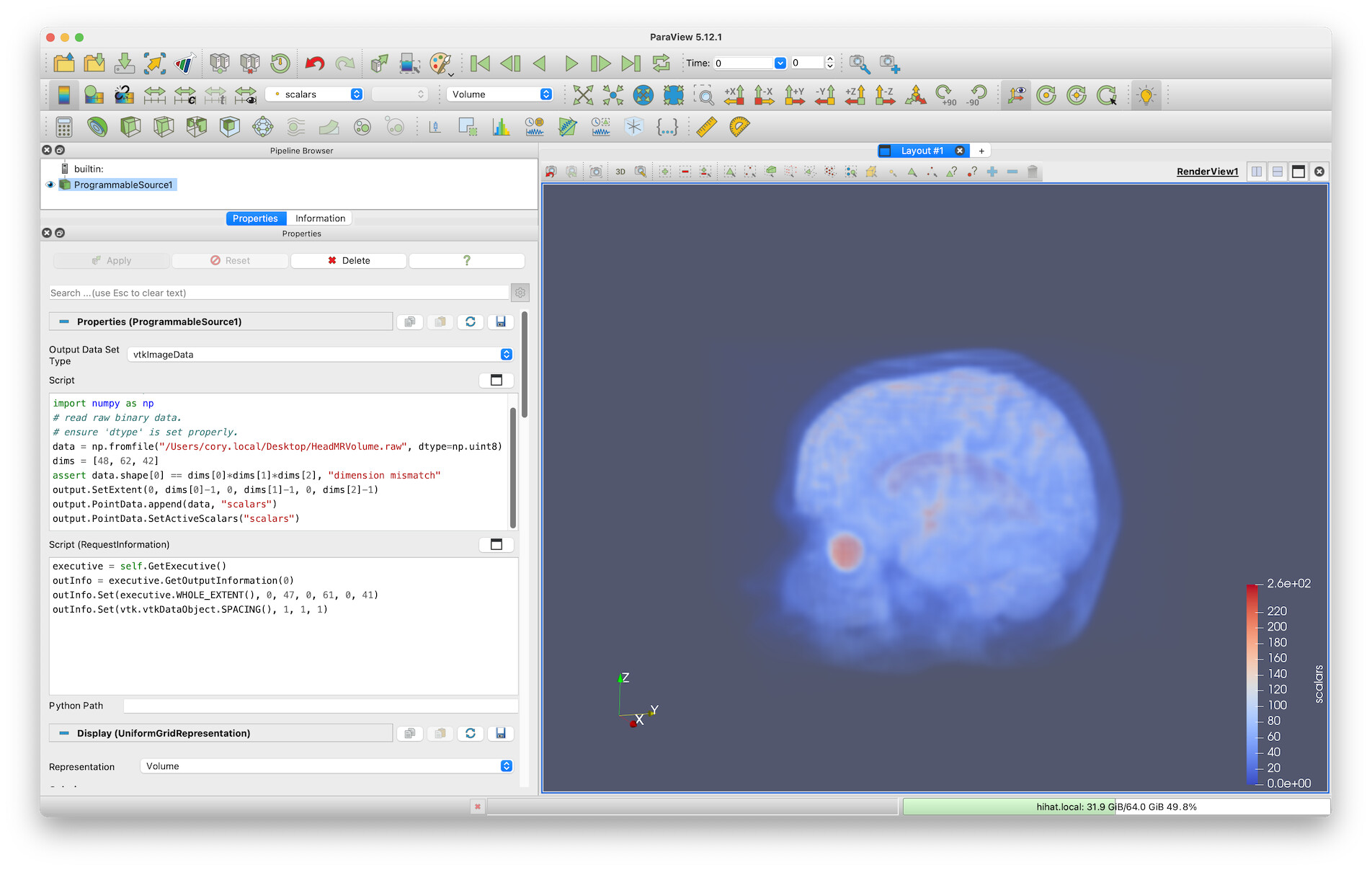
One thing that can happen with a **Programmable Source** is this: if you first click the Apply button with the **Output Data Set Type** set to something other than `vtkImageData`, ParaView will evaluate the filter and create a representation (or display) appropriate for that data type. The default output type is `vtkPolyData`, which does not have a “Volume” representation option.
Now, if you realize your mistake and then change the **Output Data Set Type** _to_ `vtkImageData`, you’ll see that your script runs fine, but you won’t be able to find the “Volume” representation. ParaView does not create a new representation for your `vtkImageData`, but uses the one originally created (this is a deficiency in ParaView, BTW).
The key is to set the correct output dataset type **before** you click Apply for the first time. Then the representation for `vtkImageData` with the “Volume” option will be created, and all should work fine.
---
### Author:  [@eckart](https://discourse.paraview.org/u/eckart)
#### Post date: [July 24, 2024, 12:19pm UTC](https://discourse.paraview.org/t/programmable-source-not-displaying-volume-representation/15110/3 "2024-07-24T12:19:19Z")
Thank you for the quick and helpful response!
I had Auto-Apply set in my preferences which seems to cause this issue “automatically”. As soon the Programmable Source is inserted with default output data type vtkPolyData, an Apply is automatically sent which removes the Volume representation permanently.
With Auto-Apply unset, re-inserting the Programmable Source, and changing the output data type to vtkImageData _before_ pressing Apply, Volume representation is now available and working as expected.