# PV 5.9.1 Will Not Launch on Windows 10
**URL:** https://discourse.paraview.org/t/pv-5-9-1-will-not-launch-on-windows-10/8404
**Category:** ParaView Support
**Created:** [November 15, 2021, 5:56am UTC](https://discourse.paraview.org/t/pv-5-9-1-will-not-launch-on-windows-10/8404 "2021-11-15T05:56:21Z")
**Posts on this page:** 7
**Page:** 1
### Author:  [@natetron](https://discourse.paraview.org/u/natetron)
#### Post date: [November 15, 2021, 5:56am UTC](https://discourse.paraview.org/t/pv-5-9-1-will-not-launch-on-windows-10/8404/1 "2021-11-15T05:56:21Z")
After what appears to be a successful installation of PV 5.9.1, when I attempt to launch the software, I see the following windows for only about 1 second before they disappear.
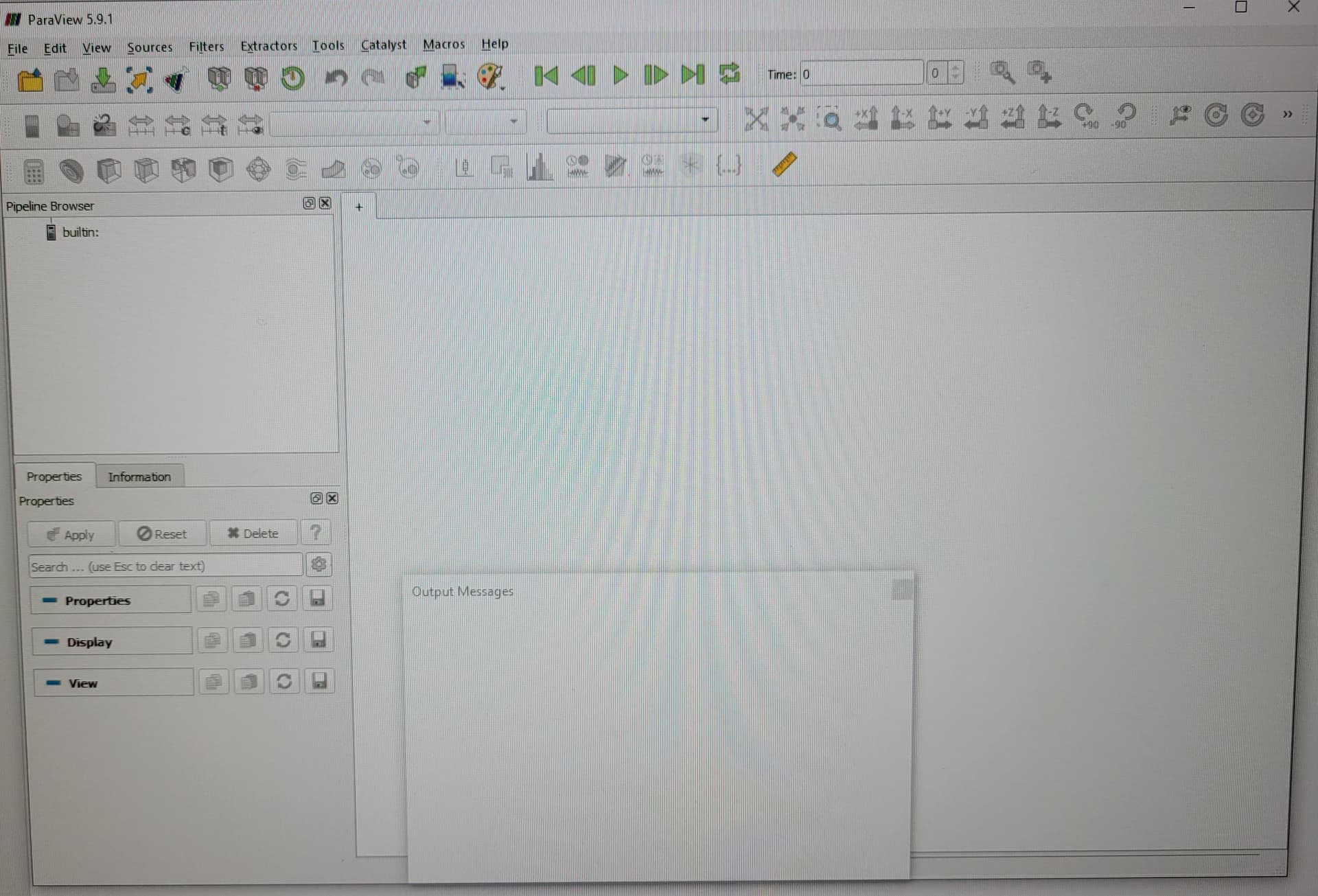
I’m running Windows 10 Enterprise with an NVIDIA Quadro RTX A4000 w/8GB GDDR6 video card. Any ideas for resolving this?
---
### Author:  [@mwestphal](https://discourse.paraview.org/u/mwestphal)
#### Post date: [November 15, 2021, 8:21am UTC](https://discourse.paraview.org/t/pv-5-9-1-will-not-launch-on-windows-10/8404/2 "2021-11-15T08:21:59Z")
Can you try with pv 5.10 ?
---
### Author:  [@natetron](https://discourse.paraview.org/u/natetron)
#### Post date: [November 15, 2021, 9:28pm UTC](https://discourse.paraview.org/t/pv-5-9-1-will-not-launch-on-windows-10/8404/4 "2021-11-15T21:28:01Z")
Same result.
---
### Author:  [@cory.quammen](https://discourse.paraview.org/u/cory.quammen)
#### Post date: [November 16, 2021, 12:01am UTC](https://discourse.paraview.org/t/pv-5-9-1-will-not-launch-on-windows-10/8404/5 "2021-11-16T00:01:53Z")
Make sure your NVIDIA card is being used for ParaView. You should be able to set this in the NVIDIA control panel.
---
### Author:  [@natetron](https://discourse.paraview.org/u/natetron)
#### Post date: [November 16, 2021, 5:33am UTC](https://discourse.paraview.org/t/pv-5-9-1-will-not-launch-on-windows-10/8404/6 "2021-11-16T05:33:32Z")
I set PV to use the “High performance NVIDIA processor” in the NVIDIA control panel, but I get the same result. I added both PV 5.9.1 and 5.10…same result. Is there some type of log file that would indicate what specifically causes the crash?
---
### Author:  [@mwestphal](https://discourse.paraview.org/u/mwestphal)
#### Post date: [November 16, 2021, 8:09am UTC](https://discourse.paraview.org/t/pv-5-9-1-will-not-launch-on-windows-10/8404/7 "2021-11-16T08:09:41Z")
Try recovering OpenGL info using pvpython:
> [@Recover OpenGL Informations from pvpython](https://discourse.paraview.org/t/recover-opengl-informations-from-pvpython/1536):
>
> The OpenGL informations, visible in Help → About dialog, are not easily recoverable in pvpython yet. Here is how to do it. On ParaView 5.6 and earlier versions: import vtk as VTK openGLInfo=VTK.vtkPVOpenGLInformation() session=servermanager.vtkSMProxyManager.GetProxyManager().GetActiveSession() session.GatherInformation(session.CLIENT, openGLInfo, 0) openGLInfo.GetVendor() openGLInfo.GetVersion() openGLInfo.GetRenderer() openGLInfo.GetCapabilities() On ParaView 5.7.X : openGLInfo=serverman…
---
### Author:  [@natetron](https://discourse.paraview.org/u/natetron)
#### Post date: [December 5, 2021, 2:28pm UTC](https://discourse.paraview.org/t/pv-5-9-1-will-not-launch-on-windows-10/8404/8 "2021-12-05T14:28:29Z")
This matter has been resolved. Turned out to be a conflict with an outdated Sentinel HASP driver related to different software. Once that driver was updated, PV started working for me. Thank you.