# Python shell reset on first use with Paraview 5.6
**URL:** https://discourse.paraview.org/t/python-shell-reset-on-first-use-with-paraview-5-6/2978
**Category:** ParaView Support
**Tags:** python
**Created:** [November 14, 2019, 3:45pm UTC](https://discourse.paraview.org/t/python-shell-reset-on-first-use-with-paraview-5-6/2978 "2019-11-14T15:45:58Z")
**Posts on this page:** 6
**Page:** 1
### Author:  [@aspsgge](https://discourse.paraview.org/u/aspsgge)
#### Post date: [November 14, 2019, 3:45pm UTC](https://discourse.paraview.org/t/python-shell-reset-on-first-use-with-paraview-5-6/2978/1 "2019-11-14T15:45:58Z")
Hello,
I’ve got an issue with Paraview 5.6.0 with the use of script.
I open the GUI of ParaView with command line and the use of --script=name\_of\_script.py to execute a python script at the openning

This open me the GUI of Paraview and execute some operations like loading geometry and perform some post processing. And also load some home made python libraries with post-processing functions like plot line at location of interest if wanted by the user.
With ParaView 5.4, after the script finished, I can write command inside Python shell to execute these post processing functions. With ParaView 5.6, when I click on Python shell, I’ve got a kind of reset of script and the post-processing functions are thus not available. I need to launch again the script by using Run Script button inside Python shell, which is not expected (the use of --script in command line is supposed to replace the Run Script button)
Data loaded after python script run from command line
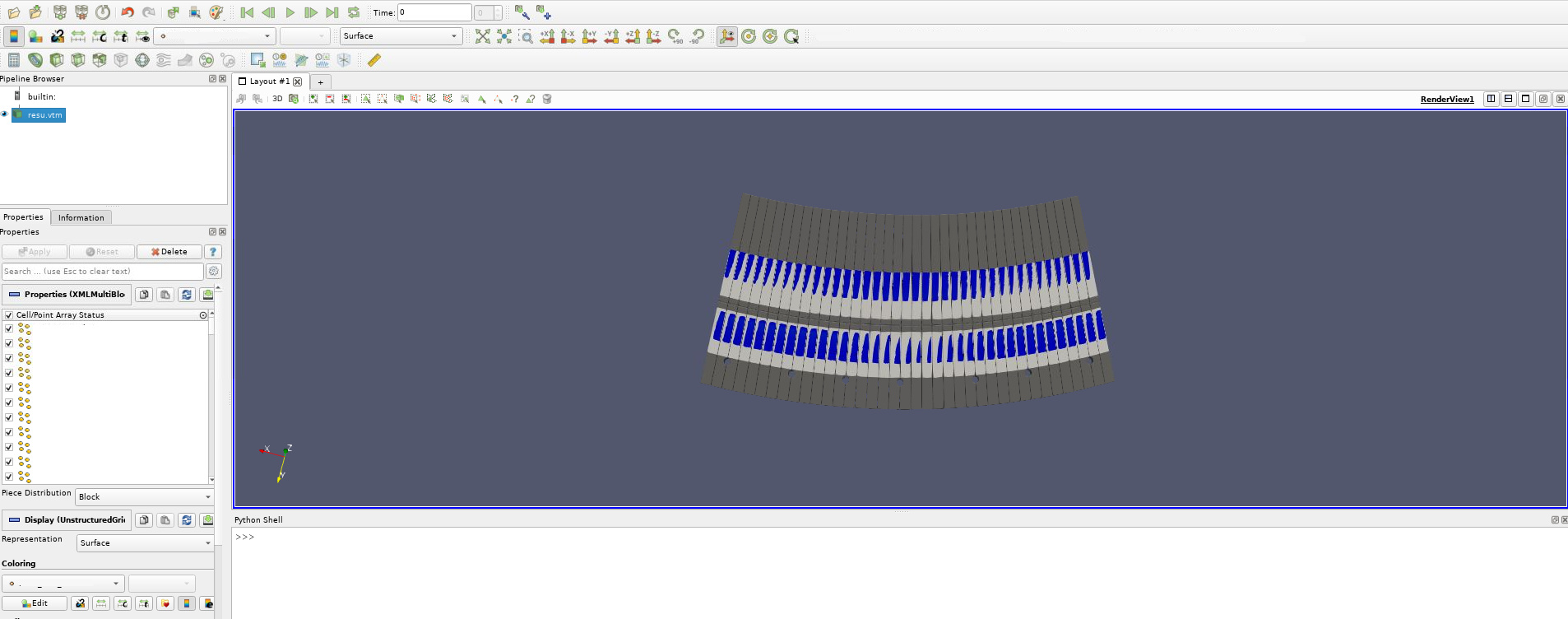
When I click inside Python shell to run a command :
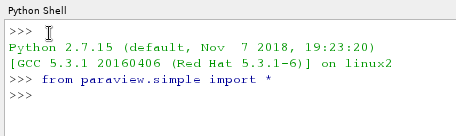
There is a kind of reset after the first line and then write “from paraview.simple import \*”.
I switched from Paraview 5.4 to ParaView 5.6 because I can’t find the PointArrayStatus property of a source to load only the wanted data.
source = FindSource(‘resu.vtm’)
source.PointArrayStatus = [‘Data1’,‘Data2’]
Is there a way to not having this python shell reset when we click on the python shell for the first time?
I hope my explanation is enough good. I will try to give a simple python script exemple soon.
Thank you.
---
### Author:  [@utkarsh.ayachit](https://discourse.paraview.org/u/utkarsh.ayachit)
#### Post date: [November 14, 2019, 3:49pm UTC](https://discourse.paraview.org/t/python-shell-reset-on-first-use-with-paraview-5-6/2978/2 "2019-11-14T15:49:16Z")
It’s not resetting, it’s setting up the interactive interpreter. Why do you not what it do that? What is the issue you’re having because of it?
---
### Author:  [@cory.quammen](https://discourse.paraview.org/u/cory.quammen)
#### Post date: [November 14, 2019, 3:54pm UTC](https://discourse.paraview.org/t/python-shell-reset-on-first-use-with-paraview-5-6/2978/3 "2019-11-14T15:54:15Z")
Welcome to ParaView, @aspsgge. It looks to me like you can’t set the active point arrays because none of the arrays have names in the GUI. I believe that is the root cause of your problem.
---
### Author:  [@aspsgge](https://discourse.paraview.org/u/aspsgge)
#### Post date: [November 14, 2019, 4:00pm UTC](https://discourse.paraview.org/t/python-shell-reset-on-first-use-with-paraview-5-6/2978/4 "2019-11-14T16:00:44Z")
Thank you for your quick answers. (the array names were hidden, that’s why there is no array name). I will explain better my issue.
Here is an example of script :
```
#### BEGIN ######
from paraview.simple import *
#### disable automatic camera reset on 'Show'
paraview.simple._DisableFirstRenderCameraReset()
# create a new 'Sphere'
sphere1 = Sphere()
sphere1.ThetaResolution = 20
sphere1.PhiResolution = 20
# get active view
renderView1 = GetActiveViewOrCreate('RenderView')
# uncomment following to set a specific view size
# renderView1.ViewSize = [1618, 480]
# show data in view
sphere1Display = Show(sphere1, renderView1)
import numpy as np
a = np.linspace(0,1,10)
##### END #####
```
This script is save as test\_script.py
If I run ParaView with this way :
/Home/ParaView5.6/bin/paraview --mesa-llvm -script=/Home/test\_script.py
This opens me Paraview and execute the script :
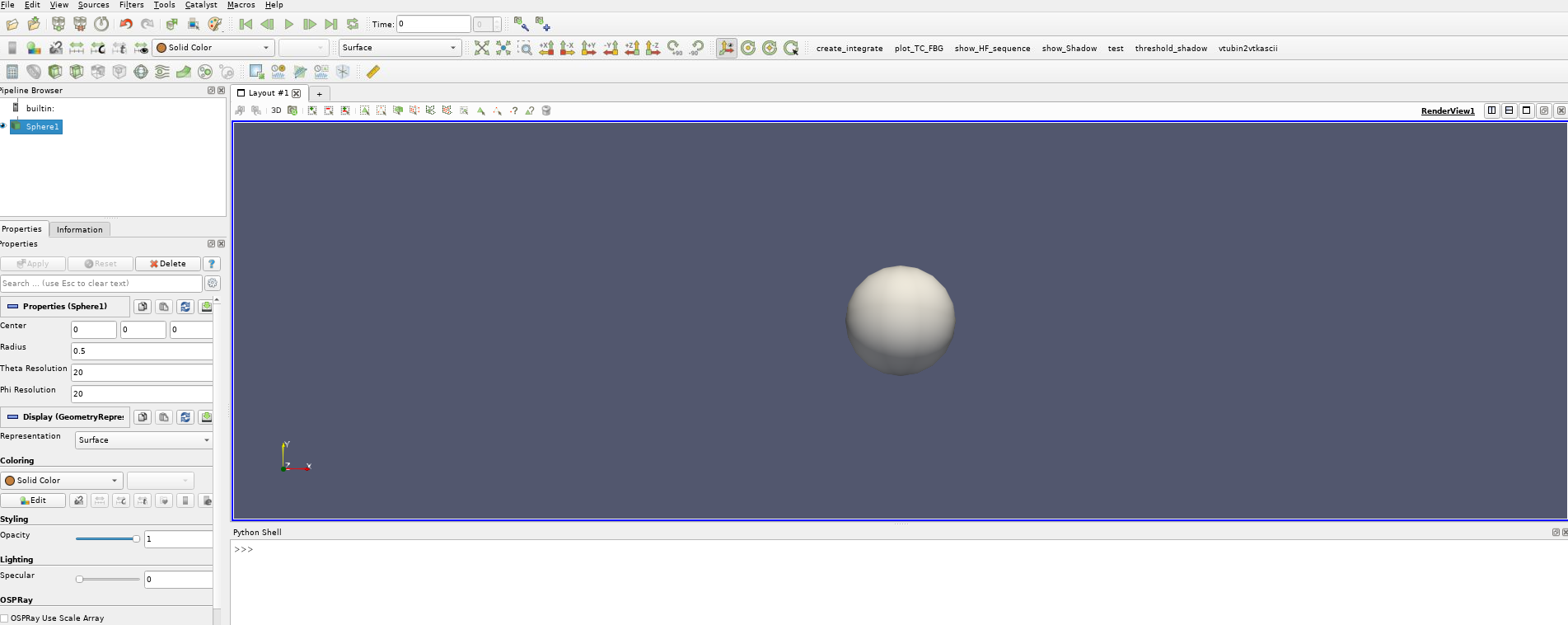
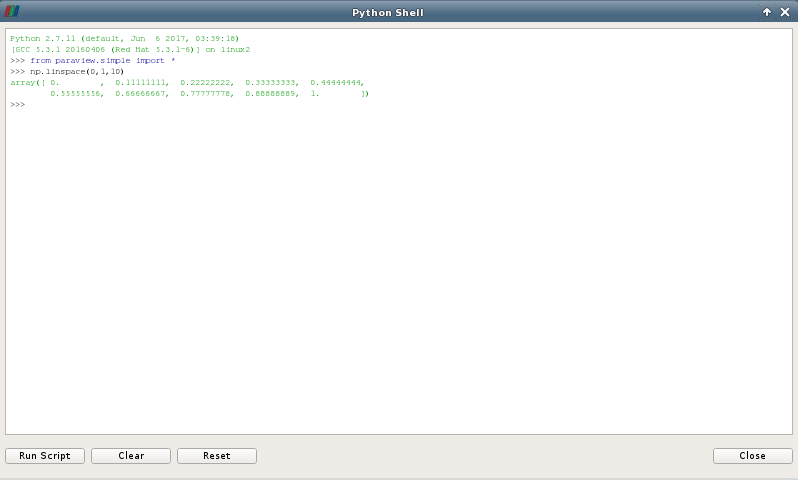
But if I want to use a function of numpy inside the python shell, it’s not possible even if numpy was loaded inside the python script.
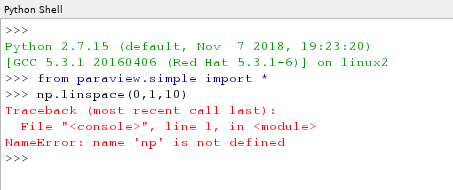
This was possible with Paraview 5.4
---
### Author:  [@utkarsh.ayachit](https://discourse.paraview.org/u/utkarsh.ayachit)
#### Post date: [November 14, 2019, 4:08pm UTC](https://discourse.paraview.org/t/python-shell-reset-on-first-use-with-paraview-5-6/2978/5 "2019-11-14T16:08:51Z")
The Python shell is now executing in a separate context, so you’ll just need to import stuff again. Just do `import numpy as np` again in the shell and it’d be fine.
---
### Author:  [@aspsgge](https://discourse.paraview.org/u/aspsgge)
#### Post date: [November 14, 2019, 4:16pm UTC](https://discourse.paraview.org/t/python-shell-reset-on-first-use-with-paraview-5-6/2978/6 "2019-11-14T16:16:46Z")
Thank you for your quick help
So there is no real solution except running the script again. :-/
For my use, it’s not just one line like import numpy as np, but a lot of lines… This was for a simple example.
I see that in Paraview 5.7, there is no more option “–script=” for executing paraview. This features of launching a python script at the opening is now not supported?