# Raytracing in batch mode - progressive passes are ignored
**URL:** https://discourse.paraview.org/t/raytracing-in-batch-mode-progressive-passes-are-ignored/12139
**Category:** ParaView Support
**Created:** [May 23, 2023, 8:43am UTC](https://discourse.paraview.org/t/raytracing-in-batch-mode-progressive-passes-are-ignored/12139 "2023-05-23T08:43:07Z")
**Posts on this page:** 9
**Page:** 1
### Author:  [@flotus1](https://discourse.paraview.org/u/flotus1)
#### Post date: [May 23, 2023, 8:43am UTC](https://discourse.paraview.org/t/raytracing-in-batch-mode-progressive-passes-are-ignored/12139/1 "2023-05-23T08:43:07Z")
I am getting inconsistent results between exporting screenshots from the GUI, and exporting them in batch mode. Specifically when using “progressive passes” in order to keep interactivity up, while still getting high quality visualization.
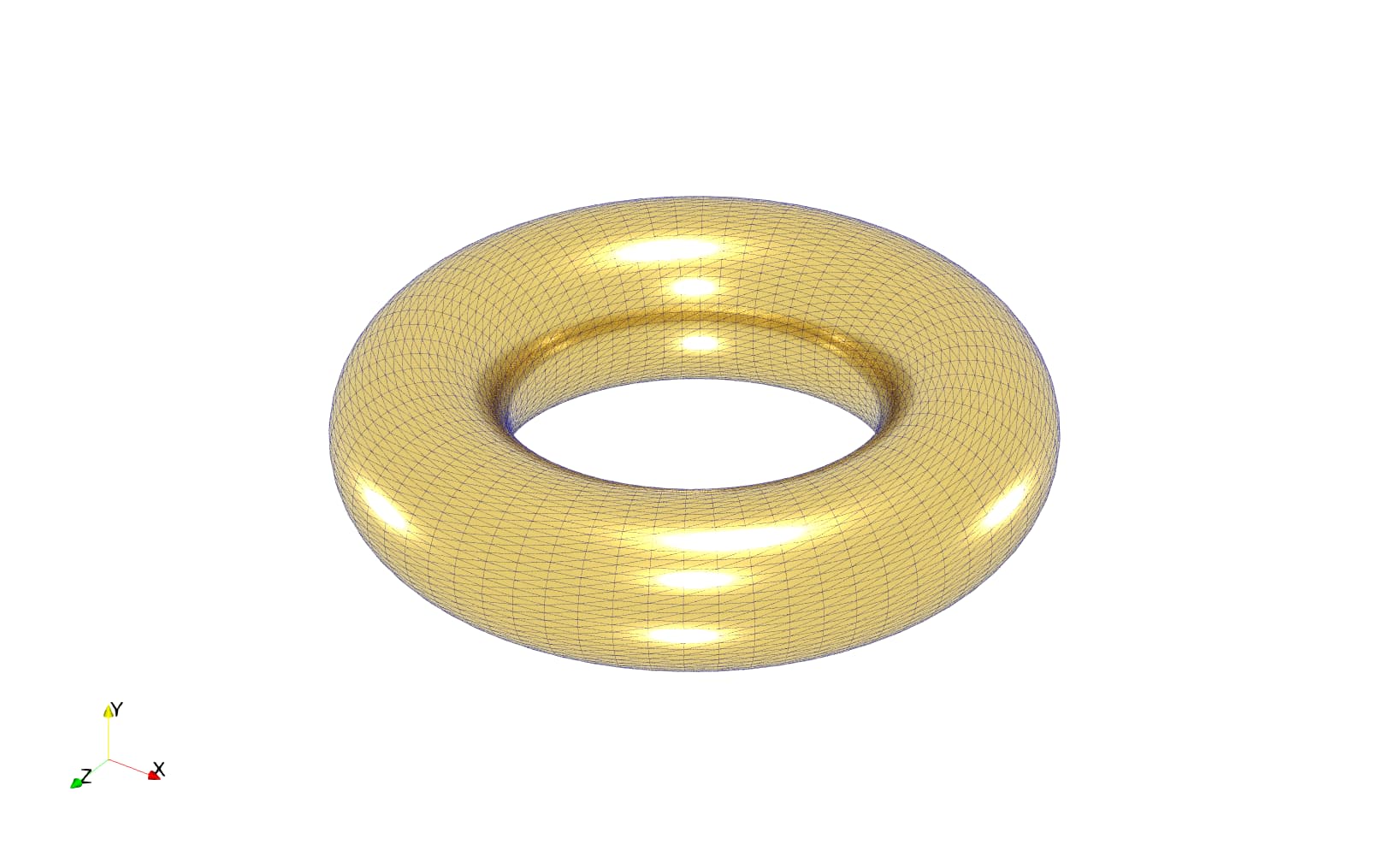
This is the image I get when exporting a screenshot from the GUI. 1 sample per pixel, 32 progressive passes:
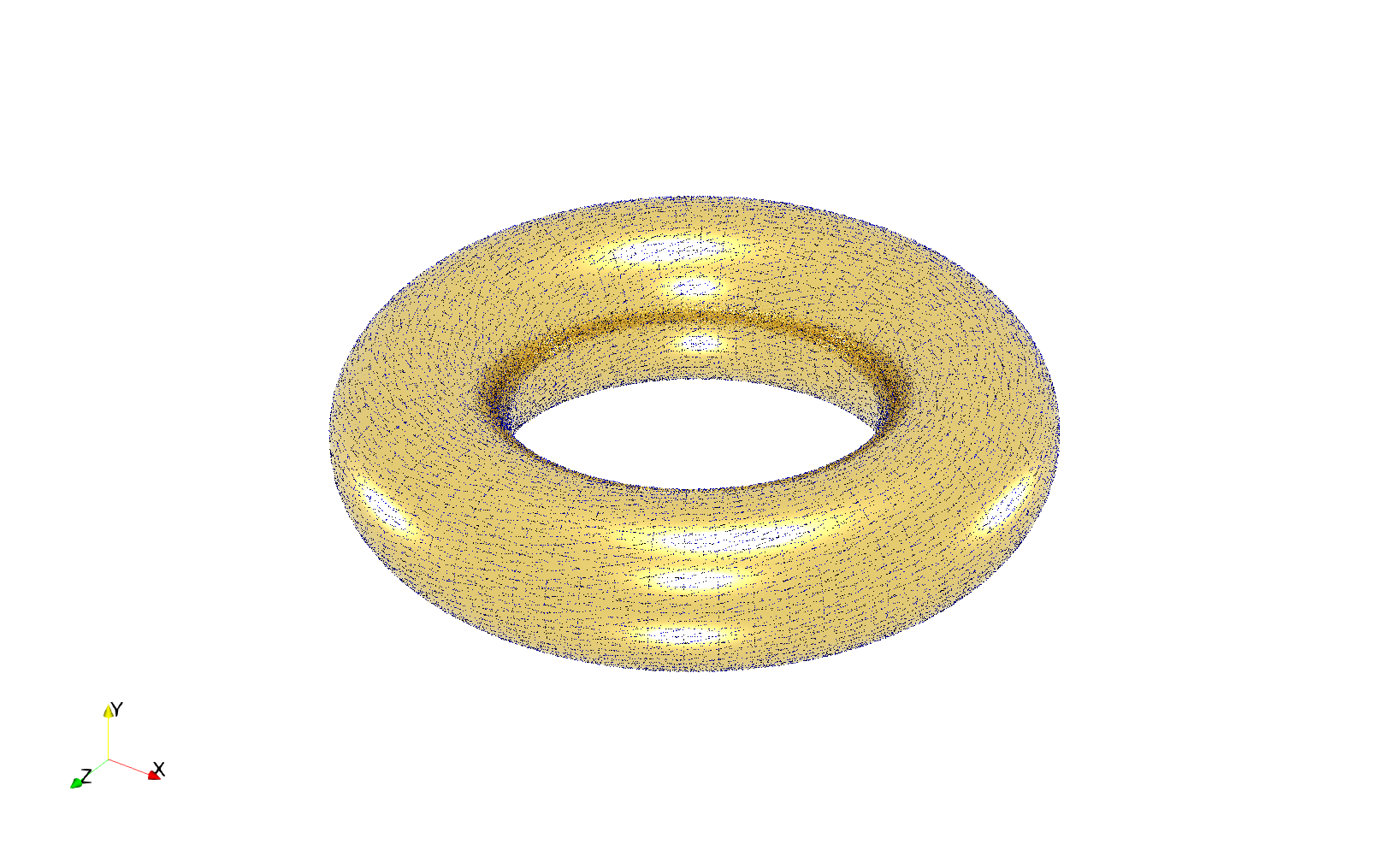
Same settings, but exported the image in batch mode via python script. Note how the quality is basically what I get in the GUI without progressive passes
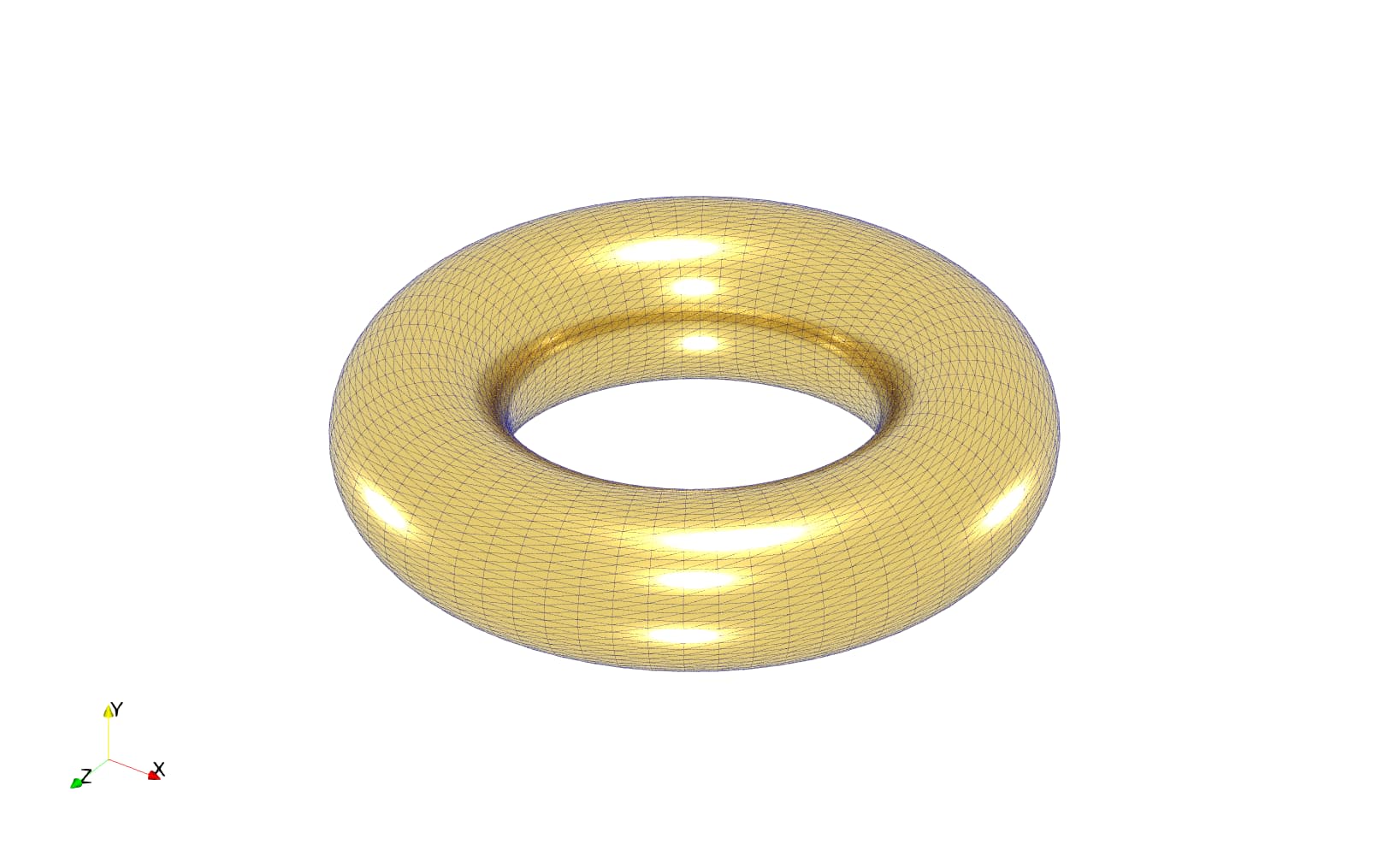
And lastly, the same image from batch mode, but with 32 samples per pixel, and no progressive passes. This is the quality I expected.
Should I just avoid the progressive passes feature with batch processing in mind?
---
### Author:  [@mwestphal](https://discourse.paraview.org/u/mwestphal)
#### Post date: [May 23, 2023, 8:47am UTC](https://discourse.paraview.org/t/raytracing-in-batch-mode-progressive-passes-are-ignored/12139/2 "2023-05-23T08:47:48Z")
> [@flotus1](#):
>
> Should I just avoid the progressive passes feature with batch processing in mind?
Definitely. Progressive passes do not make much sense in batch mode and I suspect only one pass is done in that case.
@Dave_DeMarle
---
### Author:  [@flotus1](https://discourse.paraview.org/u/flotus1)
#### Post date: [May 23, 2023, 9:06am UTC](https://discourse.paraview.org/t/raytracing-in-batch-mode-progressive-passes-are-ignored/12139/3 "2023-05-23T09:06:01Z")
I see, thanks.
Though that is a bit of a bummer. The user experience while trying to compose the scene is very different between “high number of progressive passes” and “high number of samples per pixel”
---
### Author:  [@mwestphal](https://discourse.paraview.org/u/mwestphal)
#### Post date: [May 23, 2023, 9:06am UTC](https://discourse.paraview.org/t/raytracing-in-batch-mode-progressive-passes-are-ignored/12139/4 "2023-05-23T09:06:55Z")
Wdym ? There is no user interactivity at all in batch mode. Just turn progressive pass off in your script.
---
### Author:  [@flotus1](https://discourse.paraview.org/u/flotus1)
#### Post date: [May 23, 2023, 9:08am UTC](https://discourse.paraview.org/t/raytracing-in-batch-mode-progressive-passes-are-ignored/12139/5 "2023-05-23T09:08:17Z")
Of course. But at some point before that, I have to use the graphical user interface in order to set up the scene I want to export as an image.
---
### Author:  [@mwestphal](https://discourse.paraview.org/u/mwestphal)
#### Post date: [May 23, 2023, 9:09am UTC](https://discourse.paraview.org/t/raytracing-in-batch-mode-progressive-passes-are-ignored/12139/6 "2023-05-23T09:09:36Z")
Yes, use progressive pass interactively and edit your script before running in batch mode.
---
### Author:  [@flotus1](https://discourse.paraview.org/u/flotus1)
#### Post date: [May 23, 2023, 9:12am UTC](https://discourse.paraview.org/t/raytracing-in-batch-mode-progressive-passes-are-ignored/12139/7 "2023-05-23T09:12:15Z")
Yep, that’s just one more step along the way. I was not sure if this was really necessary.
---
### Author:  [@mwestphal](https://discourse.paraview.org/u/mwestphal)
#### Post date: [May 23, 2023, 9:13am UTC](https://discourse.paraview.org/t/raytracing-in-batch-mode-progressive-passes-are-ignored/12139/8 "2023-05-23T09:13:32Z")
Looks like it is. You can open an issue in ParaView to improve the rendering in that case:
[https://gitlab.kitware.com/paraview/paraview/-/issues](https://gitlab.kitware.com/paraview/paraview/-/issues)
---
### Author:  [@aerogt3](https://discourse.paraview.org/u/aerogt3)
#### Post date: [March 12, 2024, 9:37am UTC](https://discourse.paraview.org/t/raytracing-in-batch-mode-progressive-passes-are-ignored/12139/9 "2024-03-12T09:37:43Z")
What makes this confusing, is that pvbatch seems to respect the ProgressivePasses when using SaveAnimation, but NOT when using SaveScreenshot.
Is there a reason for that?