# Remove Axis Tick Labels
**URL:** https://discourse.paraview.org/t/remove-axis-tick-labels/17355
**Category:** ParaView Support
**Created:** [December 9, 2025, 12:06am UTC](https://discourse.paraview.org/t/remove-axis-tick-labels/17355 "2025-12-09T00:06:32Z")
**Posts on this page:** 2
**Page:** 1
### Author:  [@Sam\_Austin](https://discourse.paraview.org/u/Sam_Austin)
#### Post date: [December 9, 2025, 12:06am UTC](https://discourse.paraview.org/t/remove-axis-tick-labels/17355/1 "2025-12-09T00:06:32Z")
Fairly straightforward question… how can I remove the **numbers** from the axes but retain the **ticks**? In this example, I want to remove the numbers.
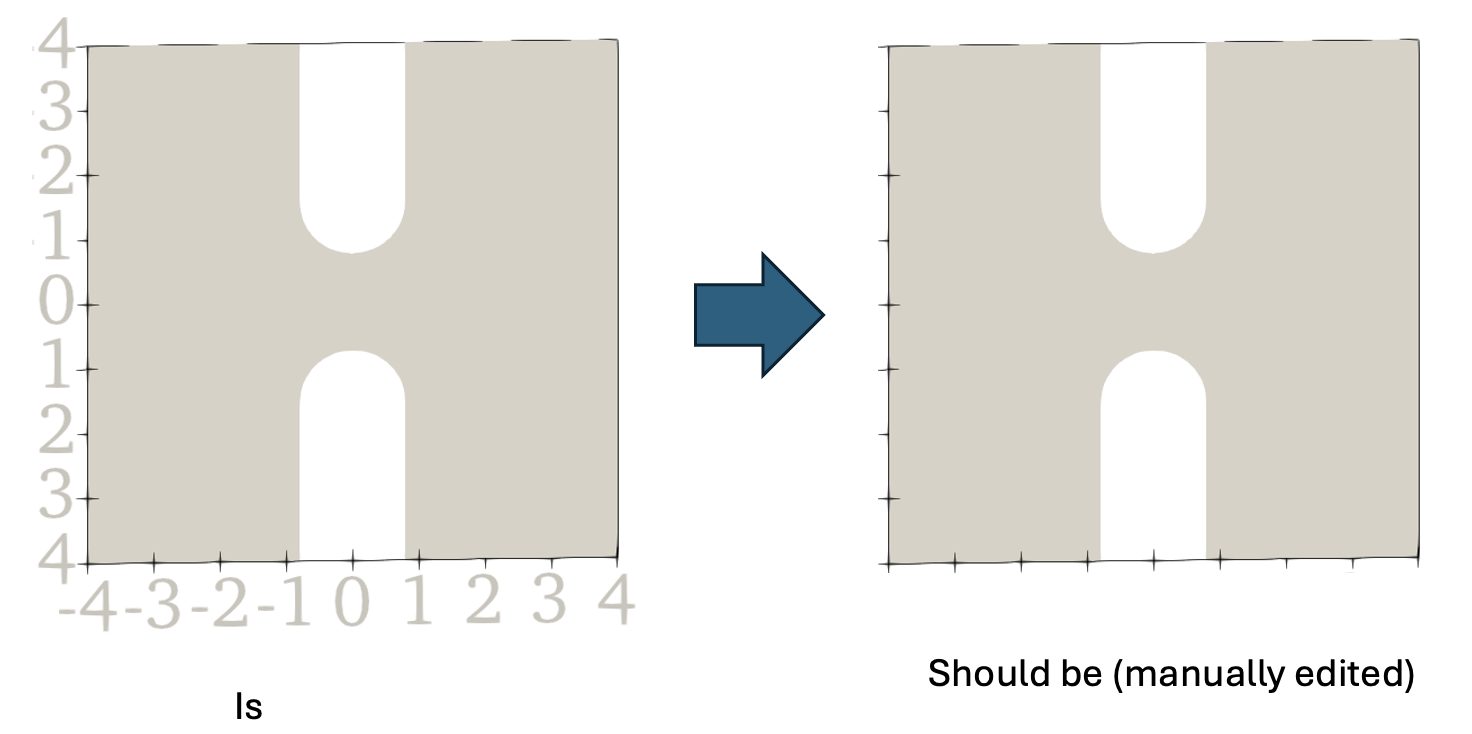
Things I’ve tried:
- Making the tick number text white (see above) – doesn’t work. This works for text annotations but not for axis numbers. I’m not sure why “white” is rendered as this eggshell color.
- Looked for a setting to change the text opacity but can not find one
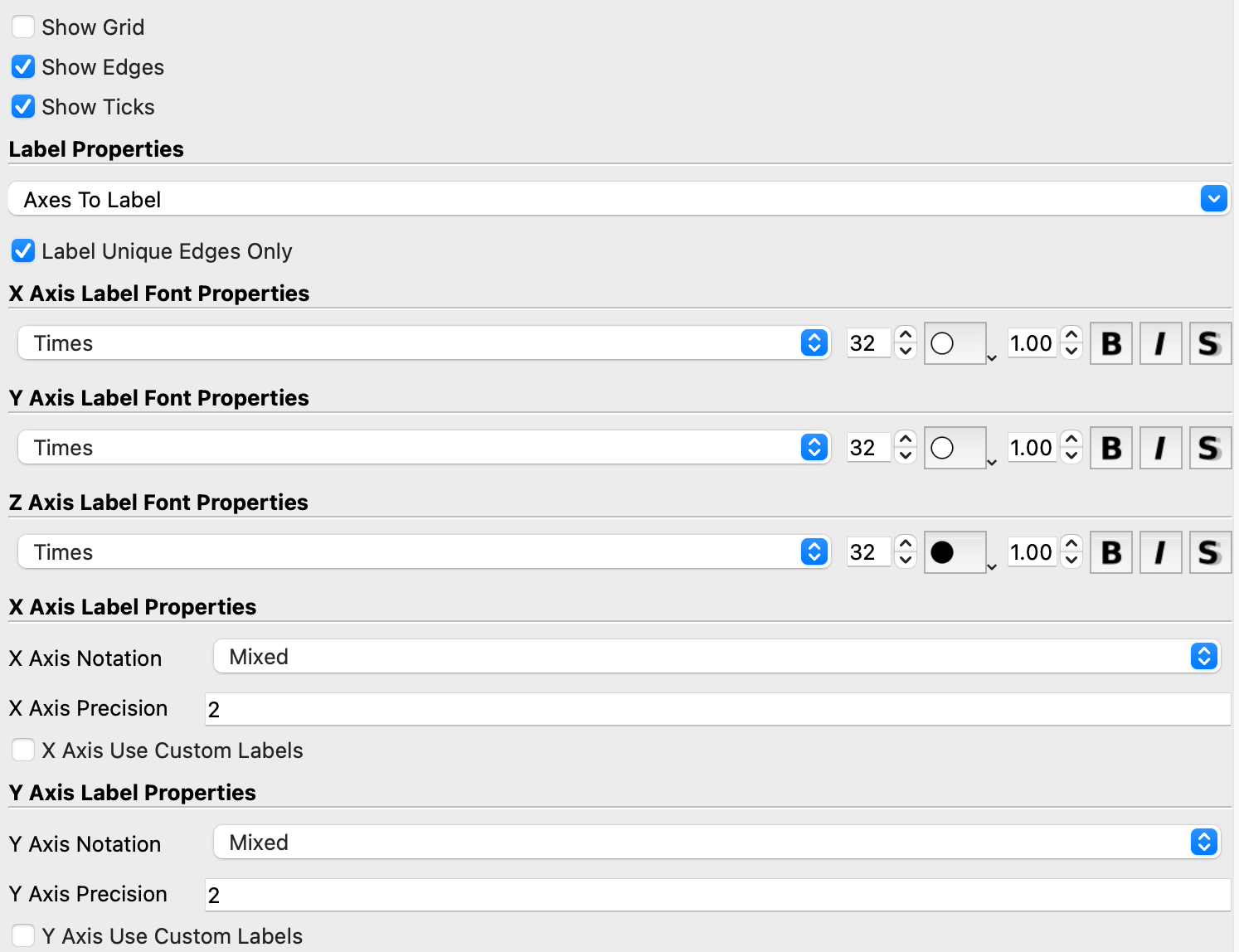
- Tried turning on/off the “axes to label” but this removes the edges and ticks in addition to the tick labels. I want to retain the edges and labels but remove the tick numbers.
Is there an option I’m missing or is this not possible? There is a check box to “Show Ticks” but nothing for the axis numbers. Thanks!
---
### Author:  [@mwestphal](https://discourse.paraview.org/u/mwestphal)
#### Post date: [December 11, 2025, 8:38am UTC](https://discourse.paraview.org/t/remove-axis-tick-labels/17355/2 "2025-12-11T08:38:38Z")
Hi @Sam_Austin
This seems doable by forcing the font size to 1.