# Removing background when exporting .png, .eps or .svg
**URL:** https://discourse.paraview.org/t/removing-background-when-exporting-png-eps-or-svg/880
**Category:** ParaView Support
**Created:** [November 10, 2018, 1:46pm UTC](https://discourse.paraview.org/t/removing-background-when-exporting-png-eps-or-svg/880 "2018-11-10T13:46:56Z")
**Posts on this page:** 6
**Page:** 1
### Author:  [@patito](https://discourse.paraview.org/u/patito)
#### Post date: [November 10, 2018, 1:46pm UTC](https://discourse.paraview.org/t/removing-background-when-exporting-png-eps-or-svg/880/1 "2018-11-10T13:46:56Z")
Hello! I am trying to export the plots that I’ve made on Paraview in .png, .eps or .svg format. When I do so, the blue-greyish background is “exported with it”. I’d like to be able to export my plot alone with no background (or alternatively be able to turn the background white with no shadows). I’ve tried to remove the background by unchecking the “Draw background” and “Rasterize 3D geometry” checkboxes in the Export Options dialog that appears after setting the filename. However, this causes a problem and a dialog box saying “Ignoring DrawBackground=false setting. The background is always drawn on the OpenGL2 etc…” pops up. Any ideas on how I can export the objects in my plot alone and not the background? Thanks!
---
### Author:  [@banesullivan](https://discourse.paraview.org/u/banesullivan)
#### Post date: [November 11, 2018, 10:19pm UTC](https://discourse.paraview.org/t/removing-background-when-exporting-png-eps-or-svg/880/2 "2018-11-11T22:19:35Z")
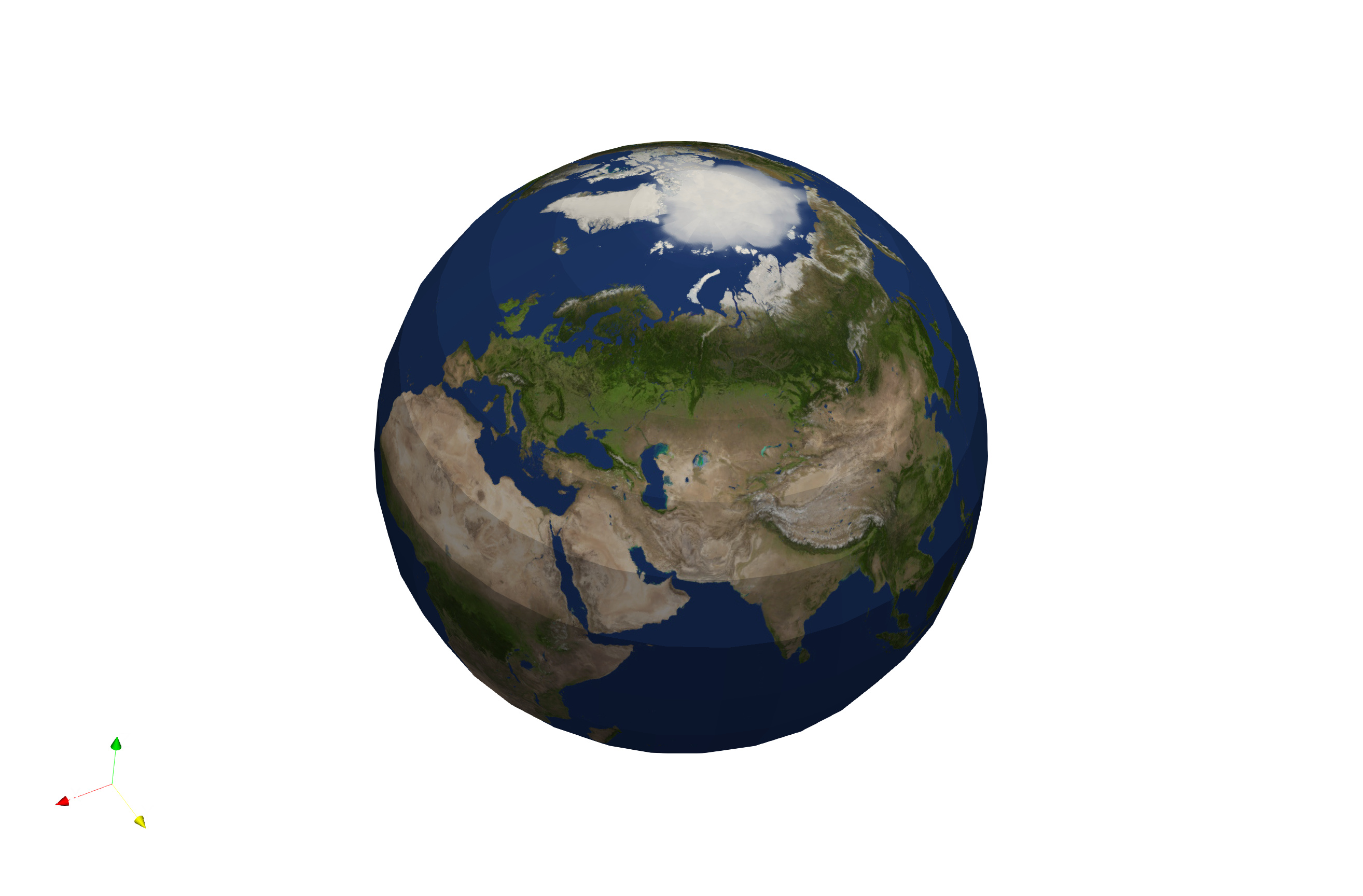
There is an option to set the background color or to make it transparent after selecting where to save your screenshot. See this:
[https://discourse.paraview.org/uploads/default/original/1X/0dad4b5c26f5985450c144e3f60c2f860c834881.mov](https://discourse.paraview.org/uploads/default/original/1X/0dad4b5c26f5985450c144e3f60c2f860c834881.mov)
which yields:
---
### Author:  [@patito](https://discourse.paraview.org/u/patito)
#### Post date: [November 12, 2018, 11:40am UTC](https://discourse.paraview.org/t/removing-background-when-exporting-png-eps-or-svg/880/3 "2018-11-12T11:40:41Z")
Thank you very much, really appreciate it! It all worked.
---
### Author:  [@TimJim](https://discourse.paraview.org/u/TimJim)
#### Post date: [September 9, 2020, 9:24am UTC](https://discourse.paraview.org/t/removing-background-when-exporting-png-eps-or-svg/880/4 "2020-09-09T09:24:31Z")
Hi, I’m having the same issue as the OP. Unfortunately, the solution suggested doesn’t seem to include .svg files (unless I’ve missed something obvious!) - is there something else I can try?
Many thanks!
---
### Author:  [@mwestphal](https://discourse.paraview.org/u/mwestphal)
#### Post date: [September 9, 2020, 12:36pm UTC](https://discourse.paraview.org/t/removing-background-when-exporting-png-eps-or-svg/880/5 "2020-09-09T12:36:56Z")
Unrelated question. Please open your own thread if you have more questions.
---
### Author:  [@mwestphal](https://discourse.paraview.org/u/mwestphal)
#### Post date: [September 9, 2020, 12:36pm UTC](https://discourse.paraview.org/t/removing-background-when-exporting-png-eps-or-svg/880/6 "2020-09-09T12:36:59Z")